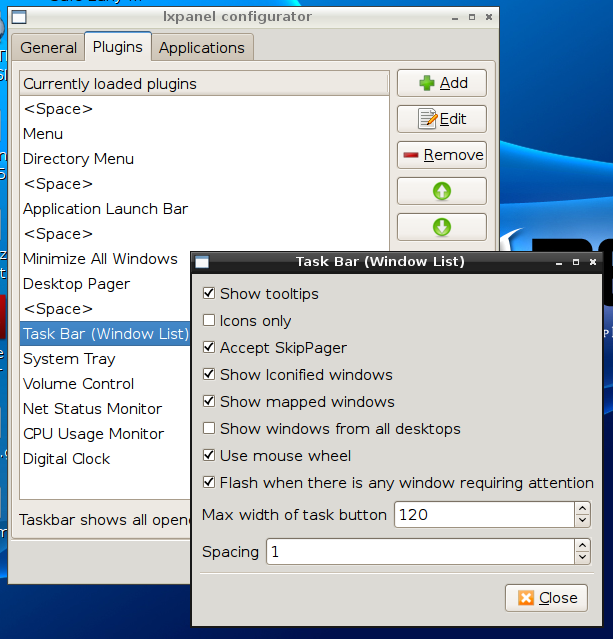
Right click the panel -> properties (or edit panel). You will then see a
dialogue like this:
http://lxde.sourceforge.net/screenshots/lxpanel_pref.png
You can then readd the task bar (window list) item

all done


On Sat, Jun 26, 2010 at 10:50 PM, Phillip Whiteside <[email protected]>wrote:

> Hi,
>
> well, it had to happen :-)
>
> Remove "Task Bar" (Windows List) From Panel
>
> Once someone has done that, how do they get it back? (I'm too big a coward
> to try that on my system, so it's possibly one for the devs)
>
> Thanks,
> Phill.
> it reminds me of the "Do NOT remove network manager" warning I see on the
> support forum
>
> _______________________________________________
> Mailing list: https://launchpad.net/~lubuntu-desktop
> Post to     : [email protected]
> Unsubscribe : https://launchpad.net/~lubuntu-desktop
> More help   : https://help.launchpad.net/ListHelp
>
>
_______________________________________________
Mailing list: https://launchpad.net/~lubuntu-desktop
Post to     : [email protected]
Unsubscribe : https://launchpad.net/~lubuntu-desktop
More help   : https://help.launchpad.net/ListHelp