Hi Mary,

Thanks for this,
It’s a good read and interesting info re the complications

Should the OS version mentioned in here though be watch OS 5  rather than watch
os 4?

Also the idea of the watch 4 being slimmer is a concern to me, I tend to knock
things around and my watch is no different.

But still, it will be an interesting design to have a look at.


From: [email protected] <[email protected]> On
Behalf Of Mary Otten
Sent: Saturday, 1 September 2018 5:35 AM
To: [email protected]; [email protected];
[email protected]
Subject: What are all the complications on the leaked Apple Watch 'Series 4'
face?

I thought people might find this article on the new Apple Watch OS interesting.
It’s from Apple insider, and they usually know what they are talking about. I
wonder how old is complexity will work with voiceover.
Mary
What are all the complications on the leaked Apple Watch 'Series 4' face?
AppleInsider

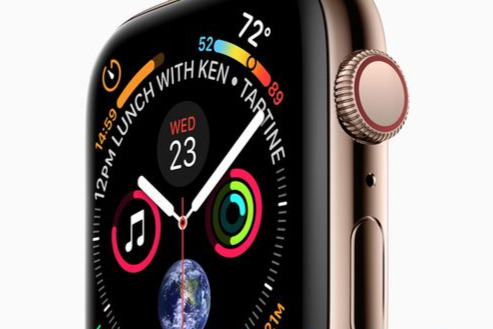
 As well as the time, the new Apple Watch face that we're expecting for watchOS
4 and the Apple Watch "Series 4" contains a remarkable nine complications, and
an awful lot of data for the user at a glance. AppleInsider details what they
are.
[https://photos5.appleinsider.com/gallery/27401-40820-NEW-000-3x2-Apple-Watch-Face-l.jpg]


When Apple leaked an image of its forthcoming Apple Watch Series 4, most of the
attention it got was focused on the hardware. Yet alongside its gold surround,
its larger display area and possibly slimmer body, there is the face.

This brand new Watch face is a combination of several old ones that Apple
described as Activity, Utility and Chronograph. It's reminiscent of very
high-end analog watches but looks better.

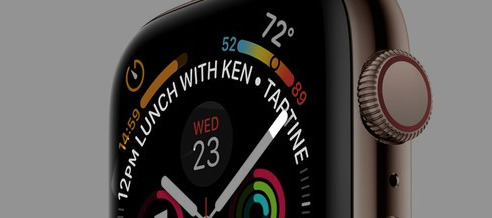
Surrounding the hour, minute and second hands there are nine complications and
each one is distinct and clear. Or at least, they are distinct and clear to
see: that's not the same as knowing what each of them does or is for.

What's on the face

With all the Apple Watches released so far, you've been able to change any of
the complications to show data from third-party apps. So you can have a count
of your To Do tasks from
OmniFocus<http://appleinsider.com/l/?link=https://itunes.apple.com/us/app/omnifocus-3/id1346190318?mt=8>,
 for instance, and launch that app by tapping on the complication.

Presumably that will continue to be the case but, unsurprisingly, all nine of
the complications in the leaked image appear to be by Apple. We still expect
that you can tap on any of them to get more details from the dedicated app on
your Watch.

Timer
[https://photos5.appleinsider.com/gallery/27401-40811-Detail-001-l.jpg]


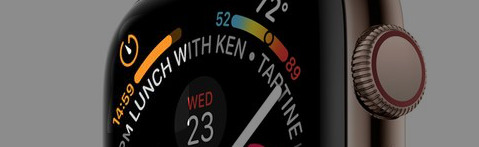
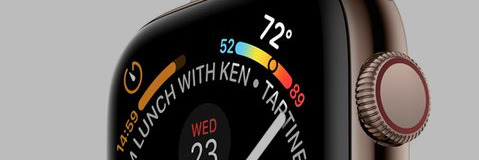
At the top left of the face is a countdown timer that is currently running.
Given that it's showing 14:59 it may have been set to count down 15 minutes but
there's also a progress bar which looks to be further along than one second.

Appointment

Around the centre of the of Watch face there are markers for minutes but the
top of the circle is broken with text showing your next calendar event or
appointment.
[https://photos5.appleinsider.com/gallery/27401-40812-Detail-002-l.jpg]


Presumably the length of this varies depending on the title of the next event
but it will also have certain limits.

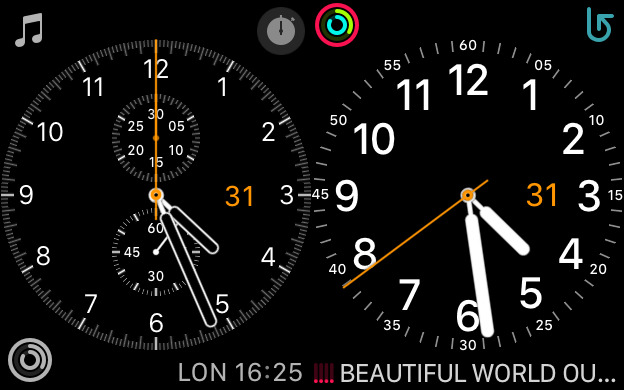
This information is currently shown best on two Apple Watch faces, the
Chronograph and the Utility.
[https://photos5.appleinsider.com/gallery/27401-40809-xx-Chronograph-and-Utility-l.jpg]


The Apple Watch Series 4 face does make both of those seem colorless, though.

Then while a bottom line showing text is arguably clearer, this 12pm Lunch With
Ken Tartine gets more room. It occupies about a third of the circle or the
equivalent of 20 minutes.

We don't know who Ken is but he could be meeting us at Tartine Bakery in San
Francisco<https://www.tartinebakery.com>. We should set off soon, then: Tartine
has two restaurants in the city and both are about an hour's drive from Apple
Park in Cupertino.

Weather

Previously the Weather complication could show you the temperature but this new
version uses the extra space to provide more.
[https://photos5.appleinsider.com/gallery/27401-40813-Detail-003-l.jpg]


It's still showing the current temperature but that's above a bar with the
day's minimum and maximum. Notice the circle within the bar that shows where in
that range we are now.

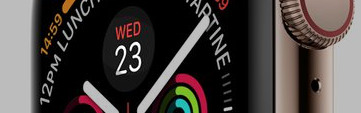
Day and Date

While it's just the day and date, this is actually substantially clearer than
any previous equivalent. So far this information has been limited to either a
small complication or a single abbreviated line of text above digital time
displays.
[https://photos5.appleinsider.com/gallery/27401-40814-Detail-004-l.jpg]


It is curious that it's showing Wednesday 23 and not, for instance, Wednesday
12. That's the day this image is planned to be showed publicly.

Music

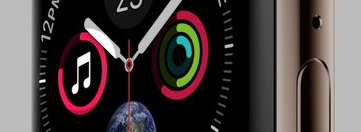
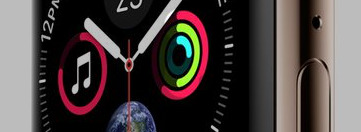
This is the only complication, of those shown in this example, that you can
interact with using the Digital Crown.
[https://photos5.appleinsider.com/gallery/27401-40815-Detail-005-l.jpg]


As you turn that crown, the circle representing volume will increase or
decrease. At lower sound volume the circle will probably be green: Apple is
keen on warning you when things are getting a bit loud.

Activity

Someone's not been standing up much today. This is the Activity complication
that updates to show your exercise during the day and again it's clearer than
before. The Siri face did have a similar-sized icon in its scrolling list of
items.
[https://photos5.appleinsider.com/gallery/27401-40816-Detail-006-l.jpg]


Otherwise, though, Activity was either a monochrome complication or a large
icon behind the watch hands in its own face.

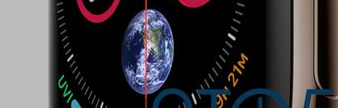
Astronomy

The full Astronomy face shows you either this same view of the Earth showing
the terminator between day and night or the equivalent view of the moon.
[https://photos5.appleinsider.com/gallery/27401-40817-Detail-007-l.jpg]

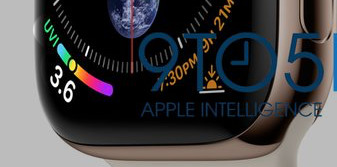
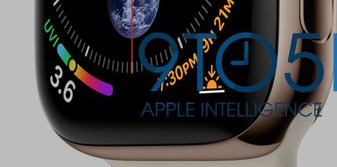
UVI

At bottom left there's the current Ultra Violet Index. The example 3.6 comes in
the range where advice is to stay in the shade as much as you can.
[https://photos5.appleinsider.com/gallery/27401-40818-Detail-008-l.jpg]


What's significant about that is where the data could be coming from. Earlier
this year, Apple filed a patent for "Light-based Shielding Detection" which
described a portable sunscreen detector.

The filing did specifically include mention of the Apple
Watch<https://appleinsider.com/articles/18/07/19/future-apple-watch-add-ons-could-help-you-avoid-sunburn>
 and described the detector as something that could be "attachable to a
wearable electronic device".

Sunrise/Sunset

This last complication is one that uses the extra space available on the
display, though possibly unnecessarily so.
[https://photos5.appleinsider.com/gallery/27401-40819-Detail-009-l.jpg]


It's what current Watches call the Sunrise/Sunset complication. Here it's
showing the time of sunset today, 7:30pm, but also the fact that this is in 9
hours and 21 minutes time.

You've got the sunset time and you're looking at a Watch, it's hard to know how
often you'll want that extra information.

Also notice, though, that complications one and nine have a similar pattern.
They show actual information like the countdown or the sunset time around the
circle of the Watch face and have an icon the corner. By comparison,
complications three and eight both use that icon space to show the most
important data.

Given that you can presume the sunset icon will change to a sunrise one at
appropriate times, it's likely that the timer one may be able to change to a
stopwatch too.

Complicated

You either find this number of complications impressive or garish. Either way,
the fact that so much can be displayed so legibly and clearly is a mark of the
bigger display area.

That will of course be why Apple chose this face to show off the new Watch.
But, there is a part of us that is looking forward to seeing Mickey Mouse on it
too.

Keep up with AppleInsider by downloading the AppleInsider
app<http://appleinsider.com/l/?link=https://itunes.apple.com/us/app/appleinsider/id578462575?mt=8>
 for iOS, and follow us on YouTube<https://www.youtube.com/appleinsider>,
Twitter @appleinsider<https://twitter.com/appleinsider> and
Facebook<https://www.facebook.com/AppleInsiderdotcom/> for live, late-breaking
coverage. You can also check out our official
Instagram<https://www.instagram.com/appleinsider_official/> account for
exclusive photos.


Original Article:
https://appleinsider.com/articles/18/08/31/what-are-all-the-complications-on-the-leaked-apple-watch-series-4-face

Sent from my iPhone
--
The following information is important for all members of the Mac Visionaries
list.

If you have any questions or concerns about the running of this list, or if you
feel that a member's post is inappropriate, please contact the owners or
moderators directly rather than posting on the list itself.

Your Mac Visionaries list moderator is Mark Taylor. You can reach mark at:
[email protected]<mailto:[email protected]> and your owner is Cara Quinn - you can
reach Cara at [email protected]<mailto:[email protected]>

The archives for this list can be searched at:
http://www.mail-archive.com/[email protected]/
---
You received this message because you are subscribed to the Google Groups
"MacVisionaries" group.
To unsubscribe from this group and stop receiving emails from it, send an email
to
[email protected]<mailto:[email protected]>.
To post to this group, send email to
[email protected]<mailto:[email protected]>.
Visit this group at https://groups.google.com/group/macvisionaries.
For more options, visit https://groups.google.com/d/optout.

--
The following information is important for all members of the Mac Visionaries
list.

If you have any questions or concerns about the running of this list, or if you
feel that a member's post is inappropriate, please contact the owners or
moderators directly rather than posting on the list itself.

Your Mac Visionaries list moderator is Mark Taylor.  You can reach mark at:
[email protected] and your owner is Cara Quinn - you can reach Cara at
[email protected]

The archives for this list can be searched at:
http://www.mail-archive.com/[email protected]/
---
You received this message because you are subscribed to the Google Groups
"MacVisionaries" group.
To unsubscribe from this group and stop receiving emails from it, send an email
to [email protected].
To post to this group, send email to [email protected].
Visit this group at https://groups.google.com/group/macvisionaries.
For more options, visit https://groups.google.com/d/optout.