Thanks for this,

It’s sounding very cool
From: [email protected] <[email protected]> On
Behalf Of Mary Otten
Sent: Friday, 25 January 2019 12:56 PM
To: [email protected]; [email protected];
[email protected]
Subject: Everything new in iOS 12.2: HomeKit TVs, Remote in Control Center,
Apple News, & more

FYI.
Everything new in iOS 12.2: HomeKit TVs, Remote in Control Center, Apple News,
& more
AppleInsider

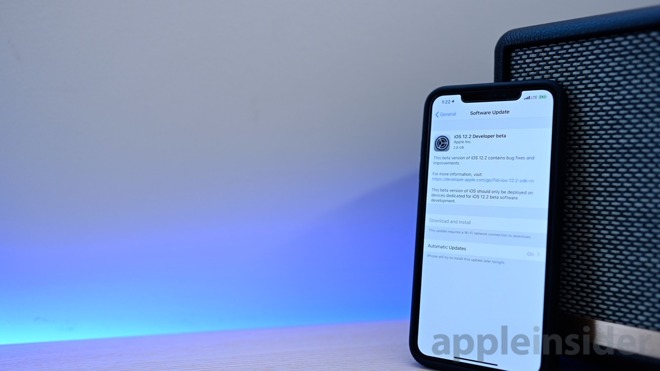
 After a lengthy beta period for iOS 12.1.3, Apple has released iOS 12.2 to
developers. There are several changes in store for this point update and
AppleInsider walks you through what to expect.
[https://photos5.appleinsider.com/gallery/29426-47467-iOS-122-Beta-1-l.jpg]

iOS 12.2 beta 1

The biggest news of the beta is Apple News is launching for Canadian
users<https://appleinsider.com/articles/19/01/24/apple-news-coming-to-canada-with-ios-122-beta>
 in both iOS
12.2<https://appleinsider.com/articles/19/01/24/apple-issues-first-developer-betas-of-ios-122-tvos-1212-watchos-52-and-macos-10144>,
 as well as macOS Mojave 10.14.4. During the beta period, the content won't be
refreshed as frequently as it will at the full launch but is available in both
English and French.
[embedded content]

Apple launched Apple News with iOS 9 in the U.S. before rolling out to
additional countries such as the UK and Australia.
[https://photos5.appleinsider.com/gallery/29426-47469-Control-Center-Remote-l.jpg]

Control Center remote

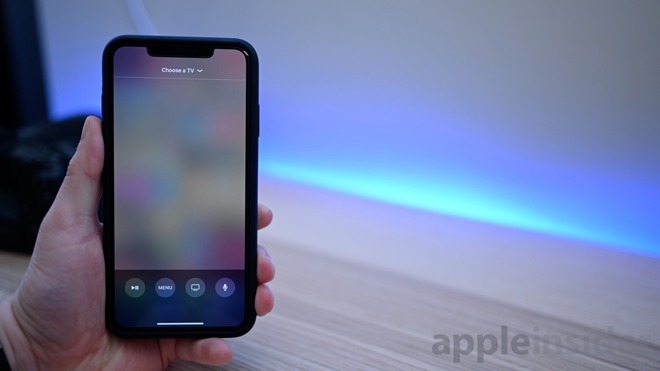
Another change in iOS 12.2 beta 1 is a redesigned remote for Apple TV when
accessed through Control Center. It now goes full screen and has a cleaner
interface. It can also now be accessed directly from the lock screen while
playing content through the iPhone using AirPlay.

Inside of the Wallet app, there is a redesigned Latest Transactions section
with new icons and groups. It makes it much quicker to see where you last used
Apple Pay cards. When on the Apple Pay Cash card a new button is present to
quickly add funds.
[https://photos5.appleinsider.com/gallery/29426-47468-HomeKit-in-iOS-122-l.jpg]

iOS Home app

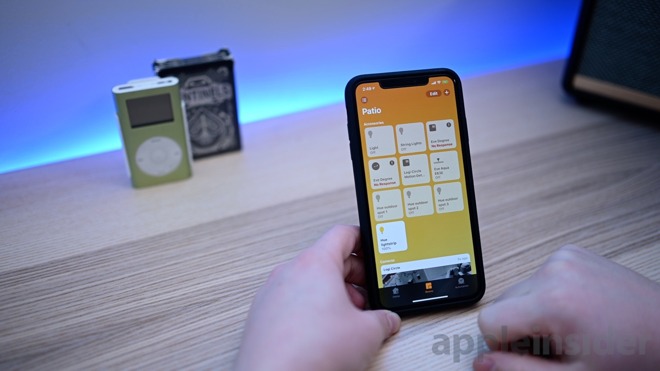
HomeKit is getting support for TVs in iOS 12.2, with several being announced
during CES
2019<https://appleinsider.com/articles/19/01/13/exploring-what-you-can-and-cant-do-with-homekit-for-tvs>
 earlier this year. The Remote app in Control Center also will now support
these TVs. In the Home app, you can see "Allow Speaker & TV Access" which used
to just say "Allow Speaker Access" for controlling who can play back content.
[https://photos5.appleinsider.com/gallery/29426-47466-Safari-Glyphs-l.jpg]

iOS 12.2 Safari glyphs

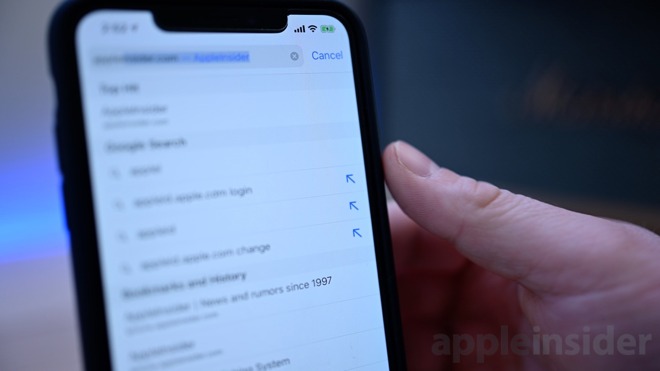
In Safari, as you are typing, autocomplete suggestions have a new arrow icon to
let you search that term.

Inside of Settings > Map there is a new category for Climate with Air Quality
Index and Weather Condition toggles.

You can toggle off the ability for websites to access your motion and
orientation information within Safari settings. Additionally, any website not
using HTTPS is flagged as not secure.

We will continue to update this post with more features found in iOS 12.2 beta
1 as they are uncovered.


Original Article:
https://appleinsider.com/articles/19/01/24/everything-new-in-ios-122-homekit-tvs-remote-in-control-center-apple-news-more

Sent from my iPhone
--
The following information is important for all members of the Mac Visionaries
list.

If you have any questions or concerns about the running of this list, or if you
feel that a member's post is inappropriate, please contact the owners or
moderators directly rather than posting on the list itself.

Your Mac Visionaries list moderator is Mark Taylor. You can reach mark at:
[email protected]<mailto:[email protected]> and your owner is Cara Quinn - you can
reach Cara at [email protected]<mailto:[email protected]>

The archives for this list can be searched at:
http://www.mail-archive.com/[email protected]/
---
You received this message because you are subscribed to the Google Groups
"MacVisionaries" group.
To unsubscribe from this group and stop receiving emails from it, send an email
to
[email protected]<mailto:[email protected]>.
To post to this group, send email to
[email protected]<mailto:[email protected]>.
Visit this group at https://groups.google.com/group/macvisionaries.
For more options, visit https://groups.google.com/d/optout.

--
The following information is important for all members of the Mac Visionaries
list.

If you have any questions or concerns about the running of this list, or if you
feel that a member's post is inappropriate, please contact the owners or
moderators directly rather than posting on the list itself.

Your Mac Visionaries list moderator is Mark Taylor.  You can reach mark at:
[email protected] and your owner is Cara Quinn - you can reach Cara at
[email protected]

The archives for this list can be searched at:
http://www.mail-archive.com/[email protected]/
---
You received this message because you are subscribed to the Google Groups
"MacVisionaries" group.
To unsubscribe from this group and stop receiving emails from it, send an email
to [email protected].
To post to this group, send email to [email protected].
Visit this group at https://groups.google.com/group/macvisionaries.
For more options, visit https://groups.google.com/d/optout.