Alex Robinson on  wrote...
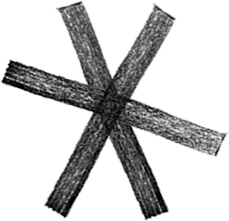
| I have an image on a transparent background. I would like to fill the
| image, preserving the background transparency and the varying degrees
| of opaqueness of the actual image detail.
|
| ie. to convert
|
|     http://www.fu2k.org/alex/images/junk/asterisk_black.png
|
| to something like
|
|     http://www.fu2k.org/alex/images/junk/asterisk_fuschia.png
|
| In Photoshop, I would simply choose 'preserve transparency' (either
| through the fill dialog or checking the lock on the layer. In
| ImageMagick I am a relatively  clueless idiot and I don't know where
| to start on this task.
|
| I'm using PerlMagick, but incantations that use the command line will
| be just as helpful.
The equivelent operation in IM is -colorize  which automatically
preserves transparency...

  convert  asterisk_black.png \
           -fill fuschia -colorize 100% \
           asterisk_fuschia.png

A value of 100%  is a total replacement of all non-transparent color
components.   50% will overlay a 50% transparent color over the
existing color.

See.. IM Examples,  Color Modifications,
   Uniformly Color Tinting Images
     http://www.cit.gu.edu.au/~anthony/graphics/imagick6/color/#tinting

If your original image is mostly grey, with some black and white
highlights  You can color the grey and keep the highlights using -tint

See  IM Examples,  Color Modifications,
       Color Tinting Greys
    http://www.cit.gu.edu.au/~anthony/graphics/imagick6/color/#tint

For information on such  grey highlight images.. see..
 Image Transformations,  Creating Overlay Highlighting
  http://www.cit.gu.edu.au/~anthony/graphics/imagick6/transform/#shade_overlay

The is part however is much more 'expert' level.  And is more about
using -shade to generate 3-D shapes. The ideas presented are valid for
all these types of images.


Enjoy...
  Anthony Thyssen ( System Programmer )    <[EMAIL PROTECTED]>
 -----------------------------------------------------------------------------
       As a computer, I find your faith in technology amusing.
 -----------------------------------------------------------------------------
     Anthony's Home is his Castle     http://www.cit.gu.edu.au/~anthony/
_______________________________________________
Magick-users mailing list
[email protected]
http://studio.imagemagick.org/mailman/listinfo/magick-users