On Monday, April 21, 2014 12:30:16 PM UTC-4, Eduardo Rivas wrote:
>
> The blog app defines it's own url patterns. For example, the list view
> (showing all blog posts) is mapped to /blog by default.
>
It seem to be that the blog app defines "/" to be the list view in its
urls.py. Mezzanine includes the blog's urls.py, adding the BLOG_SLUG prefix.
The app I am integrating also defines it's own urls. I simply included
these in my project's urls.py(above the mezzanine catch-all):

    ("^pastes/", include('dpaste.urls.dpaste')),


Then I created a RichTextPage with the name "Pastes" and no parent to match
this url. I can successfully visit the dpaste app from the added navigation
link. When I remove the dpaste url include, I can successfully visit the
RichTextPage.


> The trick is in creating a page in the admin with the exact same slug. You
> have to do this to get Mezzanine to insert the page variable into your
> context. In the end, Mezzanine will merge both the context provided by the
> page and the context of your own application.
>
My problem is that I have created the page with the slug but Mezzanine is
not inserting the page variable into my context, so the navigation link
does not receive an "active" class.


>
> I've done this in the past with a custom Portfolio app and the integration
> is seamless. If you want to inspect your template context, list of
> templates and other useful debugging info in your browser, you should use
> Django Debug Toolbar. Install it with pip install django-debug-tollbar,
> Mezzanine will activate it automatically when it detects it's installed;
> you should then get a small button in the top-right corner of your site
> when running in the development server.
>
Yes I've done all this, thats how I was able to see that the template was
not being passed the "page" context variable...


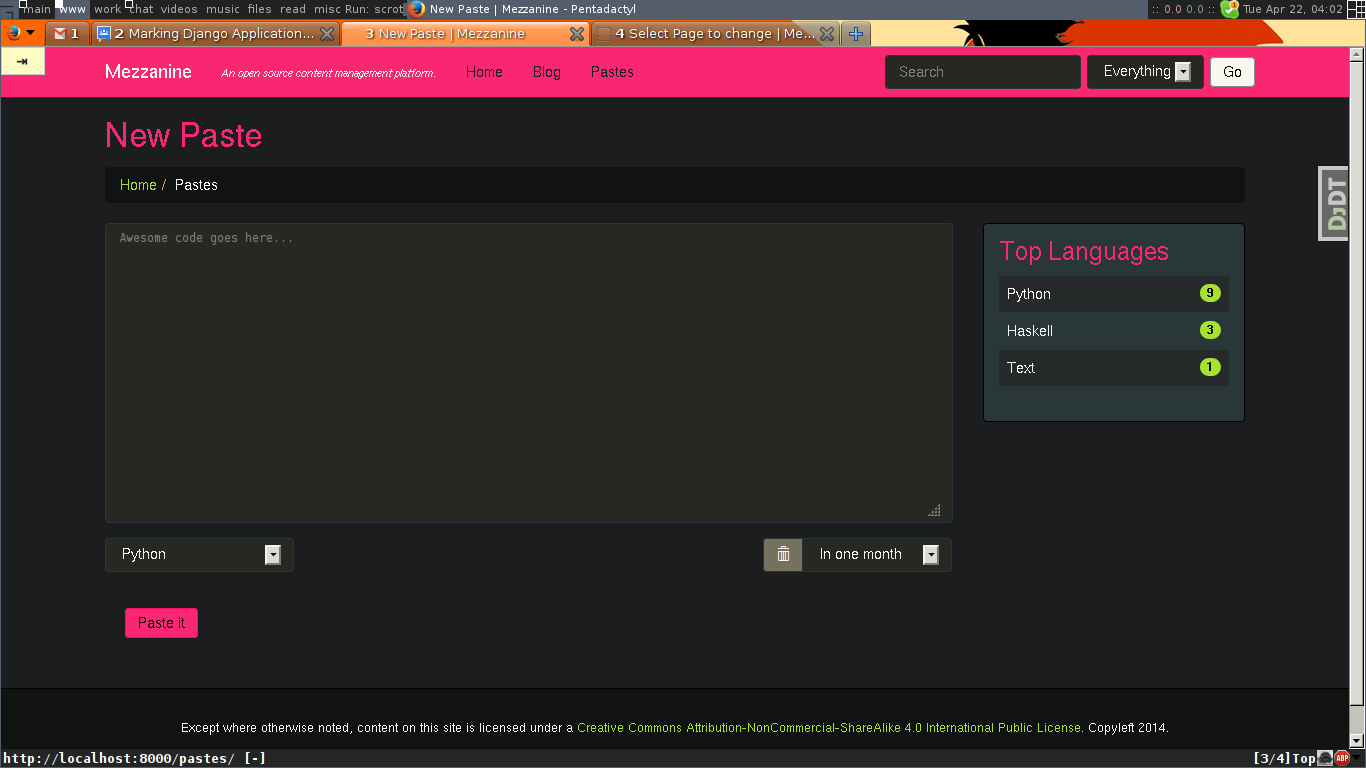
Here is a related screenshot:

<https://lh4.googleusercontent.com/-lKB3QXJ_Ud8/U1YijWBoSOI/AAAAAAAAAJ0/qqZqhwwT3PU/s1600/2014-04-22-040313_1366x768_scrot.png>
You can see that a "Pastes" page exists and that the browser is visiting
the "/pastes/" url, however the "Pastes" link is not shaded as active(and
yes the theme does define a different color for "active" tabs, it works
fine for the blog app).

The breadcrumb only exists because I hardcoded it into the template, which
would be unneeded if the page variable was inserted.

--
You received this message because you are subscribed to the Google Groups
"Mezzanine Users" group.
To unsubscribe from this group and stop receiving emails from it, send an email
to [email protected].
For more options, visit https://groups.google.com/d/optout.