2011/7/8 Kristophorus <[email protected]>

>
> Laptop, wifi saya pake chipset broadcom43xx. AP nya nggak tau apa,
> soalnya gk keliatan. saya pakai di gedung A di kampus, sudah saya
> cari2 AP nya gk ada di tiap lantai.
>
>
Ini untuk Broadcomm :
16.1 Find Out Which Chipset
If your wireless card isn't supported out of the box, chances are you can
make it work fairly easily.

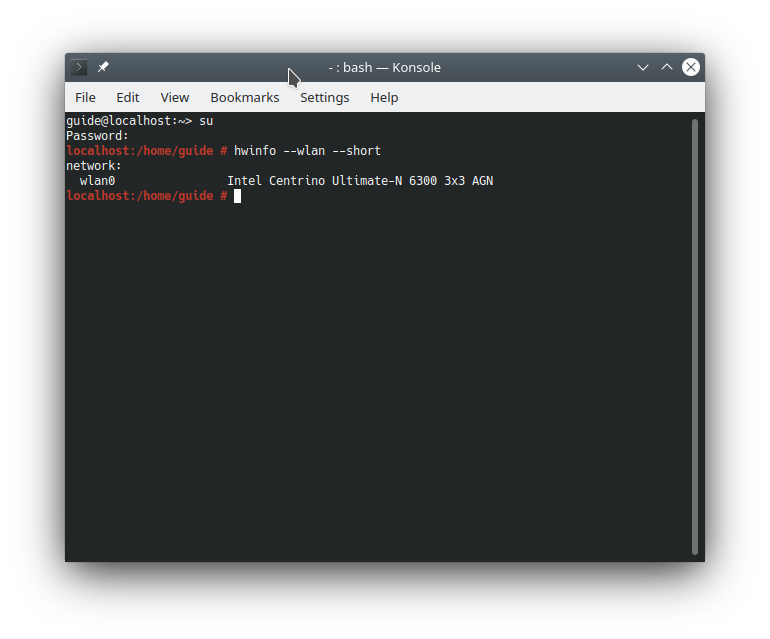
The first step is running this command to find out which chipset is on the
card. The chipset is what matters, the make and model of the device is
basically of no importance.
hwinfo --wlan --short

[image: lspci] <http://opensuse-guide.org/images/screenshots/hwinfo.png>
Now that you know which chipset is on your card, you can start figuring out
what is required to make the chipset work in openSUSE - usually you'll just
need to install a driver and/or some firmware.

16.2 Recent Broadcom Chipset
The following chips are supported by the proprietary broadcom-wl
driver<http://www.broadcom.com/support/802.11/linux_sta.php>:
*bcm4311, bcm4312, bcm4313, bcm4321, bcm4322, bcm43224, bcm43225, bcm43227,
bcm43228*.

16.2.1 Install broadcom-wl with 1-Click
If you have one of those chips, you can install the broadcom-wl driver with
1-click install by clicking the button below and following instructions:

[image: ymp] <http://opensuse-community.org/broadcom-wl.ymp>
16.2.2 Manual Installation of broadcom-wl
If you prefer, install the packages manually instead:

*1)*
Find out which *kernel flavour* you have (desktop, default, xen, pae), by
running:
uname -r

*2)*
Add the *Packman Repository*:

  [image: tip] If the concepts of *package manager* and *repositories* are
foreign to you, revisit the chapters Installing
Software<http://opensuse-guide.org/installpackage.php>and Software
Repositories <http://opensuse-guide.org/repositories.php>.

*3)*
Install the following packages with YaST or zypper:

   - *broadcom-wl*
   - *broadcom-wl-kmp-[kernel flavour]*

16.3 Older Broadcom Chipset
If you have an older Broadcom chip supported by the, free,
reverse-engineered b43
driver<http://linuxwireless.org/en/users/Drivers/b43#Supported_chip_types>,
i.e.: *bcm4303, bcm4306, bcm4309, bcm4318*, you only need to install the
firmware. This is automated by simply running this command and rebooting
afterwards (you *must* be online while running the command):
install_bcm43xx_firmware


--
Best Regards,


Masim "Vavai" Sugianto - Talk is Cheap, Show Me the Code !
Training Zimbra Mail Server & Virtualization-Linux High Availability Server
: http://bit.ly/l4vNel
______________________________________________
---
Info Milis : http://opensuse.or.id/milis
Keluar dari Milis : Kirim email ke [email protected]
Manajemen Keanggotaan :
http://lists.opensuse-id.org/listinfo.cgi/milis-opensuse-id.org