Short Update:

Installation just needs msxml6 and 64bit is ok so create a wineprefix:
`env WINEPREFIX="$HOME/wineprefixes/mlo" winetricks msxml6` and then install
`env WINEPREFIX="$HOME/wineprefixes/mlo" wine MLO-Setup.exe`
I've found two problems: 1. Calendar is not showing correctly (you have to type dates) 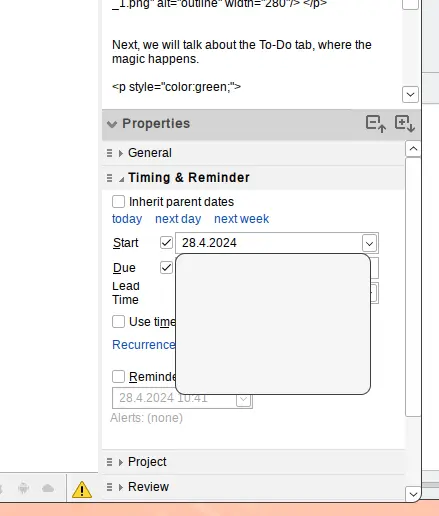 2. Error when closing the app 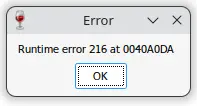 Joel schrieb am Donnerstag, 28. April 2022 um 08:17:18 UTC+2: > My installation works fine but when I try and log into my cloud sync I > get: "Could not login to server. Server response: "Invalid pointer > operation". > > > > On Sunday, May 3, 2020 at 3:16:35 AM UTC-3 DanD wrote: > >> MLO runs under Wine just fine, albeit the fonts are tiny on HiDPI screens >> (which is probably a MLO problem >> <https://groups.google.com/d/msg/mylifeorganized/pWA-IoP1sAA/b9ZeKuC6AgAJ>). >> I've been running it like that for 3+ years. >> >> Just run the executable, and it work. >> >> What's the need for $60 Code-something, or shell scripts? What do that do >> in addition? >> > -- You received this message because you are subscribed to the Google Groups "MyLifeOrganized" group. To unsubscribe from this group and stop receiving emails from it, send an email to [email protected]. To view this discussion on the web visit https://groups.google.com/d/msgid/mylifeorganized/170a4b91-322d-42f2-ad2e-5cf21fb262a4n%40googlegroups.com.


