This is an automated email from the ASF dual-hosted git repository.

juzhiyuan pushed a commit to branch master
in repository https://gitbox.apache.org/repos/asf/apisix.git
The following commit(s) were added to refs/heads/master by this push:
new c39ef3af2 docs: Add new tutorial manage api consumers (#8425)
c39ef3af2 is described below
commit c39ef3af25805211f5d89a4b6b2a477b5aace3ce
Author: Livermore <[email protected]>
AuthorDate: Mon Dec 5 15:34:40 2022 +0200
docs: Add new tutorial manage api consumers (#8425)
---
docs/en/latest/config.json | 1 +
docs/en/latest/tutorials/manage-api-consumers.md | 255 +++++++++++++++++++++++
2 files changed, 256 insertions(+)
diff --git a/docs/en/latest/config.json b/docs/en/latest/config.json
index 99404960c..d601311d5 100644
--- a/docs/en/latest/config.json
+++ b/docs/en/latest/config.json
@@ -20,6 +20,7 @@
"tutorials/expose-api",
"tutorials/protect-api",
"tutorials/observe-your-api",
+ "tutorials/manage-api-consumers",
"tutorials/cache-api-responses",
"tutorials/health-check"
]
diff --git a/docs/en/latest/tutorials/manage-api-consumers.md
b/docs/en/latest/tutorials/manage-api-consumers.md
new file mode 100644
index 000000000..a14a3983d
--- /dev/null
+++ b/docs/en/latest/tutorials/manage-api-consumers.md
@@ -0,0 +1,255 @@
+---
+title: Manage API Consumers
+keywords:
+ - API Gateway
+ - Apache APISIX
+ - Rate Limit
+ - Consumer
+ - Consumer Group
+description: This tutorial explains how to manage your single or multiple API
consumers with Apache APISIX.
+---
+
+<!--
+#
+# Licensed to the Apache Software Foundation (ASF) under one or more
+# contributor license agreements. See the NOTICE file distributed with
+# this work for additional information regarding copyright ownership.
+# The ASF licenses this file to You under the Apache License, Version 2.0
+# (the "License"); you may not use this file except in compliance with
+# the License. You may obtain a copy of the License at
+#
+# http://www.apache.org/licenses/LICENSE-2.0
+#
+# Unless required by applicable law or agreed to in writing, software
+# distributed under the License is distributed on an "AS IS" BASIS,
+# WITHOUT WARRANTIES OR CONDITIONS OF ANY KIND, either express or implied.
+# See the License for the specific language governing permissions and
+# limitations under the License.
+#
+-->
+
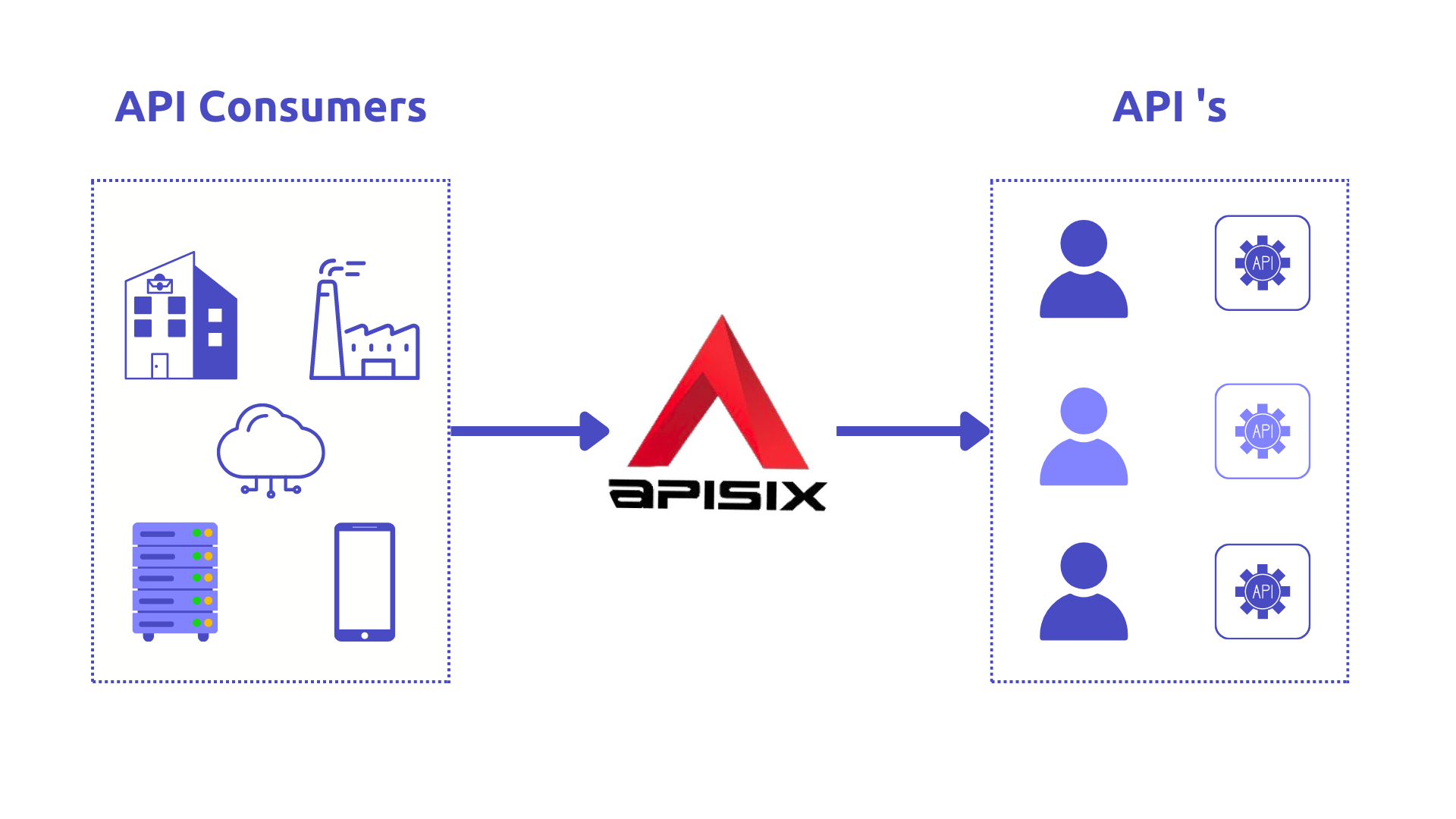
+This tutorial explains how to manage your single or multiple API consumers
with Apache APISIX.
+
+Nowadays [APIs](https://en.wikipedia.org/wiki/API) connect multiple systems,
internal services, and third-party applications easily and securely. _API
consumers_ are probably the most important stakeholders for API providers
because they interact the most with the APIs and the developer portal. This
post explains how to manage your single or multiple API consumers with an
open-source API Management solution such as [Apache
APISIX](https://apisix.apache.org/).
+
+
+
+## API Consumers
+
+API consumers use an API without integrating it into an APP developed for it.
In other words, API consumers are _the users of APIs_. This means, for example,
a marketing department uses a [Facebook
API](https://developers.facebook.com/docs/) to analyze social media responses
to specific actions. It does this with individual, irregular requests to the
API provided, as needed.
+
+An [API Management](https://en.wikipedia.org/wiki/API_management) solution
should know who the consumer of the API is to configure different rules for
different consumers.
+
+## Apache APISIX Consumers
+
+In Apache APISIX, the [Consumer
object](https://apisix.apache.org/docs/apisix/terminology/consumer/) is the
most common way for API consumers to access APIs published through its [API
Gateway](https://apisix.apache.org/docs/apisix/terminology/api-gateway/).
Consumer concept is extremely useful when you have different consumers
requesting the same API and you need to execute various
[Plugins](https://apisix.apache.org/docs/apisix/terminology/plugin/) and
[Upstream](https://apisix.apache.o [...]
+
+By publishing APIs through **Apache APISIX API Gateway**, you can easily
secure API access using consumer keys or sometimes it can be referred to as
subscription keys. Developers who need to consume the published APIs must
include a valid subscription key in `HTTP` requests when calling those APIs.
Without a valid subscription key, the calls are rejected immediately by the API
gateway and not forwarded to the back-end services.
+
+Consumers can be associated with various scopes: per Plugin, all APIs, or an
individual API. There are many use cases for consumer objects in the API
Gateway that you get with the combination of its plugins:
+
+1. Enable different authentication methods for different consumers. It can be
useful when consumers are trying to access the API by using various
authentication mechanisms such as [API
key](https://apisix.apache.org/docs/apisix/plugins/key-auth/),
[Basic](https://apisix.apache.org/docs/apisix/plugins/basic-auth/), or
[JWT](https://apisix.apache.org/docs/apisix/plugins/jwt-auth/)-based auth.
+2. Restrict access to API resources for specific consumers.
+3. Route requests to the corresponding backend service based on the consumer.
+4. Define rate limiting on the number of data clients can consume.
+5. Analyze data usage for an individual and a subset of consumers.
+
+## Apache APISIX Consumer example
+
+Let's look at some examples of configuring the rate-limiting policy for a
single consumer and a group of consumers with the help of
[key-auth](https://apisix.apache.org/docs/apisix/plugins/key-auth/)
authentication key (API Key) and
[limit-count](https://apisix.apache.org/docs/apisix/plugins/limit-count/)
plugins. For the demo case, we can leverage [the sample
project](https://github.com/Boburmirzo/apisix-api-consumers-management) built
on [ASP.NET Core WEB API](https://learn.microsoft. [...]
+
+### Enable rate-limiting for a single consumer
+
+Up to now, I assume that the sample project is up and running. To use consumer
object along with the other two plugins we need to follow easy steps:
+
+- Create a new Consumer.
+- Specify the authentication plugin key-auth and limit count for the consumer.
+- Create a new Route, and set a routing rule (If necessary).
+- Enable key-auth plugin configuration for the created route.
+
+The above steps can be achieved by running simple two [curl
commands](https://en.wikipedia.org/wiki/CURL) against APISIX [Admin
API](https://apisix.apache.org/docs/apisix/admin-api/).
+
+The first `cmd` creates a **new Consumer** with API Key based authentication
enabled where the API consumer can only make 2 requests against the Product API
within 60 seconds.
+
+``` shell
+curl http://127.0.0.1:9180/apisix/admin/consumers -H 'X-API-KEY:
edd1c9f034335f136f87ad84b625c8f1' -X PUT -d '
+{
+ "username":"consumer1",
+ "plugins":{
+ "key-auth":{
+ "key":"auth-one"
+ },
+ "limit-count":{
+ "count":2,
+ "time_window":60,
+ "rejected_code":403,
+ "rejected_msg":"Requests are too many, please try again later or
upgrade your subscription plan.",
+ "key":"remote_addr"
+ }
+ }
+}'
+```
+
+Then, we define our **new Route and Upstream** so that all incoming requests
to the gateway endpoint `/api/products` will be forwarded to our example
product backend service after a successful authentication process.
+
+``` shell
+curl http://127.0.0.1:9180/apisix/admin/routes/1 -H 'X-API-KEY:
edd1c9f034335f136f87ad84b625c8f1' -X PUT -d '
+{
+ "name": "Route for consumer request rate limiting",
+ "methods": [
+ "GET"
+ ],
+ "uri": "/api/products",
+ "plugins": {
+ "key-auth": {}
+ },
+ "upstream": {
+ "type": "roundrobin",
+ "nodes": {
+ "productapi:80": 1
+ }
+ }
+}'
+```
+
+Apache APISIX will handle the first two requests as usual, but a third request
in the same period will return a `403` HTTP code.
+
+``` shell
+curl http://127.0.0.1:9080/api/products -H 'apikey: auth-one' -i
+```
+
+Sample output after calling the API 3 times within 60 sec:
+
+``` shell
+HTTP/1.1 403 Forbidden
+Content-Type: text/plain; charset=utf-8
+Transfer-Encoding: chunked
+Connection: keep-alive
+Server: APISIX/2.13.1
+
+{"error_msg":"Requests are too many, please try again later or upgrade your
subscription plan."}
+```
+
+Indeed, after reaching the threshold, the subsequent requests are not allowed
by APISIX.
+
+### Enable rate-limiting for consumer groups
+
+In Apache APISIX, [Consumer
group](https://apisix.apache.org/docs/apisix/terminology/consumer-group/)
object is used to manage the visibility of backend services to developers.
Backend services are first made visible to groups, and then developers in those
groups can view and subscribe to the products that are associated with the
groups.
+
+With consumer groups, you can specify any number of rate-limiting tiers and
apply them to a group of consumers, instead of managing each consumer
individually.
+
+Typical scenarios can be different pricing models for your API Monetization
like API Consumers with the basic plan are allowed to make 50 API calls per
minute or in another use case, you can enable specific APIs for Admins,
Developers, and Guests based on their roles in the system.
+
+You can create, update, delete and manage your groups using the Apache APISIX
Admin REST API [Consumer Group
entity](https://apisix.apache.org/docs/apisix/admin-api/#consumer-group).
+
+#### Consumer groups example
+
+For the sake of the demo, let’s create two consumer groups for the basic and
premium plans respectively. We can add one or two consumers for each group and
control the traffic from consumer groups with the help of the `rate-limiting`
plugin.
+
+To use consumer groups with rate limiting, you need to:
+
+- Create one or more consumer groups with a limit-count plugin enabled.
+- Create consumers and assign consumers to groups.
+
+Below two curl cmds create consumer groups named `basic_plan` and
`premium_plan`:
+
+Create a Consumer Group Basic Plan.
+
+``` shell
+curl http://127.0.0.1:9180/apisix/admin/consumer_groups/basic_plan -H
'X-API-KEY: edd1c9f034335f136f87ad84b625c8f1' -X PUT -d '
+{
+ "plugins": {
+ "limit-count": {
+ "count": 2,
+ "time_window": 60,
+ "rejected_code": 403,
+ "group": "basic_plan"
+ }
+ }
+}'
+```
+
+Create a Consumer Group Premium Plan.
+
+``` shell
+curl http://127.0.0.1:9180/apisix/admin/consumer_groups/premium_plan -H
'X-API-KEY: edd1c9f034335f136f87ad84b625c8f1' -X PUT -d '
+{
+ "plugins": {
+ "limit-count": {
+ "count": 200,
+ "time_window": 60,
+ "rejected_code": 403,
+ "group": "premium_plan"
+ }
+ }
+}'
+```
+
+In the above steps, we set up the rate limiting config for Basic plan to have
only 2 requests per 60secs, and the Premium plan has 200 allowed API requests
within the the same time window.
+
+Create and add first consumer to the Basic group.
+
+``` shell
+curl http://127.0.0.1:9180/apisix/admin/consumers -H 'X-API-KEY:
edd1c9f034335f136f87ad84b625c8f1' -X PUT -d '
+{
+ "username": "consumer1",
+ "plugins": {
+ "key-auth": {
+ "key": "auth-one"
+ }
+ },
+ "group_id": "basic_plan"
+}'
+```
+
+Create and add second consumer to the Premium group.
+
+``` shell
+curl http://127.0.0.1:9180/apisix/admin/consumers -H 'X-API-KEY:
edd1c9f034335f136f87ad84b625c8f1' -X PUT -d '
+{
+ "username": "consumer2",
+ "plugins": {
+ "key-auth": {
+ "key": "auth-two"
+ }
+ },
+ "group_id": "premium_plan"
+}'
+```
+
+Create and add third consumer to the Premium group.
+
+``` shell
+curl http://127.0.0.1:9180/apisix/admin/consumers -H 'X-API-KEY:
edd1c9f034335f136f87ad84b625c8f1' -X PUT -d '
+{
+ "username": "consumer3",
+ "plugins": {
+ "key-auth": {
+ "key": "auth-three"
+ }
+ },
+ "group_id": "premium_plan"
+}'
+```
+
+Afterward, we can easily check that the first consumer `Consumer1` in the
Basic Plan group will get a `403 HTTP status error` after hitting the 2 API
calls per a minute, while the other two consumers in the Premium Plan group can
request as many times as until they reach the limit.
+
+You can run below cmds by changing auth key for each consumer in the request
header:
+
+``` shell
+curl -i http://127.0.0.1:9080/api/products -H 'apikey: auth-one'
+```
+
+``` shell
+curl -i http://127.0.0.1:9080/api/products -H 'apikey: auth-two'
+```
+
+``` shell
+curl -i http://127.0.0.1:9080/api/products -H 'apikey: auth-three'
+```
+
+Note that you can also add or remove a consumer from any consumer group and
enable other built-in plugins.
+
+## More Tutorials
+
+Read our other [tutorials](./expose-api.md) to learn more about API Management.

