DebbyMiressa commented on issue #443:
URL: https://github.com/apache/apisix-docker/issues/443#issuecomment-1482439251
In order to synchronize the dashboard plugin list with the [schema.json](http://localhost:9092/v1/schema) file, you need to manually copy everything in the [schema.json](http://localhost:9092/v1/schema) file and paste it into /usr/local/apisix-dahsboard/conf/schema.json file. Here is additional Info regarding [adding a custom plugin to your dashboard](https://github.com/apache/apisix-dashboard/issues/646) and [FAQ #4 on apisix.apache.org site regarding dashboard plugin list synchronization after modifying existing or adding custom plugin to apisix](https://apisix.apache.org/docs/dashboard/2.10/FAQ/) In order for you to find this file and edit it, you can execute the following commands in your **apisix-dashboard-1 docker container terminal**: ```sh cd /usr/local/apisix-dahsboard/conf ls cat schema.js ``` Now you should see a long JSON file for plugin configuration. In order to edit this schema.json file, we can use vi text editor. Use the following command to open schema.json with vi text editor: ```sh vi /usr/local/apisix-dashboard/conf/schema.json ``` After you open the file, delete all the text in the file using the command: ```sh :%d ``` Now, manually copy everything in the [schema.json](http://localhost:9092/v1/schema) file and paste it into /usr/local/apisix-dahsboard/conf/schema.json file. You can do this simply by pressing right-click inside the terminal or by using the following command: ```sh "+p ``` Finally, you can save and exit the file using the command: ```sh :wq ``` After you refresh the Manager API (or restarting the container will also do just to be sure), as you can see, the body-transform plugin is now added to the dashboard. 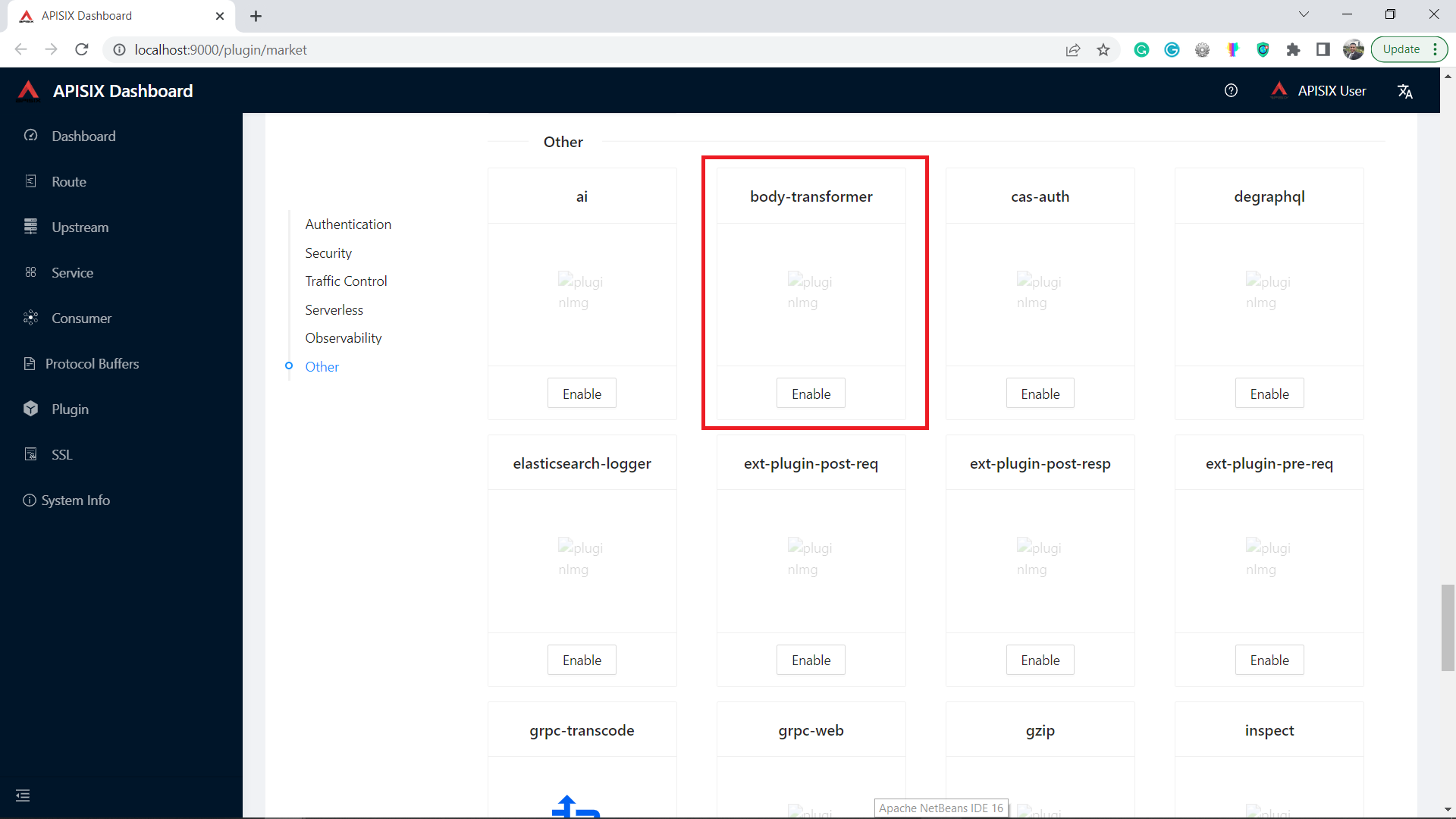 Hope this helps! Please give this comment a like if it helps you in any way! Best of luck! -- This is an automated message from the Apache Git Service. To respond to the message, please log on to GitHub and use the URL above to go to the specific comment. To unsubscribe, e-mail: [email protected] For queries about this service, please contact Infrastructure at: [email protected]

