juzhiyuan commented on a change in pull request #729:
URL: https://github.com/apache/apisix-dashboard/pull/729#discussion_r520239690
##########
File path: docs/deploy.md
##########
@@ -17,17 +17,19 @@
#
-->
-# Deploy manually
+# Deploy Manually
Review comment:
Only the first word should begin with a uppercase letter normally.
##########
File path: docs/deploy.md
##########
@@ -104,14 +87,29 @@ authentication:
password: user
```
-2. Run manager-api
+2. Run
```sh
-$ api/run.sh &
+$ cd ./output
+$ ./manager-api
```
3. Visit `http://127.0.0.1:8080` in your browser, `8080` is the default listen
port of manager-api.
+3. stop
+
+```sh
+$ kill $(ps aux | grep 'manager-api' | awk '{print $2}')
+```
+
+## Pack
+
+Package the output directory, The output directory contains all the files
needed to run the dashboard (configuration files, executable files, web static
resources)
Review comment:

##########
File path: docs/develop.zh-CN.md
##########
@@ -45,6 +53,41 @@ $ yarn start
## manager-api 开发
+### 启动
+
+1. 修改配置文件 目录: `api/conf/conf.yaml`
+
+```
+conf:
+ listen:
+ host: 127.0.0.1
+ port: 8080
+ dag_lib_path: ''
+ etcd:
+ endpoints:
+ - 127.0.0.1:2379
+authentication:
+ secret: secret
+ expireTime: 3600
+ users:
+ - username: admin
+ password: admin
+ - username: user
+ password: user
+```
+
+2. 启动 (开发模式)
+
+```
+$ make api-run
+```
+
+3. 关闭 (关闭)
+
+```
Review comment:
ditto
##########
File path: Makefile
##########
@@ -17,37 +17,79 @@
SHELL := /bin/bash -o pipefail
UNAME ?= $(shell uname)
+YARN_EXEC ?= $(shell which yarn)
+GO_EXEC ?= $(shell which go)
-### help: Show Makefile rules
+export GO111MODULE=on
+
+### help: Show Makefile rules
.PHONY: help
help:
@echo Makefile rules:
@echo
@grep -E '^### [-A-Za-z0-9_]+:' Makefile | sed 's/###/ /'
-export GO111MODULE=on
-### license-check: Check apisix-dashboard source codes for Apache License
-.PHONY: license-check
-license-check:
-ifeq ("$(wildcard .actions/openwhisk-utilities/scancode/scanCode.py)", "")
- git clone https://github.com/apache/openwhisk-utilities.git
.actions/openwhisk-utilities
- cp .actions/ASF* .actions/openwhisk-utilities/scancode/
+### build: build dashboard, it contains web and manager-api
Review comment:
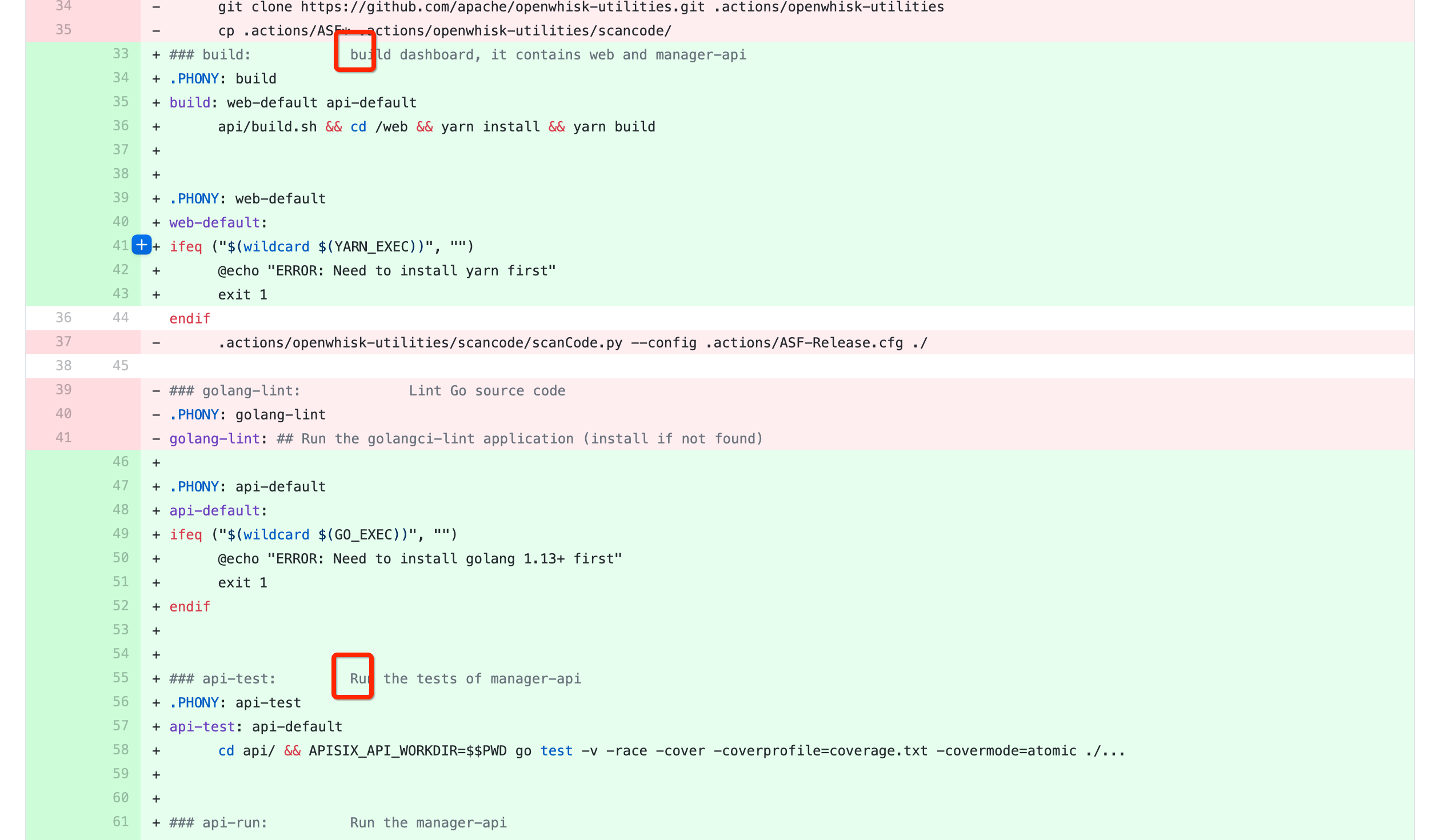
Check all text
##########
File path: README.zh-CN.md
##########
@@ -21,23 +21,67 @@
# [Apache APISIX](https://github.com/apache/apisix) 控制台
Review comment:
ditto
##########
File path: docs/deploy.md
##########
@@ -17,17 +17,19 @@
#
-->
-# Deploy manually
+# Deploy Manually
-## Clone the project
+## Clone The Project
Review comment:
`the project`
##########
File path: README.md
##########
@@ -23,19 +23,68 @@ English | [简体中文](./README.zh-CN.md)
Dashboard for [Apache APISIX](https://github.com/apache/apisix)
-## User Guide
+The goal of Apache APISIX Dashboard project is to enable everyone to quickly
experience and learn Apache APISIX, and it still cannot be used directly in a
production environment. its function point coverage is always a subset of
Apache APISIX, and may lag behind the rapid iteration of Apache APISIX.
-Please refer to [User Guide](./docs/USER_GUIDE.md)
+If you need to use the Dashboard project in a production system, you need to
enhance user permissions, communication security, high availability and other
advanced features.
+
+## Install
+
+Support multiple ways to install APISIX dashboard
+
+### Docker
+
+Start a runnable version by the following method
+
+- [Deploy With Docker](./docs/deploy-with-docker.md)
+
+### Build From Source Code
+
+To build from source code, first make sure that your `golang` version is 1.13
or greater.
+Also you need to follow the `node` and `yarn` in advance
+
+```
+$ git clone -b v2.0 https://github.com/apache/apisix-dashboard.git && cd
apisix-dashboard
+$ make build
+```
+
+Then you can find all files (configuration files, executable files, web static
resources) needed to run dashboard in the `./output` directory.
+
+Start by the following command
-## Deployment
+```sh
+$ cd ./output
+$ export ENV=local && exec ./manager-api
+```
-- [Deploy Manually](./docs/deploy.md)
-- [Deploy with Docker](./docs/deploy-with-docker.md)
+`makefile` provides the following commands
-## Development
+```
+Makefile rules:
-- [Apache APISIX](https://github.com/apache/apisix)
-- [Dashboard](./docs/develop.md)
+ help: Show Makefile rules
+ build: build dashboard, it contains web and manager-api
+ api-test: Run the tests of manager-api
+ api-run: Run the manager-api
+ api-stop: stop manager-api
+ go-lint: Lint Go source code
+ license-check: Check apisix-dashboard source codes for Apache License
+```
+
+For more detailed construction steps, see - [Build from source
code](./docs/deploy.md)
+
+### For Developer
+
+apisix-dashboard provides a management interface for [Apache
APISIX](https://github.com/apache/apisix), you need to [install APISIX
first](https://github.com/apache/apisix#configure-and-installation).
Review comment:
All keywords should begin with Apache
##########
File path: README.md
##########
@@ -23,19 +23,68 @@ English | [简体中文](./README.zh-CN.md)
Dashboard for [Apache APISIX](https://github.com/apache/apisix)
-## User Guide
+The goal of Apache APISIX Dashboard project is to enable everyone to quickly
experience and learn Apache APISIX, and it still cannot be used directly in a
production environment. its function point coverage is always a subset of
Apache APISIX, and may lag behind the rapid iteration of Apache APISIX.
-Please refer to [User Guide](./docs/USER_GUIDE.md)
+If you need to use the Dashboard project in a production system, you need to
enhance user permissions, communication security, high availability and other
advanced features.
+
+## Install
+
+Support multiple ways to install APISIX dashboard
+
+### Docker
+
+Start a runnable version by the following method
+
+- [Deploy With Docker](./docs/deploy-with-docker.md)
+
+### Build From Source Code
+
+To build from source code, first make sure that your `golang` version is 1.13
or greater.
+Also you need to follow the `node` and `yarn` in advance
+
+```
+$ git clone -b v2.0 https://github.com/apache/apisix-dashboard.git && cd
apisix-dashboard
+$ make build
+```
+
+Then you can find all files (configuration files, executable files, web static
resources) needed to run dashboard in the `./output` directory.
+
+Start by the following command
-## Deployment
+```sh
+$ cd ./output
+$ export ENV=local && exec ./manager-api
Review comment:
local?
##########
File path: README.md
##########
@@ -23,19 +23,68 @@ English | [简体中文](./README.zh-CN.md)
Dashboard for [Apache APISIX](https://github.com/apache/apisix)
-## User Guide
+The goal of Apache APISIX Dashboard project is to enable everyone to quickly
experience and learn Apache APISIX, and it still cannot be used directly in a
production environment. its function point coverage is always a subset of
Apache APISIX, and may lag behind the rapid iteration of Apache APISIX.
-Please refer to [User Guide](./docs/USER_GUIDE.md)
+If you need to use the Dashboard project in a production system, you need to
enhance user permissions, communication security, high availability and other
advanced features.
+
+## Install
+
+Support multiple ways to install APISIX dashboard
+
+### Docker
+
+Start a runnable version by the following method
+
+- [Deploy With Docker](./docs/deploy-with-docker.md)
+
+### Build From Source Code
+
+To build from source code, first make sure that your `golang` version is 1.13
or greater.
+Also you need to follow the `node` and `yarn` in advance
+
+```
+$ git clone -b v2.0 https://github.com/apache/apisix-dashboard.git && cd
apisix-dashboard
+$ make build
+```
+
+Then you can find all files (configuration files, executable files, web static
resources) needed to run dashboard in the `./output` directory.
+
+Start by the following command
-## Deployment
+```sh
+$ cd ./output
+$ export ENV=local && exec ./manager-api
+```
-- [Deploy Manually](./docs/deploy.md)
-- [Deploy with Docker](./docs/deploy-with-docker.md)
+`makefile` provides the following commands
-## Development
+```
+Makefile rules:
-- [Apache APISIX](https://github.com/apache/apisix)
-- [Dashboard](./docs/develop.md)
+ help: Show Makefile rules
Review comment:
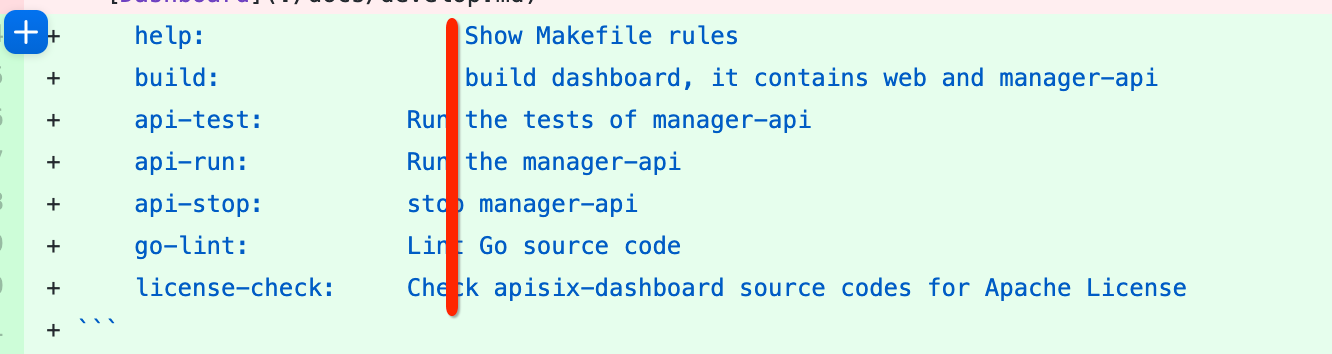
##########
File path: README.md
##########
@@ -23,19 +23,68 @@ English | [简体中文](./README.zh-CN.md)
Dashboard for [Apache APISIX](https://github.com/apache/apisix)
-## User Guide
+The goal of Apache APISIX Dashboard project is to enable everyone to quickly
experience and learn Apache APISIX, and it still cannot be used directly in a
production environment. its function point coverage is always a subset of
Apache APISIX, and may lag behind the rapid iteration of Apache APISIX.
-Please refer to [User Guide](./docs/USER_GUIDE.md)
+If you need to use the Dashboard project in a production system, you need to
enhance user permissions, communication security, high availability and other
advanced features.
+
+## Install
+
+Support multiple ways to install APISIX dashboard
+
+### Docker
+
+Start a runnable version by the following method
+
+- [Deploy With Docker](./docs/deploy-with-docker.md)
+
+### Build From Source Code
+
+To build from source code, first make sure that your `golang` version is 1.13
or greater.
+Also you need to follow the `node` and `yarn` in advance
+
+```
+$ git clone -b v2.0 https://github.com/apache/apisix-dashboard.git && cd
apisix-dashboard
+$ make build
+```
+
+Then you can find all files (configuration files, executable files, web static
resources) needed to run dashboard in the `./output` directory.
+
+Start by the following command
-## Deployment
+```sh
+$ cd ./output
+$ export ENV=local && exec ./manager-api
+```
-- [Deploy Manually](./docs/deploy.md)
-- [Deploy with Docker](./docs/deploy-with-docker.md)
+`makefile` provides the following commands
-## Development
+```
Review comment:
what type?
##########
File path: README.md
##########
@@ -23,19 +23,68 @@ English | [简体中文](./README.zh-CN.md)
Dashboard for [Apache APISIX](https://github.com/apache/apisix)
-## User Guide
+The goal of Apache APISIX Dashboard project is to enable everyone to quickly
experience and learn Apache APISIX, and it still cannot be used directly in a
production environment. its function point coverage is always a subset of
Apache APISIX, and may lag behind the rapid iteration of Apache APISIX.
-Please refer to [User Guide](./docs/USER_GUIDE.md)
+If you need to use the Dashboard project in a production system, you need to
enhance user permissions, communication security, high availability and other
advanced features.
+
+## Install
+
+Support multiple ways to install APISIX dashboard
+
+### Docker
+
+Start a runnable version by the following method
+
+- [Deploy With Docker](./docs/deploy-with-docker.md)
+
+### Build From Source Code
+
+To build from source code, first make sure that your `golang` version is 1.13
or greater.
Review comment:
`To build the dashboard from source codes`
##########
File path: README.md
##########
@@ -23,19 +23,68 @@ English | [简体中文](./README.zh-CN.md)
Dashboard for [Apache APISIX](https://github.com/apache/apisix)
-## User Guide
+The goal of Apache APISIX Dashboard project is to enable everyone to quickly
experience and learn Apache APISIX, and it still cannot be used directly in a
production environment. its function point coverage is always a subset of
Apache APISIX, and may lag behind the rapid iteration of Apache APISIX.
-Please refer to [User Guide](./docs/USER_GUIDE.md)
+If you need to use the Dashboard project in a production system, you need to
enhance user permissions, communication security, high availability and other
advanced features.
+
+## Install
+
+Support multiple ways to install APISIX dashboard
+
+### Docker
+
+Start a runnable version by the following method
+
+- [Deploy With Docker](./docs/deploy-with-docker.md)
+
+### Build From Source Code
+
+To build from source code, first make sure that your `golang` version is 1.13
or greater.
+Also you need to follow the `node` and `yarn` in advance
+
+```
+$ git clone -b v2.0 https://github.com/apache/apisix-dashboard.git && cd
apisix-dashboard
+$ make build
+```
+
+Then you can find all files (configuration files, executable files, web static
resources) needed to run dashboard in the `./output` directory.
+
+Start by the following command
-## Deployment
+```sh
+$ cd ./output
+$ export ENV=local && exec ./manager-api
+```
-- [Deploy Manually](./docs/deploy.md)
-- [Deploy with Docker](./docs/deploy-with-docker.md)
+`makefile` provides the following commands
-## Development
+```
+Makefile rules:
-- [Apache APISIX](https://github.com/apache/apisix)
-- [Dashboard](./docs/develop.md)
+ help: Show Makefile rules
+ build: build dashboard, it contains web and manager-api
+ api-test: Run the tests of manager-api
+ api-run: Run the manager-api
+ api-stop: stop manager-api
+ go-lint: Lint Go source code
+ license-check: Check apisix-dashboard source codes for Apache License
+```
+
+For more detailed construction steps, see - [Build from source
code](./docs/deploy.md)
Review comment:
Why not go to here?
https://github.com/apache/apisix-dashboard/pull/729/files#diff-b335630551682c19a781afebcf4d07bf978fb1f8ac04c6bf87428ed5106870f5R40
##########
File path: README.md
##########
@@ -23,19 +23,68 @@ English | [简体中文](./README.zh-CN.md)
Dashboard for [Apache APISIX](https://github.com/apache/apisix)
-## User Guide
+The goal of Apache APISIX Dashboard project is to enable everyone to quickly
experience and learn Apache APISIX, and it still cannot be used directly in a
production environment. its function point coverage is always a subset of
Apache APISIX, and may lag behind the rapid iteration of Apache APISIX.
-Please refer to [User Guide](./docs/USER_GUIDE.md)
+If you need to use the Dashboard project in a production system, you need to
enhance user permissions, communication security, high availability and other
advanced features.
+
+## Install
+
+Support multiple ways to install APISIX dashboard
+
+### Docker
+
+Start a runnable version by the following method
+
+- [Deploy With Docker](./docs/deploy-with-docker.md)
+
+### Build From Source Code
+
+To build from source code, first make sure that your `golang` version is 1.13
or greater.
+Also you need to follow the `node` and `yarn` in advance
Review comment:
hmmm cc @moonming
##########
File path: docs/deploy-with-docker.zh-CN.md
##########
@@ -42,6 +42,8 @@ $ docker build -t apisix-dashboard:{$tag} .
$ docker run -d -p 80:8080 -v
/path/to/conf.yaml:/usr/local/apisix-dashboard/conf/conf.yaml --name
apisix-dashboard apisix-dashboard:{$tag}
```
+现在你可以在浏览器中通过 `http://127.0.0.1` 访问。
Review comment:
现在你可以在浏览器中通过访问 `http://127.0.0.1` 使用 Dashboard。
##########
File path: docs/deploy.zh-CN.md
##########
@@ -17,7 +17,7 @@
#
-->
Review comment:
ditto
##########
File path: docs/deploy.md
##########
@@ -104,14 +87,29 @@ authentication:
password: user
```
-2. Run manager-api
+2. Run
```sh
-$ api/run.sh &
+$ cd ./output
+$ ./manager-api
```
3. Visit `http://127.0.0.1:8080` in your browser, `8080` is the default listen
port of manager-api.
+3. stop
+
+```sh
+$ kill $(ps aux | grep 'manager-api' | awk '{print $2}')
+```
+
+## Pack
Review comment:
emmm
##########
File path: docs/develop.zh-CN.md
##########
@@ -45,6 +53,41 @@ $ yarn start
## manager-api 开发
+### 启动
+
+1. 修改配置文件 目录: `api/conf/conf.yaml`
+
+```
Review comment:
type
##########
File path: docs/develop.zh-CN.md
##########
@@ -19,6 +19,14 @@
# Dashboard 开发
+## 前置条件
+
+```
+$ git clone -b v2.0 https://github.com/apache/apisix-dashboard.git
Review comment:
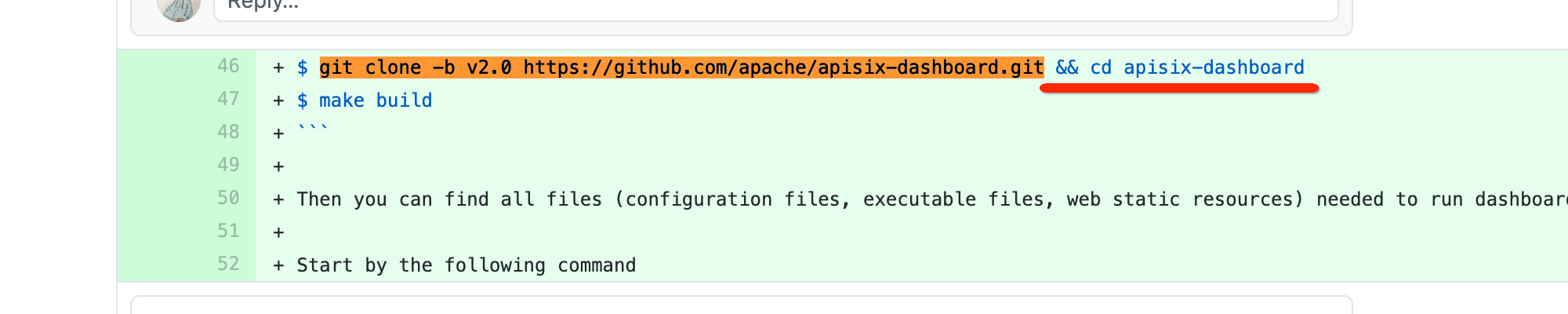
##########
File path: docs/deploy.md
##########
@@ -120,25 +118,17 @@ $ api/run.sh &
3. `conf.etcd.endpoints` is used to set ETCD's instances address, it supports
multiple instances mode.
-```json
-{
- "etcd": {
- "endpoints": "127.0.0.1:2379,127.0.0.1:3379"
- }
-}
+```yaml
+conf:
+ etcd:
+ endpoints:
+ - 127.0.0.1:2379
+ - 127.0.0.1:3379
```
## NOTE
-1. When the manager-api is running in background, before we want to rebuild &
re-deploy it, we should find the process id then kill it.
-
-```sh
-$ ps aux | grep manager-api
-
-$ kill $process_id
-```
-
-2. After compiling the Manager API, if you move the compiled product to
another location, an error will be reported at startup, this is because the
configuration file's **absolute path** is fixed in the product and needs to be
resolved by running an environment variable to set the location of the
configuration file before running.
+1. After compiling the Manager API, if you move the compiled product to
another location, an error will be reported at startup, this is because the
configuration file's **absolute path** is fixed in the product and needs to be
resolved by running an environment variable to set the location of the
configuration file before running.
Review comment:
##########
File path: docs/develop.zh-CN.md
##########
@@ -45,6 +53,41 @@ $ yarn start
## manager-api 开发
+### 启动
+
+1. 修改配置文件 目录: `api/conf/conf.yaml`
+
+```
+conf:
+ listen:
+ host: 127.0.0.1
+ port: 8080
+ dag_lib_path: ''
+ etcd:
+ endpoints:
+ - 127.0.0.1:2379
+authentication:
+ secret: secret
+ expireTime: 3600
+ users:
+ - username: admin
+ password: admin
+ - username: user
+ password: user
+```
+
+2. 启动 (开发模式)
+
+```
Review comment:
ditto
##########
File path: docs/deploy.md
##########
@@ -37,51 +39,32 @@ NOTE: You also need to install `Lua` 5.1+ if you want to
use the Plugin Orchestr
2. Check environment variables
-- enable Go MODULE
-
-```sh
-$ go env -w GO111MODULE=on
-```
-
- For most users in China, we could use [Goproxy](https://goproxy.cn/) to
speed up downloading modules.
```sh
$ go env -w GOPROXY=https://goproxy.cn,direct
```
-3. Build
-
-```sh
-$ api/build.sh
-```
-
The bundled files are located in the root directory `/output`.
-## Build the web
+### Web Dependencies
This project is initialized with [Ant Design Pro](https://pro.ant.design). The
following are some quick guides for how to use.
1. Make sure you have `Node.js(version 10.0.0+)` installed on your machine.
2. Install [yarn](https://yarnpkg.com/).
-3. Install dependencies:
-
-```sh
-$ cd /web
-
-$ yarn install
-```
-4. Build
+### Build
```sh
-$ yarn build
+$ make build
```
-The bundled files are located in the root directory `/output/html`.
+The bundled files are located in the root directory `output`.
Review comment:
Have you modified the final output folder for the web?
##########
File path: README.md
##########
@@ -23,19 +23,68 @@ English | [简体中文](./README.zh-CN.md)
Dashboard for [Apache APISIX](https://github.com/apache/apisix)
-## User Guide
+The goal of Apache APISIX Dashboard project is to enable everyone to quickly
experience and learn Apache APISIX, and it still cannot be used directly in a
production environment. its function point coverage is always a subset of
Apache APISIX, and may lag behind the rapid iteration of Apache APISIX.
-Please refer to [User Guide](./docs/USER_GUIDE.md)
+If you need to use the Dashboard project in a production system, you need to
enhance user permissions, communication security, high availability and other
advanced features.
+
+## Install
Review comment:
Manual
##########
File path: docs/deploy.md
##########
@@ -104,14 +87,29 @@ authentication:
password: user
```
-2. Run manager-api
+2. Run
```sh
-$ api/run.sh &
+$ cd ./output
+$ ./manager-api
```
3. Visit `http://127.0.0.1:8080` in your browser, `8080` is the default listen
port of manager-api.
+3. stop
Review comment:

What's stop?
##########
File path: README.md
##########
@@ -23,19 +23,68 @@ English | [简体中文](./README.zh-CN.md)
Dashboard for [Apache APISIX](https://github.com/apache/apisix)
-## User Guide
+The goal of Apache APISIX Dashboard project is to enable everyone to quickly
experience and learn Apache APISIX, and it still cannot be used directly in a
production environment. its function point coverage is always a subset of
Apache APISIX, and may lag behind the rapid iteration of Apache APISIX.
Review comment:
`but it still cannot`
##########
File path: docs/deploy.md
##########
@@ -17,17 +17,19 @@
#
-->
-# Deploy manually
+# Deploy Manually
-## Clone the project
+## Clone The Project
```sh
$ git clone -b v2.0 https://github.com/apache/apisix-dashboard.git
$ cd apisix-dashboard
```
-## Build the manager-api
+## Build
+
+### Manager-api Dependencies
Review comment:
Requirements for manager-api
##########
File path: README.md
##########
@@ -23,19 +23,68 @@ English | [简体中文](./README.zh-CN.md)
Dashboard for [Apache APISIX](https://github.com/apache/apisix)
-## User Guide
+The goal of Apache APISIX Dashboard project is to enable everyone to quickly
experience and learn Apache APISIX, and it still cannot be used directly in a
production environment. its function point coverage is always a subset of
Apache APISIX, and may lag behind the rapid iteration of Apache APISIX.
-Please refer to [User Guide](./docs/USER_GUIDE.md)
+If you need to use the Dashboard project in a production system, you need to
enhance user permissions, communication security, high availability and other
advanced features.
+
+## Install
+
+Support multiple ways to install APISIX dashboard
+
+### Docker
+
+Start a runnable version by the following method
+
+- [Deploy With Docker](./docs/deploy-with-docker.md)
+
+### Build From Source Code
+
+To build from source code, first make sure that your `golang` version is 1.13
or greater.
+Also you need to follow the `node` and `yarn` in advance
+
+```
Review comment:
sh
##########
File path: README.md
##########
@@ -23,19 +23,68 @@ English | [简体中文](./README.zh-CN.md)
Dashboard for [Apache APISIX](https://github.com/apache/apisix)
-## User Guide
+The goal of Apache APISIX Dashboard project is to enable everyone to quickly
experience and learn Apache APISIX, and it still cannot be used directly in a
production environment. its function point coverage is always a subset of
Apache APISIX, and may lag behind the rapid iteration of Apache APISIX.
-Please refer to [User Guide](./docs/USER_GUIDE.md)
+If you need to use the Dashboard project in a production system, you need to
enhance user permissions, communication security, high availability and other
advanced features.
+
+## Install
+
+Support multiple ways to install APISIX dashboard
+
+### Docker
+
+Start a runnable version by the following method
+
+- [Deploy With Docker](./docs/deploy-with-docker.md)
+
+### Build From Source Code
+
+To build from source code, first make sure that your `golang` version is 1.13
or greater.
Review comment:
`or higher`
##########
File path: README.md
##########
@@ -23,19 +23,68 @@ English | [简体中文](./README.zh-CN.md)
Dashboard for [Apache APISIX](https://github.com/apache/apisix)
-## User Guide
+The goal of Apache APISIX Dashboard project is to enable everyone to quickly
experience and learn Apache APISIX, and it still cannot be used directly in a
production environment. its function point coverage is always a subset of
Apache APISIX, and may lag behind the rapid iteration of Apache APISIX.
-Please refer to [User Guide](./docs/USER_GUIDE.md)
+If you need to use the Dashboard project in a production system, you need to
enhance user permissions, communication security, high availability and other
advanced features.
+
+## Install
+
+Support multiple ways to install APISIX dashboard
Review comment:
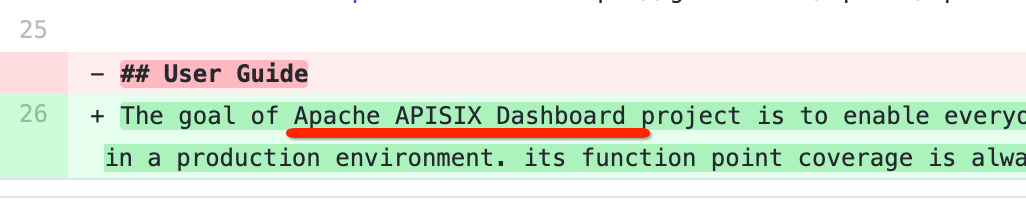
All text should be `Apache APISIX Dashboard`
##########
File path: README.md
##########
@@ -23,19 +23,68 @@ English | [简体中文](./README.zh-CN.md)
Dashboard for [Apache APISIX](https://github.com/apache/apisix)
-## User Guide
+The goal of Apache APISIX Dashboard project is to enable everyone to quickly
experience and learn Apache APISIX, and it still cannot be used directly in a
production environment. its function point coverage is always a subset of
Apache APISIX, and may lag behind the rapid iteration of Apache APISIX.
Review comment:
enable functionality, not people.
`is to let users quickly try and learn`
##########
File path: README.md
##########
@@ -23,19 +23,68 @@ English | [简体中文](./README.zh-CN.md)
Dashboard for [Apache APISIX](https://github.com/apache/apisix)
-## User Guide
+The goal of Apache APISIX Dashboard project is to enable everyone to quickly
experience and learn Apache APISIX, and it still cannot be used directly in a
production environment. its function point coverage is always a subset of
Apache APISIX, and may lag behind the rapid iteration of Apache APISIX.
-Please refer to [User Guide](./docs/USER_GUIDE.md)
+If you need to use the Dashboard project in a production system, you need to
enhance user permissions, communication security, high availability and other
advanced features.
+
+## Install
+
+Support multiple ways to install APISIX dashboard
+
+### Docker
+
+Start a runnable version by the following method
+
+- [Deploy With Docker](./docs/deploy-with-docker.md)
+
+### Build From Source Code
+
+To build from source code, first make sure that your `golang` version is 1.13
or greater.
+Also you need to follow the `node` and `yarn` in advance
+
+```
+$ git clone -b v2.0 https://github.com/apache/apisix-dashboard.git && cd
apisix-dashboard
+$ make build
+```
+
+Then you can find all files (configuration files, executable files, web static
resources) needed to run dashboard in the `./output` directory.
+
+Start by the following command
Review comment:
Hmmm cc @moonming I have no idea how to describe my feelings...
##########
File path: README.md
##########
@@ -23,19 +23,68 @@ English | [简体中文](./README.zh-CN.md)
Dashboard for [Apache APISIX](https://github.com/apache/apisix)
-## User Guide
+The goal of Apache APISIX Dashboard project is to enable everyone to quickly
experience and learn Apache APISIX, and it still cannot be used directly in a
production environment. its function point coverage is always a subset of
Apache APISIX, and may lag behind the rapid iteration of Apache APISIX.
-Please refer to [User Guide](./docs/USER_GUIDE.md)
+If you need to use the Dashboard project in a production system, you need to
enhance user permissions, communication security, high availability and other
advanced features.
+
+## Install
+
+Support multiple ways to install APISIX dashboard
+
+### Docker
+
+Start a runnable version by the following method
+
+- [Deploy With Docker](./docs/deploy-with-docker.md)
+
+### Build From Source Code
+
+To build from source code, first make sure that your `golang` version is 1.13
or greater.
+Also you need to follow the `node` and `yarn` in advance
+
+```
+$ git clone -b v2.0 https://github.com/apache/apisix-dashboard.git && cd
apisix-dashboard
+$ make build
+```
+
+Then you can find all files (configuration files, executable files, web static
resources) needed to run dashboard in the `./output` directory.
+
+Start by the following command
-## Deployment
+```sh
+$ cd ./output
+$ export ENV=local && exec ./manager-api
+```
-- [Deploy Manually](./docs/deploy.md)
-- [Deploy with Docker](./docs/deploy-with-docker.md)
+`makefile` provides the following commands
-## Development
+```
+Makefile rules:
-- [Apache APISIX](https://github.com/apache/apisix)
-- [Dashboard](./docs/develop.md)
+ help: Show Makefile rules
+ build: build dashboard, it contains web and manager-api
+ api-test: Run the tests of manager-api
+ api-run: Run the manager-api
+ api-stop: stop manager-api
+ go-lint: Lint Go source code
+ license-check: Check apisix-dashboard source codes for Apache License
+```
+
+For more detailed construction steps, see - [Build from source
code](./docs/deploy.md)
+
+### For Developer
+
+apisix-dashboard provides a management interface for [Apache
APISIX](https://github.com/apache/apisix), you need to [install APISIX
first](https://github.com/apache/apisix#configure-and-installation).
+
+then, please refer to here to start `manager-api` and `web`respectively.
+
+- [Dependencies](#dependencies)
+
Review comment:
wired to me, cc @membphis
##########
File path: README.md
##########
@@ -23,19 +23,68 @@ English | [简体中文](./README.zh-CN.md)
Dashboard for [Apache APISIX](https://github.com/apache/apisix)
-## User Guide
+The goal of Apache APISIX Dashboard project is to enable everyone to quickly
experience and learn Apache APISIX, and it still cannot be used directly in a
production environment. its function point coverage is always a subset of
Apache APISIX, and may lag behind the rapid iteration of Apache APISIX.
-Please refer to [User Guide](./docs/USER_GUIDE.md)
+If you need to use the Dashboard project in a production system, you need to
enhance user permissions, communication security, high availability and other
advanced features.
+
+## Install
+
+Support multiple ways to install APISIX dashboard
+
+### Docker
+
+Start a runnable version by the following method
+
+- [Deploy With Docker](./docs/deploy-with-docker.md)
+
+### Build From Source Code
+
+To build from source code, first make sure that your `golang` version is 1.13
or greater.
+Also you need to follow the `node` and `yarn` in advance
+
+```
+$ git clone -b v2.0 https://github.com/apache/apisix-dashboard.git && cd
apisix-dashboard
+$ make build
+```
+
+Then you can find all files (configuration files, executable files, web static
resources) needed to run dashboard in the `./output` directory.
+
+Start by the following command
-## Deployment
+```sh
+$ cd ./output
Review comment:
still have output folder?
##########
File path: README.md
##########
@@ -23,19 +23,68 @@ English | [简体中文](./README.zh-CN.md)
Dashboard for [Apache APISIX](https://github.com/apache/apisix)
-## User Guide
+The goal of Apache APISIX Dashboard project is to enable everyone to quickly
experience and learn Apache APISIX, and it still cannot be used directly in a
production environment. its function point coverage is always a subset of
Apache APISIX, and may lag behind the rapid iteration of Apache APISIX.
-Please refer to [User Guide](./docs/USER_GUIDE.md)
+If you need to use the Dashboard project in a production system, you need to
enhance user permissions, communication security, high availability and other
advanced features.
+
+## Install
+
+Support multiple ways to install APISIX dashboard
+
+### Docker
+
+Start a runnable version by the following method
+
+- [Deploy With Docker](./docs/deploy-with-docker.md)
+
+### Build From Source Code
+
+To build from source code, first make sure that your `golang` version is 1.13
or greater.
+Also you need to follow the `node` and `yarn` in advance
+
+```
+$ git clone -b v2.0 https://github.com/apache/apisix-dashboard.git && cd
apisix-dashboard
+$ make build
+```
+
+Then you can find all files (configuration files, executable files, web static
resources) needed to run dashboard in the `./output` directory.
+
+Start by the following command
-## Deployment
+```sh
+$ cd ./output
+$ export ENV=local && exec ./manager-api
+```
-- [Deploy Manually](./docs/deploy.md)
-- [Deploy with Docker](./docs/deploy-with-docker.md)
+`makefile` provides the following commands
-## Development
+```
+Makefile rules:
-- [Apache APISIX](https://github.com/apache/apisix)
-- [Dashboard](./docs/develop.md)
+ help: Show Makefile rules
+ build: build dashboard, it contains web and manager-api
+ api-test: Run the tests of manager-api
+ api-run: Run the manager-api
+ api-stop: stop manager-api
+ go-lint: Lint Go source code
+ license-check: Check apisix-dashboard source codes for Apache License
+```
+
+For more detailed construction steps, see - [Build from source
code](./docs/deploy.md)
+
+### For Developer
+
+apisix-dashboard provides a management interface for [Apache
APISIX](https://github.com/apache/apisix), you need to [install APISIX
first](https://github.com/apache/apisix#configure-and-installation).
Review comment:
Apache APISIX Dashboard
##########
File path: README.md
##########
@@ -23,19 +23,68 @@ English | [简体中文](./README.zh-CN.md)
Dashboard for [Apache APISIX](https://github.com/apache/apisix)
-## User Guide
+The goal of Apache APISIX Dashboard project is to enable everyone to quickly
experience and learn Apache APISIX, and it still cannot be used directly in a
production environment. its function point coverage is always a subset of
Apache APISIX, and may lag behind the rapid iteration of Apache APISIX.
-Please refer to [User Guide](./docs/USER_GUIDE.md)
+If you need to use the Dashboard project in a production system, you need to
enhance user permissions, communication security, high availability and other
advanced features.
+
+## Install
+
+Support multiple ways to install APISIX dashboard
+
+### Docker
+
+Start a runnable version by the following method
+
+- [Deploy With Docker](./docs/deploy-with-docker.md)
+
+### Build From Source Code
+
+To build from source code, first make sure that your `golang` version is 1.13
or greater.
+Also you need to follow the `node` and `yarn` in advance
+
+```
+$ git clone -b v2.0 https://github.com/apache/apisix-dashboard.git && cd
apisix-dashboard
+$ make build
+```
+
+Then you can find all files (configuration files, executable files, web static
resources) needed to run dashboard in the `./output` directory.
+
+Start by the following command
-## Deployment
+```sh
+$ cd ./output
+$ export ENV=local && exec ./manager-api
+```
-- [Deploy Manually](./docs/deploy.md)
-- [Deploy with Docker](./docs/deploy-with-docker.md)
+`makefile` provides the following commands
-## Development
+```
+Makefile rules:
-- [Apache APISIX](https://github.com/apache/apisix)
-- [Dashboard](./docs/develop.md)
+ help: Show Makefile rules
+ build: build dashboard, it contains web and manager-api
+ api-test: Run the tests of manager-api
+ api-run: Run the manager-api
+ api-stop: stop manager-api
+ go-lint: Lint Go source code
+ license-check: Check apisix-dashboard source codes for Apache License
+```
+
+For more detailed construction steps, see - [Build from source
code](./docs/deploy.md)
+
+### For Developer
+
+apisix-dashboard provides a management interface for [Apache
APISIX](https://github.com/apache/apisix), you need to [install APISIX
first](https://github.com/apache/apisix#configure-and-installation).
+
+then, please refer to here to start `manager-api` and `web`respectively.
+
+- [Dependencies](#dependencies)
+
+- [Develop Dashboard](./docs/develop.md)
+
+## Dashboard User Guide
Review comment:
Omit the Dashboard
##########
File path: README.md
##########
@@ -23,19 +23,68 @@ English | [简体中文](./README.zh-CN.md)
Dashboard for [Apache APISIX](https://github.com/apache/apisix)
-## User Guide
+The goal of Apache APISIX Dashboard project is to enable everyone to quickly
experience and learn Apache APISIX, and it still cannot be used directly in a
production environment. its function point coverage is always a subset of
Apache APISIX, and may lag behind the rapid iteration of Apache APISIX.
-Please refer to [User Guide](./docs/USER_GUIDE.md)
+If you need to use the Dashboard project in a production system, you need to
enhance user permissions, communication security, high availability and other
advanced features.
+
+## Install
+
+Support multiple ways to install APISIX dashboard
+
+### Docker
+
+Start a runnable version by the following method
+
+- [Deploy With Docker](./docs/deploy-with-docker.md)
+
+### Build From Source Code
Review comment:
`Build from source codes` or `Build from Source Codes`
----------------------------------------------------------------
This is an automated message from the Apache Git Service.
To respond to the message, please log on to GitHub and use the
URL above to go to the specific comment.
For queries about this service, please contact Infrastructure at:
[email protected]







