Molio-tan commented on issue #4157:
URL: https://github.com/apache/apisix/issues/4157#issuecomment-835199625
@dmsolr Thank you for your solutions. I think there maybe some wrong during `make deps` too.So, I again to install APISIX by source code. Here are my steps: 1. get the source code by `git clone http://github.com/apache/apisix.git`; 2. execute `cd apisix; make deps`, since I have already install OpenResty and ETCD. During the step 2, there is an error  While the openssl exists Kylin v10, it's path is /opt/gmssl/. I use the example command to handle: `luarocks config variables.OPENSSL_INCDIR /opt/gmssl/include` `luarocks config variables.OPENSSL_LIBDIR /opt/gmssl/lib` But it failed again. I check the script `Makefile` and delete the red box in the picture as follows: 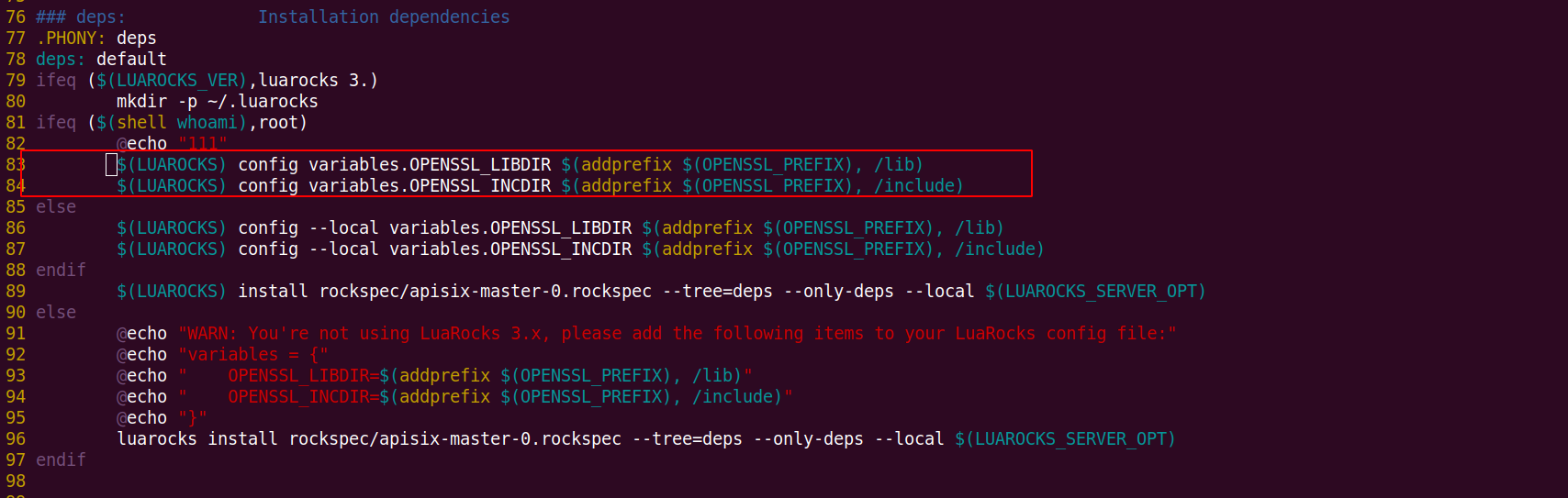 Luckly, it works so well until start APISIX. When `./bin/apisix start`  I check the openssl111 and it exists `/usr/local/openresty/openssl111`. This errors is different from the former, what happened? -- This is an automated message from the Apache Git Service. To respond to the message, please log on to GitHub and use the URL above to go to the specific comment. For queries about this service, please contact Infrastructure at: [email protected]



