juzhiyuan commented on issue #1944:
URL:
https://github.com/apache/apisix-dashboard/issues/1944#issuecomment-879607016
## Background
Currently, Apache APISIX Dashboard and Apache APISIX are two separate
projects (hereinafter referred to as Dashboard and APISIX). Whenever APISIX
changes (Create/Update/Delete) content (e.g., APIs, API fields, Entity
definitions, etc.), Dashboard needs to match the changes and publish a new
version, otherwise, an exception will occur when using it. There are 2 cases.
**Case 1: When APISIX extends the Upstream object with new fields**
1. User creates an Upstream object using the Admin API;
2. User edits the object using Dashboard and finds that:
1. The interface fails to display all fields.
2. When the data is submitted, the new field is missing from the submitted
data because the API does not support it, producing the wrong expected result.
**Case 2: Deleting a field**
1. If the Dashboard only updates schema.json but not the Web, the schema
checksum will fail when the data is submitted.
2. If the Dashboard is not updated, then the submission data will be written
to redundant fields.
In addition, it is possible for JS to generate `null.xxx` because a field is
missing, which in turn causes JS to throw an error.
Therefore, it is not recommended to use a mismatched Dashboard to operate
APISIX.
## Solution Target
To globally alert the user when a Dashboard does not match APISIX and allow
the user to see more information about it:
1. What is the current Dashboard version? What APISIX versions are
supported?
2. What APISIX nodes are currently available? What are the versions? Which
ones don't match (need to highlight)
## Solution
1. When APISIX nodes are all compatible with the Dashboard, no alert
occurred.
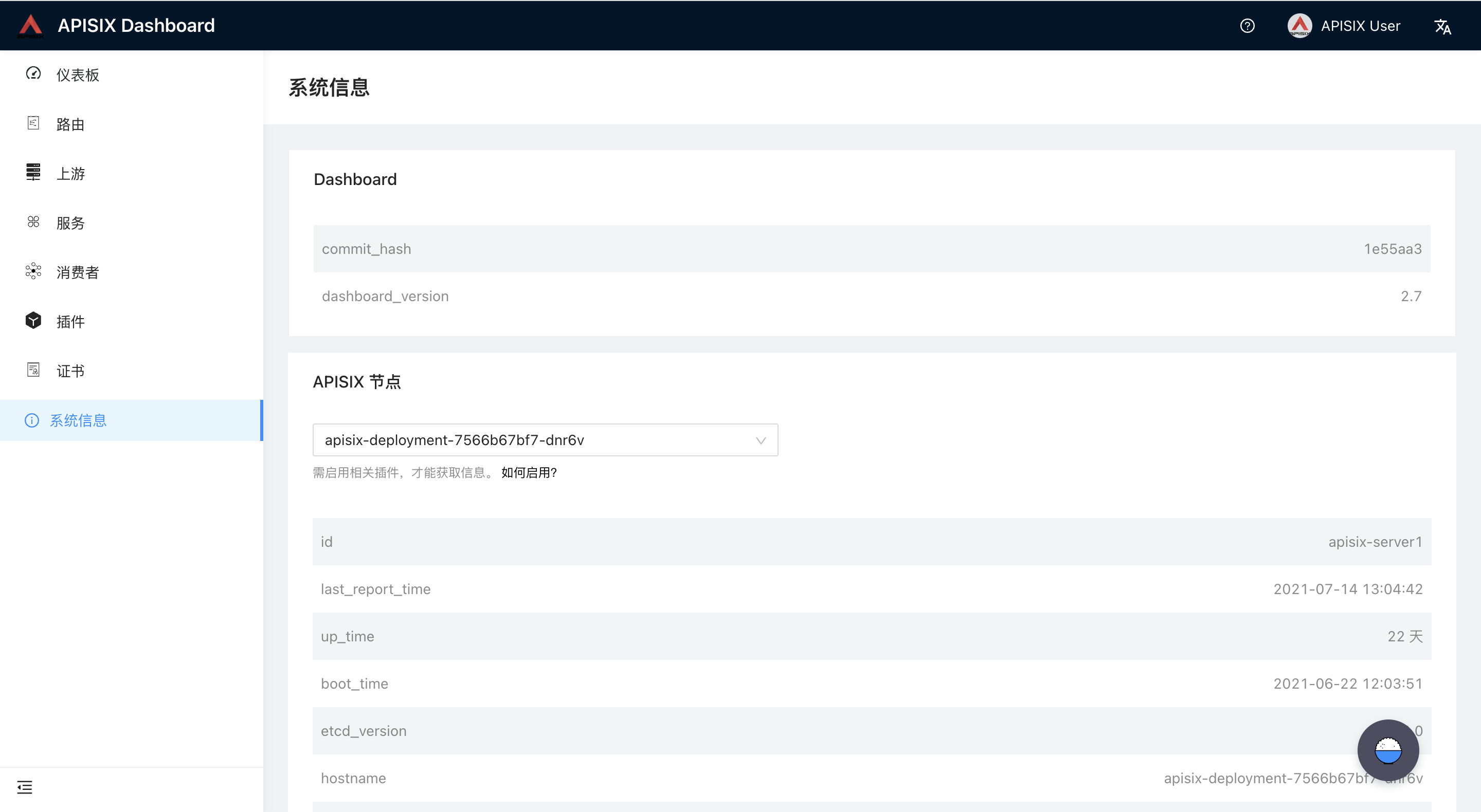
2. When any APISIX node does not match the Dashboard version, a version
mismatch will be displayed at the top of the screen.
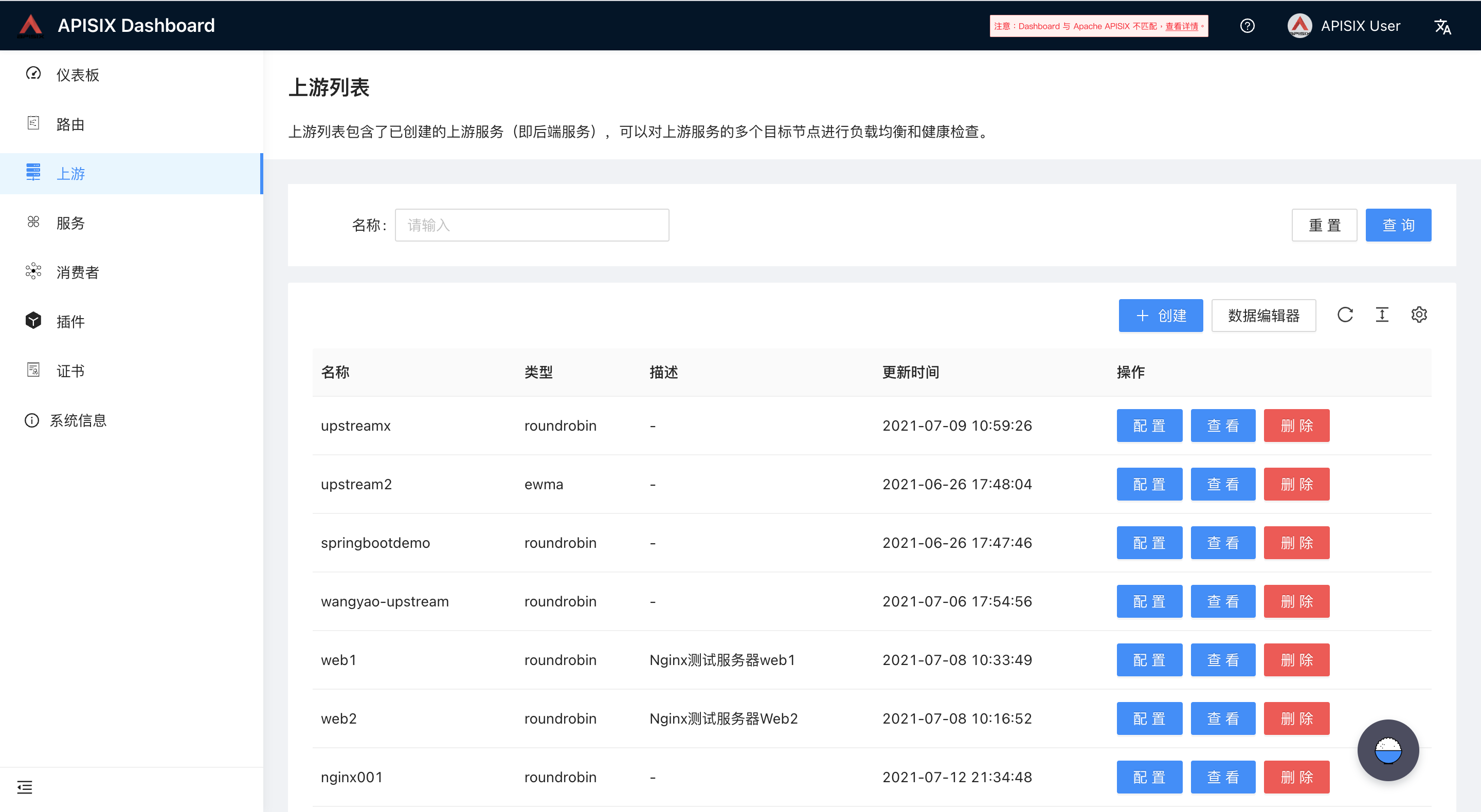
3. Clicking View Details will bring you to the System Info page, and the
mismatched node will be bound with a `Red Tag`, also, there will add a
`valid_dashboard_version` field for every node.

--
This is an automated message from the Apache Git Service.
To respond to the message, please log on to GitHub and use the
URL above to go to the specific comment.
To unsubscribe, e-mail: [email protected]
For queries about this service, please contact Infrastructure at:
[email protected]



