chenhuaming commented on issue #8859:
URL: https://github.com/apache/dubbo/issues/8859#issuecomment-1034046431
> @changfubai @CrazyHZM @yangzan0816 问题已经找到,因为我centos环境物理机装了虚拟机 有多个虚拟网卡.在provider 自己写的服务时候得到的ip是虚拟ip172.16.30.1.进行一次org.apache.dubbo.remoting.transport.netty4.NettyServer.doOpen() 操作 后续provider dubbo官方自带的org.apache.dubbo.metadata.MetadataService 得到的ip是192.168.1.102 又进行一次org.apache.dubbo.remoting.transport.netty4.NettyServer.doOpen() 操作,所以就导致了端口冲突. 需要在配置中指定ip来解决 dubbo.protocol.host=192.168.1.102 > > 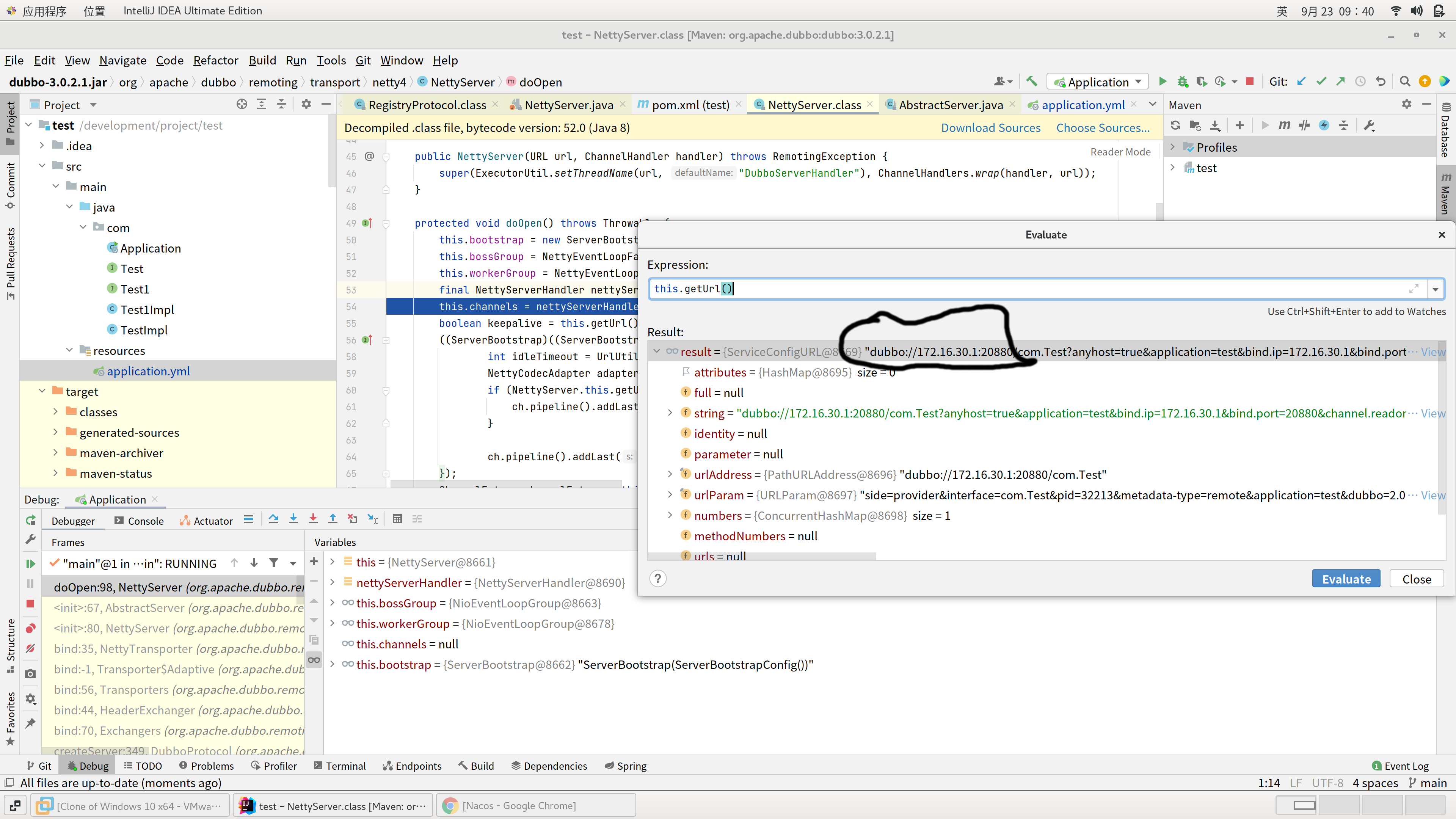 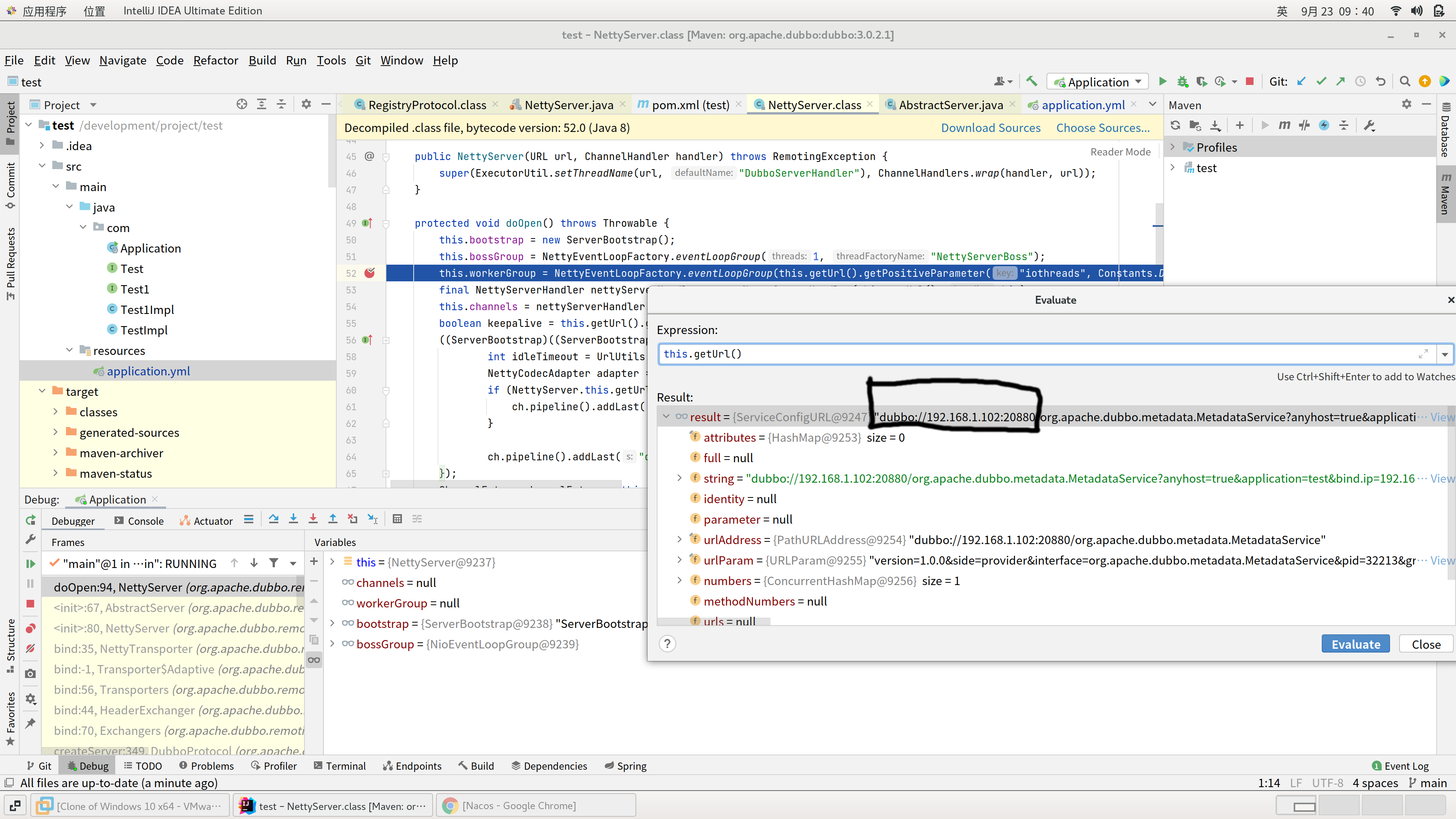 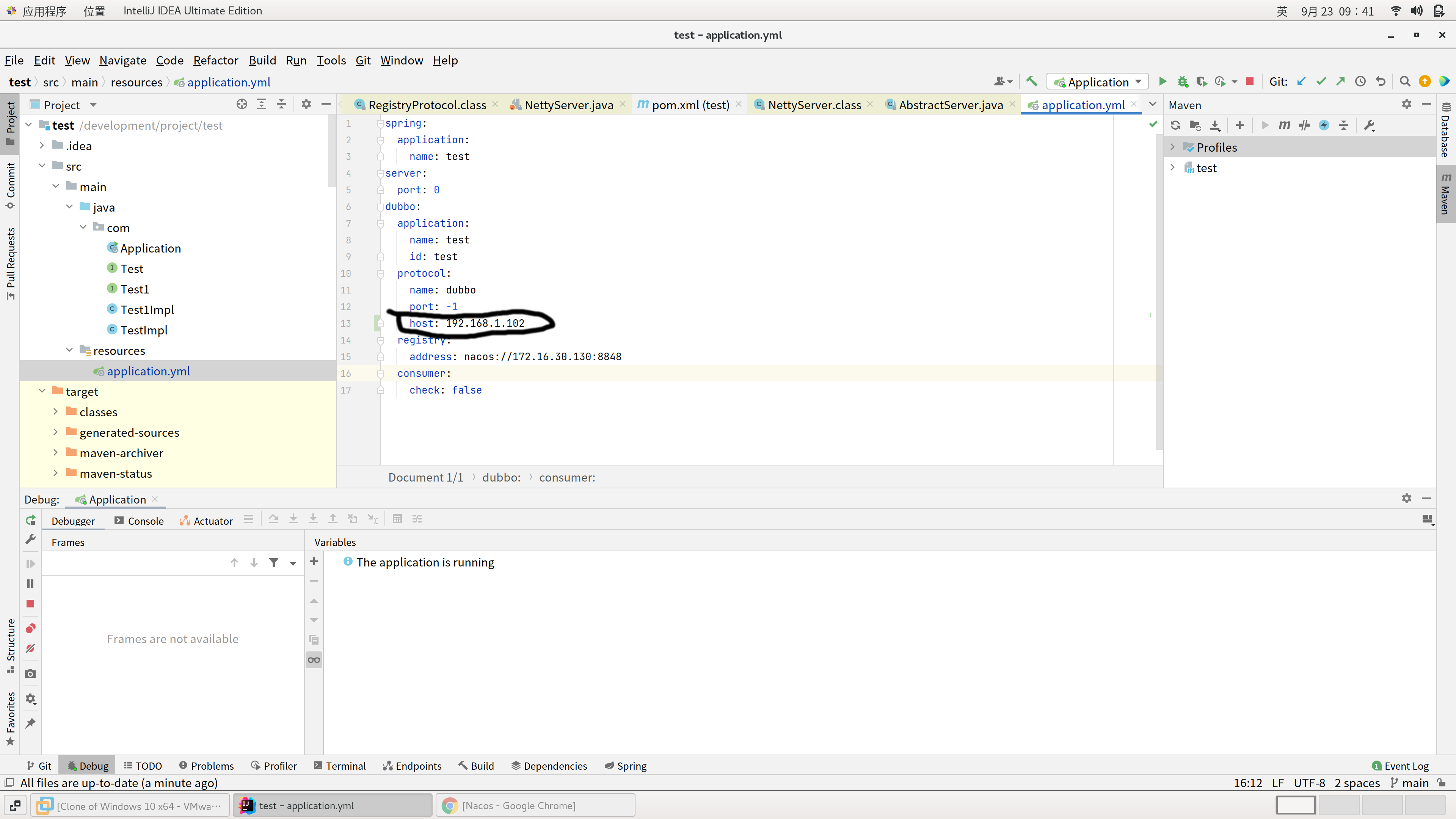 =============================== 首先配置 dubbo.protocol.port=-1 1. 我也遇到了一个差不多相同的问题。 2. 我的情况是我的centos本身是一台虚拟机,然后我在虚拟机里面起了一个docker 不配置host的话是可以注册上去的docker容器的ip地址,这样是调用的时候是不通的。 所以我配置了虚拟机的到dubbo.protocol.host上,这样是启动不成功的。 然后我把docker的host改成了虚拟机的外网域名,这样就会报错,地址被重复占用。 =============================== 然后我配置了一个 dubbo.protocol.port=20957 这样可以启动成功,但是MetadataService是发布在20880端口 -- This is an automated message from the Apache Git Service. To respond to the message, please log on to GitHub and use the URL above to go to the specific comment. To unsubscribe, e-mail: [email protected] For queries about this service, please contact Infrastructure at: [email protected] --------------------------------------------------------------------- To unsubscribe, e-mail: [email protected] For additional commands, e-mail: [email protected]



