yunqian-c9 commented on issue #12759:
URL:
https://github.com/apache/shardingsphere/issues/12759#issuecomment-939647924
@strongduanmu 我抓包查看了 **sqlalchemy** 在执行业务代码时,向 **mysql** 发送的语句。**sqlalchemy** 是通过设置 `autocommit = 0` 让当前会话保持事务运行的,在对接原生MYSQL时,是没问题的,全部语句都会在 **commit** 时提交,**rollback** 时回退。但是 **shardingsphere** 在碰到 **rollback** 时,之后的SQL语句即便还在同一个会话中,都会重新变为自动提交。以下为测试结果: _I took a look at the statements that SQLAlchemy sent to mysql when executing business code. Sqlalchemy set autocommit = 0 to keep the current session running transactionally. This is not a problem when connecting to native MYSQL. All statements will be committed at COMMIT and rollback. However, when ShardingSphere encounters ROLLBACK, subsequent SQL statements will revert to auto-commit even if they are still in the same session. The test results are as follows:_ **sqlalchemy** 会在执行业务语句时,会在上下文中执行 **rollback** 语句,我尝试去找有没有相关配置可以关闭这个行为,但没有找到,除非重写相关代码: _Sqlalchemy will execute a ROLLBACK statement in the context of a business statement. I tried to find a configuration to turn this behavior off, but could not find it unless I overwrote the code:_ 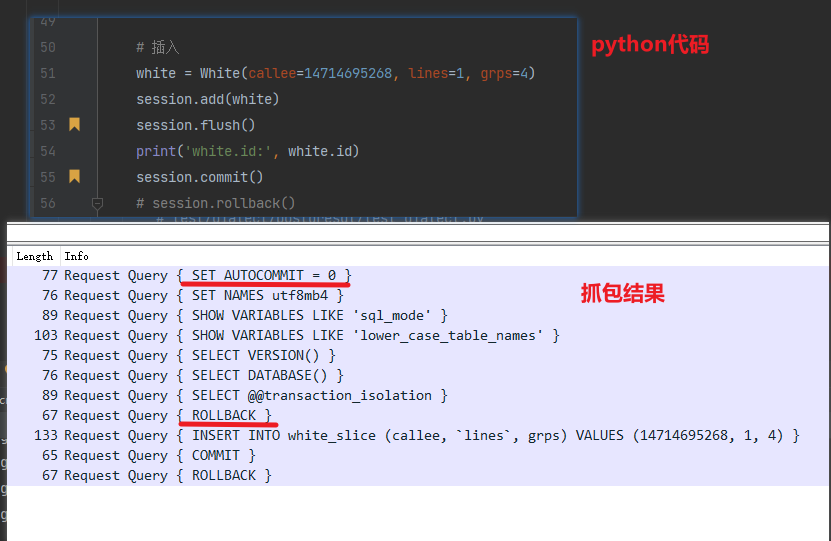 **sqlalchemy 源码:** _Sqlalchemy source_ 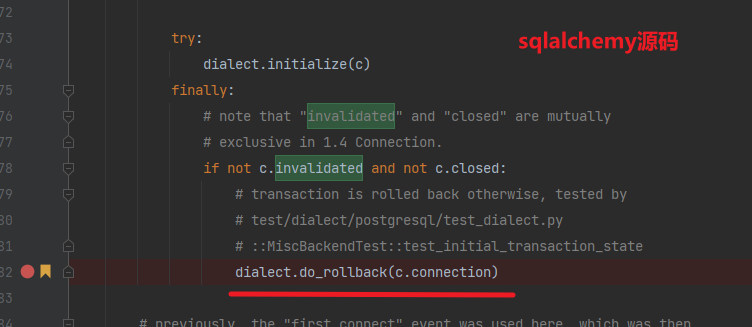 **Mysql 测试 autocommit 结果:** _Mysql tests autocommit results_ 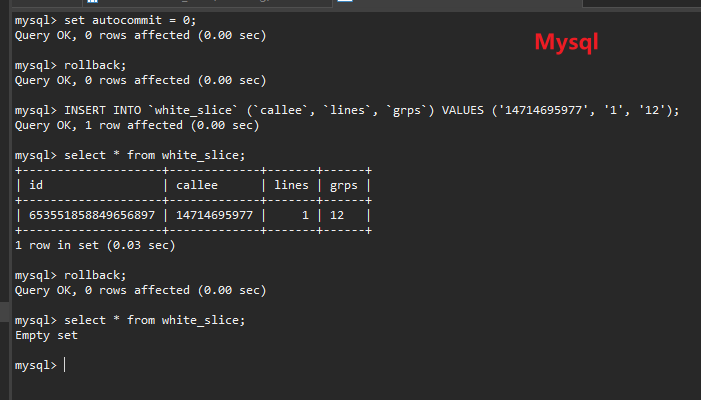 **shardingsphere 测试 autocommit 结果:** _Shardingsphere tests autocommit results_ 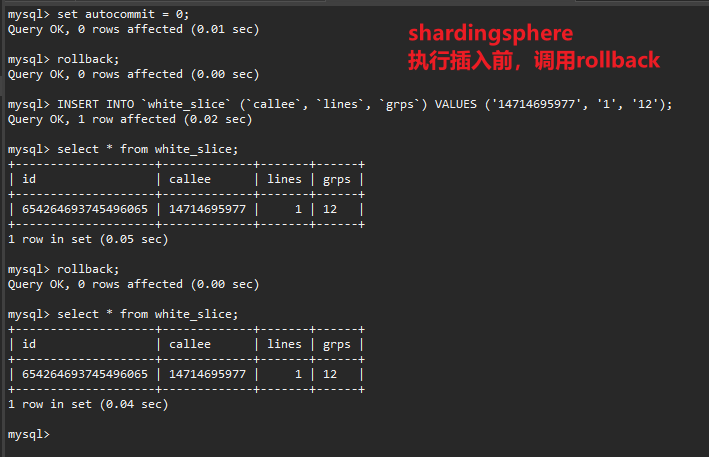 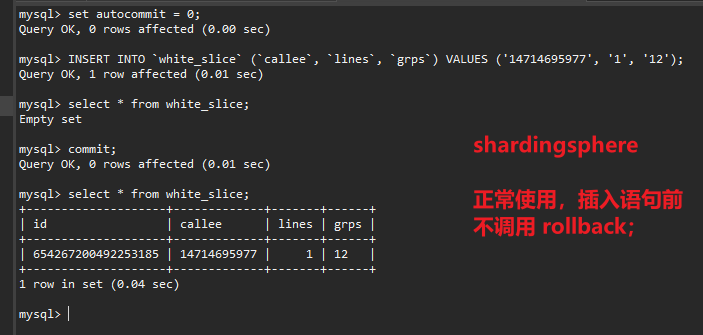 另外我这边尝试过在命令行测试 begin开启事务,但我这边必须要 commit 后才能看到插入的数据,跟您那边不一致,请问是配置问题么? _In addition, I have tried to start the transaction with begin in the command line test, but I can only see the inserted data after COMMIT, which is inconsistent with yours. Is there a configuration problem?_ 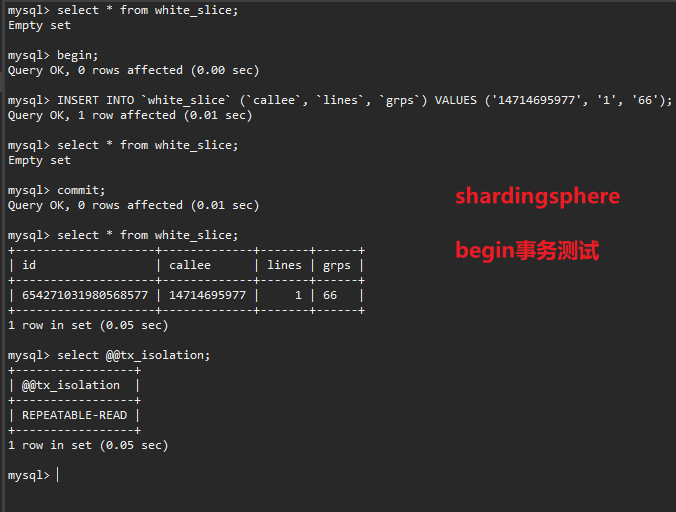 -- This is an automated message from the Apache Git Service. To respond to the message, please log on to GitHub and use the URL above to go to the specific comment. To unsubscribe, e-mail: [email protected] For queries about this service, please contact Infrastructure at: [email protected]






