MrCong233 opened a new issue, #19063:
URL: https://github.com/apache/shardingsphere/issues/19063
shardingsphere config XA-transaction with openGauss-server. After shardingsphere is started successfully, the client cannot establish a connection. Is server.yaml is correct? ### Which version of ShardingSphere did you use? 5.1.3 ### Which project did you use? ShardingSphere-JDBC or ShardingSphere-Proxy? ShardingSphere-Proxy ### Expected behavior The client successfully establishes a connection ### Actual behavior An error is reported on the client and server   ### Reason analyze (If you can) ``result = null`` cause a nullpoint error.  ### Steps to reproduce the behavior, such as: SQL to execute, sharding rule configuration, when exception occur etc. server.yaml ```C++ rules: - !AUTHORITY users: - root@%:root - sharding@:sharding - zhoucong@:zhoucong provider: type: ALL_PRIVILEGES_PERMITTED - !TRANSACTION defaultType: XA providerType: Narayana props: max-connections-size-per-query: 1 executor-size: 16 proxy-frontend-flush-threshold: 128 # The default value is 128. sql-show: true proxy.transaction.type: XA ``` config-sharding.yaml ```C++ dataSources: ds_0: connectionTimeoutMilliseconds: 10000 idleTimeoutMilliseconds: 10000 maxLifetimeMilliseconds: 1800000 maxPoolSize: 200 minPoolSize: 10 password: Huawei@123 url: jdbc:opengauss://XXX.XXX.XXX.XXX:12102/d1?serverTimezone=UTC&useSSL=false&connectTimeout=10 username: test ds_1: connectionTimeoutMilliseconds: 10000 idleTimeoutMilliseconds: 10000 maxLifetimeMilliseconds: 1800000 maxPoolSize: 200 minPoolSize: 10 password: Huawei@123 url: jdbc:opengauss://XXXX.XXX.XXX.XXX:12102/d2?serverTimezone=UTC&useSSL=false&connectTimeout=10 username: test rules: - !SHARDING defaultDatabaseStrategy: none: null defaultTableStrategy: none: null shardingAlgorithms: ds_t1_alg: props: algorithm-expression: ds_${ds_id % 2} type: INLINE ts_t1_alg: props: algorithm-expression: ts_${ts_id % 3} type: INLINE tables: t1: actualDataNodes: ds_${0..1}.ts_${0..2} databaseStrategy: standard: shardingAlgorithmName: ds_t1_alg shardingColumn: ds_id tableStrategy: standard: shardingAlgorithmName: ts_t1_alg shardingColumn: ts_id schemaName: sharding_db ``` run maven ```C++ clean install package -Prelease -T1C -DskipTests -Djacoco.skip=true -Dmaven.javadoc.skip=true -Dcheckstyle.skip=true -Drat.skip=true -DskiplTs -B ``` start shardingsphere successfully 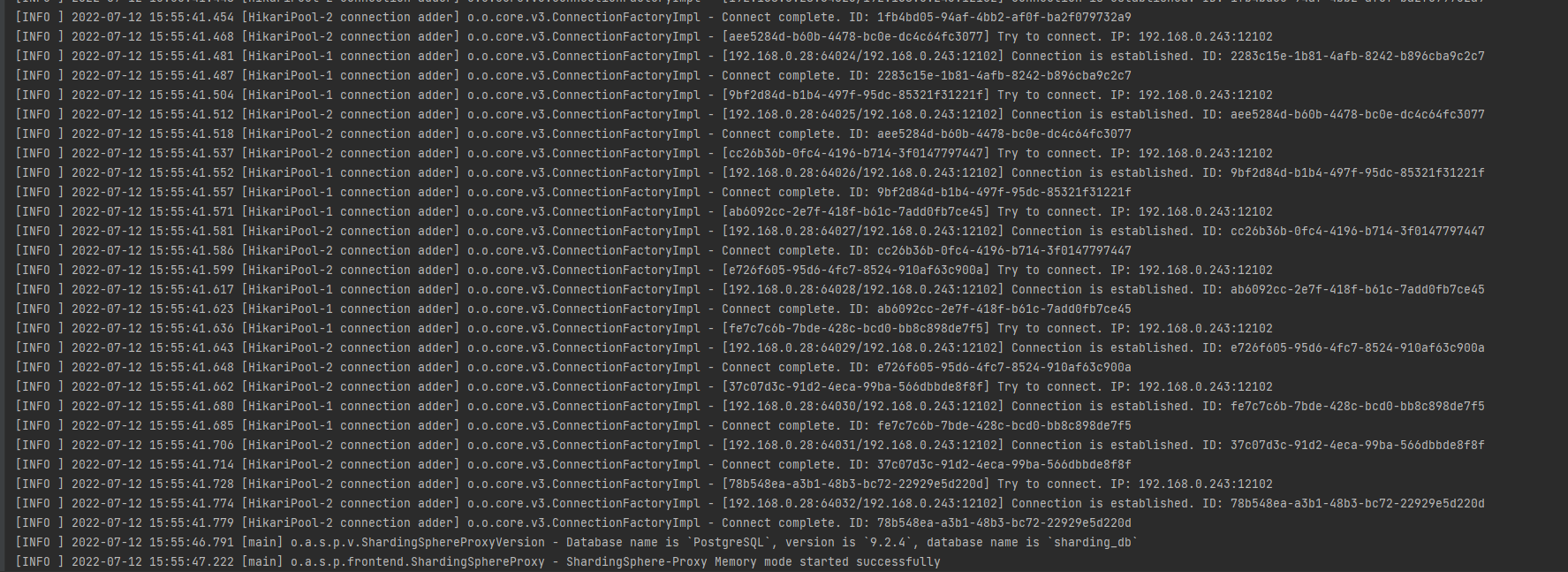 client can't connect to shardingsphere   ### Example codes for reproduce this issue (such as a github link). -- This is an automated message from the Apache Git Service. To respond to the message, please log on to GitHub and use the URL above to go to the specific comment. To unsubscribe, e-mail: [email protected] For queries about this service, please contact Infrastructure at: [email protected]



