WuChuSheng1 opened a new pull request, #175:
URL: https://github.com/apache/skywalking-banyandb/pull/175

   **This PR is to summarize the work I did during the gsoc and merge it.**
   
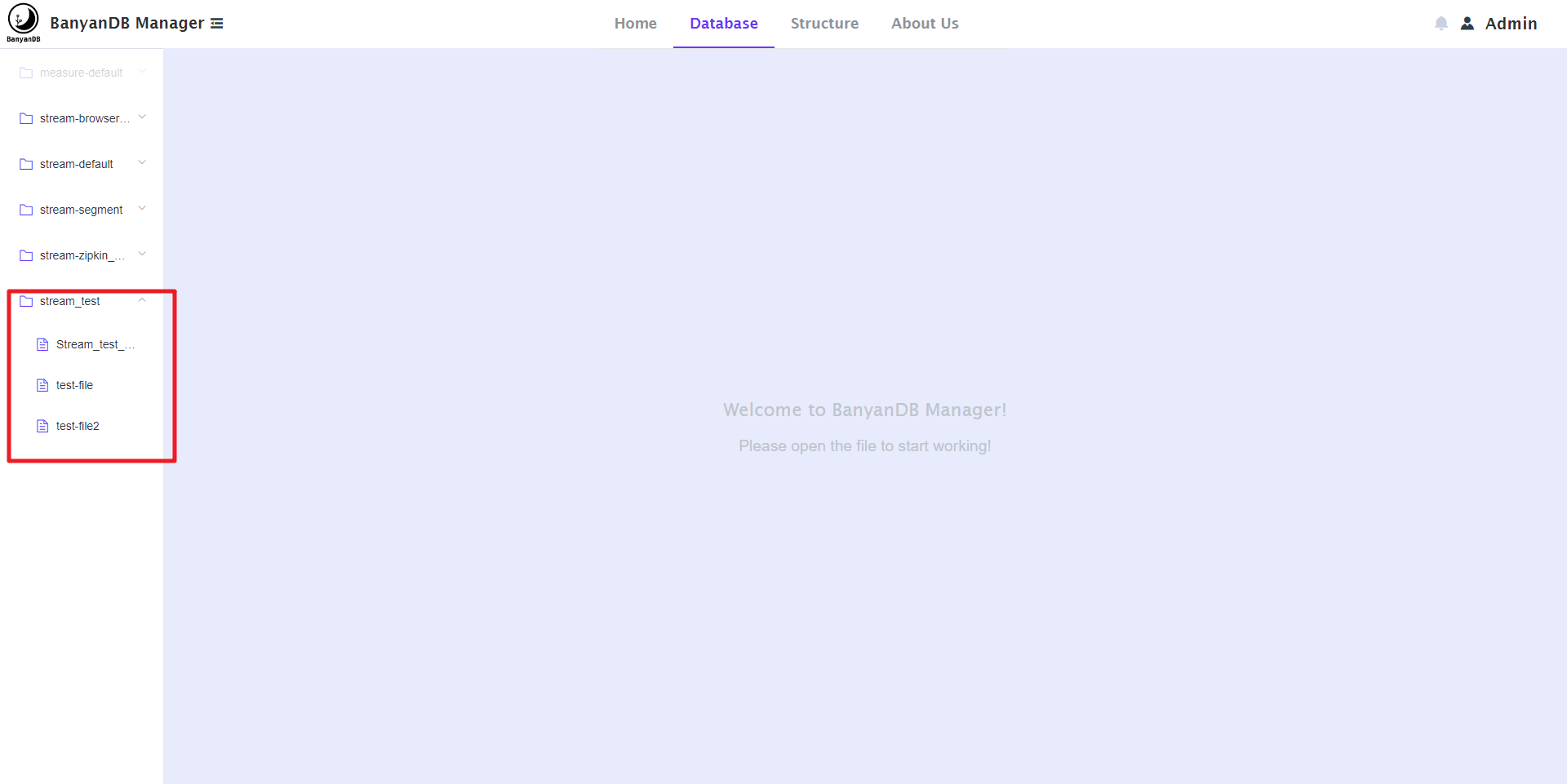
   **1. During the gsoc, I completed the UI design of banyandb and the Database 
page. Its effects are as follows:**
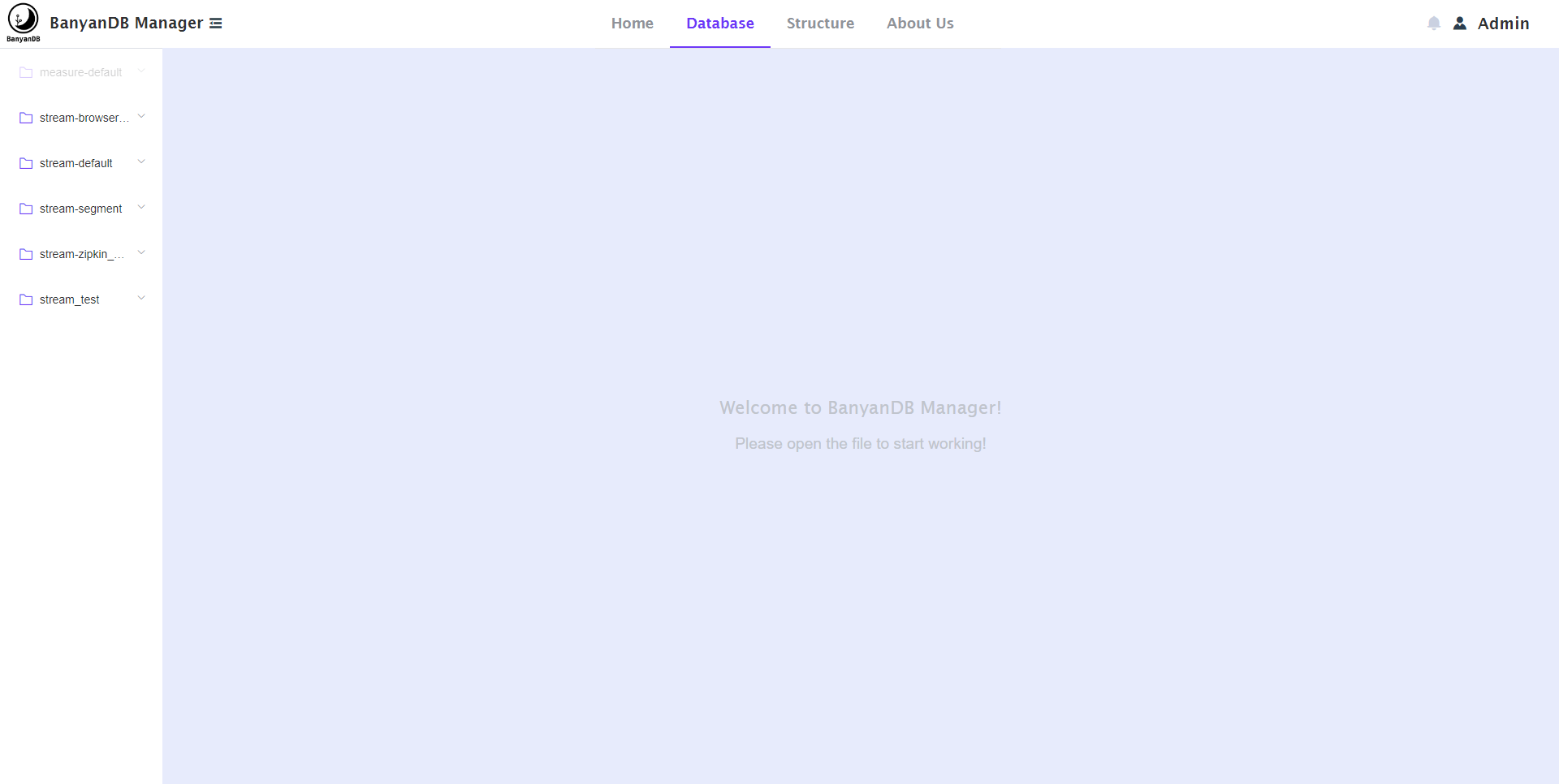
   
   
![image](https://user-images.githubusercontent.com/107111186/189611159-e1fcb637-9bd8-4625-bbb6-5c2fb7314e11.png)
   
   **2. On this page, You can do some basic operations.**
   
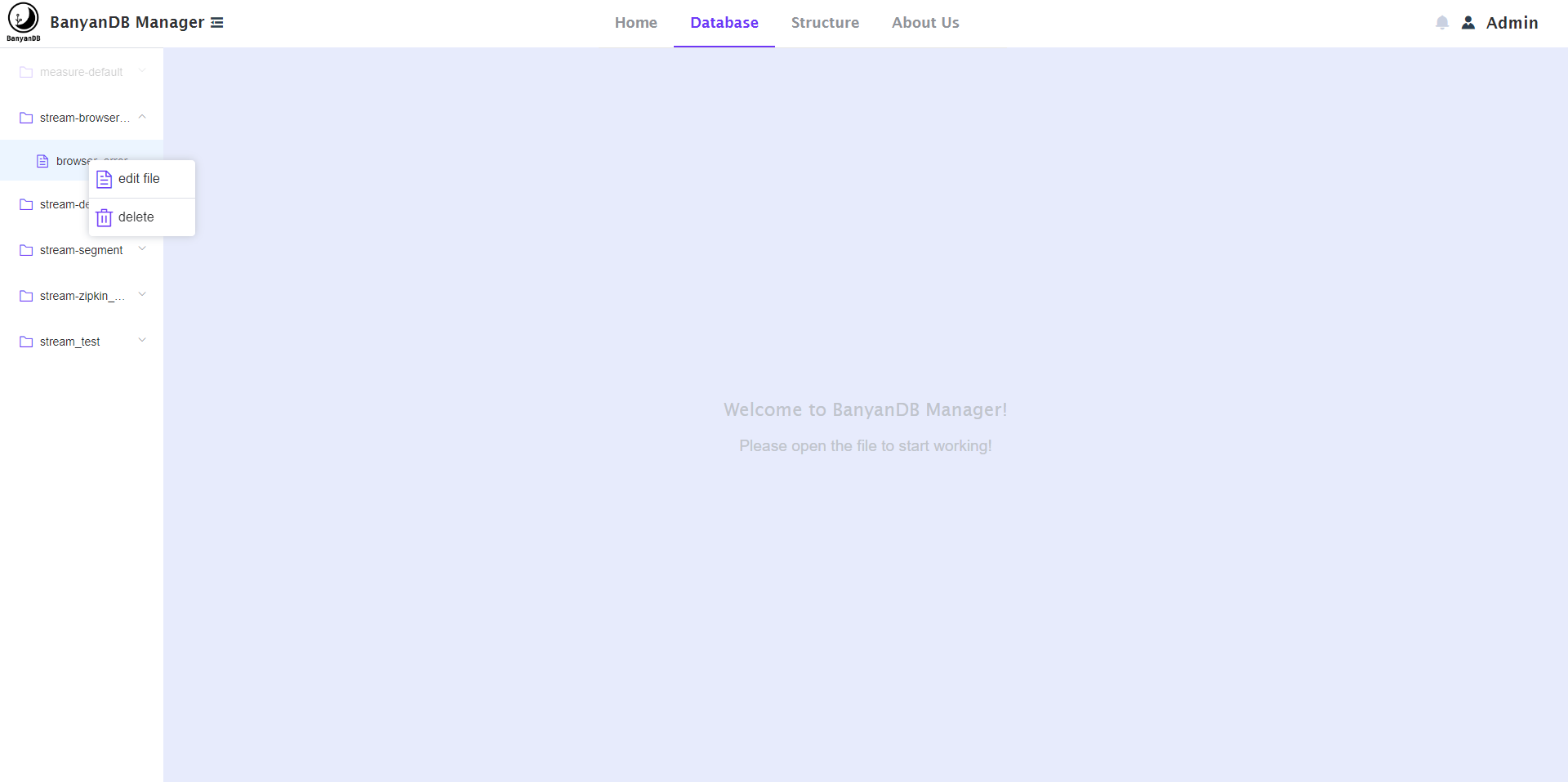
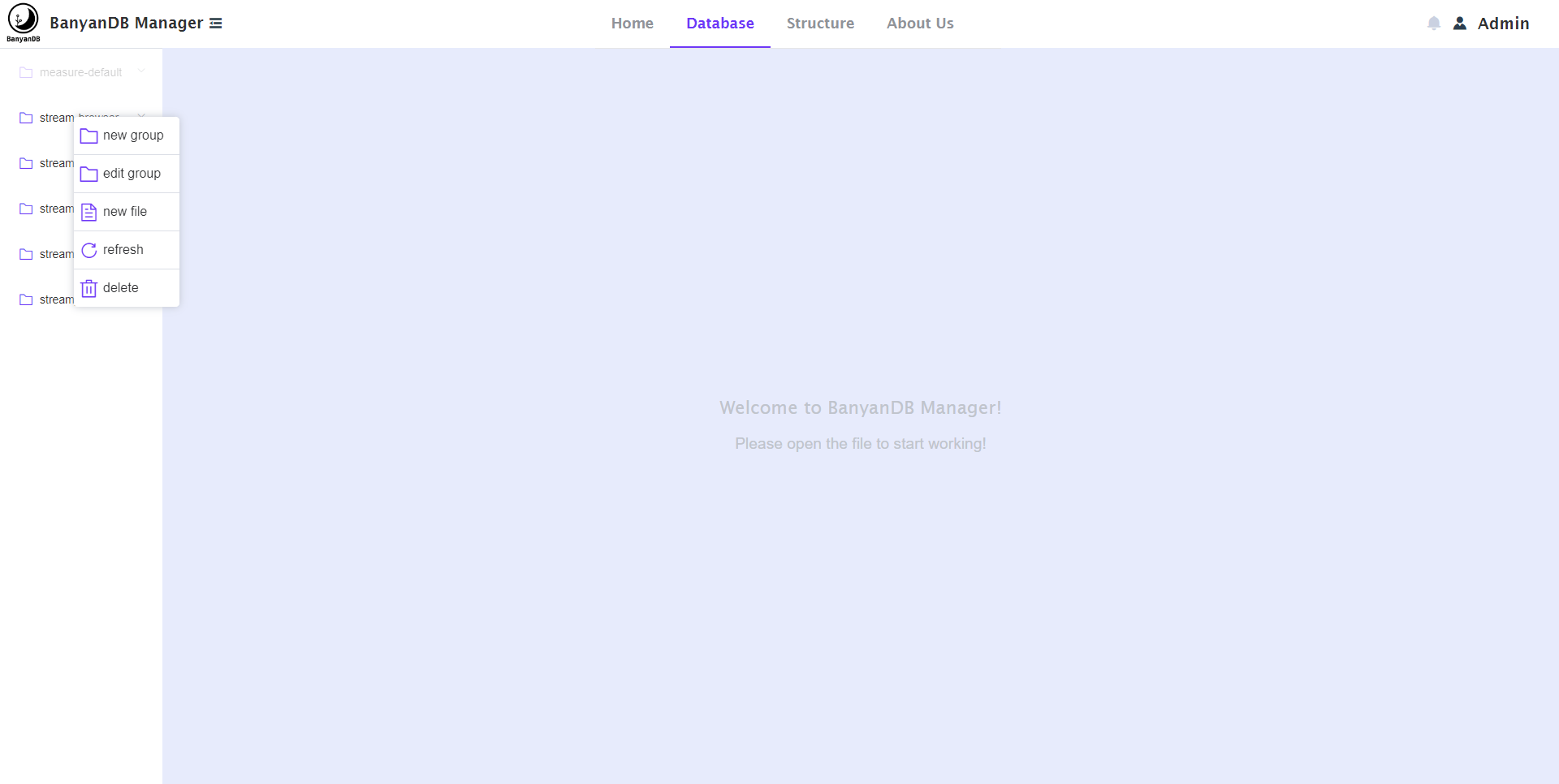
   - You can right-click on the side directory bar to open the menus of group, 
stream and measure, and select corresponding operations, as shown below:
   
   
![image](https://user-images.githubusercontent.com/107111186/189612022-8865dfb1-85d4-43f4-a64e-e0e3bb5dfbf7.png)
   
   
![image](https://user-images.githubusercontent.com/107111186/189612080-0a1e414c-b3d7-4cf2-83e3-4eb1432733bb.png)
   
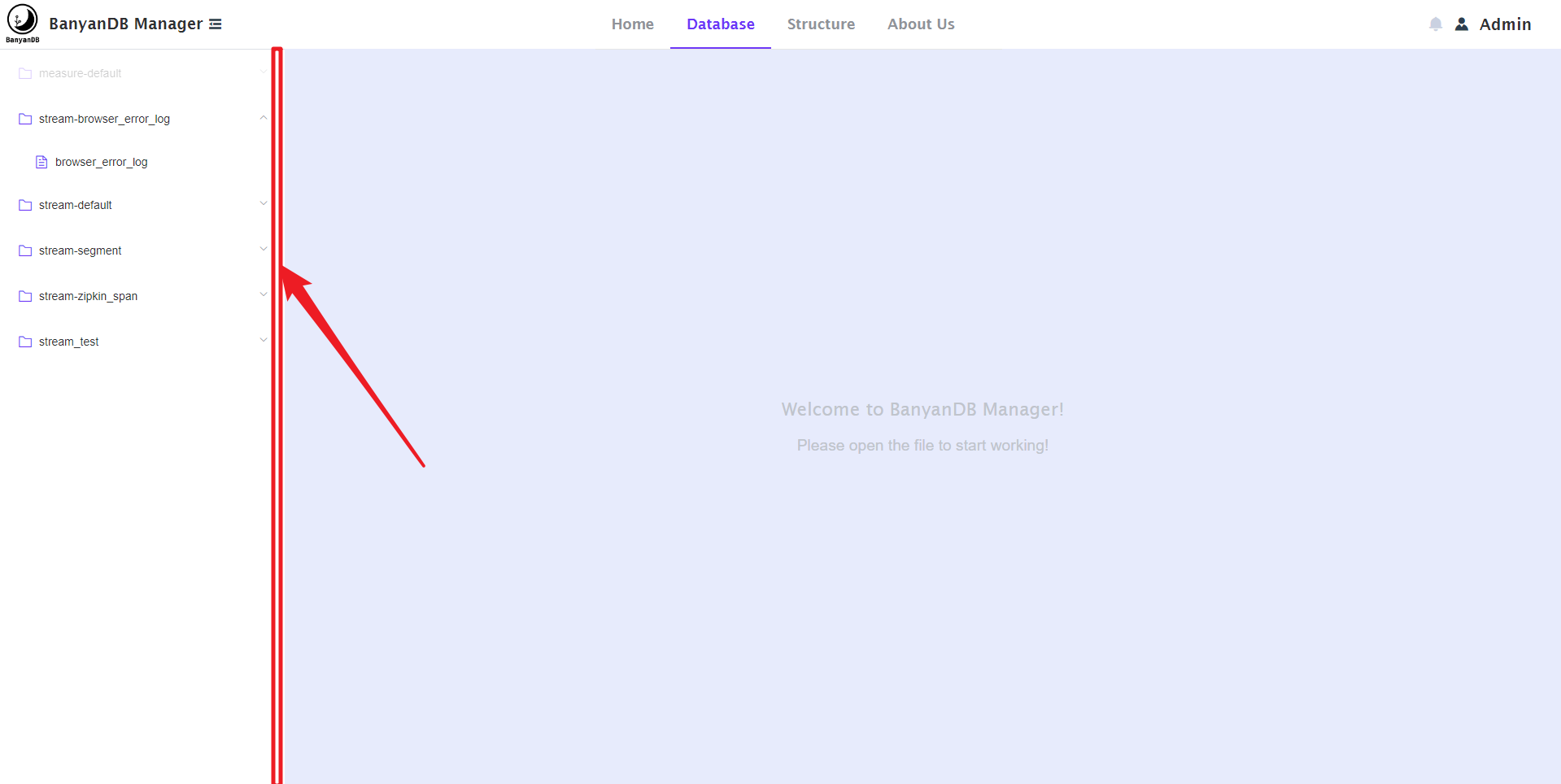
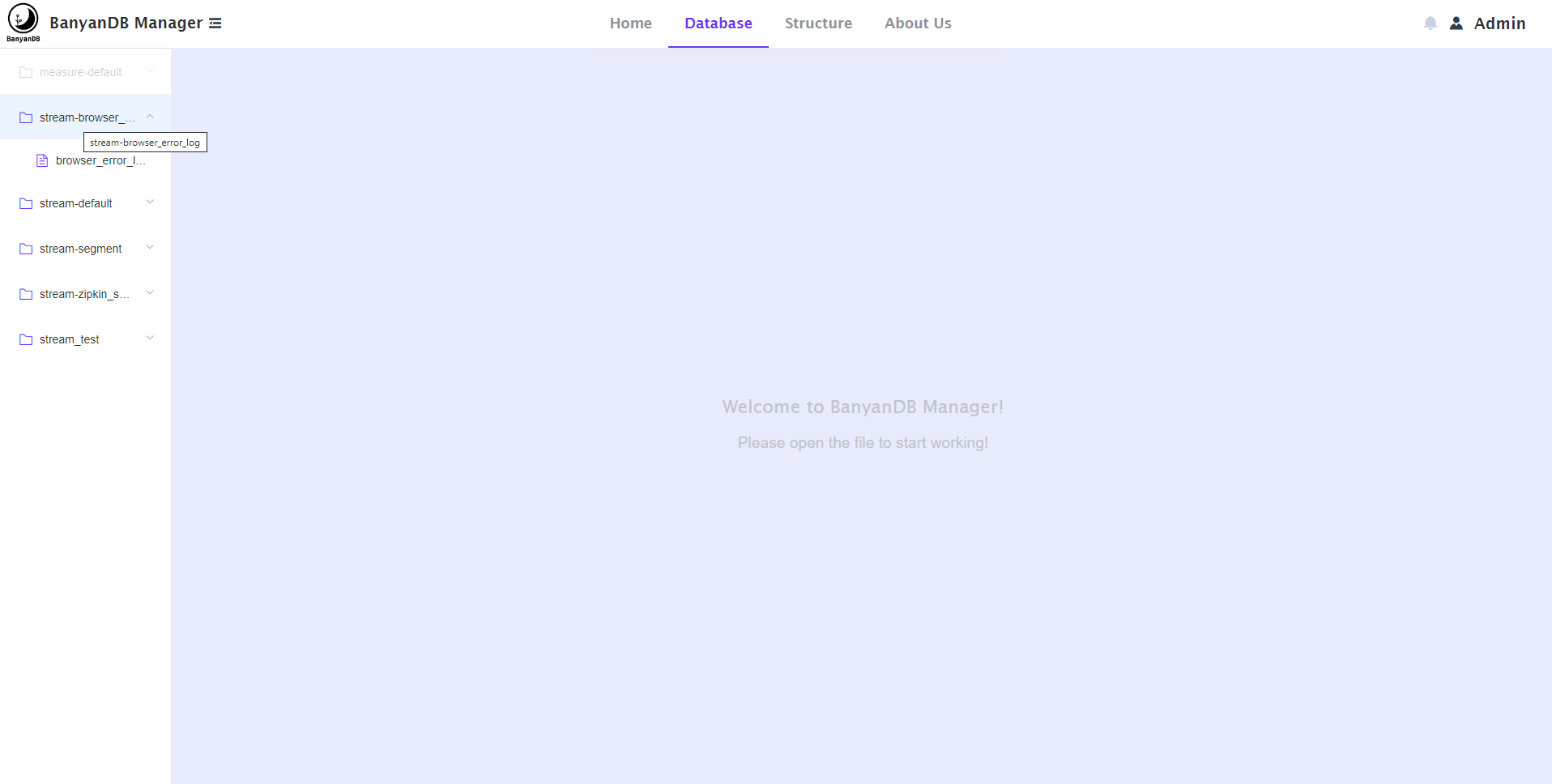
   - You will find that the name of the group in the side directory bar is too 
long to fully display its full name, so I have optimized it; You can hover the 
mouse, and it will automatically display its full name; You can also control 
the mouse to long press the right side of the sidebar to customize its width. 
As shown below:
   
   
![image](https://user-images.githubusercontent.com/107111186/189613295-d8fdcb40-2b2b-4e6d-8ffb-3e5e4d8b3cae.png)
   
   
![image](https://user-images.githubusercontent.com/107111186/189613593-6be0c3af-7892-409b-8bdc-2795b1a610cd.png)
   
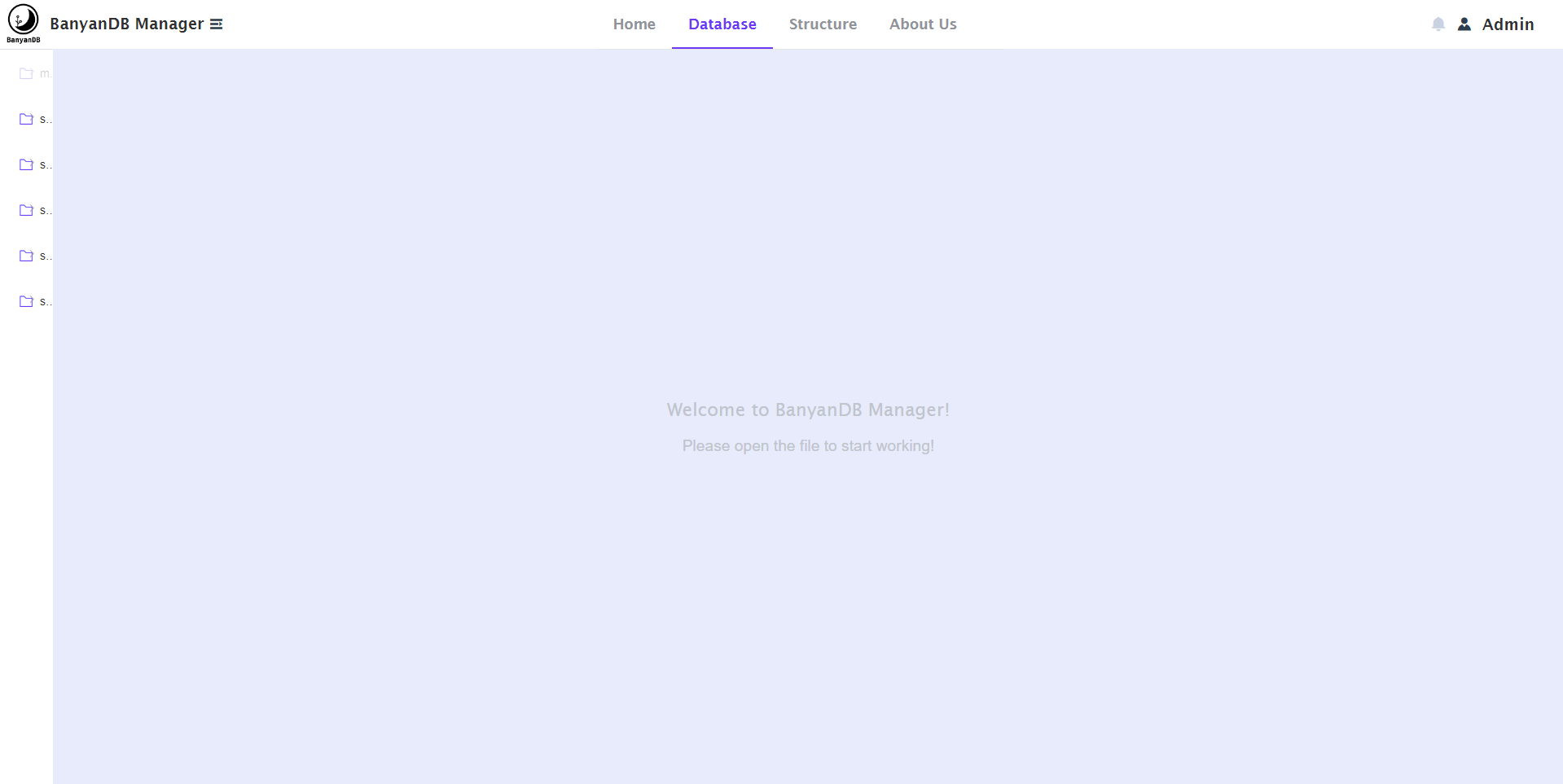
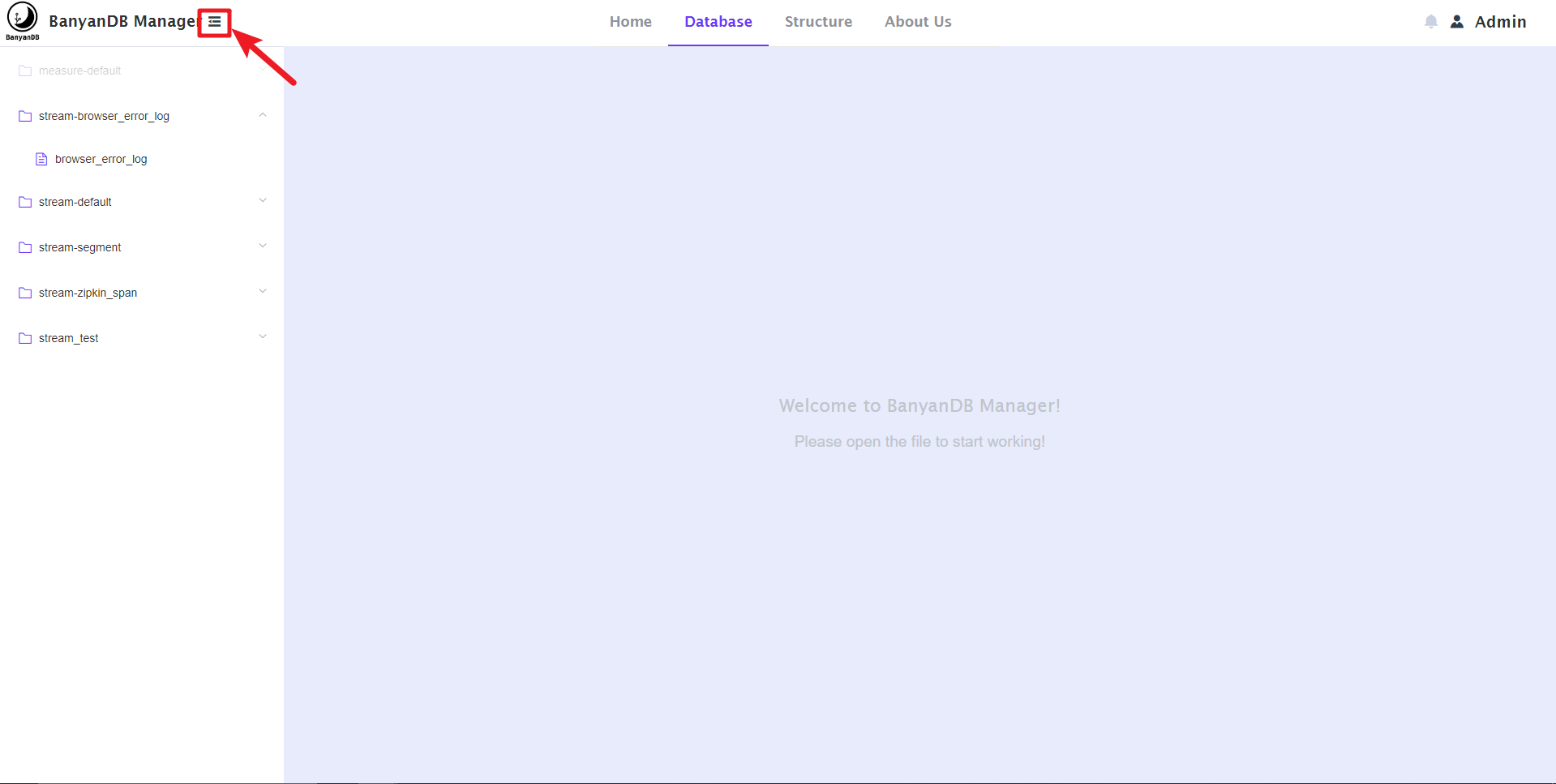
   - You can also control the width of the sidebar by clicking the top 
navigation bar button, as shown below:
   
   
![image](https://user-images.githubusercontent.com/107111186/189613839-66ea8d9c-0237-4983-a288-46a91e2caf3f.png)
   
   
![image](https://user-images.githubusercontent.com/107111186/189613895-d2b5d55f-87a8-45c8-b7d7-2a3ba07b6db1.png)
   
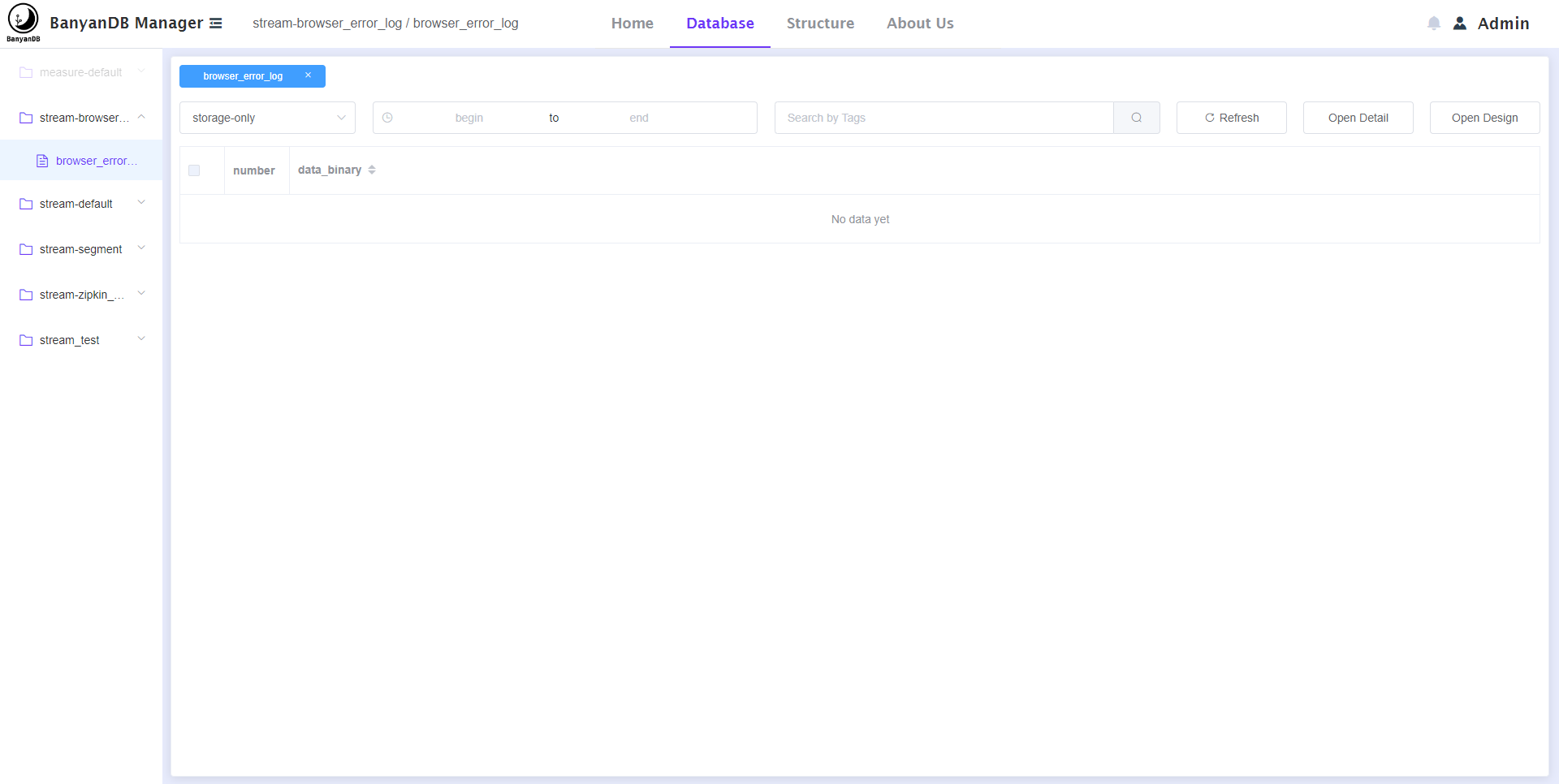
   - You can click the sidebar menu item to enter the page, as shown below::
   
   
![image](https://user-images.githubusercontent.com/107111186/189614498-3831f75a-f394-4c2d-acf8-07459e60bc80.png)
   
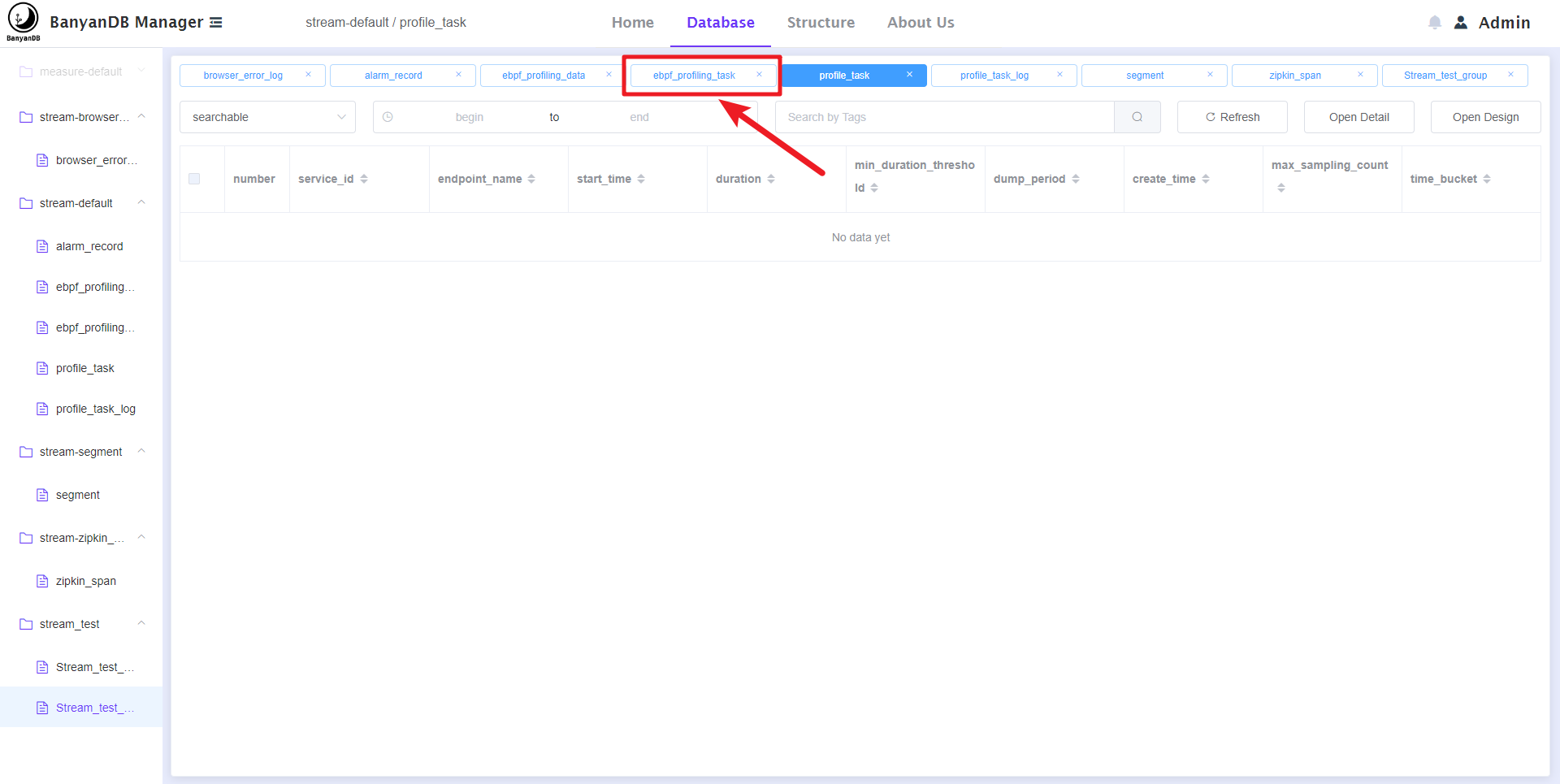
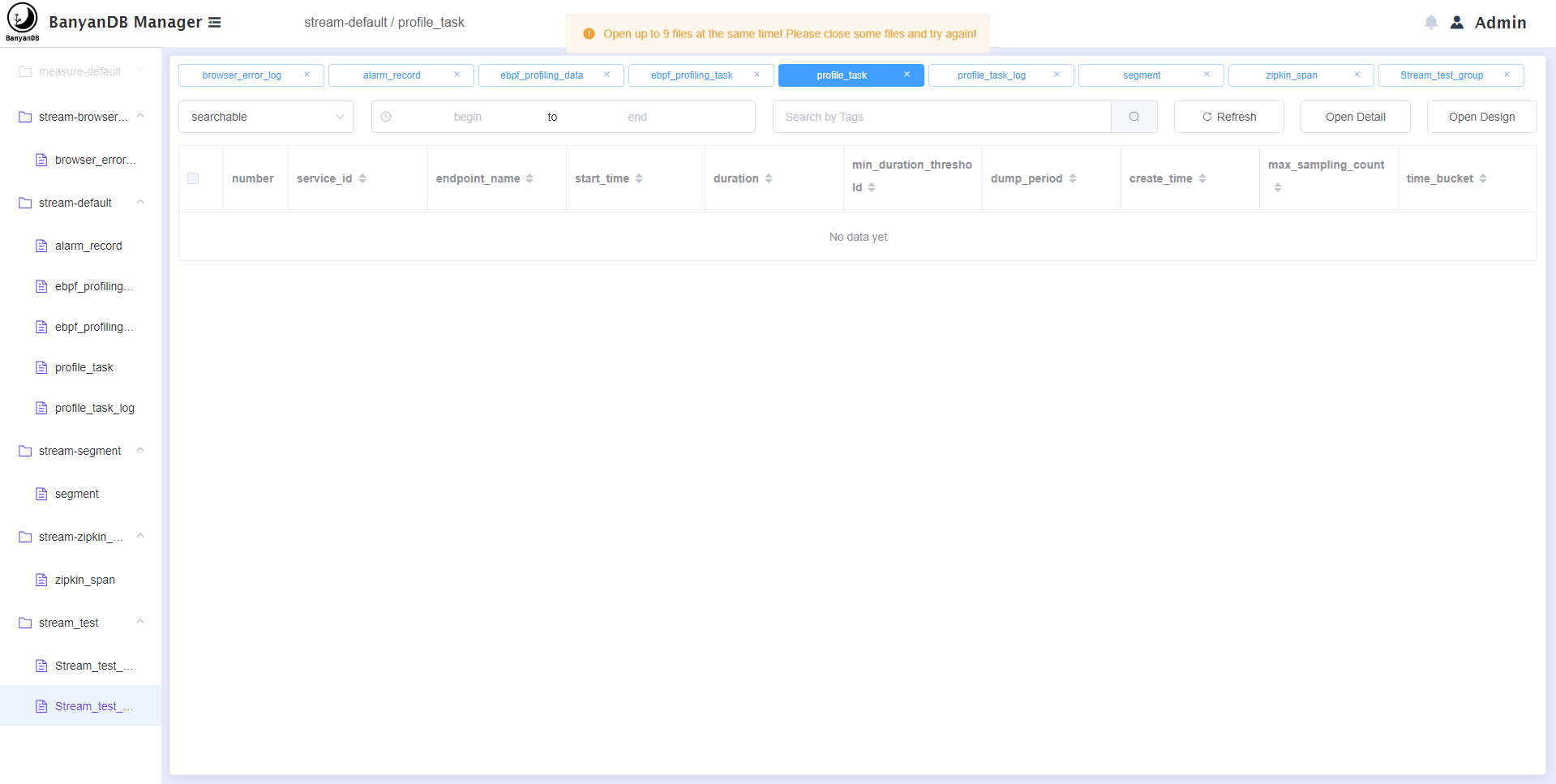
   - You can also open multiple files at the same time, but you need to pay 
attention to opening up to 9 files; At the same time, you can also click the 
top navigation to switch the opened files. as shown below:
   
   
![image](https://user-images.githubusercontent.com/107111186/189614989-4a530fbc-e0c6-4d06-b4c9-0d96c5057d7d.png)
   
   
![image](https://user-images.githubusercontent.com/107111186/189615064-bc51dd65-8ae4-41d2-ad0b-4bb1ce160e86.png)
   
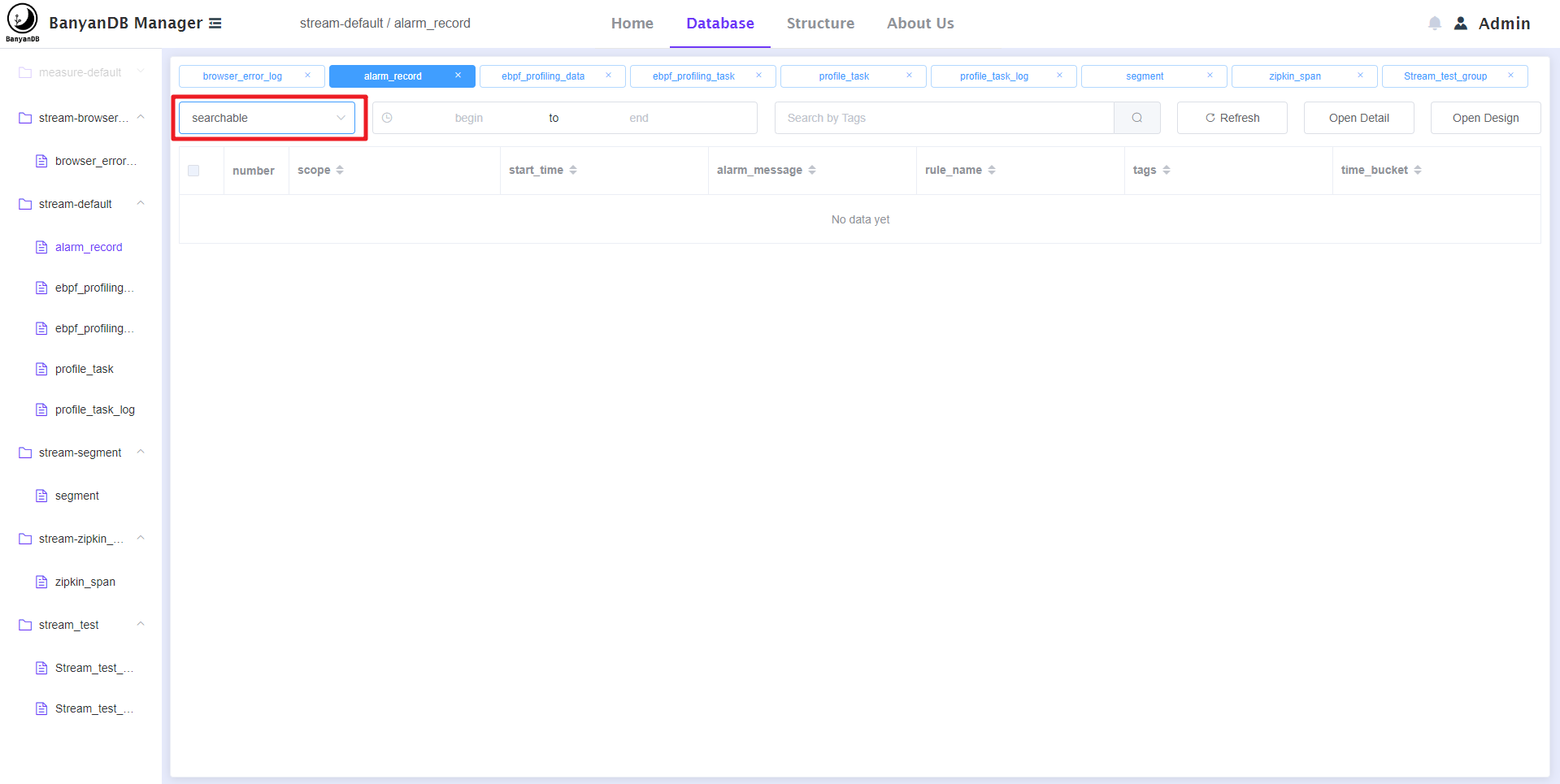
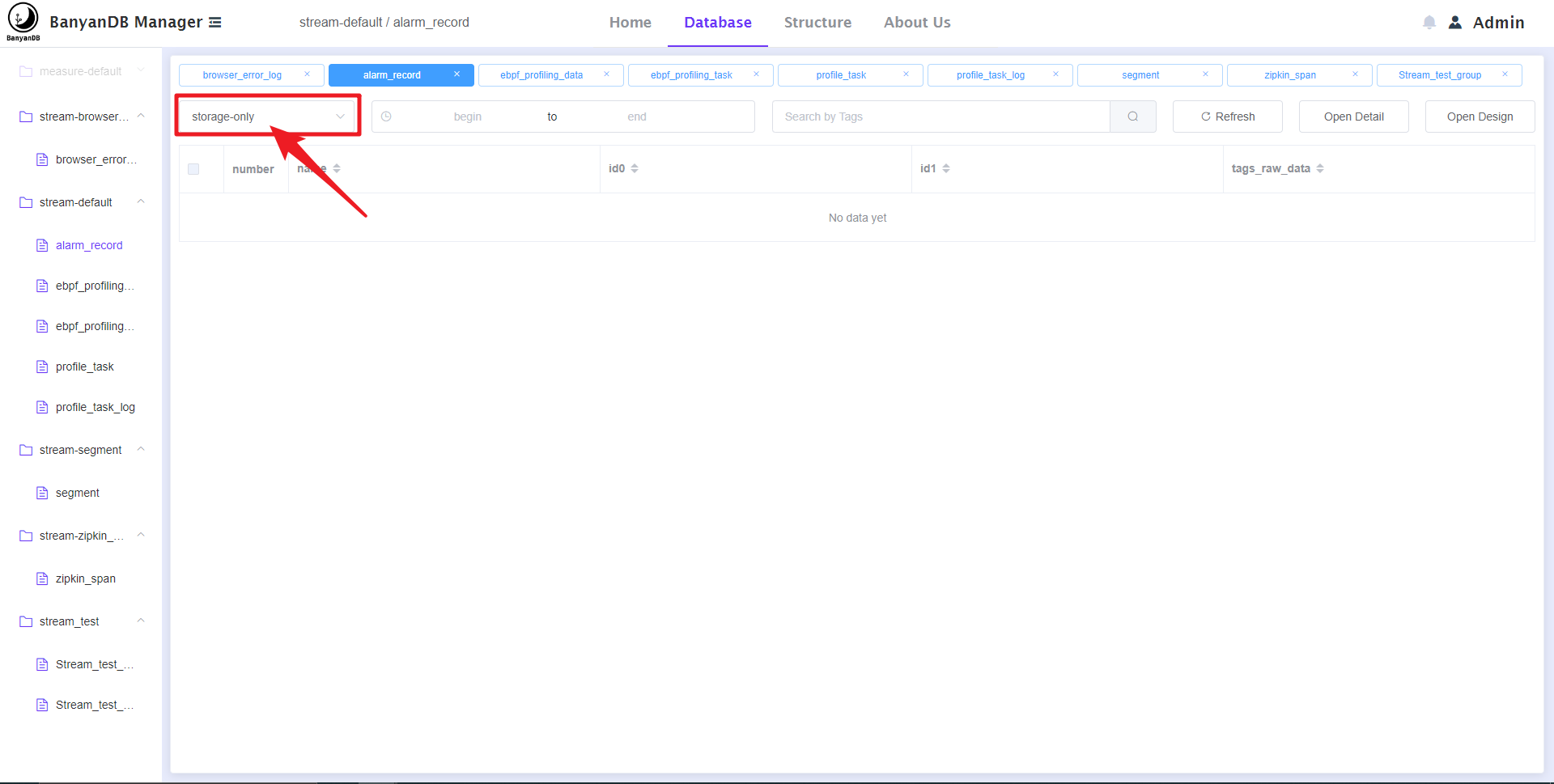
   - You can click the drop-down box to switch the tag families of the stream. 
as shown below:
   
   
![image](https://user-images.githubusercontent.com/107111186/189615382-3e632ba5-99a9-4276-8664-9ca9cccd2d5c.png)
   
   
![image](https://user-images.githubusercontent.com/107111186/189615542-75abfbaa-d202-4d51-8f14-bbd1e586c192.png)
   
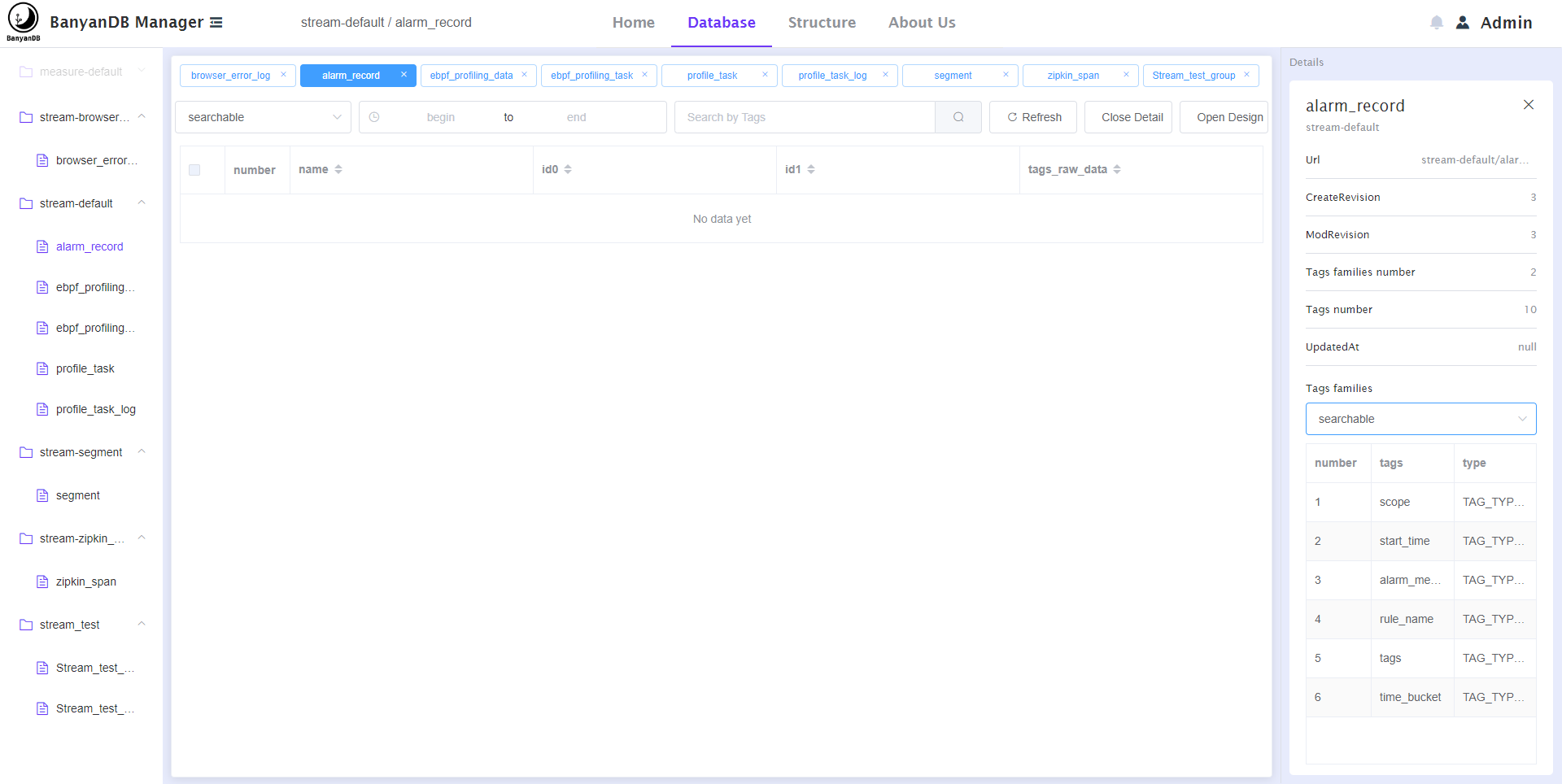
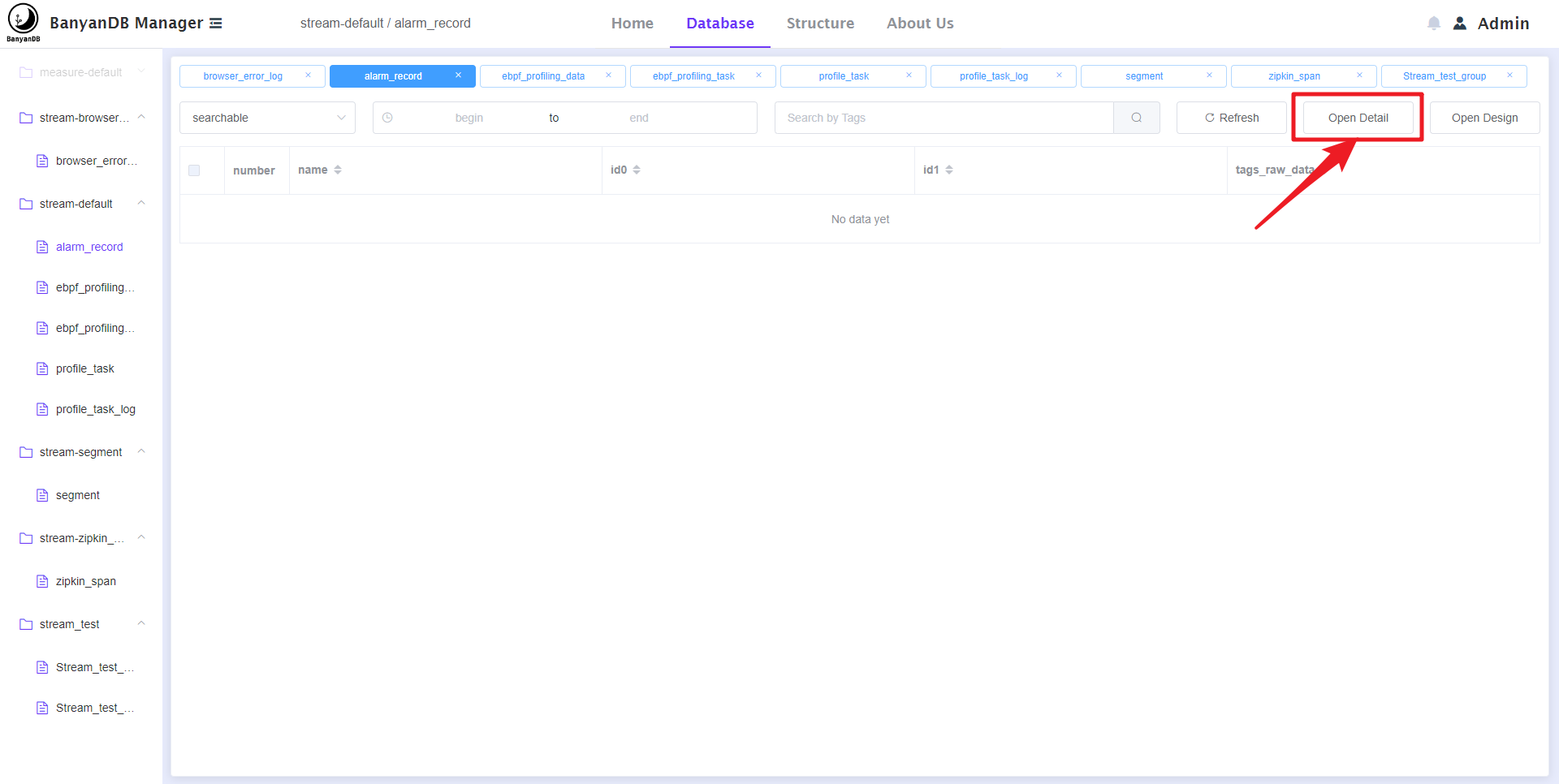
   - You can click the 'open detail' button to open the details of the file. as 
shown below:
   
   
![image](https://user-images.githubusercontent.com/107111186/189616079-295a5637-b93d-4509-b024-a5df3de9e710.png)
   
   
![image](https://user-images.githubusercontent.com/107111186/189616135-1739f26f-465f-4463-85db-fe6a25d4fa41.png)
   
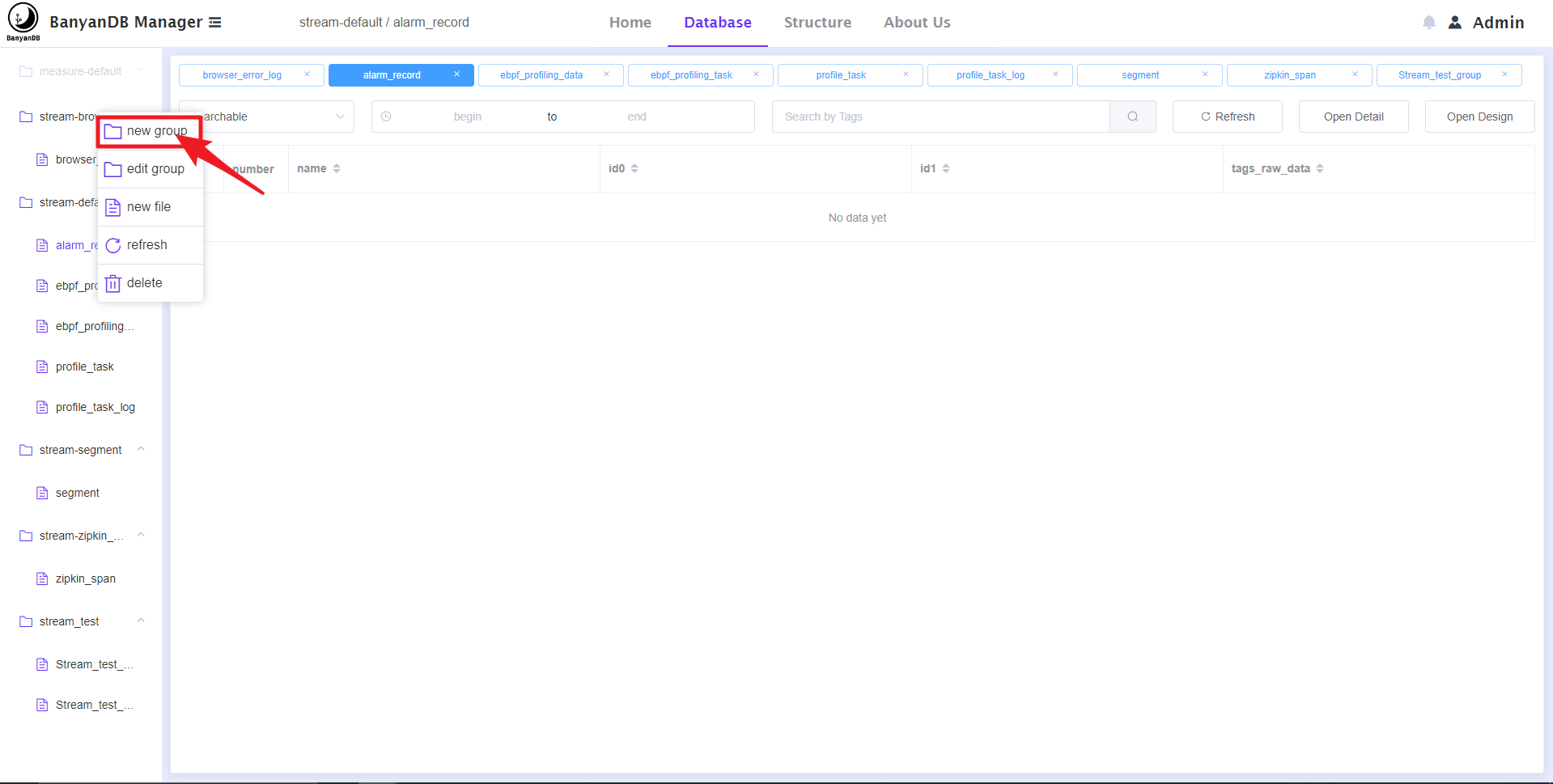
   **3. On this page, You can CRUD a group.**
   
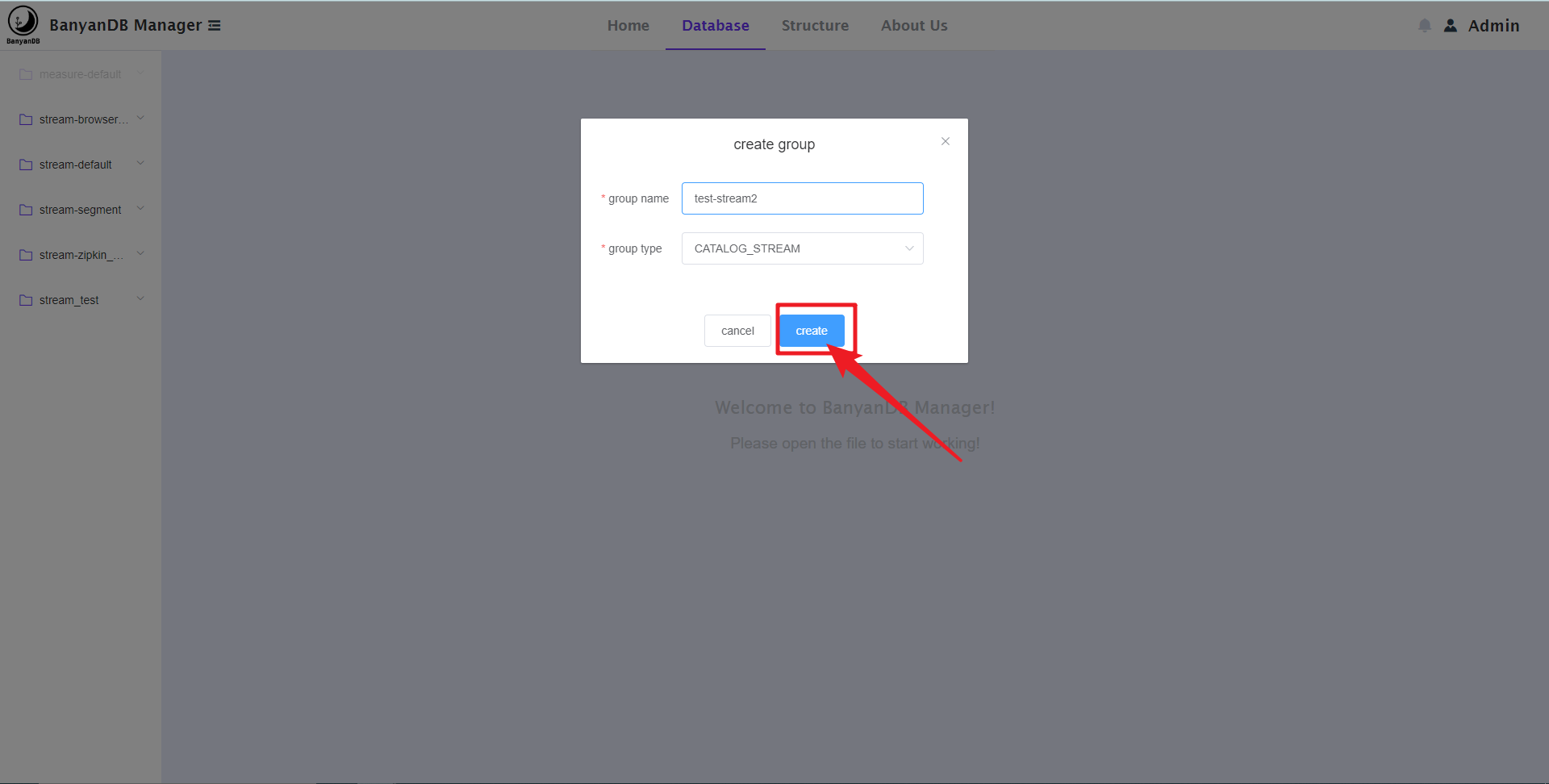
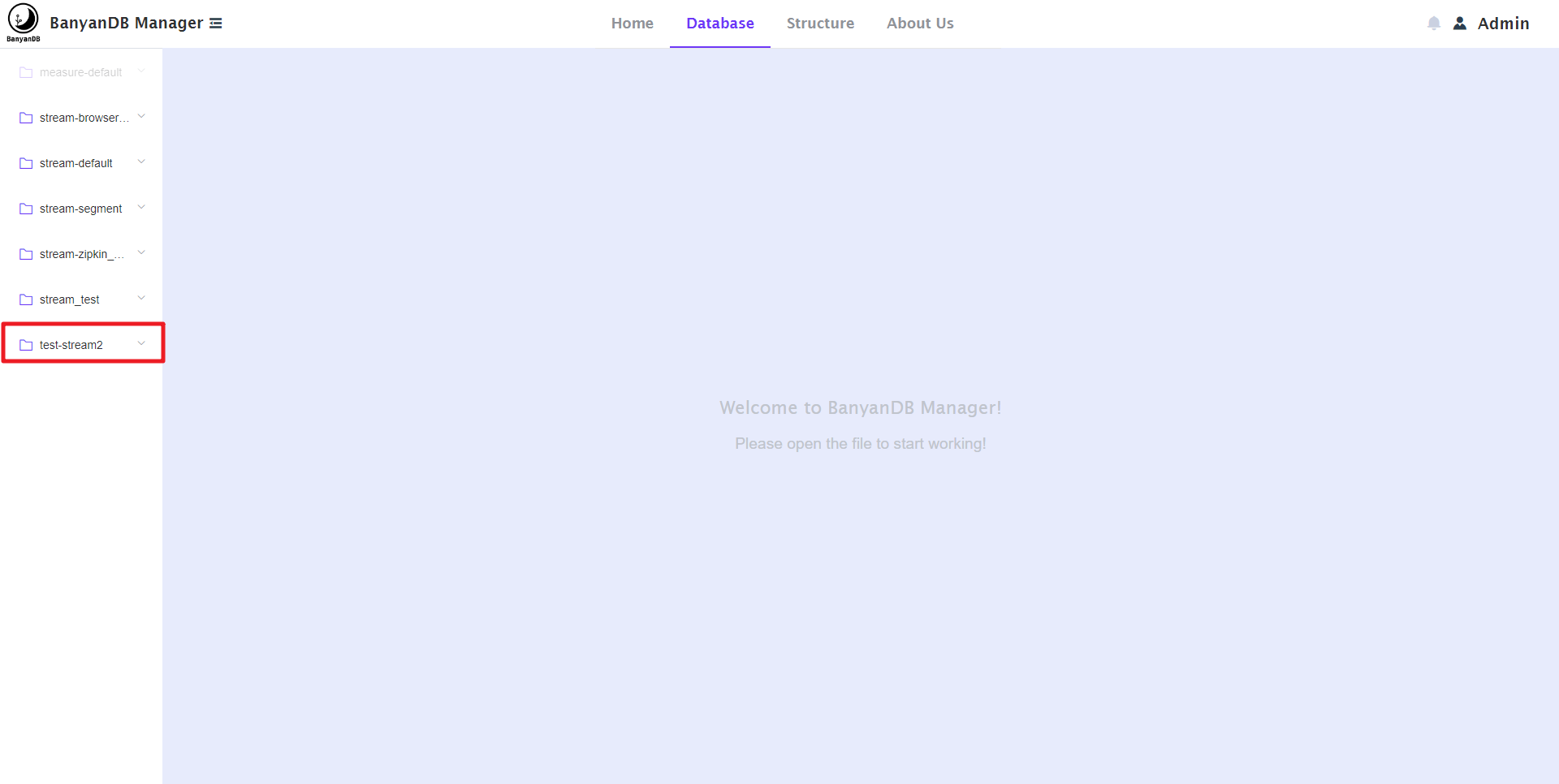
   - You can create a new group. as shown below:
   
   
![image](https://user-images.githubusercontent.com/107111186/189616676-29a6607d-c739-4b52-aac0-116a6c58502d.png)
   
   
![image](https://user-images.githubusercontent.com/107111186/189616991-886778cd-6a45-4af0-a115-496da23e6a3f.png)
   
   
![image](https://user-images.githubusercontent.com/107111186/189617135-7eba7a25-06b1-4035-84ca-29927016f31a.png)
   
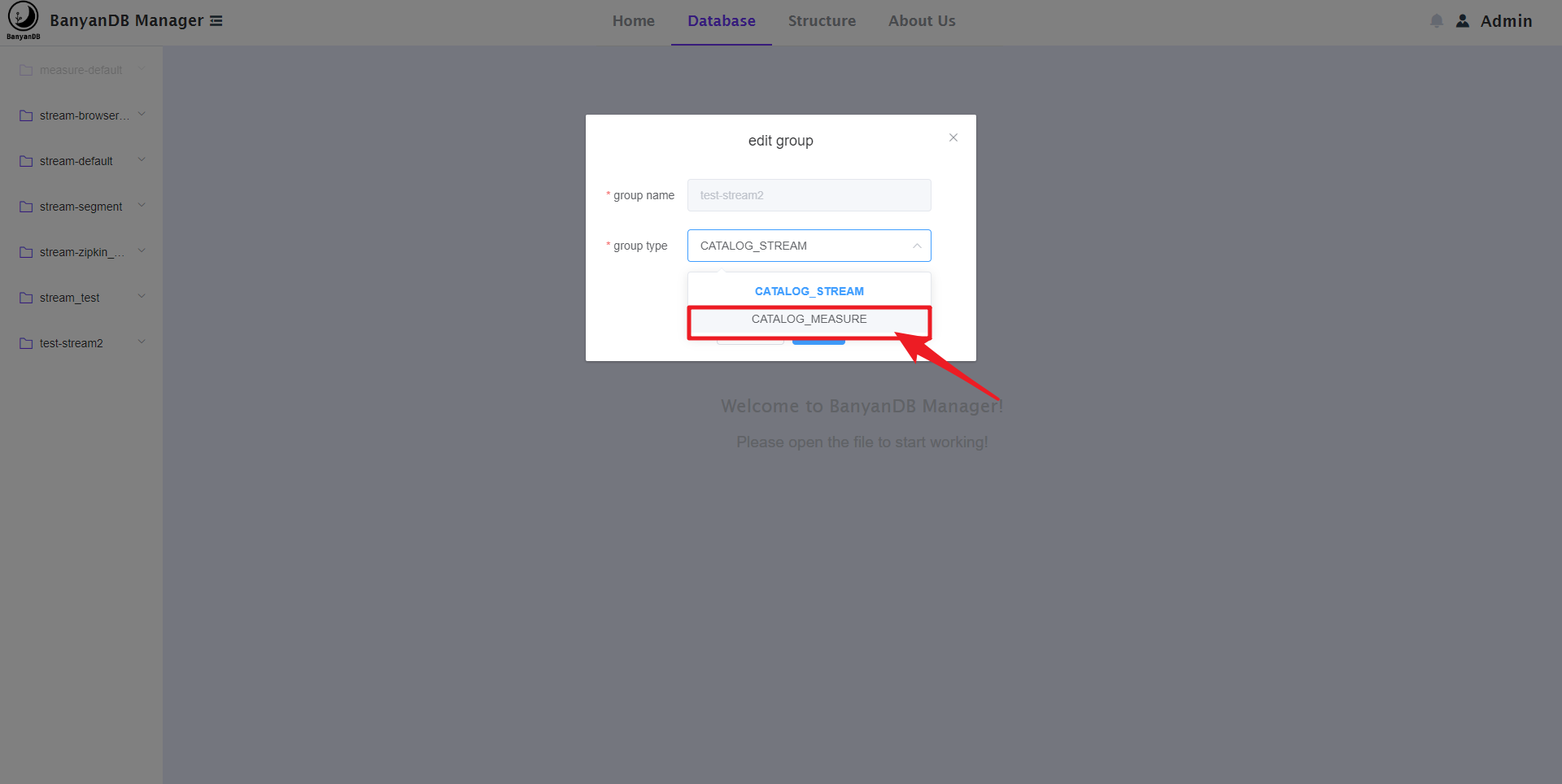
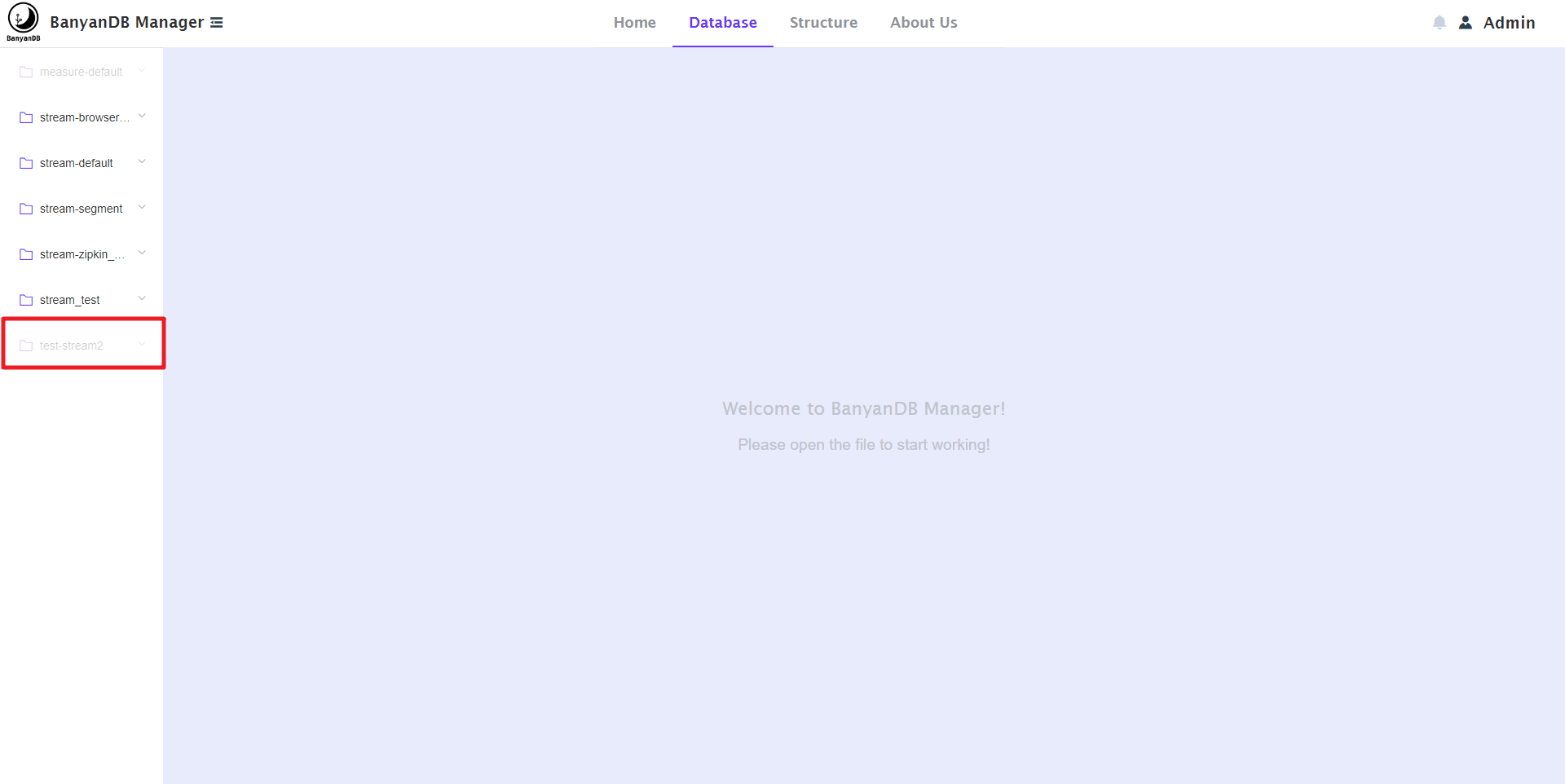
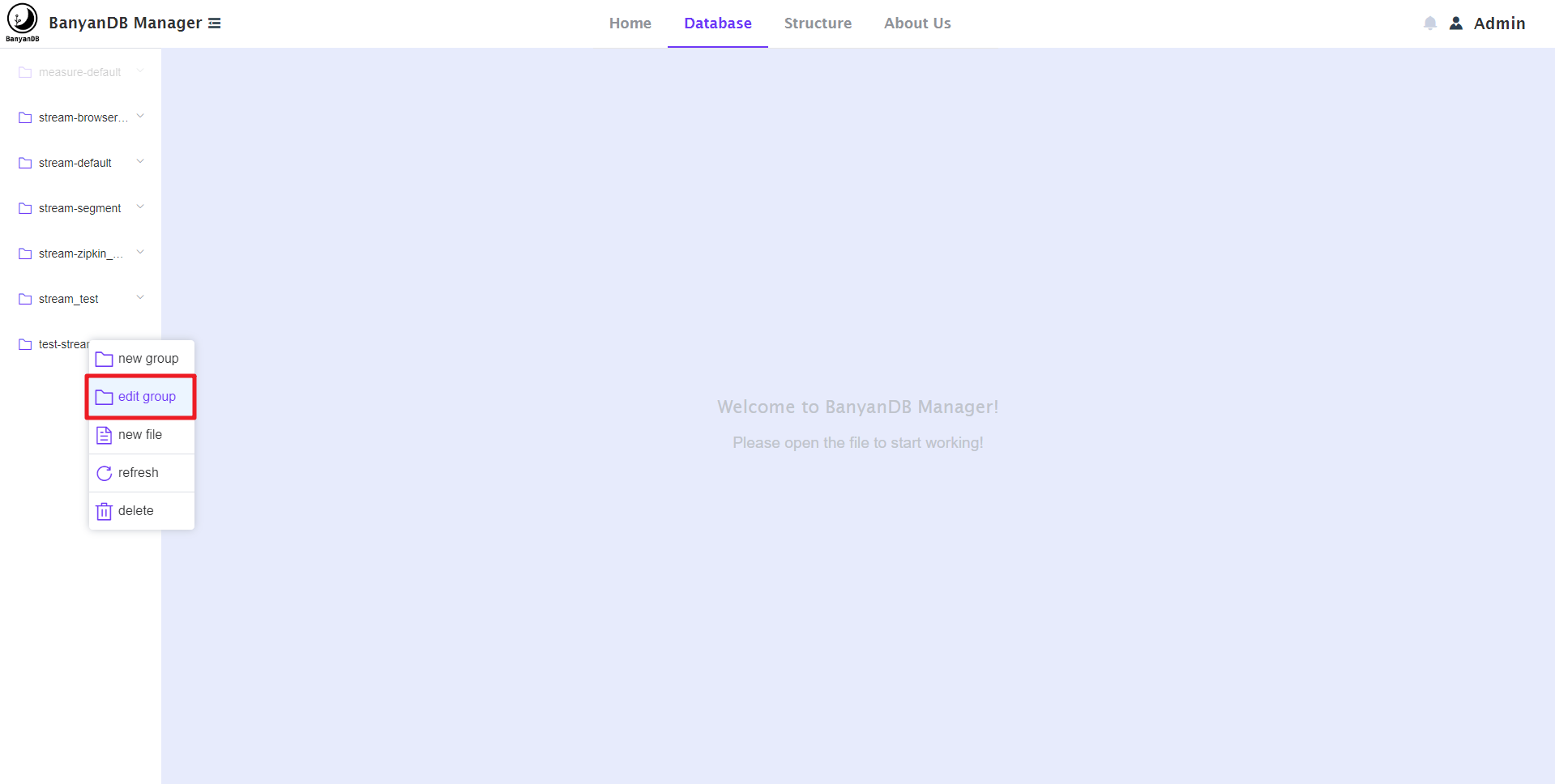
   - You can also edit the group. as shown below:
   
   
![image](https://user-images.githubusercontent.com/107111186/189617354-487f2cfe-44dd-4c7e-9514-76848590a2ec.png)
   
   
![image](https://user-images.githubusercontent.com/107111186/189617467-853da086-0a02-415c-b2a6-2dd9dcbe227b.png)
   
   
![image](https://user-images.githubusercontent.com/107111186/189617564-01f1ff89-fccb-467c-9899-5d7ed7f93f72.png)
   
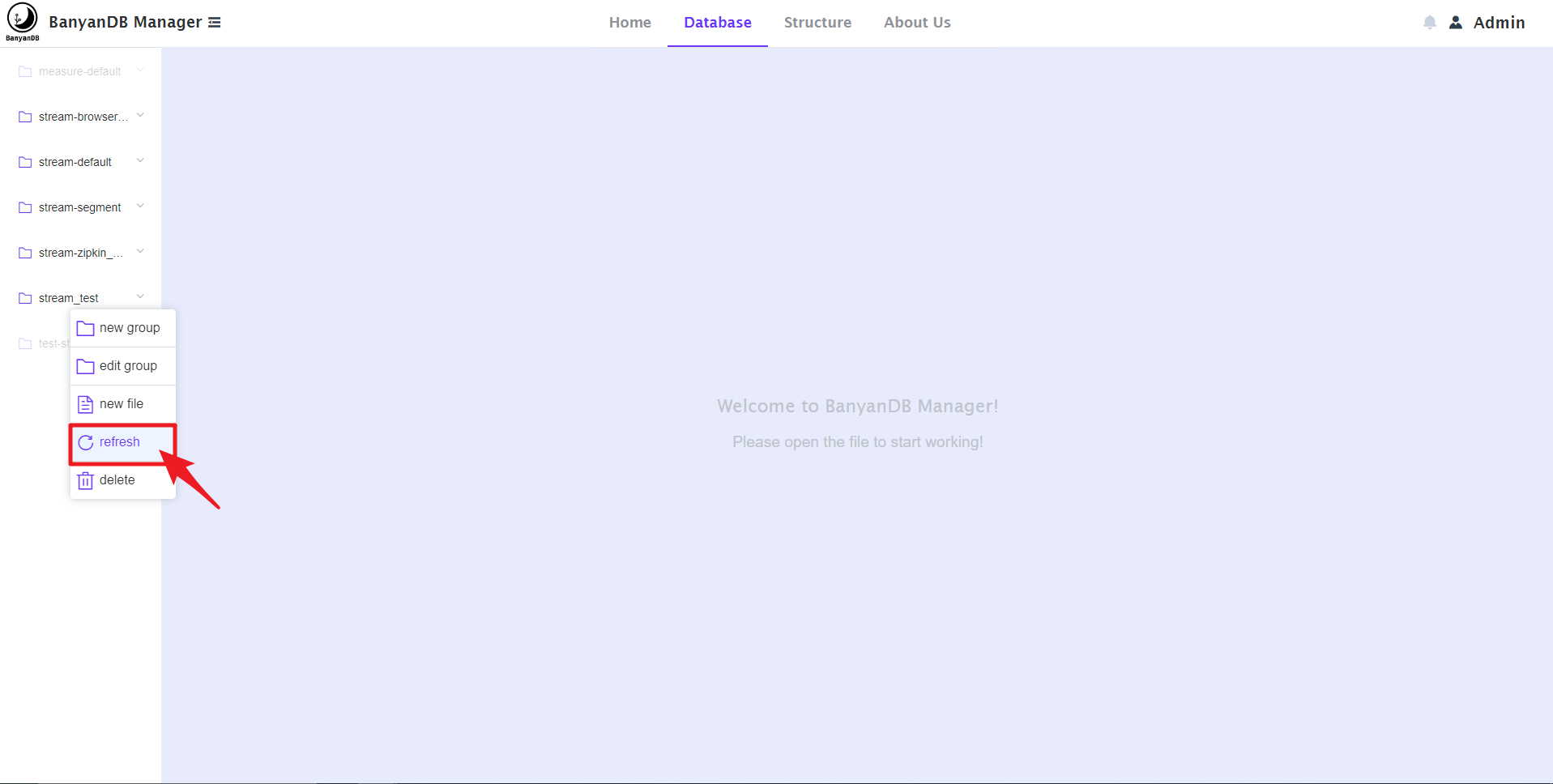
   - You can also refresh the group. as shown below:
   
   
![image](https://user-images.githubusercontent.com/107111186/189617797-323919a4-509c-4da0-b204-d53c45995d33.png)
   
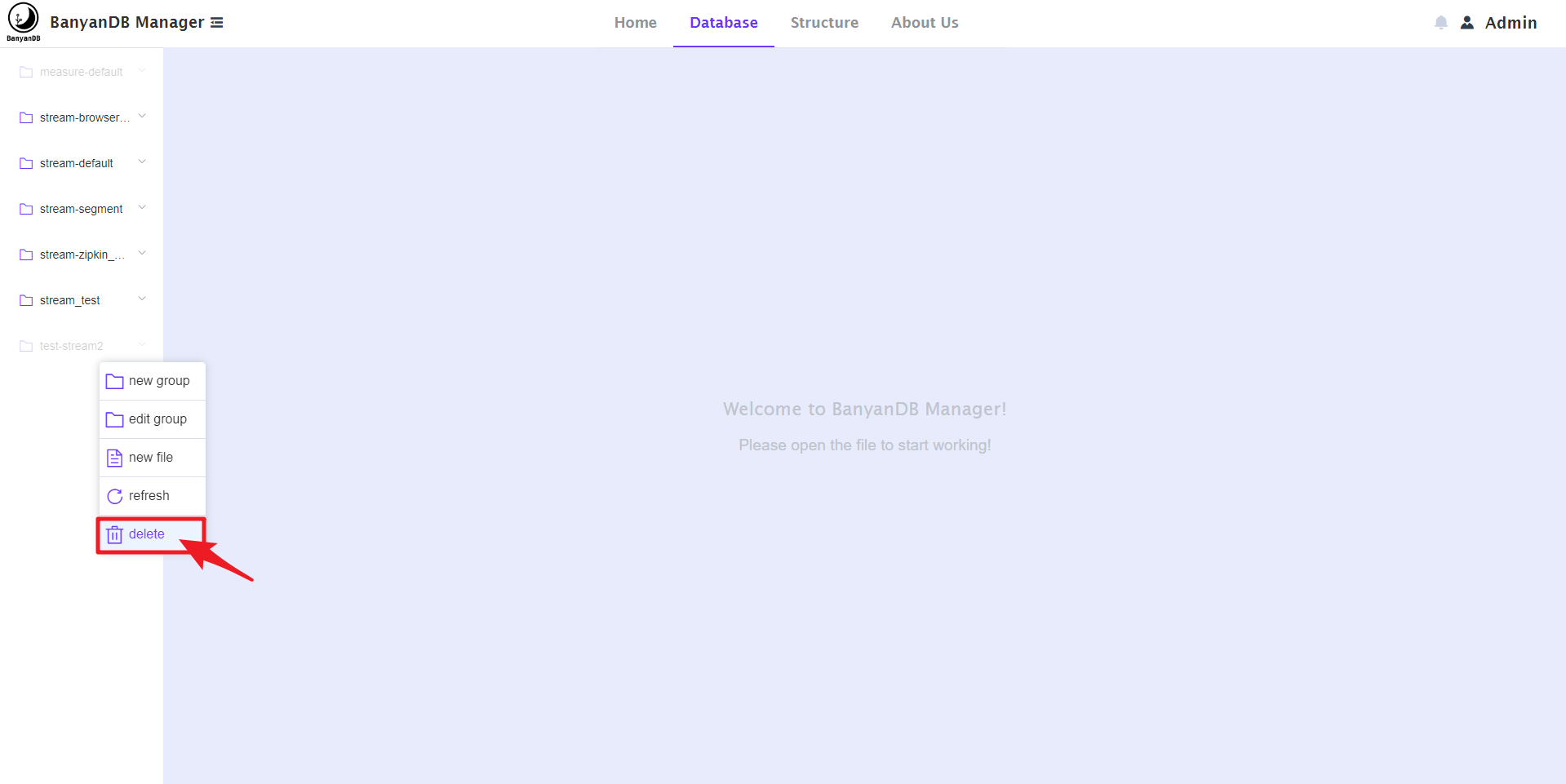
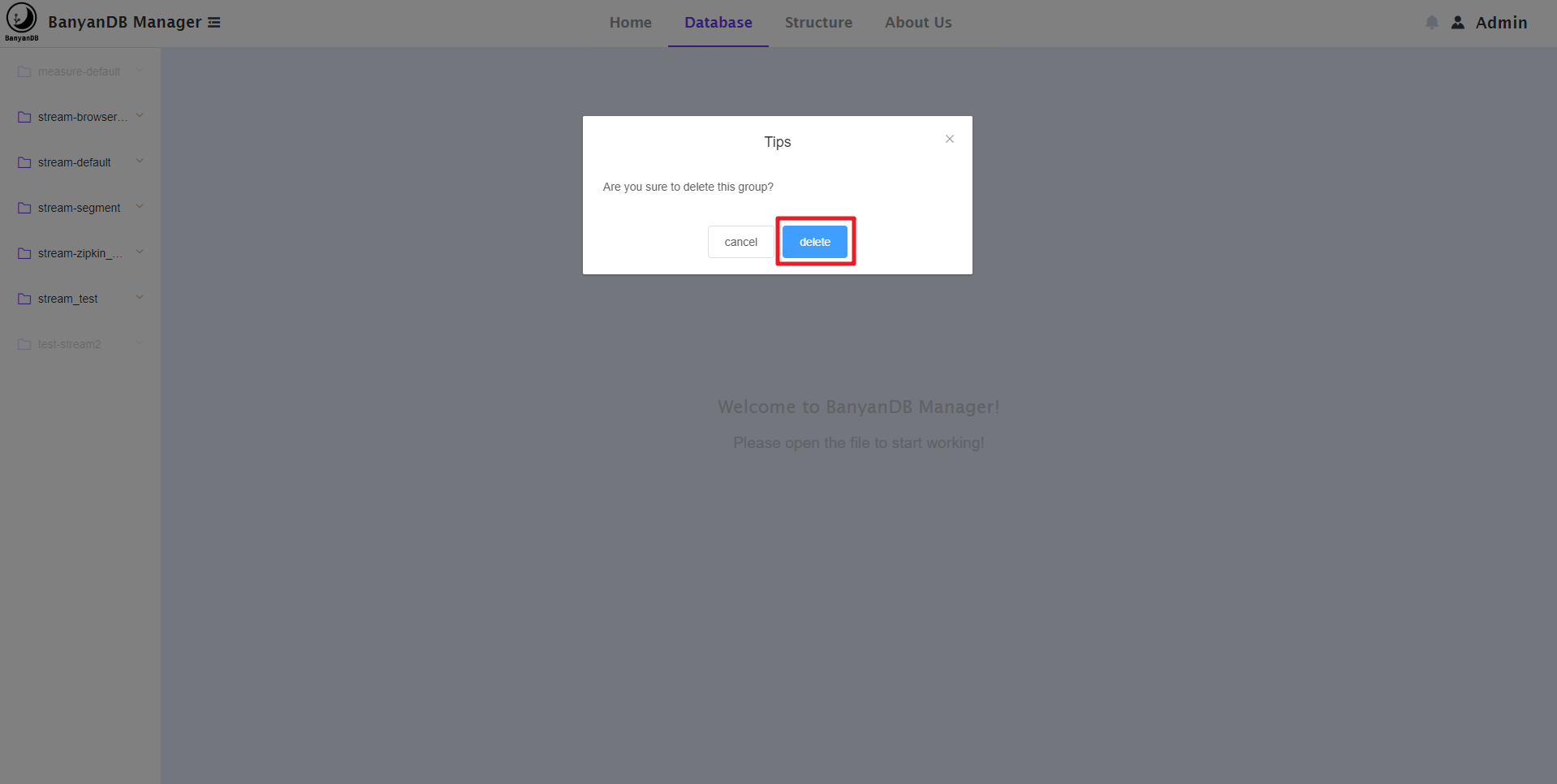
   - You can also delete a group:
   
   
![image](https://user-images.githubusercontent.com/107111186/189618062-e79dbdff-ba37-4716-8e43-c0ed5f117f34.png)
   
   
![image](https://user-images.githubusercontent.com/107111186/189618125-df388f1c-be77-437c-9400-43bd1f7912ad.png)
   
   
![image](https://user-images.githubusercontent.com/107111186/189618167-1335def6-d006-4e06-82fd-96eccfc74264.png)
   
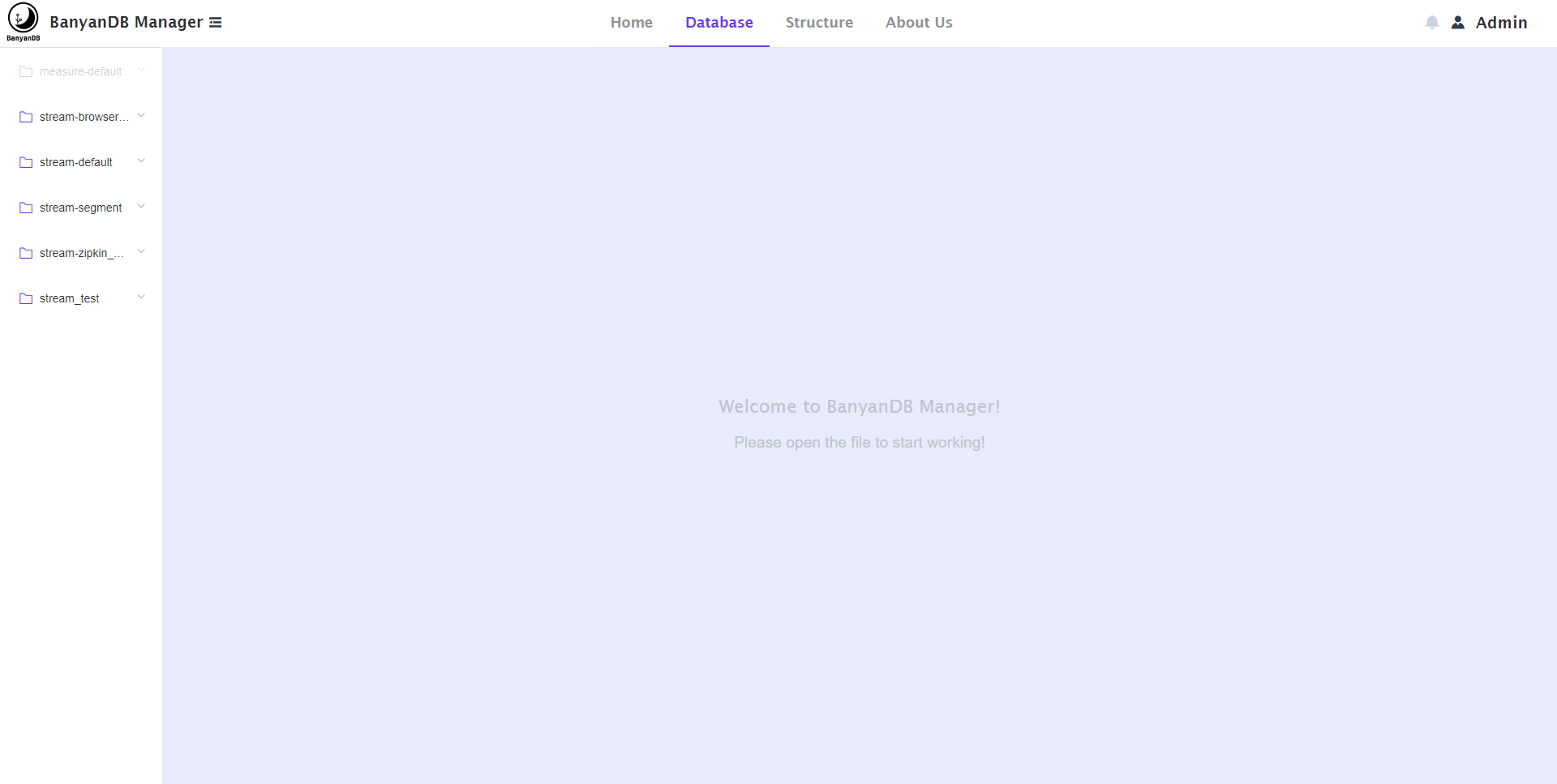
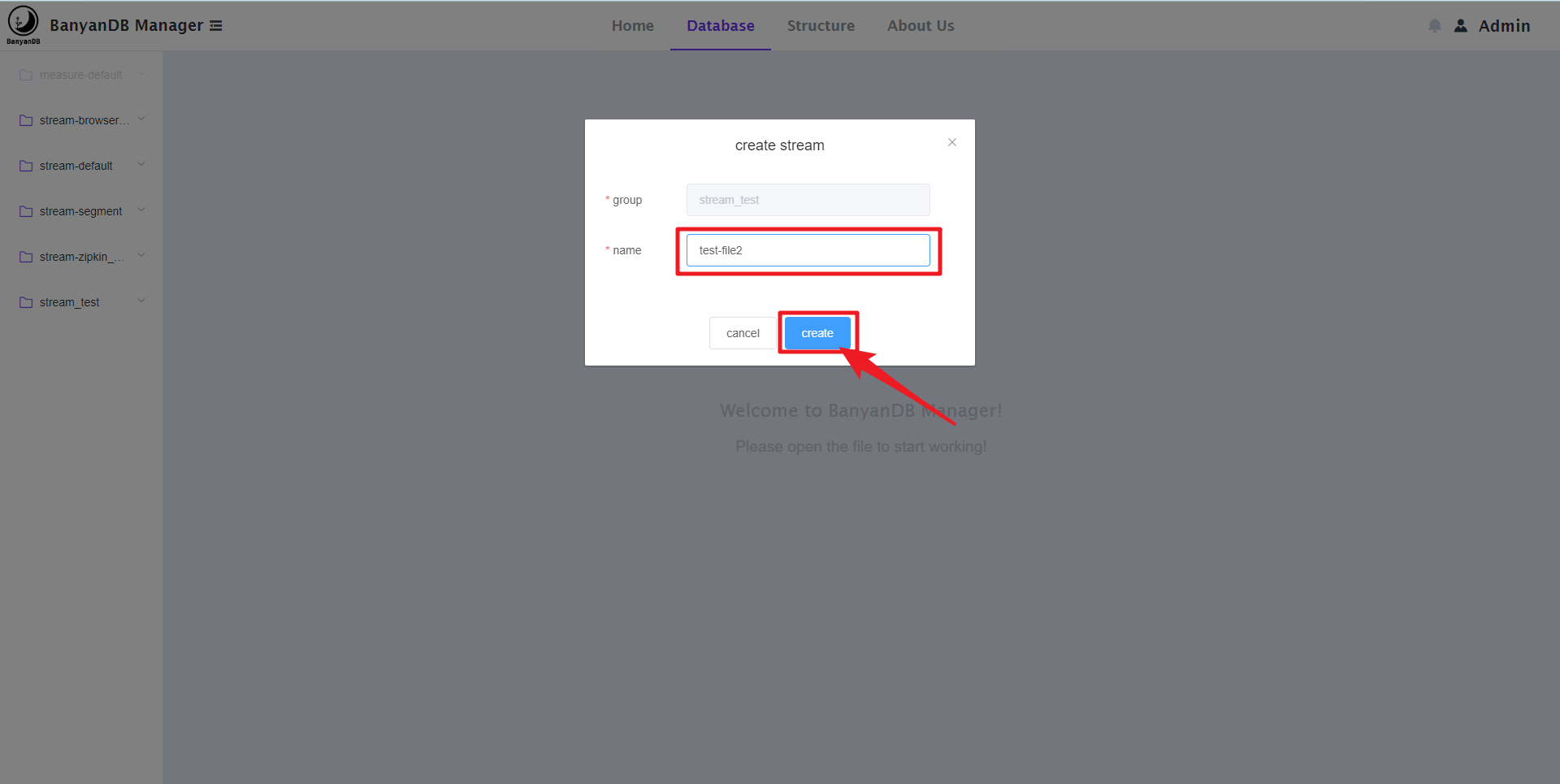
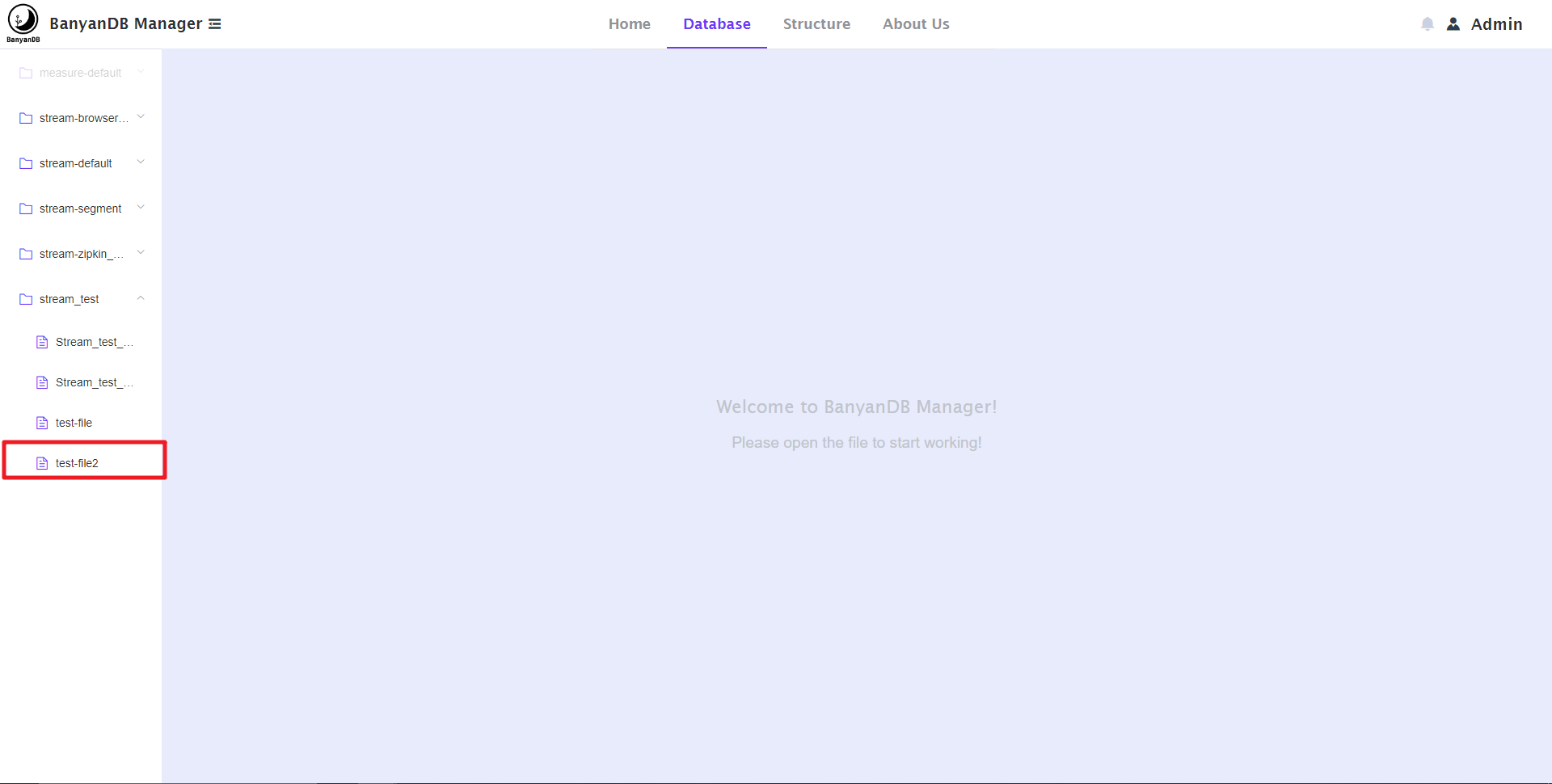
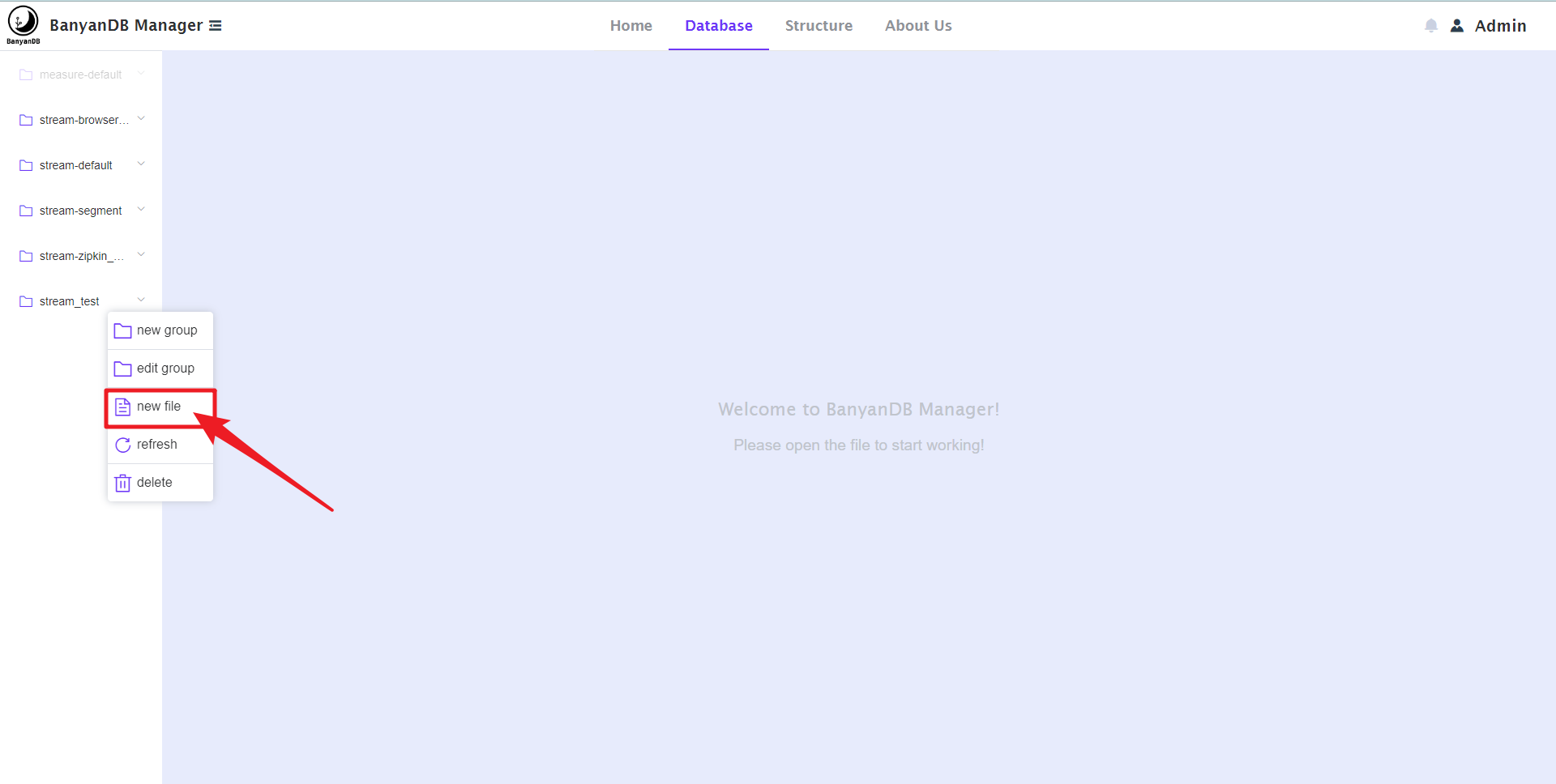
   **4. On this page, You can CRUD the stream.**
   
   - You can create a stream. as shown below:
   
   
![image](https://user-images.githubusercontent.com/107111186/189623350-1da96557-0a50-4e8b-9fe5-d5d65e8d390f.png)
   
   
![image](https://user-images.githubusercontent.com/107111186/189623443-d1c0e012-0a8b-4498-8b61-f7b4128f598f.png)
   
   
![image](https://user-images.githubusercontent.com/107111186/189623553-2a23c510-0529-4aa9-94e5-21bd60ab12cd.png)
   
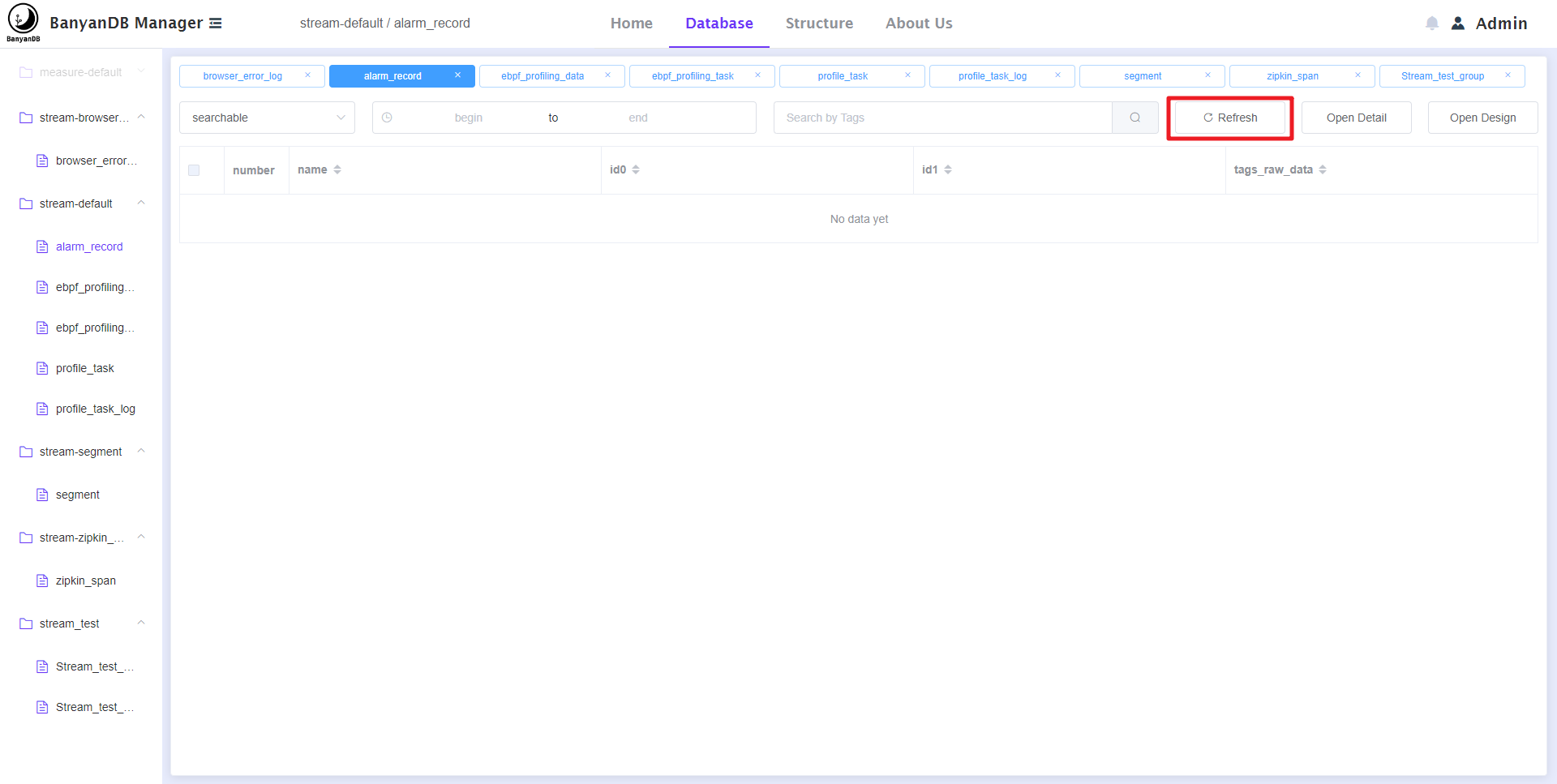
   - You can click the 'refresh' button to refresh the file. as shown below:
   
   
![image](https://user-images.githubusercontent.com/107111186/189615809-1c482d03-d89b-4fe7-b0eb-09e09c5d3ca0.png)
   
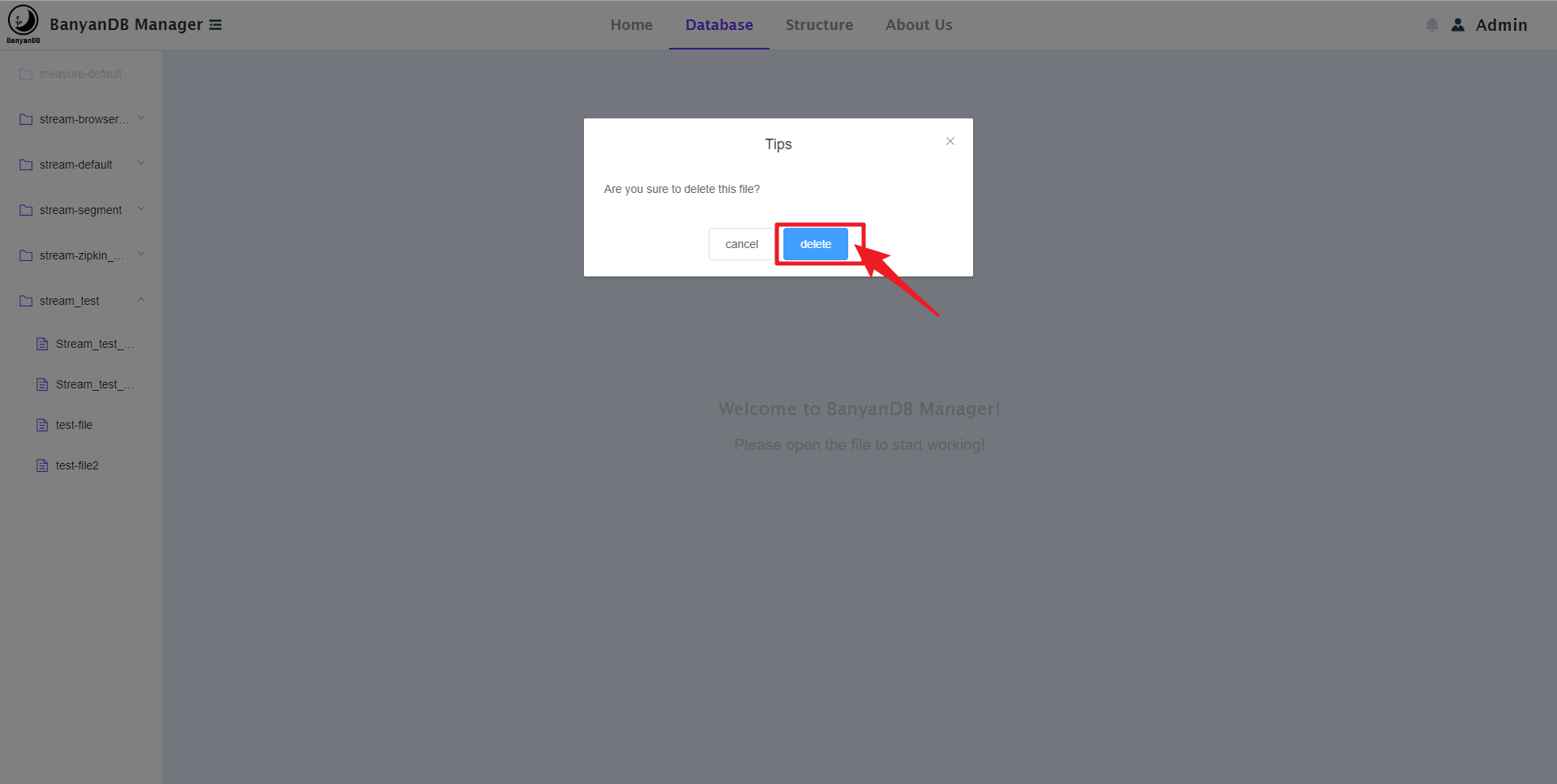
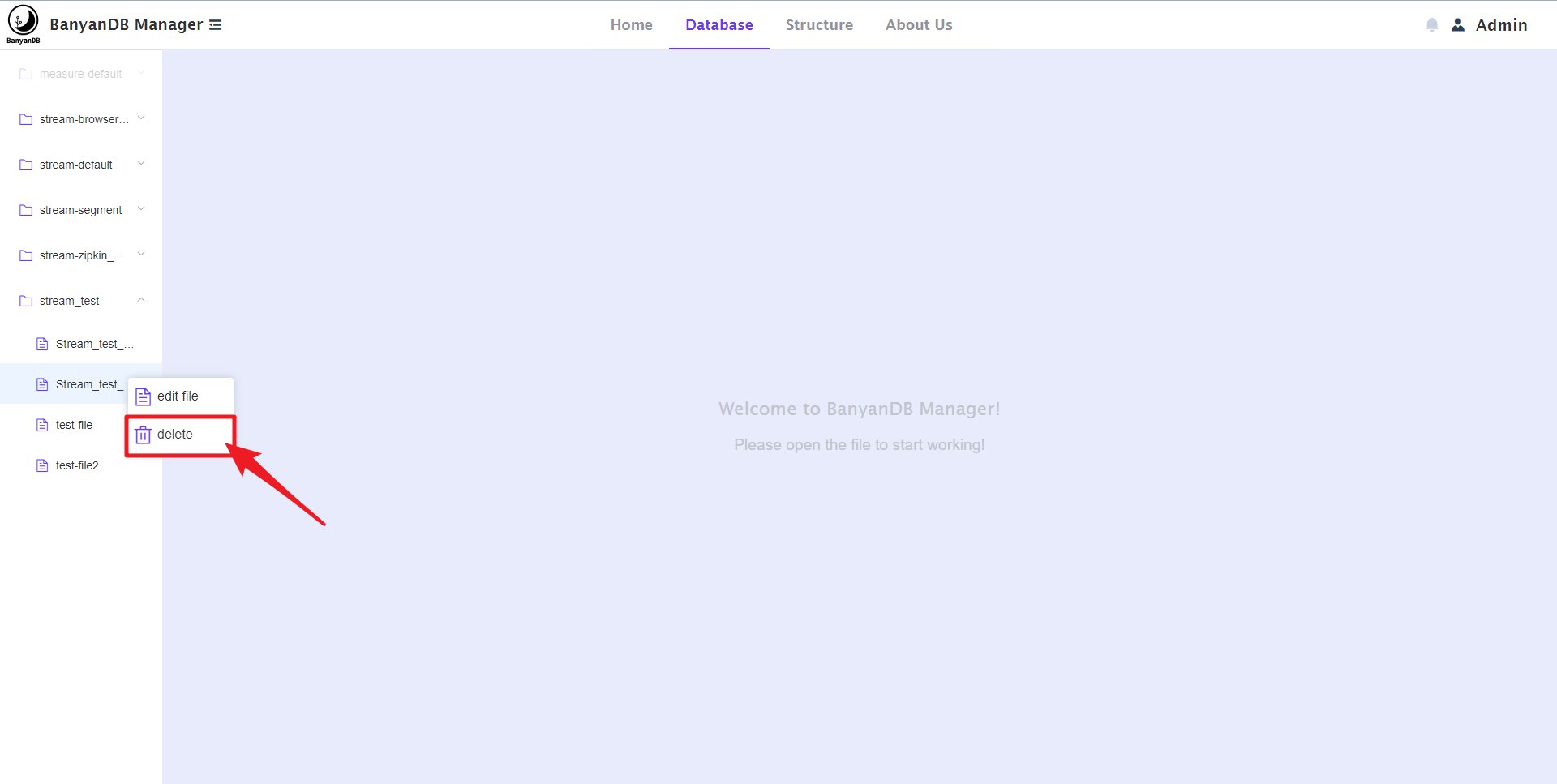
   - You can delete the stream. as shown below:
   
   
![image](https://user-images.githubusercontent.com/107111186/189623913-53013d70-da0c-4121-aea7-764d2edbdf2a.png)
   
   
![image](https://user-images.githubusercontent.com/107111186/189623992-77f27b0c-b533-4e28-bdbb-47e0eec8a480.png)
   
   
![image](https://user-images.githubusercontent.com/107111186/189624076-2d9cbfc2-745a-4c61-b591-fd27cff3e718.png)
   
   
   **5. summary**
   
   You will find that there is no editing function in stream; In fact, it may 
be implemented in the 'open design' button, and it edits the 'tag families' of 
the stream, because I find that the API can't edit its' Group' and 'name'. 
Because there is a complex crud of 'tag family' in the stream, I need some time 
to program it. In the future, I will continue to devote myself to this selfless 
open source project and continue to make my contributions.
   
   I will upgrade the technology stack first. I plan to use vite + vue3 + 
element plus to release it in version 0.2.0. Next, I will continue to improve 
the functions of stream and gradually design and develop measure.
   
   During my time at gsoc, I gained a lot and was very happy to shine on this 
platform; Let me find the charm of open source, and let me know many very 
lovely and friendly programmers; Thank you gsoc and Apache community!
   
   Finally, I want to thank my tutors @hanahmily and @kezhenxu94 .Thank you 
very much for their help and patience in answering the questions I have 
encountered, which made me adapt to gsoc and understand the open source process 
specifications very quickly. At the same time, I am also very grateful to the 
committers and contributors who put forward many sincere suggestions for me 
during this period! Thank you.


-- 
This is an automated message from the Apache Git Service.
To respond to the message, please log on to GitHub and use the
URL above to go to the specific comment.

To unsubscribe, e-mail: [email protected]

For queries about this service, please contact Infrastructure at:
[email protected]

Reply via email to