This is an automated email from the ASF dual-hosted git repository.

wankai pushed a commit to branch doc-delete-data
in repository https://gitbox.apache.org/repos/asf/skywalking-banyandb.git
commit 7f982668c38ebddeeb4ff9908f3b98dbcb4865a1 Author: wankai123 <[email protected]> AuthorDate: Wed Aug 14 16:49:43 2024 +0800 add deleting data doc --- .../bydbctl/schema/top-n-aggregation.md | 20 --------- docs/interacting/deleting-data.md | 52 ++++++++++++++++++++++ docs/menu.yml | 2 + 3 files changed, 54 insertions(+), 20 deletions(-) diff --git a/docs/interacting/bydbctl/schema/top-n-aggregation.md b/docs/interacting/bydbctl/schema/top-n-aggregation.md deleted file mode 100644 index a6b4e70e..00000000 --- a/docs/interacting/bydbctl/schema/top-n-aggregation.md +++ /dev/null @@ -1,20 +0,0 @@ -# CRUD [TopNAggregation](../../../concept/data-model.md#topnaggregation) on the Web UI - -CRUD operations create, read, update and delete groups. - -The group represents a collection of a class of resources. Each resource has a name unique to a group. - -[bydbctl](../bydbctl.md) is the command line tool in examples. -When you in the `Measure` tab, you can view the list of top-n-aggregations in the specific group. - -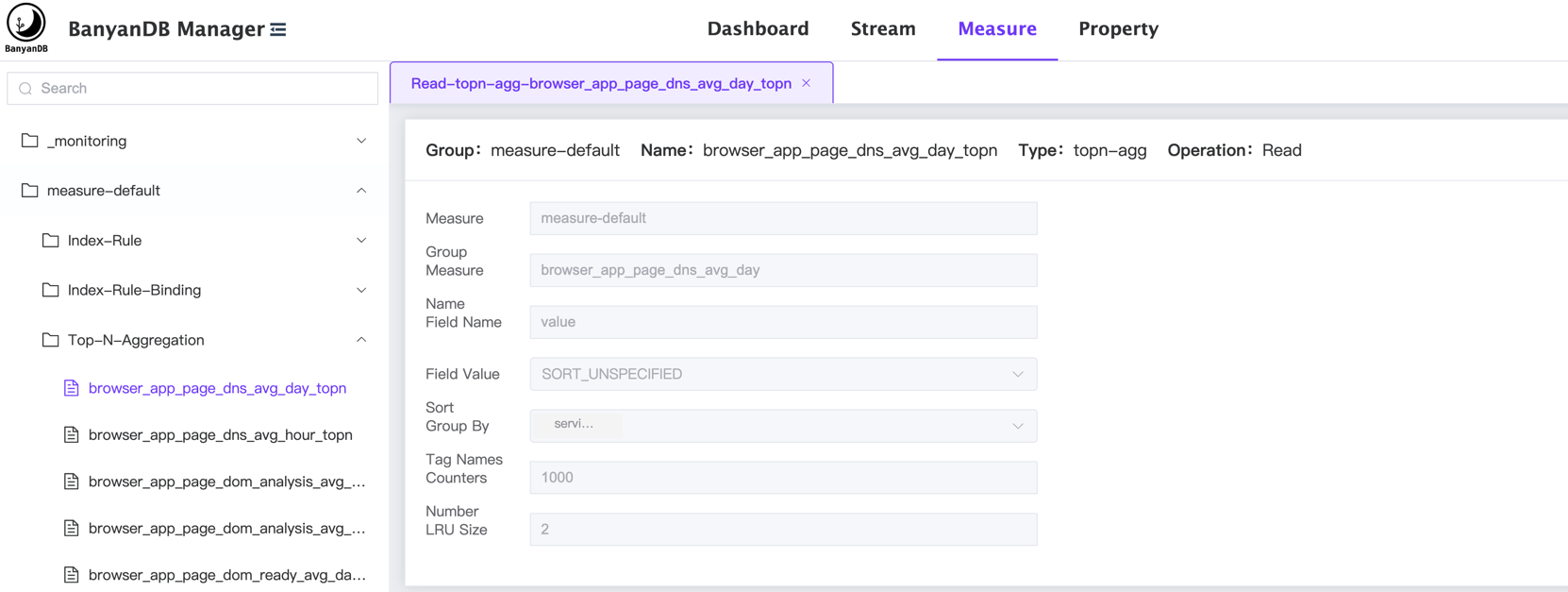 - -## Create Top-N-Aggregation -You can create a new top-n-aggregation by clicking the right button of the mouse on the `Top-N-Aggregation` category and select the `new topn-agg` button. - -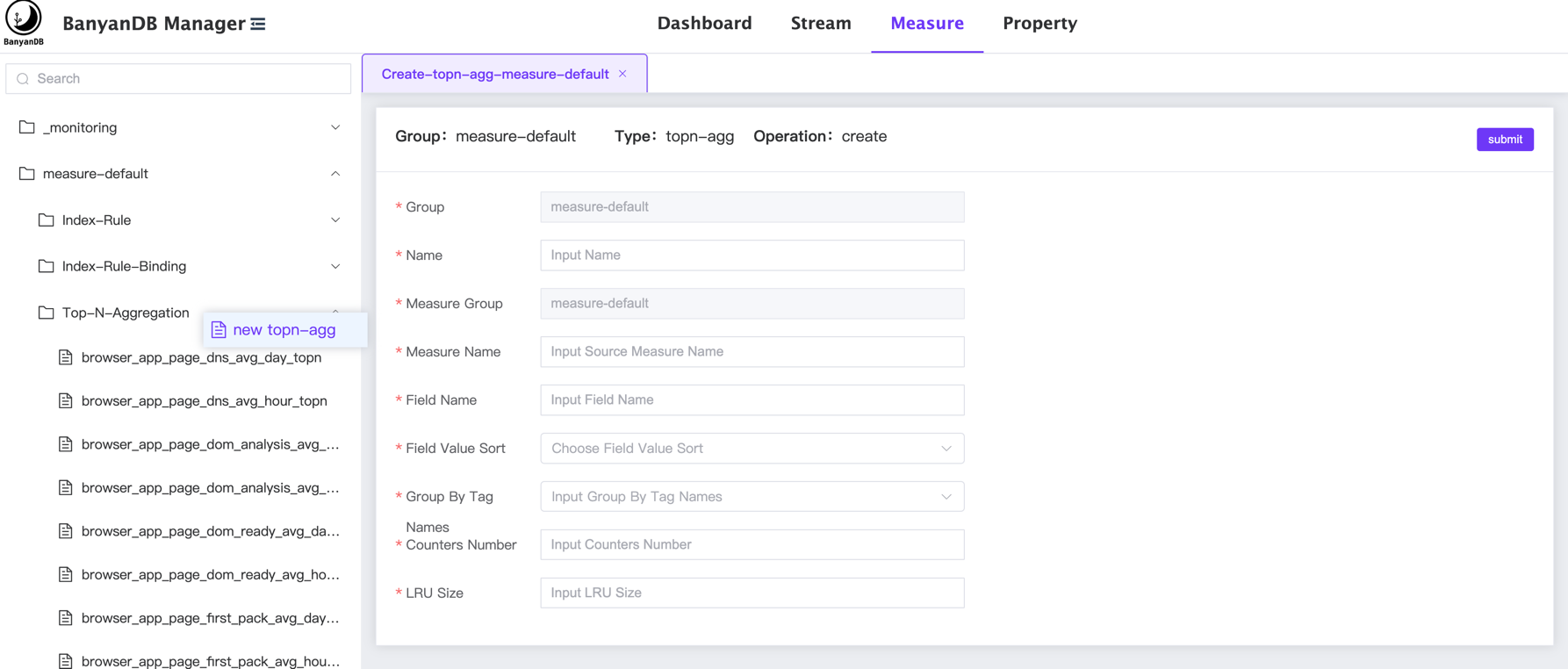 - -## Update/Delete Top-N-Aggregation -You can click the `edit topn-agg/delete` button on a specific top-n-aggregation to modify/delete the top-n-aggregation: - -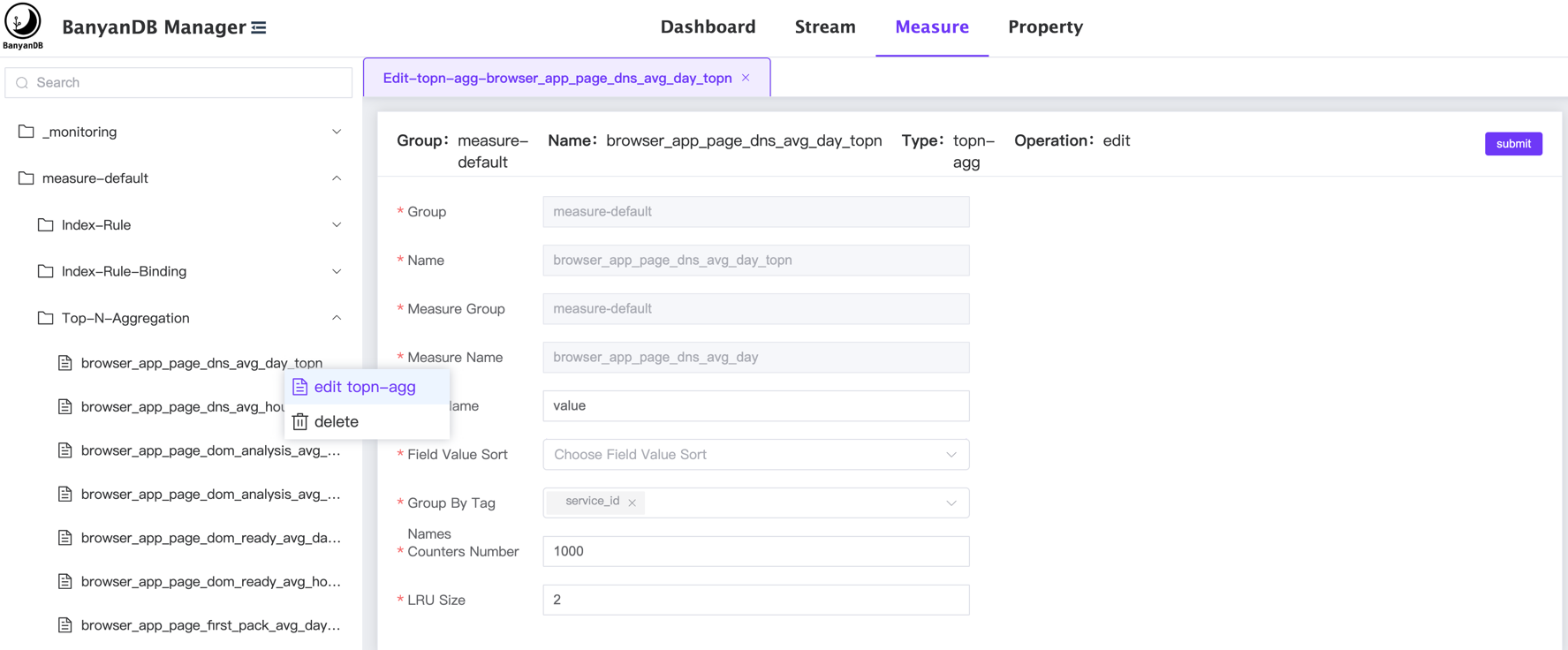 \ No newline at end of file diff --git a/docs/interacting/deleting-data.md b/docs/interacting/deleting-data.md new file mode 100644 index 00000000..7a0b1b06 --- /dev/null +++ b/docs/interacting/deleting-data.md @@ -0,0 +1,52 @@ +# Delete Data in [Measures](../concept/data-model.md#measures) and [Streams](../concept/data-model.md#streams) + +Due to the design of BanyanDB, the `Property` data provides [CRUD](./bydbctl/property.md) operations, +but the data in the `Measures and Streams` can not be deleted directly. +The data will be deleted automatically based on the [Groups](../concept/data-model.md#groups) `TTL` setting. + +The TTL means the `time to live` of the data in the group. +Each group has an internal trigger which is triggered by writing events. If there is no further data, the expired data can’t get removed. + +For example, the following command will create a group with a TTL of 7 days: +```shell +bydbctl group create -f - <<EOF +metadata: + name: sw_metric +catalog: CATALOG_MEASURE +resource_opts: + shard_num: 2 + segment_interval: + unit: UNIT_DAY + num: 1 + ttl: + unit: UNIT_DAY + num: 7 +EOF +``` +The data in this group will keep 7 days. + +If you want to change the `TTL` of the data in this group to be 1 day, use the command: + +```shell +bydbctl group update -f - <<EOF +metadata: + name: sw_metric +catalog: CATALOG_MEASURE +resource_opts: + shard_num: 2 + segment_interval: + unit: UNIT_DAY + num: 1 + ttl: + unit: UNIT_DAY + num: 1 +EOF +``` + +More ttl units can be found in the [IntervalRule.Unit](../api-reference.md#intervalruleunit). + +You can also manage the Group by other clients such as [Web-UI](./web-ui/schema/group.md) or [Java-Client](java-client.md). + +## The API reference +- [Group Registration Operations](../api-reference.md#groupregistryservice) +- [ResourceOpts Definition](../api-reference.md#resourceopts) \ No newline at end of file diff --git a/docs/menu.yml b/docs/menu.yml index ccdf60f6..ca0fc5aa 100644 --- a/docs/menu.yml +++ b/docs/menu.yml @@ -94,6 +94,8 @@ catalog: path: "/interacting/web-ui/property" - name: "Java Client" path: "/interacting/java-client" + - name: "Deleting Data" + path: "/interacting/deleting-data" - name: "Operation and Maintenance" catalog: - name: "Configure BanyanDB"



