This is an automated email from the ASF dual-hosted git repository.

hanahmily pushed a commit to branch doc
in repository https://gitbox.apache.org/repos/asf/skywalking-banyandb.git
The following commit(s) were added to refs/heads/doc by this push:
new cb82eb10 Add doc
cb82eb10 is described below
commit cb82eb10650a15eb7e38606d95bce32b163b91b8
Author: Gao Hongtao <[email protected]>
AuthorDate: Fri Oct 4 05:07:42 2024 +0000
Add doc
Signed-off-by: Gao Hongtao <[email protected]>
---
docs/concept/tsdb.md | 25 ++++++++++++++++++++++---
docs/menu.yml | 2 +-
2 files changed, 23 insertions(+), 4 deletions(-)
diff --git a/docs/concept/tsdb.md b/docs/concept/tsdb.md
index 2aa9cbd5..02477323 100644
--- a/docs/concept/tsdb.md
+++ b/docs/concept/tsdb.md
@@ -1,10 +1,10 @@
-# TimeSeries Database(TSDB)
+# TimeSeries Database(TSDB) v1.1.0
TSDB is a time-series storage engine designed to store and query large volumes
of time-series data. One of the key features of TSDB is its ability to
automatically manage data storage over time, optimize performance and ensure
that the system can scale to handle large workloads. TSDB empowers `Measure`
and `Stream` relevant data.
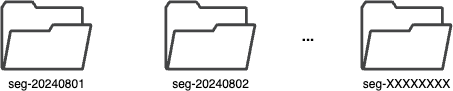
In TSDB, the data in a group is partitioned base on the time range of the
data. The segment size is determined by the `segment_interval` of a group. The
number of segments in a group is determined by the `ttl` of a group. A new
segment is created when the written data exceeds the time range of the current
segment. The expired segment will be deleted after the `ttl` of the group.
-
+
## Segment
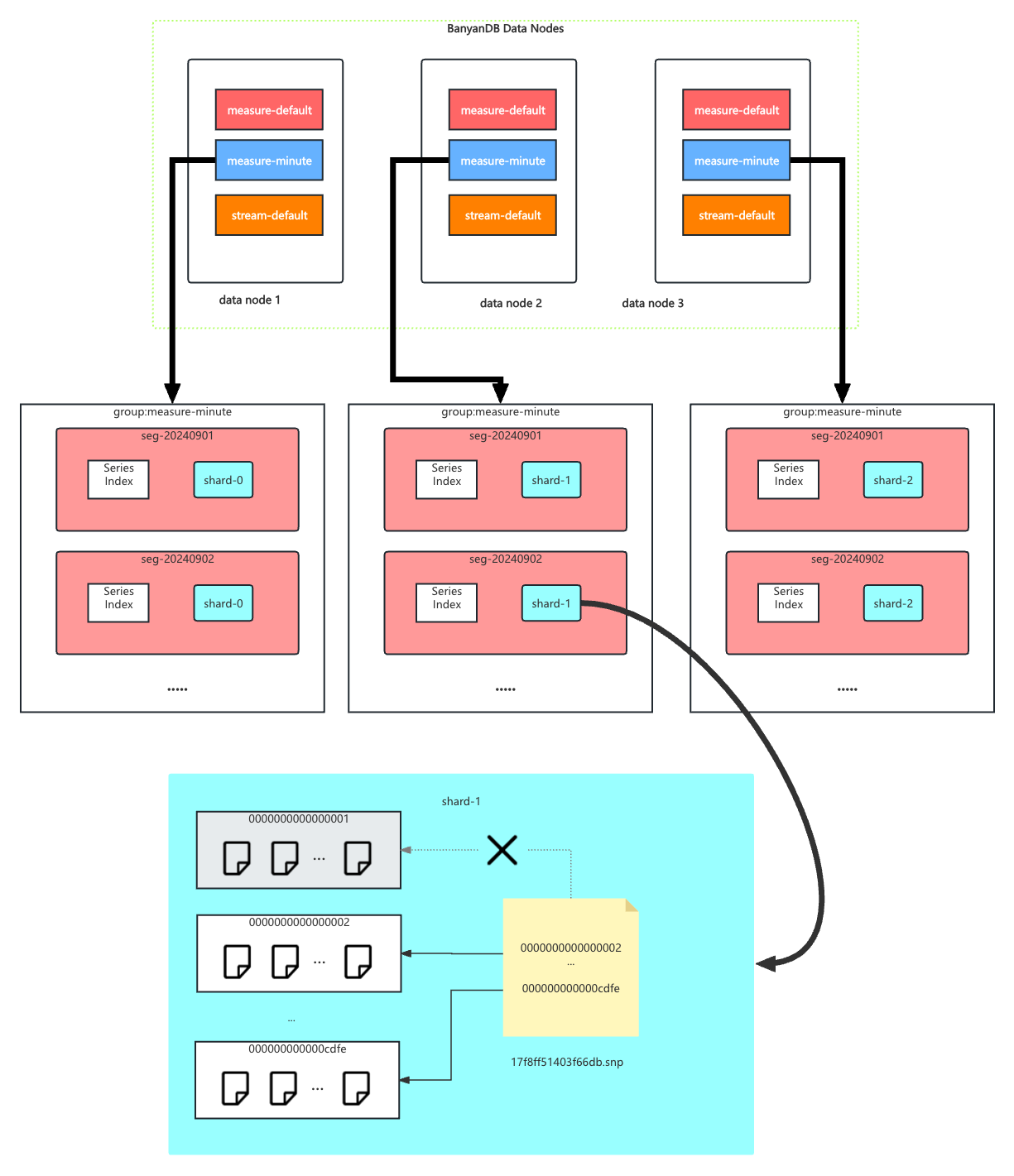
@@ -16,10 +16,29 @@ In each segment, the data is spread into shards based on
`entity`. The series in
Each shard is assigned to a specific set of storage nodes, and those nodes
store and process the data within that shard. This allows BanyanDB to scale
horizontally by adding more storage nodes to the cluster as needed.
-Each shard is composed of multiple [parts](#Part). Whenever SkyWalking sends a
batch of data, BanyanDB writes this batch of data into a new part. For data of
the `Stream` type, the inverted indexes generated based on the indexing rules
are also stored in the segment. Since BanyanDB adopts a snapshot approach for
data read and write operations, the segment also needs to maintain additional
snapshot information to record the validity of the parts.
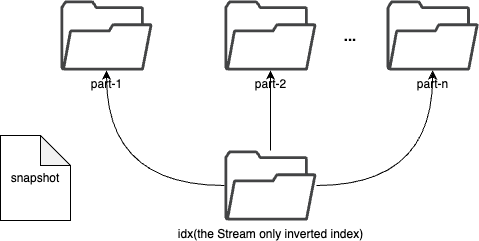
+Each shard is composed of multiple [parts](#Part). Whenever SkyWalking sends a
batch of data, BanyanDB writes this batch of data into a new part. For data of
the `Stream` type, the inverted indexes generated based on the indexing rules
are also stored in the segment.
+
+Since BanyanDB adopts a snapshot approach for data read and write operations,
the segment also needs to maintain additional snapshot information to record
the validity of the parts. The shard contains `xxxxxxx.snp` to record the
validity of parts. In the chart, `0000000000000001` is removed from the
snapshot file, which means the part is invalid. It will be cleaned up in the
next flush or merge operation.
+## Inverted Index
+
+The inverted index is used to locate the data in the shard. For `measure`, it
is a mapping from the term to the series id. For `stream`, it is a mapping from
the term to the timestamp.
+
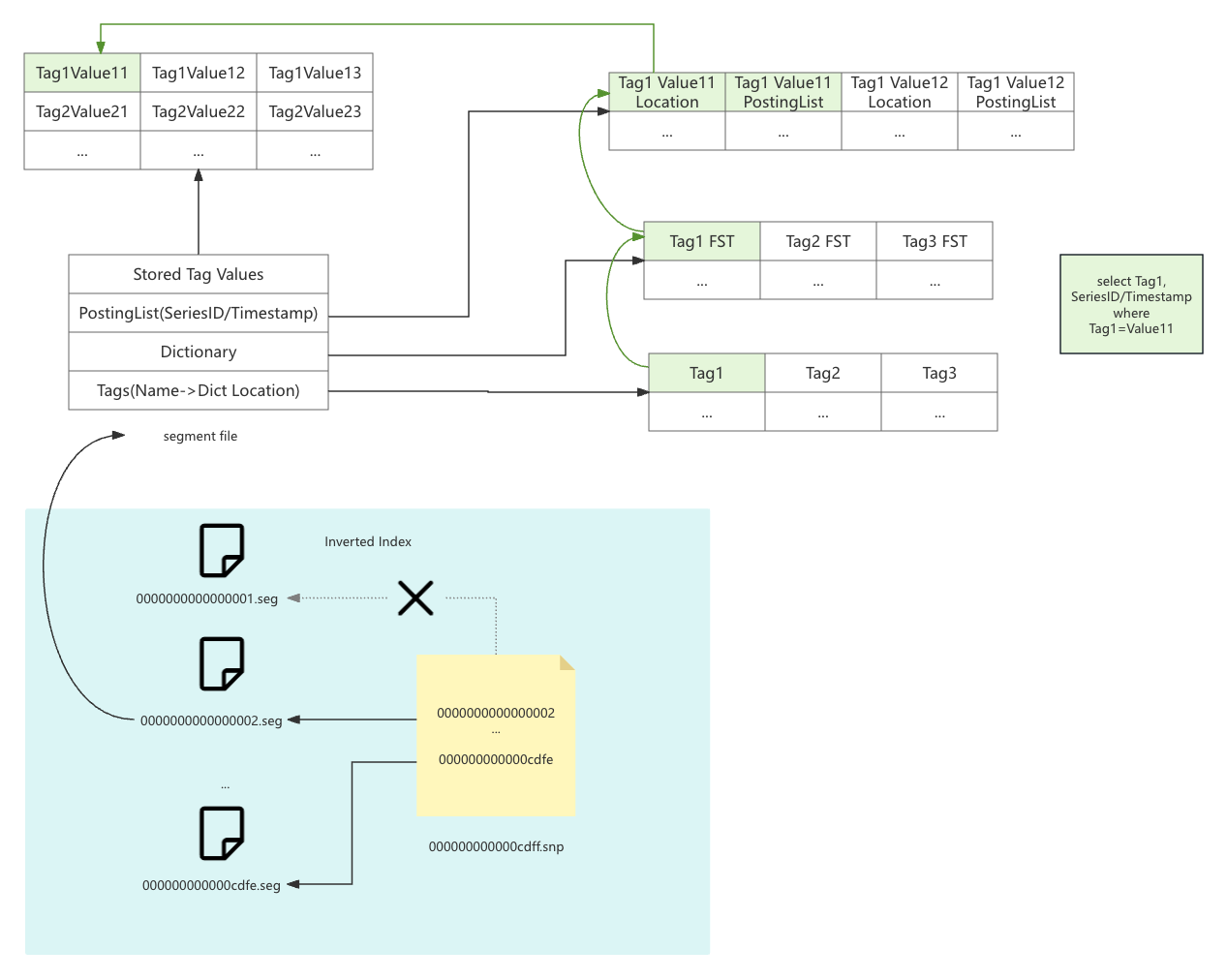
+The inverted index stores `snapshot` file `xxxxxxx.snp` to record the validity
of segments. In the chart, `0000000000000001.seg` is removed from the snapshot
file, which means the segment is invalid. It will be cleaned up in the next
flush or merge operation.
+
+The segment file `xxxxxxxx.seg` contains the inverted index data. It includes
four parts:
+
+- **Tags**: The mapping from the tag name to the dictionary location.
+- **Dictionary**: It's a FST(Finite State Transducer) dictionary to map tag
value to the posting list.
+- **Posting List**: The mapping from the tag value to the series id or
timestamp. It also contains a location info to the stored tag value.
+- **Stored Tag Value**: The stored tag value. If you set tag spec
`indexed_only=true`, the tag value will not be stored here.
+
+
+
+If you want to search `Tag1=Value1`, the index will first search the `Tags`
part to find the dictionary location of `Tag1`. Then, it will search the
`Dictionary` part to find the posting list location of `Value1`. Finally, it
will search the `Posting List` part to find the series id or timestamp. If you
want to fetch the tag value, it will search the `Stored Tag Value` part to find
the tag value.
+
## Part
Within a part, data is split into multiple files in a columnar manner. The
timestamps are stored in the `timestamps.bin` file, tags are organized in
persistent tag families as various files with the `.tf` suffix, and fields are
stored separately in the `fields.bin` file.
diff --git a/docs/menu.yml b/docs/menu.yml
index bc31ebd2..16ee424d 100644
--- a/docs/menu.yml
+++ b/docs/menu.yml
@@ -126,7 +126,7 @@ catalog:
- name: "File Format"
catalog:
- name: "v1.1.0"
- path: ""
+ path: "/concept/tsdb.md"
- name: "Concepts"
catalog:
- name: "Clustering"




