buremba opened a new issue #16620:
URL: https://github.com/apache/superset/issues/16620
A clear and concise description of what the bug is. ### Expected results The column names may include special characters such as `.` and they're valid in most of the databases so the value should be displayed without an issue. ### Actual results Somehow, if the column name includes the `.` character, the table displays `undefined` while the chart works fine. #### Screenshots 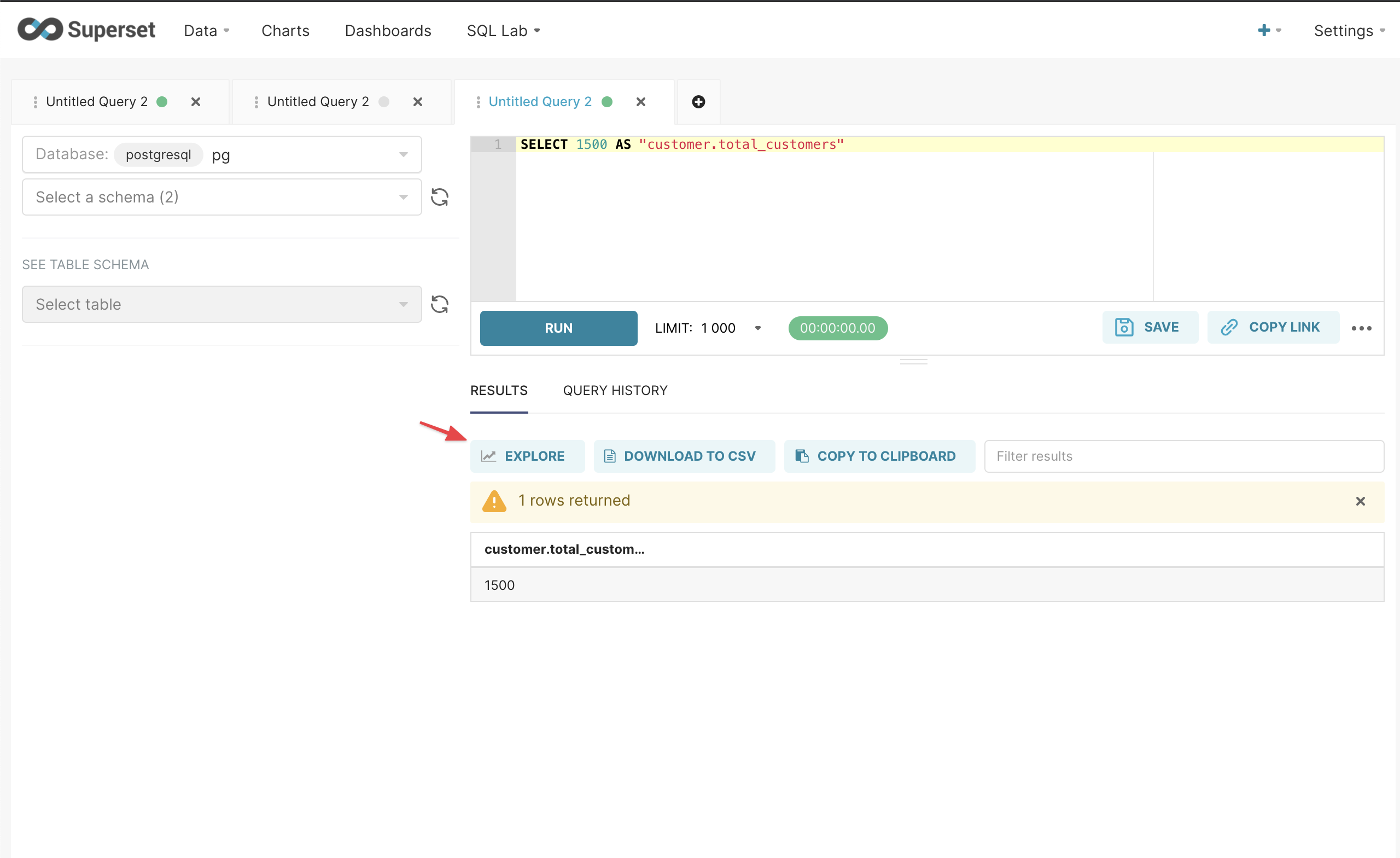 <img width="1274" alt="CleanShot 2021-09-07 at 17 23 22@2x" src="https://user-images.githubusercontent.com/82745/132361406-f944afd3-70d7-463a-8701-c81f43d9253b.png";> #### How to reproduce the bug 1. Go to SQL Lab, run the following query: ``` SELECT 1500 AS "customer.total_customers" ``` 2. Explore from the dataset and look for the values in the table. ### Environment (please complete the following information): - superset version: superset version 1.2.0 - python version: python --version: python-3.7.10 I used Postgresql, Presto, and Trino databases and the issue persisted. ### Checklist - [x] I have checked the superset logs for python stacktraces and included it here as text if there are any. - [x] I have reproduced the issue with at least the latest released version of superset. - [x] I have checked the issue tracker for the same issue and I haven't found one similar. ### Additional context Since the values are displayed in the chart and SQL Lab correctly, I believe that it's a minor front-end bug in chart builder. -- This is an automated message from the Apache Git Service. To respond to the message, please log on to GitHub and use the URL above to go to the specific comment. To unsubscribe, e-mail: [email protected] For queries about this service, please contact Infrastructure at: [email protected] --------------------------------------------------------------------- To unsubscribe, e-mail: [email protected] For additional commands, e-mail: [email protected]


