teresamorins opened a new issue, #23067:
URL: https://github.com/apache/superset/issues/23067
## Screenshot 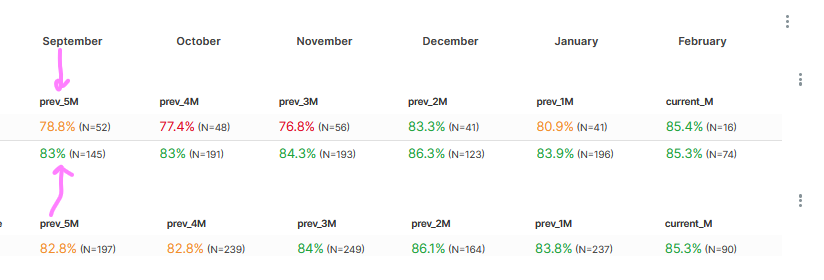 ## Description Hi there! One thing that is quite important in the dashboard world is the ability to place charts on top of each other so it looks like is just one. This is something that I can't figure out how to do in Superset (v2.0.0.1). For example, I need to create a table with dynamic column names, and in the provider ss, that would be the last 6 months. I can't do that in Superset but I can create another chart with only the month names and pretend that it is the header of the table. Now, I can't position the chart with the month names on top of the table with the values because everytime I try to decrease the height of the month names chart, the names are always going up until I can't read anything there. The same goes for the table itself, because if I want to add a total column at the end, I also can't! There is always a huge gap between the chart and the chart holder. This scenario also applies for instance for bar charts, for dynamic headers, dynamic titles and so on. ## Design input Is there anything that I can do from my side to make this happen? Like with CSS for example? If not, please allow the possibility to place charts on top of each other without gaps. Building a dashboard is so much more than just placing charts here and there :) -- This is an automated message from the Apache Git Service. To respond to the message, please log on to GitHub and use the URL above to go to the specific comment. To unsubscribe, e-mail: [email protected] For queries about this service, please contact Infrastructure at: [email protected] --------------------------------------------------------------------- To unsubscribe, e-mail: [email protected] For additional commands, e-mail: [email protected]

