Zverik opened a new issue #10414:
URL: https://github.com/apache/incubator-superset/issues/10414
We're making a dashboard with two charts: one "Filter Box" for the `dataset` filter, and one "Big Number" with custom SQL and the `dataset` column to filter on. The filter box is single-selection. When we choose an option in the filter, instead of a number for that dataset, the big number chart shows "Invalid filter operation type: =" error:  After clicking "Explore chart" in the kebab menu, we see this weird filter:  It looks like Superset does not know what "=" means, because this operation is absent in the drop-down list: 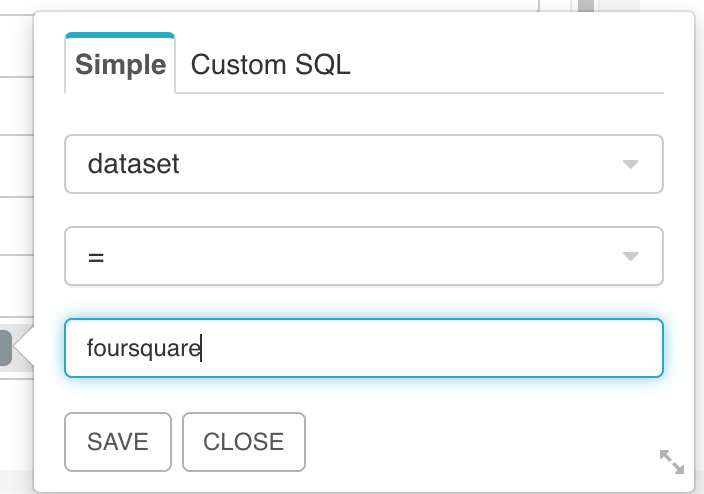 Instead, it has "equals" operation, which does work when selected. Alas, the filter box insists on using "=".  When making the filter box multi-selectable, filtering works well, since it switches to using "in" operator. But we want a simple single-choice drop-down list on the dashboard. This bug was encountered in `preset/superset:latest` from around July 15th. I did not have that on my local docker installation built from d3a9ce5afc46ff45adb63f6f06856fa6a29f865c (June 16th). Instead, the filter box uses "in" even for single-choice filters: <img width="411" alt="Screenshot 2020-07-22 at 16 03 29" src="https://user-images.githubusercontent.com/766031/88296236-1b050380-cd07-11ea-9c8d-8b6f8e26c2f7.png";> ### Expected results When you choose an option in a "Filter Box", other charts are filtered by that value. ### Actual results Instead, other charts show an error "Invalid filter operation type: =". #### How to reproduce the bug 1. Add a filter box chart from an SQL Lab query like `select name as dataset from datasets where enabled = true`. 2. Add a chart that has a `dataset` field and some another number. 3. Add both of these to a dashboard. 4. Choose a value in the filter box. 5. Observe an error (hopefully). ### Checklist Make sure these boxes are checked before submitting your issue - thank you! - [x] I have checked the superset logs for python stacktraces and included it here as text if there are any. - [ ] I have reproduced the issue with at least the latest released version of superset. - [x] I have checked the issue tracker for the same issue and I haven't found one similar. I'd like not to install the latest superset container on my local machine, so that I don't lose my work I did on the older one. If you would not be able to reproduce this, I'll do it of course. ---------------------------------------------------------------- This is an automated message from the Apache Git Service. To respond to the message, please log on to GitHub and use the URL above to go to the specific comment. For queries about this service, please contact Infrastructure at: [email protected] --------------------------------------------------------------------- To unsubscribe, e-mail: [email protected] For additional commands, e-mail: [email protected]





