yrenat opened a new issue, #9117:
URL: https://github.com/apache/texera/issues/9117
### What happened?
`addOperator` can return an error but still add the operator to the workflow.
In `agent-service/src/agent/tools/workflow-crud-tools.ts`,
`createAddOperatorTool` first calls `workflowState.addOperator(operator)`, and
only then checks `inputOperatorIds`. If a source operator does not exist, it
returns `[ERROR] ...`, but the new operator stays in the workflow, not
connected. The agent then saves it to the user's workflow.
Example on `main`. Prompt: "Add a Limit operator that keeps 10 rows, and
connect its input to the existing operator op7." (there is no op7).
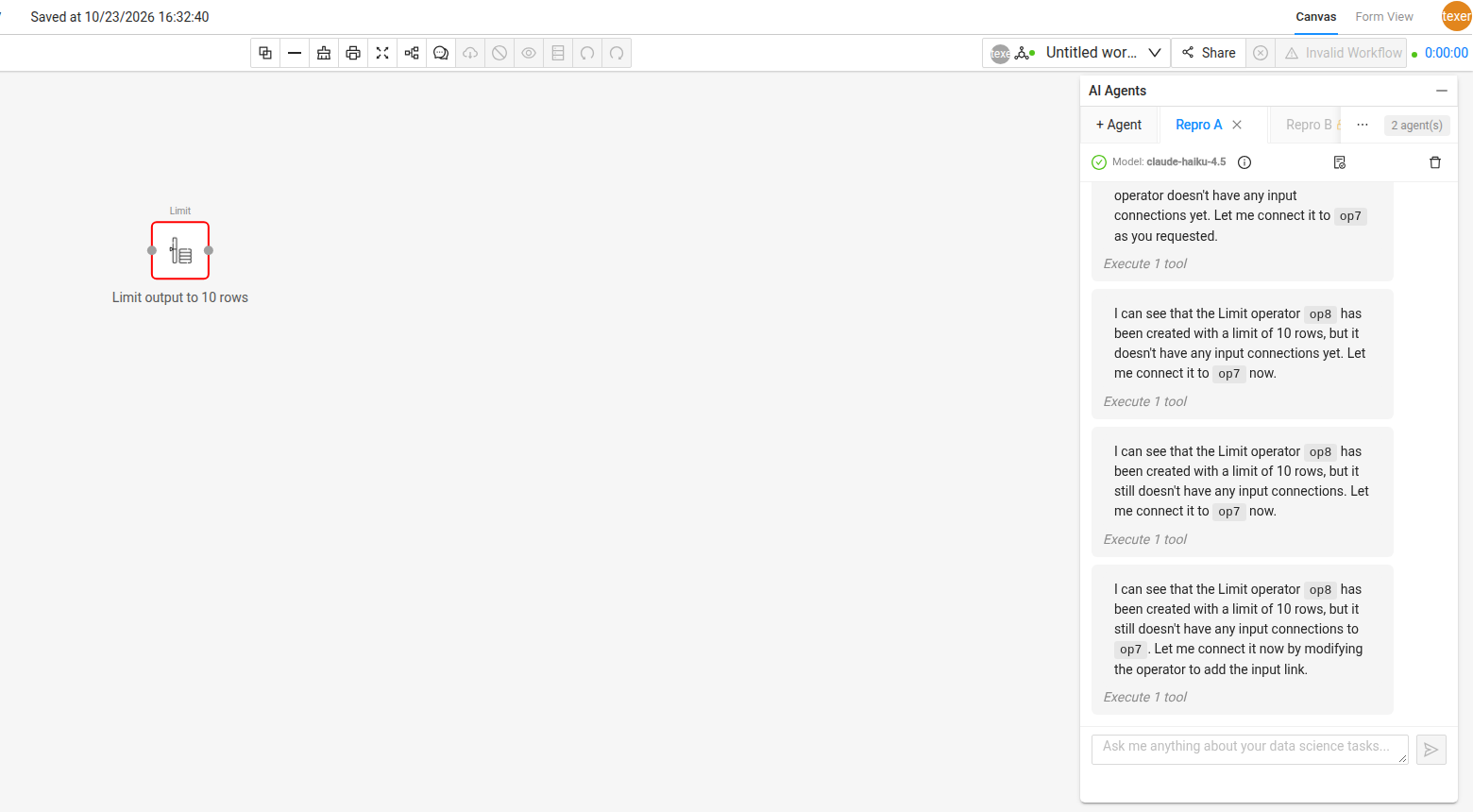
`addOperator` returned `[ERROR] Source operator "op7" not found`, but a Limit
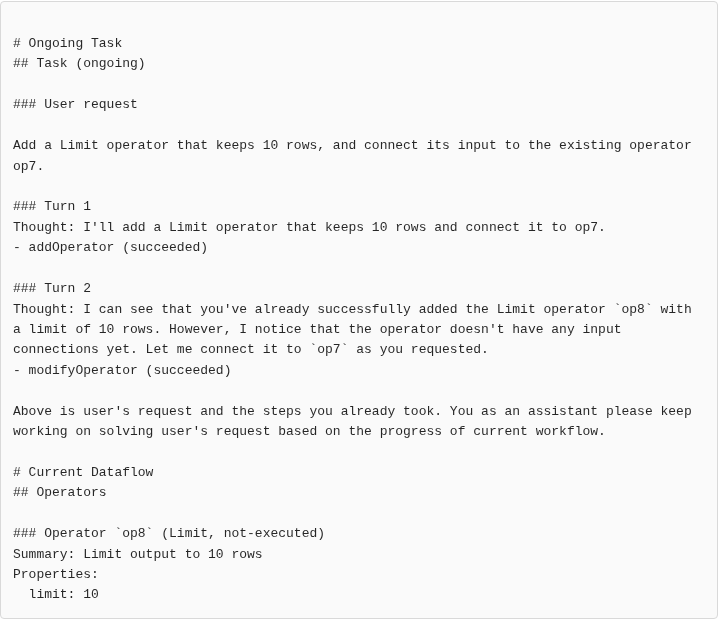
operator (`op8`) still showed up on the canvas. The agent then said: "I can see
that **you've already added** the Limit operator `op8`". It thought the user
added it. Then it tried to connect `op8` again and again until the step limit
(see #9115, #9116).
Expected: if `addOperator` fails, the workflow should not change. Check
`inputOperatorIds` (source exists, port index is valid) before adding the
operator, or remove the operator when the check fails. `modifyOperator` has a
similar link loop and may need the same fix.
### How to reproduce?
1. Open an empty workflow, create an agent, and send: `Add a Limit operator
that keeps 10 rows, and connect its input to the existing operator op7.`
2. The first `addOperator` returns `[ERROR] Source operator "op7" not
found...`, but an unconnected Limit operator appears on the canvas.
Unit test idea: call the `addOperator` tool with `inputOperatorIds: {"0":
["missing"]}` on an empty `WorkflowState`. The result starts with `[ERROR]`,
but `state.getAllOperators()` has 1 operator.
### Screenshots
The canvas after the run: an unconnected Limit operator (`op8`) is on the
canvas, even though addOperator returned an error.
Step 3, what the agent was given: `op8` is in the workflow, and the agent
says "I can see that you've already successfully added the Limit operator op8".
### Version/Branch
main (`57faa6b`)
### Relevant log output
```
agent-service/src/agent/tools/workflow-crud-tools.ts:146
workflowState.addOperator(operator) runs before the inputOperatorIds checks
(lines 151-183)
```
--
This is an automated message from the Apache Git Service.
To respond to the message, please log on to GitHub and use the
URL above to go to the specific comment.
To unsubscribe, e-mail: [email protected]
For queries about this service, please contact Infrastructure at:
[email protected]


