Thank you.
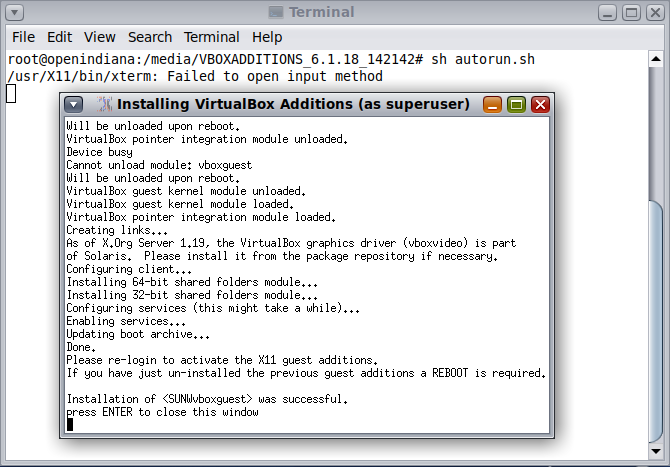
It's worked. It is a little odd for me, I already installed
virtualbox-additions package, but Auto-resize doesn't work. I did:
# pkg install virtualbox-additions
# pkg update
# reboot
And, it's worked.


On Monday, February 15, 2021, 06:23:13 PM GMT+3:30, John D Groenveld
<[email protected]> wrote:


In message <LTbgqlMTDBncZsLGR__URfhUZXepANv72x11DC4P4RMCFra01wW5QhzzHnLvSKjN4lj
[email protected]>, cretin1997 via openi
ndiana-discuss writes:
>On Sunday, February 14, 2021 5:13 PM, Jason Long via openindiana-discuss <open
>[email protected]> wrote:
>
>> I did, but not worked.
>> I reinstalled VirtualBoxGuest Additions:
>> https://i.postimg.cc/1trNL3sg/OI.png
>>
>
>It never worked. Auto resize doesn't work for OI. You have to use the Display

Possibly it was a mistake to install the Solaris additions
package on OI.

Auto resize works fine with OI's virtualbox-additions package
and the VM configured with vboxvga.
<URL:http://pkg.openindiana.org/hipster/manifest/0/system%2Fvirtualbox%2Fvirtualbox-additions%406.1.16%2C5.11-2020.0.1.1%3A20201030T135552Z>

John
[email protected]

_______________________________________________
openindiana-discuss mailing list

[email protected]

https://openindiana.org/mailman/listinfo/openindiana-discuss


_______________________________________________
openindiana-discuss mailing list
[email protected]
https://openindiana.org/mailman/listinfo/openindiana-discuss