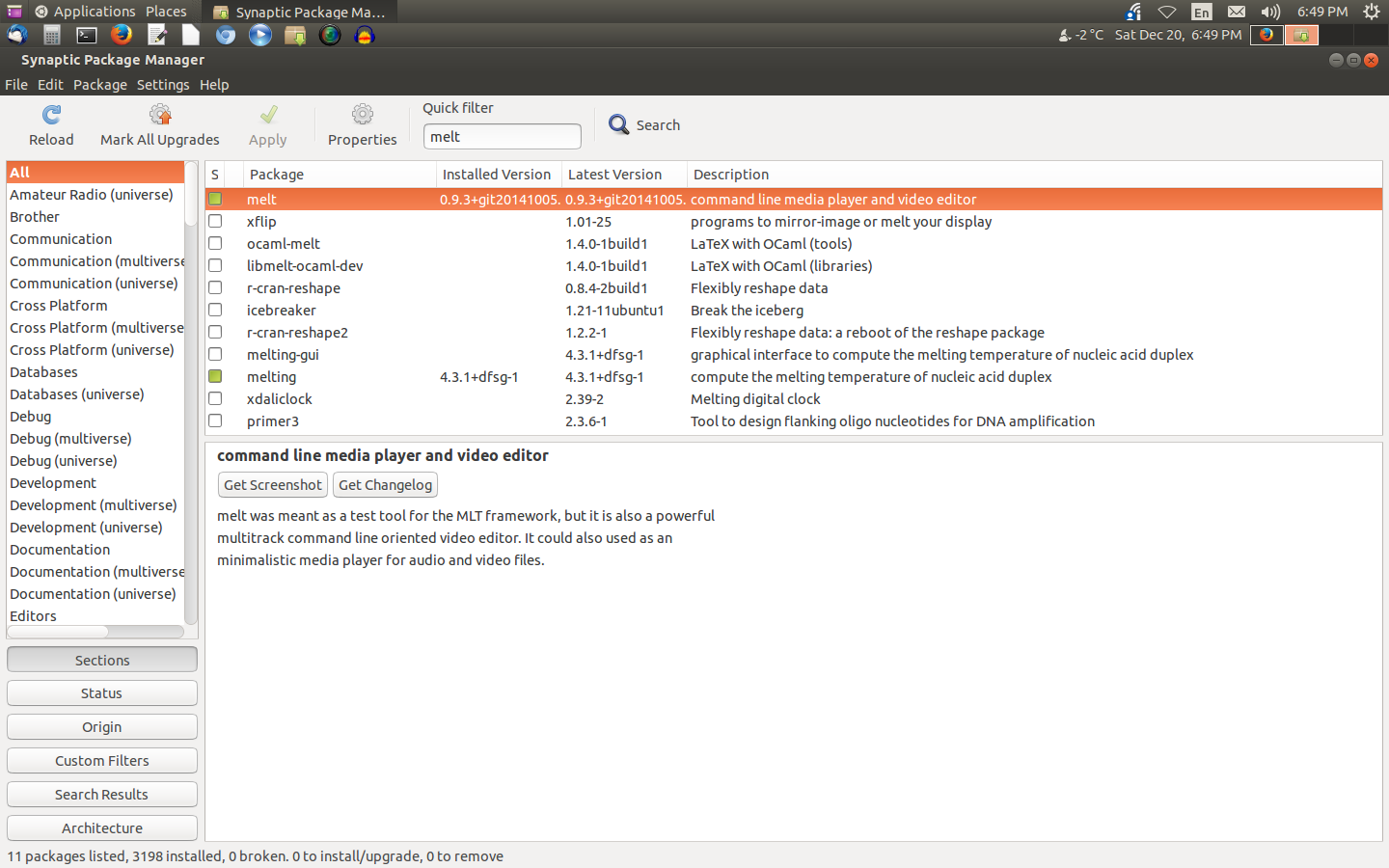
Oups, I've done a typing error. It was mlt and not melt. Sorry. Could you
do another one screenshot, please ? Thanks.
Another thing. Could you run OS in a console and do what you are doing and
copy/paste the output ?

2014-12-21 0:50 GMT+01:00 dbclinton <[email protected]>:

> > If you are using old projects and they are crashing (and not with new
> projects) I'm afraid that they are corrupted.
>
> It was a completely new project that was crashing this time.
> I've attached a screenshot of "melt" in Synaptic.
> Thanks!
>
> ** Attachment added: "Synaptic - melt"
>
> https://bugs.launchpad.net/openshot/+bug/1246976/+attachment/4284923/+files/synaptic.png
>
> --
> You received this bug notification because you are a member of OpenShot
> Bugs, which is subscribed to OpenShot Video Editor.
> https://bugs.launchpad.net/bugs/1246976
>
> Title:
>   OpenShot crashing when saving project, then using the timeline or
>   controls to set playback position
>
> Status in OpenShot Video Editor:
>   New
>
> Bug description:
>   CPU: AMD 64bit 8 core cpu
>   OS: Ubuntu Linux (64bit) Raring ringtail upgraded online from 12.04LTS;
> 12.04LTS installed from ISO.
>
>   Installed OpenShot from "Ubuntu Software Center"
>   version 1.4.4~alpha1
>
>   Melt: 0.8.8
>   FFMPEG: 0.8.6-6:0.8.6-1ubuntu2 insstalled using "Ubuntu Software Center"
>
>   -----
>
>   What's odd is I think this is both an OS level and higher library
> bug(s). Occassionally the entire OS will hang with the mouse cursor will
> still work, but the graphics seem to be frozen. Getting loads of
> segmentation faults from OpenShot when...
>   Saving the project, then going to the timeline or video controls to set
> the current playback position, or advance back to the beginning - pretty
> much any change in the videos position = instant crash. If I reload the
> same project after saving it, without changing the current playback
> position, I have no such problem until I save and immediately try to change
> the timelines position (seems to be something with that entire process).
> Oddly enough, I could postone the "crash" by saving, adding a new track,
> then setting the playback position where-ever I wanted. Worked for awhile,
> but then crashed after every save again.
>
>   On the OS side, i've noticed on a slower single core system (1.8
>   processor), if I click an control or option anywhere in OpenShot (or
>   anything for that matter, ie.,. audacity) and don't allow the previous
>   function to complete... the applications hang. It's like a messaging
>   sync problem with the underlying libraries (doesn't wait for the
>   current function to conplete before attempting the next one).
>
>   Also, the first video I made with OpenShot a month ago, didn't exibit
>   these problems. It seems to have started within the past 3 weeks
>   (perhaps during the upgrade, or with an underlying library not quite
>   in sync with the layers above).
>
> To manage notifications about this bug go to:
> https://bugs.launchpad.net/openshot/+bug/1246976/+subscriptions
>
> --
> Mailing list: https://launchpad.net/~openshot.bugs
> Post to     : [email protected]
> Unsubscribe : https://launchpad.net/~openshot.bugs
> More help   : https://help.launchpad.net/ListHelp
>


--
Olivier
Cenwen un elfe sur la banquise/ an elve on the ice
Mon blog perso  sur le multimédia, Ubuntu, Linux et OpenShot :
http://linuxevolution.wordpress.com/
Le forum d'Openshot où vous me trouverez : http://openshotusers.com/
http://openshotusers.com/forum/index.php
Nothing is lost until the last second.
The family motto : When we want, we can.
Astuces, Actualités, Logiciels, bref sur tout ce que je ne fais d'articles
dessus Google+ <https://plus.google.com/u/0/111472725110173916234/posts>
--
Mailing list: https://launchpad.net/~openshot.bugs
Post to     : [email protected]
Unsubscribe : https://launchpad.net/~openshot.bugs
More help   : https://help.launchpad.net/ListHelp