Hello community,

here is the log from the commit of package khelpcenter5 for openSUSE:Factory
checked in at 2016-08-31 00:06:31
++++++++++++++++++++++++++++++++++++++++++++++++++++++++++++++++++++++++
Comparing /work/SRC/openSUSE:Factory/khelpcenter5 (Old)
 and      /work/SRC/openSUSE:Factory/.khelpcenter5.new (New)
++++++++++++++++++++++++++++++++++++++++++++++++++++++++++++++++++++++++
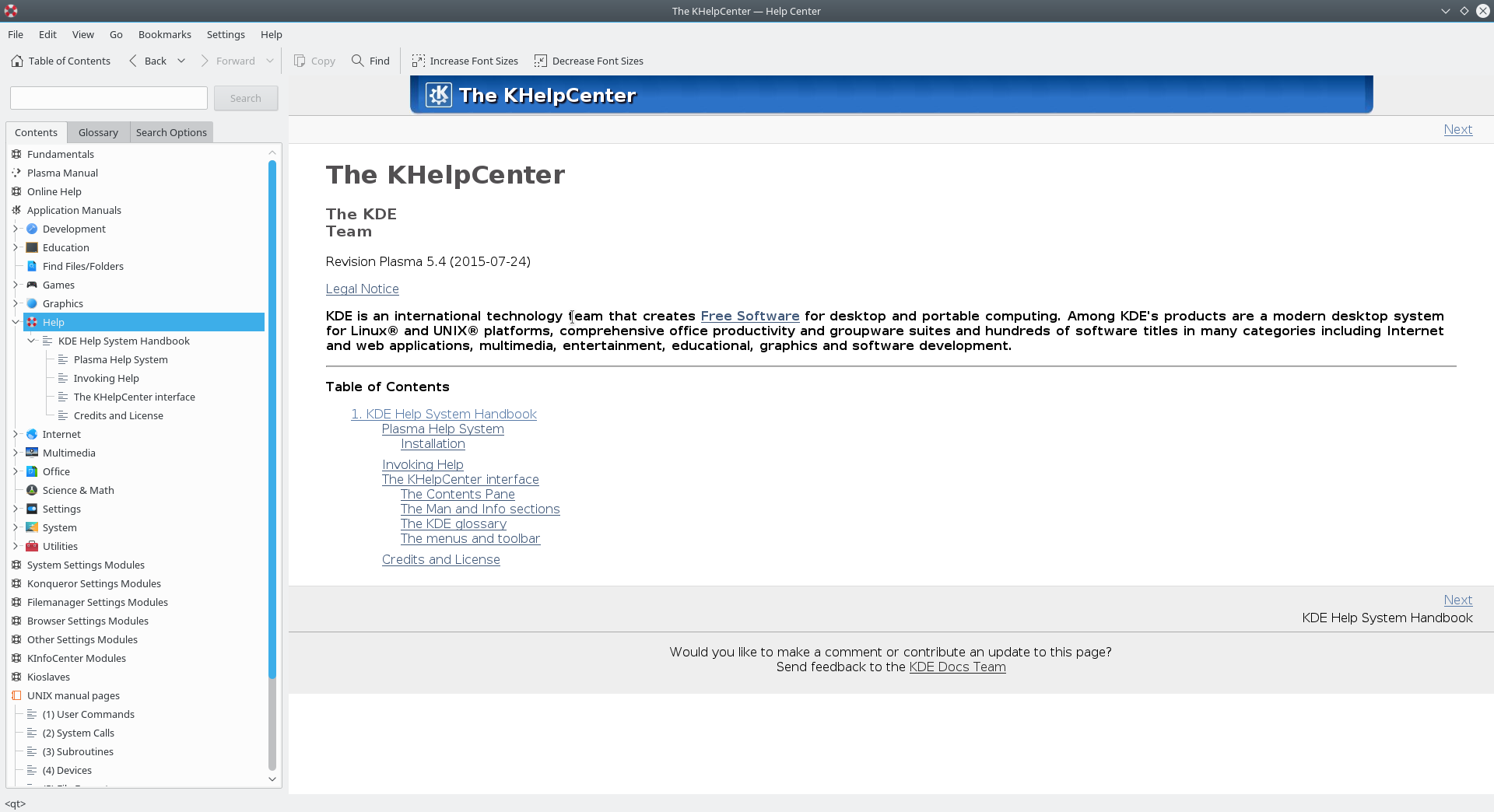
Package is "khelpcenter5" Changes: -------- --- /work/SRC/openSUSE:Factory/khelpcenter5/khelpcenter5.changes 2016-07-24 19:44:42.000000000 +0200 +++ /work/SRC/openSUSE:Factory/.khelpcenter5.new/khelpcenter5.changes 2016-08-31 00:06:32.000000000 +0200 @@ -1,0 +2,16 @@ +Fri Aug 12 10:07:33 UTC 2016 - [email protected] + +- Update to KDE Applications 16.08.0 + * KDE Applications 16.08.0 + * https://www.kde.org/announcements/announce-applications-16.08.0.php + + +------------------------------------------------------------------- +Mon Aug 8 14:43:16 UTC 2016 - [email protected] + +- Update to KDE Applications 16.07.90 + * KDE Applications 16.07.90 (16.08-RC) + * https://www.kde.org/announcements/announce-applications-16.07.90.php + + +------------------------------------------------------------------- Old: ---- khelpcenter-16.04.3.tar.xz New: ---- khelpcenter-16.08.0.tar.xz ++++++++++++++++++++++++++++++++++++++++++++++++++++++++++++++++++++++++ Other differences: ------------------ ++++++ khelpcenter5.spec ++++++ --- /var/tmp/diff_new_pack.9Q1cZD/_old 2016-08-31 00:06:33.000000000 +0200 +++ /var/tmp/diff_new_pack.9Q1cZD/_new 2016-08-31 00:06:33.000000000 +0200 @@ -39,7 +39,7 @@ Summary: KDE Documentation Application License: GPL-2.0+ Group: Productivity/Other -Version: 16.04.3 +Version: 16.08.0 Release: 0 Source: khelpcenter-%{version}.tar.xz # PATCH-FIX-OPENSUSE khelpcenter-use-susehelp.patch -- use susehelp wrapper instead of directly starting khelpcenter @@ -81,6 +81,8 @@ %{_kf5_applicationsdir}/org.kde.Help.desktop %{_kf5_configkcfgdir}/ %{_kf5_servicesdir}/ +%dir %{_kf5_appstreamdir} +%{_kf5_appstreamdir}/org.kde.Help.appdata.xml %exclude %{_kf5_sharedir}/kde4/services/khelpcenter.desktop %{_kf5_sharedir}/kde4/ %{_kf5_sharedir}/kxmlgui5/ ++++++ khelpcenter-16.04.3.tar.xz -> khelpcenter-16.08.0.tar.xz ++++++ diff -urN '--exclude=CVS' '--exclude=.cvsignore' '--exclude=.svn' '--exclude=.svnignore' old/khelpcenter-16.04.3/CMakeLists.txt new/khelpcenter-16.08.0/CMakeLists.txt --- old/khelpcenter-16.04.3/CMakeLists.txt 2016-06-26 16:25:38.000000000 +0200 +++ new/khelpcenter-16.08.0/CMakeLists.txt 2016-08-06 13:08:24.000000000 +0200 @@ -55,6 +55,8 @@ URL "http://www.xmlsoft.org/"; TYPE REQUIRED) +add_definitions(-DQT_NO_URL_CAST_FROM_STRING) + add_subdirectory( plugins ) add_subdirectory( searchhandlers ) add_subdirectory( tests ) @@ -107,5 +109,6 @@ install( FILES table-of-contents.xslt glossary.xslt DESTINATION ${DATA_INSTALL_DIR}/khelpcenter ) install( FILES khelpcenterui.rc DESTINATION ${KXMLGUI_INSTALL_DIR}/khelpcenter ) install( FILES khelpcenter.categories DESTINATION ${KDE_INSTALL_CONFDIR} ) +install( FILES org.kde.Help.appdata.xml DESTINATION ${KDE_INSTALL_METAINFODIR} ) feature_summary(WHAT ALL INCLUDE_QUIET_PACKAGES FATAL_ON_MISSING_REQUIRED_PACKAGES) diff -urN '--exclude=CVS' '--exclude=.cvsignore' '--exclude=.svn' '--exclude=.svnignore' old/khelpcenter-16.04.3/application.cpp new/khelpcenter-16.08.0/application.cpp --- old/khelpcenter-16.04.3/application.cpp 2016-06-26 16:25:38.000000000 +0200 +++ new/khelpcenter-16.08.0/application.cpp 2016-08-06 13:08:24.000000000 +0200 @@ -93,7 +93,9 @@ KAboutLicense::GPL, i18n("(c) 1999-2011, The KHelpCenter developers") ); - aboutData.addAuthor( "Cornelius Schumacher", QString(), "[email protected]" ); + aboutData.addAuthor( "Luigi Toscano", QString("Current maintainer"), "[email protected]" ); + aboutData.addAuthor( "Pino Toscano", QString("Xapian-based search, lot of bugfixes"), "[email protected]" ); + aboutData.addAuthor( "Cornelius Schumacher", QString("Former maintainer"), "[email protected]" ); aboutData.addAuthor( "Frerich Raabe", QString(), "[email protected]" ); aboutData.addAuthor( "Matthias Elter", i18n("Original Author"), "[email protected]" ); aboutData.addAuthor( "Wojciech Smigaj", i18n("Info page support"), "[email protected]" ); diff -urN '--exclude=CVS' '--exclude=.cvsignore' '--exclude=.svn' '--exclude=.svnignore' old/khelpcenter-16.04.3/doc/fundamentals/config.docbook new/khelpcenter-16.08.0/doc/fundamentals/config.docbook --- old/khelpcenter-16.04.3/doc/fundamentals/config.docbook 2016-06-26 16:25:38.000000000 +0200 +++ new/khelpcenter-16.08.0/doc/fundamentals/config.docbook 2016-08-06 13:08:24.000000000 +0200 @@ -283,8 +283,8 @@ <sect2 id="shortcuts-reset"> <title>Resetting Shortcuts</title> -<para>There is a button at the bottom of the window, called <guibutton>Reset to -Defaults</guibutton>. Clicking on this button will reset all your custom shortcuts +<para>There is a button at the bottom of the window, called <guibutton>Defaults</guibutton>. +Clicking on this button will reset all your custom shortcuts to their default values.</para> <para>You can also reset an individual shortcut to its default value by selecting @@ -308,9 +308,6 @@ several profiles with different shortcuts and switch between these profiles easily.</para> -<warning><para>This feature is under development. It is not possible to import -schemes using a &GUI; at this time.</para></warning> - <screenshot id="screenshot-shortcuts-schemes"> <screeninfo>Working with Schemes</screeninfo> <mediaobject> @@ -322,7 +319,7 @@ </screenshot> <para>To see a menu allowing you to edit schemes, click on the -<guibutton>Details</guibutton> button at the bottom of the form. The following +<guibutton>Manage Schemes</guibutton> button at the bottom of the form. The following options will appear:</para> <variablelist> @@ -350,17 +347,20 @@ <variablelist> <varlistentry> -<term><guimenuitem>Save as Scheme Defaults</guimenuitem></term> -<listitem><para>Sets the current scheme as the default for all new schemes.</para></listitem> +<term><guimenuitem>Save Shortcuts to scheme</guimenuitem></term> +<listitem><para>Save the current shortcuts to the current scheme.</para></listitem> </varlistentry> <varlistentry> <term><guimenuitem>Export Scheme...</guimenuitem></term> -<listitem><para>Exports the current scheme to a file named <filename><replaceable>applicationname</replaceable><replaceable>schemename</replaceable>shortcuts.rc</filename>.</para> -<para> -Move this file to the folder <filename class="directory">$KDEDIR/apps/applicationname/</filename> -and the exported scheme will be available in the drop down box labelled <guilabel>Current Scheme</guilabel> -</para></listitem> +<listitem><para>Exports the current scheme to a file <!--FIXME named <filename><replaceable>applicationname</replaceable><replaceable>schemename</replaceable>shortcuts.rc</filename>-->.</para> +</listitem> +</varlistentry> + +<varlistentry> +<term><guimenuitem>Import Scheme...</guimenuitem></term> +<listitem><para>Imports a scheme from a file <!--FIXME named <filename><replaceable>applicationname</replaceable><replaceable>schemename</replaceable>shortcuts.rc</filename>-->.</para> +</listitem> </varlistentry> </variablelist> Files old/khelpcenter-16.04.3/doc/fundamentals/find-find-inline.png and new/khelpcenter-16.08.0/doc/fundamentals/find-find-inline.png differ Files old/khelpcenter-16.04.3/doc/fundamentals/find-replace-inline.png and new/khelpcenter-16.08.0/doc/fundamentals/find-replace-inline.png differ diff -urN '--exclude=CVS' '--exclude=.cvsignore' '--exclude=.svn' '--exclude=.svnignore' old/khelpcenter-16.04.3/doc/fundamentals/index.docbook new/khelpcenter-16.08.0/doc/fundamentals/index.docbook --- old/khelpcenter-16.04.3/doc/fundamentals/index.docbook 2016-06-26 16:25:38.000000000 +0200 +++ new/khelpcenter-16.08.0/doc/fundamentals/index.docbook 2016-08-06 13:08:24.000000000 +0200 @@ -1,21 +1,9 @@ <?xml version="1.0" ?> <!DOCTYPE book PUBLIC "-//KDE//DTD DocBook XML V4.5-Based Variant V1.1//EN" "dtd/kdedbx45.dtd" [ - <!ENTITY kappname "&kde-sc;"> <!ENTITY % addindex "IGNORE"> - <!--FIXME: these entities should be added to kdoctools--> - <!ENTITY plasma-workspaces "&i18n-plasma-workspaces;"> - <!ENTITY plasma-desktop "&i18n-plasma-desktop;"> - <!ENTITY plasma-active "&i18n-plasma-active;"> - <!ENTITY gwenview '<application>Gwenview</application>'> - <!ENTITY Meta "&i18n-Meta;"> - <!--/end entities that need to be added to kdoctools--> - <!--make some of the above entities translatable in the interim--> - <!ENTITY i18n-plasma-workspaces "&kde; &plasma; Workspaces"> - <!ENTITY i18n-plasma-desktop "<application>&kde; &plasma; Desktop</application>"> - <!ENTITY i18n-plasma-active "<application>&plasma; Active</application>"> + <!ENTITY Meta "&i18n-Meta;"> <!--FIXME should this be in en/user.entities? --> <!ENTITY i18n-Meta "<keysym>Meta</keysym>"> - <!--/end temporary translatable entities--> <!ENTITY ui-chapter SYSTEM "ui.docbook"> <!ENTITY tasks-chapter SYSTEM "tasks.docbook"> <!ENTITY config-chapter SYSTEM "config.docbook"> @@ -47,8 +35,8 @@ </copyright> <legalnotice>&FDLNotice;</legalnotice> -<date>2015-07-30</date> -<releaseinfo>&plasma; 5.4</releaseinfo> +<date>2016-06-06</date> +<releaseinfo>&plasma; 5.6</releaseinfo> <abstract> <para>This guide provides an introduction to the &kde; workspace and applications and describes many diff -urN '--exclude=CVS' '--exclude=.cvsignore' '--exclude=.svn' '--exclude=.svnignore' old/khelpcenter-16.04.3/doc/fundamentals/install.docbook new/khelpcenter-16.08.0/doc/fundamentals/install.docbook --- old/khelpcenter-16.04.3/doc/fundamentals/install.docbook 2016-06-26 16:25:38.000000000 +0200 +++ new/khelpcenter-16.08.0/doc/fundamentals/install.docbook 2016-08-06 13:08:24.000000000 +0200 @@ -1,7 +1,8 @@ <chapter id="install"> -<title>Installing the &kde; Workspace and Applications</title> +<title>Installing &plasma-desktop; and &kde; Applications</title> -<para>You can install the &kde; workspace and applications on a variety of different platforms, ranging from +<para>You can install &kde; applications, including &plasma-desktop;, on a +variety of different platforms, ranging from smartphones and tablets to computers running &Microsoft; &Windows;, &MacOS;, &UNIX;, &BSD; or &Linux;. Binary packages are available for many different platforms and distributions, or advanced users may build the source code.</para> @@ -16,23 +17,23 @@ <title>&Linux;</title> <para>Nearly every &Linux; distribution provides binary packages for individual -applications and the &plasma-workspaces; as a whole.</para> +applications and the &plasma-desktop; as a whole.</para> <para>To install an individual application, look for its name in your distribution's package collection. To install one of the &plasma-workspaces;, like &plasma-desktop;, look for a metapackage or package -group, typically <literal>kde-desktop</literal>.</para> +group, typically <literal>plasma-desktop</literal>.</para> <note> -<para>Some core applications may be installed together with other core +<para>Some applications may be installed together with other applications in a combined package named after the &kde; package they are -provided in. For instance, &dolphin; might be found in the +provided in. For instance, &konqueror; might be found in the <literal>kde-baseapps</literal> package.</para> </note> <para>If you have trouble locating &kde; packages for your distribution, please contact their support resources. Many distributions also have a team dedicated -to packaging &kde; that can provide assistance specific to &kde;</para> +to packaging applications by &kde; that can provide assistance specific to them. </para> <!--FIXME: provide steps for common distributions?--> @@ -70,7 +71,7 @@ <title>&BSD;</title> <para>Most &BSD; distributions allows you to install &kde; applications -and the &plasma-workspaces; as a whole through their <quote>ports</quote> +and the &plasma-desktop; through their <quote>ports</quote> system.</para> <para>For more information on installing ports, see your &BSD; distribution's @@ -82,13 +83,12 @@ <sect2 id="install-mobile"> <title>Mobile Devices</title> - -<para>&plasma-active; is an exciting initiative to bring a new &kde; +<para><productname>Plasma Mobile</productname> is an exciting initiative to bring a new &kde; experience to mobile devices like smartphones or tablets. Binary releases are provided for several different devices.</para> <para>For more information, visit -<ulink url="http://plasma-active.org/";>&plasma-active;</ulink>.</para> +<ulink url="http://plasma-mobile.org/";><productname>Plasma Mobile</productname></ulink>.</para> </sect2> @@ -96,7 +96,7 @@ <title>Live Media</title> <para>Several &Linux; and &BSD; distributions offer live media. This permits you -to try out the &plasma-workspaces; without installing anything to your system. +to try out the &plasma-desktop; without installing anything to your system. All you have to do insert a CD or connect a USB drive and boot from it. If you like what you see, most offer an option to install it to your hard drive.</para> @@ -107,15 +107,15 @@ <sect2 id="install-source"> <title>Building from Source Code</title> -<para>For detailed information on how to compile and install &kde; workspace and -applications see <ulink url="http://techbase.kde.org/";>&kde; TechBase</ulink>.</para> +<para>For detailed information on how to compile and install &plasma-desktop; and +applications see <ulink url="https://community.kde.org/Guidelines_and_HOWTOs/Build_from_source";>Build from source</ulink>.</para> <para>Since &kde; software uses <command>cmake</command> you should have no trouble compiling it. Should you run into problems please report them to the &kde; mailing lists.</para> -<para>The recommended tool to build Frameworks and &plasma; Workspace 5 and Applications is -<ulink url="https://projects.kde.org/projects/extragear/utils/kdesrc-build";>kdesrc-build</ulink> +<para>The recommended tool to build Frameworks, &plasma-desktop; and all the other applications is +<ulink url="https://commits.kde.org/kdesrc-build";>kdesrc-build</ulink> </para> </sect2> <!--FIXME more info: @@ -126,4 +126,4 @@ </sect1> -</chapter> \ No newline at end of file +</chapter> Files old/khelpcenter-16.04.3/doc/fundamentals/shortcuts-schemes.png and new/khelpcenter-16.08.0/doc/fundamentals/shortcuts-schemes.png differ Files old/khelpcenter-16.04.3/doc/fundamentals/shortcuts-set.png and new/khelpcenter-16.08.0/doc/fundamentals/shortcuts-set.png differ diff -urN '--exclude=CVS' '--exclude=.cvsignore' '--exclude=.svn' '--exclude=.svnignore' old/khelpcenter-16.04.3/doc/fundamentals/tasks.docbook new/khelpcenter-16.08.0/doc/fundamentals/tasks.docbook --- old/khelpcenter-16.04.3/doc/fundamentals/tasks.docbook 2016-06-26 16:25:38.000000000 +0200 +++ new/khelpcenter-16.08.0/doc/fundamentals/tasks.docbook 2016-08-06 13:08:24.000000000 +0200 @@ -82,7 +82,7 @@ <varlistentry id="nav-scroll-page-down"> <term><menuchoice> -<shortcut><keycap>PgDown</keycap></shortcut> +<shortcut><keycap>PgDn</keycap></shortcut> <guimenuitem>Page down</guimenuitem> </menuchoice></term> <listitem><para>Navigate to the next page in a document that represents a @@ -755,7 +755,7 @@ <!--FIXME: maybe move kcm handbook here too?--> <para>For more information on configuring &sonnet;, see the -<ulink url="help:kcontrol/spellchecking">Spell Checker &systemsettings; module +<ulink url="help:/kcontrol/spellchecking">Spell Checker &systemsettings; module documentation</ulink></para> </sect2> @@ -1075,7 +1075,7 @@ <title>Choosing Colors</title> <para>The color chooser appears in many &kde; applications, whenever you need - to select a color. It lets you pick from a <quote>palette</quote> consisting of many +to select a color. It lets you pick from a <guilabel>Basic colors</guilabel> consisting of many predefined colors or mix your own when you want a specific color.</para> <screenshot id="screenshot-colors"> @@ -1088,24 +1088,14 @@ </mediaobject> </screenshot> -<sect2 id="colors-palette"> -<title>Using Palettes</title> +<sect2 id="basic-colors"> +<title>Using Basic Colors</title> -<para>A palette is a set of predefined colors. You can find it on the right +<para>The basic colors group is a set of predefined colors. You can find it on the top side of the color chooser window.</para> -<para>To select a color from a palette, simply click on it. The color will be -displayed below the palette, along with its &HTML; hexadecimal code and name, if -any.</para> - -<para>To switch between them, use the drop down box above the color palette. -Most palettes will display a grid consisting of the colors, except for the -<guilabel>Named Colors</guilabel>, which lets you select from a list of names. -Other special palettes include <guilabel>* Recent Colors *</guilabel>, which -will display colors that you have recently selected, and -<guilabel>* Custom Colors *</guilabel>, which will display custom colors that -you have saved. For more information on setting custom colors, see -<xref linkend="colors-custom"/></para> +<para>To select a color from the basic colors, simply click on it. The color will be +displayed at the right of the palette, along with its &HTML; hexadecimal code</para> </sect2> @@ -1118,11 +1108,11 @@ <sect3 id="colors-mixing-select"> <title>Using the Grid</title> -<para>The left side of the color chooser contains a large box, and a thinner box +<para>The right side of the color chooser contains a large box, and a thinner box immediately to its right. You can use the left box to select the Hue and Saturation of the desired color based on the visual guide provided in the box. The right bar adjusts the Value. Adjust these to select the desired color, -which is displayed in the lower-right corner of the window.</para> +which is displayed in the middle of the window.</para> <para>For more information on Hue, Saturation, and Value, see <xref linkend="colors-mixing-hsv"/></para> @@ -1130,11 +1120,11 @@ </sect3> <sect3 id="colors-mixing-eyedropper"> -<title>Using the Eyedropper</title> +<title>Using the Screen Colors</title> <para>The eyedropper tool allows you to select a color from your screen. To use -it, select the <guibutton>eyedropper</guibutton> button to the right of the -<guibutton>Add to Custom Colors</guibutton> button, and then click anywhere on +it, select the <guibutton>Pick Screen Color</guibutton> button below the +basic colors, and then click anywhere on your screen to select that color.</para> </sect3> @@ -1142,7 +1132,7 @@ <sect3 id="colors-mixing-hsv"> <title>Hue/Saturation/Value</title> -<para>The lower-left corner of the screen allows you to manually enter the +<para>The lower-right corner of the screen allows you to manually enter the coordinates of the desired color in the Hue/Saturation/Value (<acronym>HSV</acronym>) color space. For more information on this, see <ulink url="https://en.wikipedia.org/wiki/HSL_and_HSV";>the <quote>HSL and @@ -1156,7 +1146,7 @@ <sect3 id="colors-mixing-rgb"> <title>Red/Green/Blue</title> -<para>The lower-left corner of the screen also allows you to manually enter the +<para>The lower-right corner of the screen also allows you to manually enter the coordinates of the desired color in the Red/Green/Blue (<acronym>RGB</acronym>) color model. For more information on this, see <ulink url="https://en.wikipedia.org/wiki/RGB_color_model";>the <quote>RGB color @@ -1182,14 +1172,11 @@ </sect2> <sect2 id="colors-custom"> -<title>Saving Custom Colors</title> +<title>Custom Colors</title> -<para>After selecting a color, you may save it to the Custom Colors palette so -you can find it later. To do so, click the -<guibutton>Add to Custom Colors</guibutton> button. You can then find it by -selecting the <guilabel>* Custom Colors *</guilabel> palette from the drop -down box in the upper-right corner of the screen. For more information on using -palettes, see <xref linkend="colors-palette"/>.</para> +<para>After selecting a color, you may add it to the Custom Colors group so +you can use it later. To do so, click the +<guibutton>Add to Custom Colors</guibutton> button.</para> </sect2> diff -urN '--exclude=CVS' '--exclude=.cvsignore' '--exclude=.svn' '--exclude=.svnignore' old/khelpcenter-16.04.3/doc/fundamentals/ui.docbook new/khelpcenter-16.08.0/doc/fundamentals/ui.docbook --- old/khelpcenter-16.04.3/doc/fundamentals/ui.docbook 2016-06-26 16:25:38.000000000 +0200 +++ new/khelpcenter-16.08.0/doc/fundamentals/ui.docbook 2016-08-06 13:08:24.000000000 +0200 @@ -1127,6 +1127,17 @@ <varlistentry> <term><menuchoice> +<guimenu>Settings</guimenu><guimenuitem>Show +Statusbar</guimenuitem></menuchoice></term> +<listitem> +<para>When checked, this displays a small bar at the bottom of the application +containing information about the status. When unchecked +the status bar is hidden.</para> +</listitem> +</varlistentry> + +<varlistentry> +<term><menuchoice> <guimenu>Settings</guimenu><guimenuitem>Configure Shortcuts...</guimenuitem> </menuchoice></term> <listitem><para> @@ -1332,7 +1343,7 @@ </row> <row> -<entry><keycombo action="simul">&Alt;<keycap>Space</keycap></keycombo></entry> +<entry><keycombo action="simul">&Alt;<keycap>Space</keycap></keycombo> / <keycombo action="simul">&Alt;<keycap>F2</keycap></keycombo></entry> <entry><ulink url="help:/plasma-desktop/krunner.html">Run Command Interface</ulink></entry> </row> @@ -1365,67 +1376,67 @@ <tbody> <row> -<entry><keycombo action="simul">&Ctrl;<keycap>F10</keycap></keycombo></entry> +<entry><keycombo action="simul">&Ctrl;<keycap>F10</keycap></keycombo></entry><!--[kwin][Global Shortcuts] ExposeAll=Ctrl+F10; Launch (C) --> <entry>Present Windows</entry> </row> <row> -<entry><keycombo action="simul">&Ctrl;<keycap>F9</keycap></keycombo></entry> +<entry><keycombo action="simul">&Ctrl;<keycap>F9</keycap></keycombo></entry><!--[kwin][Global Shortcuts] Expose=Ctrl+F9 --> <entry>Present Windows on current desktop</entry> </row> <row> -<entry><keycombo action="simul">&Ctrl;<keycap>F7</keycap></keycombo></entry> +<entry><keycombo action="simul">&Ctrl;<keycap>F7</keycap></keycombo></entry><!--[kwin][Global Shortcuts] ExposeClass=Ctrl+F7 --> <entry>Present Windows of current application only</entry> </row> - +<!--FIXME not in 5.6.4 <row> <entry><keycombo action="simul">&Ctrl;<keycap>F11</keycap></keycombo></entry> <entry>Desktop Cube</entry> </row> - +--> <row> -<entry><keycombo action="simul">&Ctrl;<keycap>F12</keycap></keycombo></entry> -<entry>Show Dashboard</entry> +<entry><keycombo action="simul">&Ctrl;<keycap>F12</keycap></keycombo></entry><!--[plasmashell][Global Shortcuts] show dashboard=Ctrl+F12--> +<entry>Show Desktop</entry> </row> <row> -<entry><keycombo action="simul">&Ctrl;&Alt;<keycap>A</keycap></keycombo></entry> +<entry><keycombo action="simul">&Ctrl;&Alt;<keycap>A</keycap></keycombo></entry><!--[kwin][Global Shortcuts] Activate Window Demanding Attention=Ctrl+Alt+A --> <entry>Activate Window Demanding Attention</entry> </row> <row> -<entry><keycombo action="simul">&Alt;	</keycombo></entry> +<entry><keycombo action="simul">&Alt;	</keycombo></entry><!--[kwin][Global Shortcuts] Walk Through Windows=Alt+Tab--> <entry>Walk through windows</entry> </row> <row> -<entry><keycombo action="simul">&Alt;<keycap>`</keycap></keycombo></entry> -<entry>Walk through windows of the current application</entry> +<entry><keycombo action="simul">&Alt;&Shift;	</keycombo></entry><!--[kwin][Global Shortcuts] Walk Through Windows (Reverse)=Alt+Shift+Backtab--> +<entry>Walk through windows (Reverse)</entry> </row> <row> -<entry><keycombo action="simul">&Alt;<keycap>F3</keycap></keycombo></entry> +<entry><keycombo action="simul">&Alt;<keycap>F3</keycap></keycombo></entry><!--FIXME source ?--> <entry>Open the Window Operations menu</entry> </row> <row> -<entry><keycombo action="simul">&Meta;&Alt;<keysym>Up</keysym></keycombo></entry> +<entry><keycombo action="simul">&Meta;&Alt;<keysym>Up</keysym></keycombo></entry><!--[kwin][Global Shortcuts] Switch Window Up=Meta+Alt+Up--> <entry>Switch to Window Above</entry> </row> <row> -<entry><keycombo action="simul">&Meta;&Alt;<keysym>Down</keysym></keycombo></entry> +<entry><keycombo action="simul">&Meta;&Alt;<keysym>Down</keysym></keycombo></entry><!--[kwin][Global Shortcuts] Switch Window Down=Meta+Alt+Down--> <entry>Switch to Window Below</entry> </row> <row> -<entry><keycombo action="simul">&Meta;&Alt;<keysym>Left</keysym></keycombo></entry> +<entry><keycombo action="simul">&Meta;&Alt;<keysym>Left</keysym></keycombo></entry><!--[kwin][Global Shortcuts] Switch Window Left=Meta+Alt+Left--> <entry>Switch to Window to the Left</entry> </row> <row> -<entry><keycombo action="simul">&Meta;&Alt;<keysym>Right</keysym></keycombo></entry> +<entry><keycombo action="simul">&Meta;&Alt;<keysym>Right</keysym></keycombo></entry><!--[kwin][Global Shortcuts] Switch Window Right=Meta+Alt+Right--> <entry>Switch to Window to the Right</entry> </row> @@ -1435,7 +1446,7 @@ </sect3> <sect3 id="kbd-activity-pan-zoom"> -<title>Panning and Zooming</title> +<title>Panning and Zooming</title><!--FIXME nothing works for me--> <para>Need to get a closer look? The &plasma-workspaces; allow you to zoom in and out and move your entire desktop around, so you can zoom in even when the @@ -1461,37 +1472,37 @@ --> <row> -<entry><keycombo action="simul">&Meta;<keycap>=</keycap></keycombo></entry> +<entry><keycombo action="simul">&Meta;<keycap>=</keycap></keycombo></entry><!--[kwin][Global Shortcuts] view_zoom_in=Meta+= --> <entry>Zoom In</entry> </row> <row> -<entry><keycombo action="simul">&Meta;<keycap>-</keycap></keycombo></entry> +<entry><keycombo action="simul">&Meta;<keycap>-</keycap></keycombo></entry><!--[kwin][Global Shortcuts] view_zoom_out=Meta+- --> <entry>Zoom Out</entry> </row> <row> -<entry><keycombo action="simul">&Meta;<keycap>0</keycap></keycombo></entry> +<entry><keycombo action="simul">&Meta;<keycap>0</keycap></keycombo></entry><!--[kwin][Global Shortcuts] view_actual_size=Meta+0 --> <entry>Zoom Normal</entry> </row> <row> -<entry><keycombo action="simul">&Meta;<keysym>Up</keysym></keycombo></entry> +<entry><keycombo action="simul">&Meta;<keysym>Up</keysym></keycombo></entry><!--[kwin][Global Shortcuts] MoveZoomUp=Meta+Up --> <entry>Pan Up</entry> </row> <row> -<entry><keycombo action="simul">&Meta;<keysym>Down</keysym></keycombo></entry> +<entry><keycombo action="simul">&Meta;<keysym>Down</keysym></keycombo></entry><!--[kwin][Global Shortcuts] MoveZoomDown=Meta+Down --> <entry>Pan Down</entry> </row> <row> -<entry><keycombo action="simul">&Meta;<keysym>Left</keysym></keycombo></entry> +<entry><keycombo action="simul">&Meta;<keysym>Left</keysym></keycombo></entry><!--[kwin][Global Shortcuts] MoveZoomLeft=Meta+Left --> <entry>Pan left</entry> </row> <row> -<entry><keycombo action="simul">&Meta;<keysym>Right</keysym></keycombo></entry> +<entry><keycombo action="simul">&Meta;<keysym>Right</keysym></keycombo></entry><!--[kwin][Global Shortcuts] MoveZoomRight=Meta+Right --> <entry>Pan Right</entry> </row> @@ -1505,7 +1516,7 @@ <title>Working with Activities and Virtual Desktops</title> <para>These shortcuts allow you to switch between and manage -<ulink url="help:/plasma-desktop/zooming-user-interface.html">Activities</ulink> +<ulink url="help:/plasma-desktop/activities.html">Activities</ulink> and <ulink url="help:/kcontrol/desktop/">virtual desktops</ulink>.</para> <informaltable> @@ -1521,53 +1532,39 @@ <tbody> <row> -<entry><keycombo action="simul">&Ctrl;<keycap>Q</keycap></keycombo></entry> -<entry>View all your Activities</entry> +<entry><keycombo action="simul">&Meta;<keycap>Q</keycap></keycombo> /<!-- [plasmashell][Global Shortcuts] manage activities=Meta+Q --> +<keycombo action="simul">&Alt;<keycap>D</keycap></keycombo>,<keycombo action="simul">&Alt;<keycap>A</keycap></keycombo><!--FIXME source ?--> +</entry> +<entry>Manage Activities</entry> </row> <row> -<entry><keycombo action="simul">&Meta;	</keycombo></entry> +<entry><keycombo action="simul">&Meta;	</keycombo></entry><!-- [plasmashell][Global Shortcuts] next activity=Meta+Tab --> <entry>Next Activity</entry> </row> <row> -<entry><keycombo action="simul">&Meta;&Shift;	</keycombo></entry> +<entry><keycombo action="simul">&Meta;&Shift;	</keycombo></entry><!-- [plasmashell][Global Shortcuts] previous activity=Meta+Shift+Tab --> <entry>Previous Activity</entry> </row> <row> -<entry><keycombo action="seq"> - <keycombo action="simul">&Alt;<keycap>D</keycap></keycombo> - <keycap>R</keycap> -</keycombo></entry> -<entry>Remove this Activity</entry> -</row> - -<row> -<entry><keycombo action="seq"> - <keycombo action="simul">&Alt;<keycap>D</keycap></keycombo> - <keycap>S</keycap> -</keycombo></entry> -<entry>Activities Settings</entry> -</row> - -<row> -<entry><keycombo action="simul">&Ctrl;<keycap>F1</keycap></keycombo></entry> +<entry><keycombo action="simul">&Ctrl;<keycap>F1</keycap></keycombo></entry><!--[kwin][Global Shortcuts] Switch to Desktop 1=Ctrl+F1 --> <entry>Switch to Desktop 1</entry> </row> <row> -<entry><keycombo action="simul">&Ctrl;<keycap>F2</keycap></keycombo></entry> +<entry><keycombo action="simul">&Ctrl;<keycap>F2</keycap></keycombo></entry><!--[kwin][Global Shortcuts] Switch to Desktop 2=Ctrl+F2 --> <entry>Switch to Desktop 2</entry> </row> <row> -<entry><keycombo action="simul">&Ctrl;<keycap>F3</keycap></keycombo></entry> +<entry><keycombo action="simul">&Ctrl;<keycap>F3</keycap></keycombo></entry><!--[kwin][Global Shortcuts] Switch to Desktop 2=Ctrl+F3 --> <entry>Switch to Desktop 3</entry> </row> <row> -<entry><keycombo action="simul">&Ctrl;<keycap>F4</keycap></keycombo></entry> +<entry><keycombo action="simul">&Ctrl;<keycap>F4</keycap></keycombo></entry><!--[kwin][Global Shortcuts] Switch to Desktop 2=Ctrl+F4 --> <entry>Switch to Desktop 4</entry> </row> @@ -1596,73 +1593,81 @@ <row> <entry><keycombo action="seq"> - <keycombo action="simul">&Alt;<keycap>D</keycap></keycombo> - <keycap>A</keycap> +<keycombo action="simul">&Alt;<keycap>D</keycap></keycombo><!--plasma-framework/src/plasma/private/containment_p.cpp--> +<keycap>A</keycap> </keycombo></entry> <entry>Add Widgets</entry> </row> <row> <entry><keycombo action="seq"> - <keycombo action="simul">&Alt;<keycap>D</keycap></keycombo> - <keycap>R</keycap> +<keycombo action="simul">&Alt;<keycap>D</keycap></keycombo><!--FIXME source ?--> +<keycap>R</keycap> </keycombo></entry> -<entry>Remove Widgets</entry> +<entry>Remove this <replaceable>Widget</replaceable></entry> </row> <row> <entry><keycombo action="seq"> - <keycombo action="simul">&Alt;<keycap>D</keycap></keycombo> - <keycap>L</keycap> +<keycombo action="simul">&Alt;<keycap>D</keycap></keycombo><!--FIXME source ?--> +<keycap>L</keycap> </keycombo></entry> <entry>Lock/Unlock Widgets</entry> </row> - +<!--FIXME source ? No >Next Widget< nor >Previous Widget< in kde-workspace or frameworks code <row> <entry><keycombo action="seq"> - <keycombo action="simul">&Alt;<keycap>D</keycap></keycombo> - <keycap>N</keycap> +<keycombo action="simul">&Alt;<keycap>D</keycap></keycombo> +<keycap>N</keycap> </keycombo></entry> <entry>Next Widget</entry> </row> <row> <entry><keycombo action="seq"> - <keycombo action="simul">&Alt;<keycap>D</keycap></keycombo> - <keycap>P</keycap> +<keycombo action="simul">&Alt;<keycap>D</keycap></keycombo> +<keycap>P</keycap> </keycombo></entry> <entry>Previous Widget</entry> </row> - +--> <row> <entry><keycombo action="seq"> - <keycombo action="simul">&Alt;<keycap>D</keycap></keycombo> - <keycap>S</keycap> +<keycombo action="simul">&Alt;<keycap>D</keycap></keycombo><!--FIXME source ?--> +<keycap>S</keycap> </keycombo></entry> -<entry>Widget Settings</entry> +<entry><replaceable>Widget</replaceable> Settings</entry> </row> <row> -<entry><keycombo action="simul">&Ctrl;<keycap>F12</keycap></keycombo></entry> -<entry>Show Dashboard</entry> +<entry><keycombo action="simul">&Ctrl;<keycap>F12</keycap></keycombo></entry><!--[plasmashell][Global Shortcuts] show dashboard=Ctrl+F12--> +<entry>Show Desktop</entry> </row> <row> <entry><keycombo action="seq"> - <keycombo action="simul">&Alt;<keycap>D</keycap></keycombo> - <keycap>T</keycap> +<keycombo action="simul">&Alt;<keycap>D</keycap></keycombo> +<keycap>T</keycap> </keycombo></entry> <entry>Run the Associated Application</entry> </row> - +<!--FIXME obsolete? <row> <entry><keycombo action="simul">&Alt;&Shift;<keycap>F12</keycap></keycombo></entry> <entry>Enable/Disable Desktop Effects</entry> </row> +--> + +<row> +<entry><keycombo action="simul">&Alt;<keycap>D</keycap></keycombo>,<keycombo action="simul">&Alt;<keycap>S</keycap></keycombo><!--FIXME source ?--> +</entry> +<entry>Desktop Settings</entry> +</row> </tbody> </tgroup> </informaltable> + </sect2> <sect2 id="kbd-help"> @@ -1904,34 +1909,34 @@ </thead> <tbody> - +<!--FIXME obsolete? <row> <entry><keycombo action="simul">&Ctrl;&Alt;<keycap>Insert</keycap></keycombo></entry> <entry>Switch User</entry> </row> - +--> <row> -<entry><keycombo action="simul">&Ctrl;&Alt;<keycap>L</keycap></keycombo></entry> -<entry>Lock Session</entry> +<entry><keycombo action="simul">&Ctrl;&Alt;<keycap>L</keycap></keycombo></entry><!--workspace/kscreenlocker/ksmserver/server.cpp--> +<entry>Lock Screen</entry> </row> <row> -<entry><keycombo action="simul">&Ctrl;&Alt;<keycap>Delete</keycap></keycombo></entry> -<entry>Logout</entry> +<entry><keycombo action="simul">&Ctrl;&Alt;<keycap>Del</keycap></keycombo></entry><!--plasma-workspace/ksmserver/server.cpp--> +<entry>Leave</entry> </row> <row> -<entry><keycombo action="simul">&Ctrl;&Alt;&Shift;<keycap>Delete</keycap></keycombo></entry> +<entry><keycombo action="simul">&Ctrl;&Alt;&Shift;<keycap>Del</keycap></keycombo></entry><!--plasma-workspace/ksmserver/server.cpp--> <entry>Logout without confirmation</entry> </row> <row> -<entry><keycombo action="simul">&Ctrl;&Alt;&Shift;<keycap>Page Down</keycap></keycombo></entry> +<entry><keycombo action="simul">&Ctrl;&Alt;&Shift;<keycap>Page Down</keycap></keycombo></entry><!--plasma-workspace/ksmserver/server.cpp--> <entry>Shut Down without confirmation</entry> </row> <row> -<entry><keycombo action="simul">&Ctrl;&Alt;&Shift;<keycap>Page Up</keycap></keycombo></entry> +<entry><keycombo action="simul">&Ctrl;&Alt;&Shift;<keycap>Page Up</keycap></keycombo></entry><!--plasma-workspace/ksmserver/server.cpp--> <entry>Reboot without confirmation</entry> </row> @@ -1944,18 +1949,17 @@ <title>Modifying Shortcuts</title> <para>The shortcuts described in <link linkend="kbd-windows">Working With -Windows</link>, <link linkend="kbd-leaving">Leaving Your Computer</link>, and -<link linkend="kbd-vol-bright">Changing Volume and Brightness</link> are called +Windows</link>, <link linkend="kbd-leaving">Leaving Your Computer</link>, +<link linkend="kbd-vol-bright">Changing Volume and Brightness</link> and +<link linkend="kbd-activities">Working with +Activities and Virtual Desktops</link> are called <emphasis>global shortcuts</emphasis>, since they work regardless of which window you have open on your screen. These can be modified in the <ulink url="help:/kcontrol/keys/">Global Shortcuts panel of &systemsettings;</ulink>, where they are separated by &kde; component.</para> -<para>The shortcuts described in <link linkend="kbd-activities">Working with -Activities and Virtual Desktops</link> and <link linkend="kbd-desktop">Working -with the Desktop</link> can be modified by clicking on the -<ulink url="help:/plasma-desktop/using-kapp.html">Desktop Toolbox</ulink> and -selecting <guimenuitem>Shortcut Settings</guimenuitem>.</para> +<para>The shortcuts described <link linkend="kbd-desktop">Working +with the Desktop</link> are immutable and cannot be modified.</para> <para>The shortcuts described in <link linkend="kbd-docs">Working with Documents</link> and <link linkend="kbd-help">Getting Help</link> are set by diff -urN '--exclude=CVS' '--exclude=.cvsignore' '--exclude=.svn' '--exclude=.svnignore' old/khelpcenter-16.04.3/doc/khelpcenter/index.docbook new/khelpcenter-16.08.0/doc/khelpcenter/index.docbook --- old/khelpcenter-16.04.3/doc/khelpcenter/index.docbook 2016-06-26 16:25:38.000000000 +0200 +++ new/khelpcenter-16.08.0/doc/khelpcenter/index.docbook 2016-08-06 13:08:24.000000000 +0200 @@ -1,7 +1,6 @@ <?xml version="1.0" ?> <!DOCTYPE book PUBLIC "-//KDE//DTD DocBook XML V4.5-Based Variant V1.1//EN" "customization/dtd/kdedbx45.dtd" [ - <!ENTITY kappname "&khelpcenter;"> <!ENTITY % English "INCLUDE" > <!-- change language only here --> <!ENTITY % addindex "IGNORE"> ]> @@ -14,8 +13,8 @@ <!-- TRANS:ROLES_OF_TRANSLATORS --> </authorgroup> <legalnotice>&FDLNotice;</legalnotice> -<date>2015-07-24</date> -<releaseinfo>Plasma 5.4</releaseinfo> +<date>2016-04-17</date> +<releaseinfo>Applications 16.04</releaseinfo> <abstract> <para> @@ -40,23 +39,21 @@ </keywordset> </bookinfo> -<!-- ui-catalogs: khelpcenter desktop_kdebase kdelibs4 --> - <chapter id="help-system-handbook"> <title>&kde; Help System Handbook</title> <anchor id="help"/> <sect1 id="help-introduction"> -<title>&plasma; Help System</title> +<title>Help System</title> -<para>The &plasma; help system is designed to make accessing the common +<para>The help system is designed to make accessing the common &UNIX; help systems (<application>man</application> and -<application>info</application>) simple, as well as the native &plasma; and applications -documentation (&XML;). +<application>info</application>) simple, as well as the user documentation of +applications including &plasma-workspaces; from the &kde; community (&XML;). </para> <para> -All &plasma; workspace and base &kde; applications come fully documented, thanks to the efforts of the +All applications (including &plasma-workspaces;) from the &kde; community come fully documented, thanks to the efforts of the Documentation team. If you are interested in helping with the documentation efforts, join the <ulink url="https://mail.kde.org/mailman/listinfo/kde-doc-english";>mailing @@ -74,7 +71,7 @@ <title>Installation</title> <para> -&khelpcenter; is a part of the &plasma; workspace. +&khelpcenter; is a part of the &applications;. It can be found on the <ulink url="http://download.kde.org/";> download site</ulink> of the &kde; project, or will be found in your operating system's &khelpcenter; package. @@ -108,12 +105,13 @@ </varlistentry> <varlistentry> -<term>From the Kickoff Application Launcher</term> +<term>From the Application Launcher</term> <listitem> <para> -Choose the big <guiicon>K</guiicon> in your panel, and select the -<guimenuitem>Applications</guimenuitem> tab followed by selecting -<guimenuitem>Help</guimenuitem> to open &khelpcenter;, which will open up to the +Choose the big <guiicon>K</guiicon> in your panel, and select +<guimenuitem>Help</guimenuitem> from the <guimenuitem>Applications</guimenuitem> tab +or type <userinput>help</userinput> followed by selecting +<guimenuitem>Help</guimenuitem>. This will open &khelpcenter; with the default start page. </para> </listitem> @@ -227,11 +225,12 @@ </para> <para> -The contents pane is further divided into two +The contents pane is further divided into three tabs, one containing a <link linkend="contents-tab">tree view</link> showing all the help information &khelpcenter; is aware of, and the other contains the &kde; <link linkend="kde-glossary">glossary</link> of terms. +On the third tab you can configure the <guilabel>Search Options</guilabel>. </para> <sect3 id="contents-tab"> @@ -245,10 +244,10 @@ <variablelist> <varlistentry> -<term><guilabel>&kde; Fundamentals</guilabel></term> +<term><guilabel>Fundamentals</guilabel></term> <listitem> -<para>The Fundamentals introduce you to the many features of the &kde; Software Collection and -describe many common tasks you can perform in all &kde; applications. +<para>The Fundamentals introduce you to the many features of the &plasma-workspaces; and &applications; and +describe many common tasks you can perform in all &applications;. </para> </listitem> </varlistentry> @@ -257,8 +256,7 @@ <term><guilabel>Plasma Manual</guilabel></term> <listitem> <para> -The &plasma; Manual is the documentation for the most visible pillar of &kde;, -the core interface to the desktop. +The &plasma; Manual is the documentation for the &plasma-workspaces;. </para> </listitem> </varlistentry> @@ -290,11 +288,11 @@ </varlistentry> <varlistentry> -<term><guilabel>Control Center Modules</guilabel></term> +<term><guilabel>Settings Modules</guilabel> entities</term> <listitem> <para> -Provides a list of links to various modules that are located in the &kde; -&systemsettings; application. +Provide a list of links to various modules in the &systemsettings; application or +to modules for &konqueror;, Filemanager or Browser. </para> </listitem> </varlistentry> @@ -351,9 +349,9 @@ </variablelist> </sect3> -<!-- + <sect3 id="search"> -<title>The <guilabel>Search</guilabel> tab</title> +<title>The <guilabel>Search Options</guilabel> tab</title> <para> Searching the help files is fairly intuitive, enter the word(s) you wish @@ -361,6 +359,10 @@ <guibutton>Search</guibutton>. The results display in the viewer pane to the right. </para> +<note><para>Search is not case sensitive, &ie; uppercase and lowercase characters are considered the same. For +example, if you search for <quote>Shortcut</quote>, results that contain +<quote>shortcut</quote> will be returned as well.</para></note> +<!--no wildcards? --> <para>The options available are:</para> @@ -411,28 +413,17 @@ search.</para></listitem> </varlistentry> <varlistentry> -<term><guilabel>Format</guilabel></term> -<listitem><para>Decide if you want just a short link to the page -containing your search terms, or do you want a longer -summary.</para></listitem> -</varlistentry> -<varlistentry> -<term><guilabel>Sort</guilabel></term> -<listitem><para>Sort the results in order of <guilabel>Score</guilabel> (how -closely your search terms were matched,) alphabetically by -<guilabel>Title</guilabel> or by <guilabel>Date</guilabel>. Selecting the -<guilabel>Reverse order</guilabel> check box, naturally enough, reverses the -sort order of the results.</para></listitem> -</varlistentry> -<varlistentry> -<term><guilabel>Update index</guilabel></term> -<listitem><para>Update the search index, to incorporate new documents, -or if you think your database is incomplete or damaged. This may take -some time.</para></listitem> +<term><guilabel>Scope selection</guilabel></term> +<listitem><para>This is used to select the sections where the search will be done. +The available options quickly select the most common option, while +<guimenuitem>Custom</guimenuitem> allows one to select single sections. +</para></listitem> </varlistentry> + </variablelist> + </sect3> ---> + </sect2> @@ -801,49 +792,66 @@ entry.</para> </listitem> </varlistentry> -<!-- -Last Search Result ---> </variablelist> </listitem> </varlistentry> </variablelist> +<variablelist id="bookmarks-menu"> + +<varlistentry> +<term><guimenu>Bookmarks</guimenu></term> +<listitem> <variablelist> <varlistentry> -<term><guimenu>Settings</guimenu></term> +<term><menuchoice> +<shortcut><keycombo action="simul">&Ctrl;<keycap>B</keycap></keycombo></shortcut> +<guimenu>Bookmarks</guimenu> +<guimenuitem>Add Bookmark</guimenuitem></menuchoice></term> <listitem> +<para> +Add a bookmark for the current page, the title of the pages is appended to the bookmarks menu. +Use the action <guimenuitem>Delete Bookmark</guimenuitem> in the context menu of an item to remove it from the menu. +</para> +</listitem> +</varlistentry> -<variablelist> <varlistentry> -<term> -<menuchoice> -<guimenu>Settings</guimenu> -<guimenuitem>Configure Fonts...</guimenuitem> -</menuchoice> -</term> +<term><menuchoice> +<guimenu>Bookmarks</guimenu> +<guimenuitem>New Bookmarks Folder</guimenuitem></menuchoice></term> <listitem> <para> -Allows you to configure the font family and size used by &khelpcenter;. +Open the <guilabel>New Folder</guilabel> dialog where you can add new submenuitems to the bookmarks menu. </para> </listitem> </varlistentry> -<!-- + +</variablelist> +</listitem> +</varlistentry> +</variablelist> + +<variablelist> +<varlistentry> +<term><guimenu>Settings</guimenu></term> +<listitem> + +<variablelist> <varlistentry> <term> <menuchoice> <guimenu>Settings</guimenu> -<guimenuitem>Build Search Index...</guimenuitem> +<guimenuitem>Configure Fonts...</guimenuitem> </menuchoice> </term> <listitem> <para> -If your distribution support this, you can build an index of search terms. +Allows you to configure the font family and size used by &khelpcenter;. </para> </listitem> </varlistentry> ---> </variablelist> </listitem> </varlistentry> diff -urN '--exclude=CVS' '--exclude=.cvsignore' '--exclude=.svn' '--exclude=.svnignore' old/khelpcenter-16.04.3/doc/onlinehelp/index.docbook new/khelpcenter-16.08.0/doc/onlinehelp/index.docbook --- old/khelpcenter-16.04.3/doc/onlinehelp/index.docbook 2016-06-26 16:25:38.000000000 +0200 +++ new/khelpcenter-16.08.0/doc/onlinehelp/index.docbook 2016-08-06 13:08:24.000000000 +0200 @@ -8,8 +8,8 @@ <title>Online Help</title> <articleinfo> -<date>2010-05-13</date> -<releaseinfo>&kde; 4.5</releaseinfo> +<date>2016-04-17</date> +<releaseinfo>Applications 16.04</releaseinfo> </articleinfo> @@ -88,9 +88,10 @@ <ulink url="http://docs.kde.org/";>KDE Documentation site</ulink> </term> <listitem> <para>This page holds the complete KDE User Documentation in over 25 languages -for the released and the development version of KDE SC.</para> +for the released and the development version of &kde-frameworks;, &plasma-workspaces; +and &applications;.</para> </listitem> </varlistentry> </variablelist> -</article> \ No newline at end of file +</article> diff -urN '--exclude=CVS' '--exclude=.cvsignore' '--exclude=.svn' '--exclude=.svnignore' old/khelpcenter-16.04.3/docentry.h new/khelpcenter-16.08.0/docentry.h --- old/khelpcenter-16.04.3/docentry.h 2016-06-26 16:25:38.000000000 +0200 +++ new/khelpcenter-16.08.0/docentry.h 2016-08-06 13:08:24.000000000 +0200 @@ -97,18 +97,19 @@ mutable QString mIdentifier; QString mIndexer; QString mIndexTestFile; - int mWeight; QString mSearchMethod; - bool mSearchEnabled; - bool mSearchEnabledDefault; QString mDocumentType; - bool mDirectory; QString mKhelpcenterSpecial; List mChildren; DocEntry *mParent; DocEntry *mNextSibling; + + int mWeight; + bool mSearchEnabled : 1; + bool mSearchEnabledDefault : 1; + bool mDirectory : 1; }; } diff -urN '--exclude=CVS' '--exclude=.cvsignore' '--exclude=.svn' '--exclude=.svnignore' old/khelpcenter-16.04.3/khelpcenter.desktop new/khelpcenter-16.08.0/khelpcenter.desktop --- old/khelpcenter-16.04.3/khelpcenter.desktop 2016-06-26 16:25:38.000000000 +0200 +++ new/khelpcenter-16.08.0/khelpcenter.desktop 2016-08-06 13:08:24.000000000 +0200 @@ -2,6 +2,7 @@ Name=KHelpCenter Name[af]=Khulpsentrum Name[ar]=مركز المساعدة في كدي +Name[ast]=KHelpcenter Name[be]=Цэнтр дапамогі KDE Name[be@latin]=KHelpCenter Name[bg]=Помощен център @@ -91,6 +92,7 @@ Name[zh_CN]=KHelpcenter Name[zh_TW]=KHelpCenter Comment=Help for applications +Comment[ast]=Ayuda p'aplicaciones Comment[ca]=Ajuda per les aplicacions Comment[ca@valencia]=Ajuda per les aplicacions Comment[cs]=Nápověda pro aplikace @@ -99,8 +101,10 @@ Comment[el]=Βοήθεια για τις εφαρμογές Comment[en_GB]=Help for applications Comment[es]=Ayuda de las aplicaciones +Comment[et]=Rakenduste abi Comment[fi]=Ohjeita sovellusten käyttöön Comment[gl]=Axuda de programas +Comment[ia]=Adjuta pro applicationes Comment[it]=Guida per le applicazioni Comment[nl]=Hulp voor toepassingen Comment[nn]=Hjelp for program diff -urN '--exclude=CVS' '--exclude=.cvsignore' '--exclude=.svn' '--exclude=.svnignore' old/khelpcenter-16.04.3/navigator.cpp new/khelpcenter-16.08.0/navigator.cpp --- old/khelpcenter-16.04.3/navigator.cpp 2016-06-26 16:25:38.000000000 +0200 +++ new/khelpcenter-16.08.0/navigator.cpp 2016-08-06 13:08:24.000000000 +0200 @@ -562,7 +562,7 @@ // We have to reparse the configuration here in order to get a // language-specific StartUrl, e.g. "StartUrl[de]". cfg->reparseConfiguration(); - mHomeUrl = cfg->group("General").readPathEntry( "StartUrl", QLatin1String("khelpcenter:home") ); + mHomeUrl = QUrl(cfg->group("General").readPathEntry( "StartUrl", QLatin1String("khelpcenter:home") )); return mHomeUrl; } diff -urN '--exclude=CVS' '--exclude=.cvsignore' '--exclude=.svn' '--exclude=.svnignore' old/khelpcenter-16.04.3/navigatorappitem.cpp new/khelpcenter-16.08.0/navigatorappitem.cpp --- old/khelpcenter-16.04.3/navigatorappitem.cpp 2016-06-26 16:25:38.000000000 +0200 +++ new/khelpcenter-16.08.0/navigatorappitem.cpp 2016-08-06 13:08:24.000000000 +0200 @@ -67,7 +67,7 @@ return; } - const QUrl url = entry()->url(); + const QUrl url(entry()->url()); if ( url.scheme() == QLatin1String( "help" ) ) { mToc = new TOC( this ); diff -urN '--exclude=CVS' '--exclude=.cvsignore' '--exclude=.svn' '--exclude=.svnignore' old/khelpcenter-16.04.3/org.kde.Help.appdata.xml new/khelpcenter-16.08.0/org.kde.Help.appdata.xml --- old/khelpcenter-16.04.3/org.kde.Help.appdata.xml 1970-01-01 01:00:00.000000000 +0100 +++ new/khelpcenter-16.08.0/org.kde.Help.appdata.xml 2016-08-06 13:08:24.000000000 +0200 @@ -0,0 +1,153 @@ +<?xml version="1.0" encoding="utf-8"?> +<component type="desktop"> + <id>org.kde.Help.desktop</id> + <metadata_license>CC0-1.0</metadata_license> + <project_license>GPL-2.0+</project_license> + <name>KHelpCenter</name> + <name xml:lang="ca">KHelpCenter</name> + <name xml:lang="ca-valencia">KHelpCenter</name> + <name xml:lang="cs">Centrum nápovědy</name> + <name xml:lang="de">KHelpCenter</name> + <name xml:lang="en-GB">KHelpCenter</name> + <name xml:lang="es">KHelpCenter</name> + <name xml:lang="fi">KHelpCenter</name> + <name xml:lang="it">KHelpCenter</name> + <name xml:lang="nl">KHelpCenter</name> + <name xml:lang="nn">KHelpCenter</name> + <name xml:lang="pl">KOśrodekPomocy</name> + <name xml:lang="pt">KHelpCenter</name> + <name xml:lang="sk">KHelpCenter</name> + <name xml:lang="sl">KHelpCenter</name> + <name xml:lang="sr">К‑центар-помоћи</name> + <name xml:lang="sr-Latn">K‑centar-pomoći</name> + <name xml:lang="sr-ijekavian">К‑центар-помоћи</name> + <name xml:lang="sr-ijekavianlatin">K‑centar-pomoći</name> + <name xml:lang="sv">Hjälpcentralen</name> + <name xml:lang="uk">KHelpCenter</name> + <name xml:lang="x-test">xxKHelpCenterxx</name> + <summary>Help Center</summary> + <summary xml:lang="ca">Centre d'ajuda</summary> + <summary xml:lang="ca-valencia">Centre d'ajuda</summary> + <summary xml:lang="cs">Centrum nápovědy</summary> + <summary xml:lang="de">Hilfezentrum</summary> + <summary xml:lang="en-GB">Help Centre</summary> + <summary xml:lang="es">Centro de ayuda</summary> + <summary xml:lang="fi">Ohjekeskus</summary> + <summary xml:lang="it">Centro documentazione</summary> + <summary xml:lang="nl">Hulpcentrum</summary> + <summary xml:lang="nn">Hjelpesenter</summary> + <summary xml:lang="pl">Ośrodek Pomocy</summary> + <summary xml:lang="pt">Centro de Ajuda</summary> + <summary xml:lang="sk">Pomocník KDE</summary> + <summary xml:lang="sl">Središče za pomoč</summary> + <summary xml:lang="sr">Центар помоћи</summary> + <summary xml:lang="sr-Latn">Centar pomoći</summary> + <summary xml:lang="sr-ijekavian">Центар помоћи</summary> + <summary xml:lang="sr-ijekavianlatin">Centar pomoći</summary> + <summary xml:lang="sv">Hjälpcentral</summary> + <summary xml:lang="uk">Центр довідки</summary> + <summary xml:lang="x-test">xxHelp Centerxx</summary> + <description> + <p> + Documentation viewer + </p> + <p xml:lang="ca">Visualitzador de documentació</p> + <p xml:lang="ca-valencia">Visualitzador de documentació</p> + <p xml:lang="cs">Prohlížeč dokumentace</p> + <p xml:lang="de">Dokumentationsbetrachter</p> + <p xml:lang="en-GB">Documentation viewer</p> + <p xml:lang="es">Visor de documentación</p> + <p xml:lang="fi">Ohjeiden katseluohjelma</p> + <p xml:lang="it">Visualizzatore della documentazione</p> + <p xml:lang="nl">Documentatieviewer</p> + <p xml:lang="nn">Hjelpetekstvising</p> + <p xml:lang="pl">Przeglądarka dokumentacji</p> + <p xml:lang="pt">Visualizador de documentação</p> + <p xml:lang="sk">Prehliadač dokumentácie</p> + <p xml:lang="sl">Pregledovalnik dokumentacije</p> + <p xml:lang="sr">Приказивач документације</p> + <p xml:lang="sr-Latn">Prikazivač dokumentacije</p> + <p xml:lang="sr-ijekavian">Приказивач документације</p> + <p xml:lang="sr-ijekavianlatin">Prikazivač dokumentacije</p> + <p xml:lang="sv">Dokumentationsvisning</p> + <p xml:lang="uk">Програма для перегляду довідки</p> + <p xml:lang="x-test">xxDocumentation viewerxx</p> + <p>Features:</p> + <p xml:lang="ca">Característiques:</p> + <p xml:lang="ca-valencia">Característiques:</p> + <p xml:lang="cs">Vlastnosti:</p> + <p xml:lang="de">Funktionen:</p> + <p xml:lang="en-GB">Features:</p> + <p xml:lang="es">Funciones:</p> + <p xml:lang="fi">Ominaisuuksia:</p> + <p xml:lang="it">Funzionalità:</p> + <p xml:lang="nl">Mogelijkheden:</p> + <p xml:lang="nn">Funksjonar:</p> + <p xml:lang="pl">Możliwości:</p> + <p xml:lang="pt">Funcionalidades:</p> + <p xml:lang="sk">Funkcie:</p> + <p xml:lang="sl">Zmožnosti:</p> + <p xml:lang="sr">Могућности:</p> + <p xml:lang="sr-Latn">Mogućnosti:</p> + <p xml:lang="sr-ijekavian">Могућности:</p> + <p xml:lang="sr-ijekavianlatin">Mogućnosti:</p> + <p xml:lang="sv">Funktioner:</p> + <p xml:lang="uk">Можливості:</p> + <p xml:lang="x-test">xxFeatures:xx</p> + <ul> + <li>Show documentation from various sources (applications from KDE community, man pages, etc)</li> + <li xml:lang="ca">Mostra la documentació de diverses fonts (aplicacions de la comunitat KDE, pàgines «man», etc.)</li> + <li xml:lang="ca-valencia">Mostra la documentació de diverses fonts (aplicacions de la comunitat KDE, pàgines «man», etc.)</li> + <li xml:lang="de">Dokumentation aus unterschiedlichen Quellen anzeigen (KDE-Anwendungen, Man-Pages usw.)</li> + <li xml:lang="en-GB">Show documentation from various sources (applications from KDE community, man pages, etc)</li> + <li xml:lang="es">Mostrar documentación de diversas fuentes (aplicaciones de la comunidad KDE, páginas man, etc.)</li> + <li xml:lang="fi">Katsele ohjeita useista lähteistä (KDE-yhteisön sovelluksista, man-sivuista jne.)</li> + <li xml:lang="it">Mostra la documentazione da varie fonti (applicazioni dalla comunità KDE, pagine di manuale, ecc)</li> + <li xml:lang="nl">Toon documentatie uit verschillende bronnen (toepassingen uit de KDE gemeenschap, manpagina's, etc)</li> + <li xml:lang="nn">Vis hjelpetekstar frå ulike kjelder (KDE-program, man-sider o.l.)</li> + <li xml:lang="pl">Wyświetlanie dokumentacji z różnych źródeł (aplikacje ze społeczności KDE, strony instrukcji, itp.)</li> + <li xml:lang="pt">Mostra a documentação de várias fontes (aplicações das comunidades do KDE, páginas de manual do 'man', etc.)</li> + <li xml:lang="sk">Zobraziť dokumentáciu z rôznych zdrojov (aplikácie z KDE komunity, man stránky atď.)</li> + <li xml:lang="sl">Pokaže dokumentacijo iz različnih virov (programov skupnosti KDE, strani man, itd.)</li> + <li xml:lang="sr">приказ документације из различитих извора (програми заједнице КДЕ, упутне странице, итд.)</li> + <li xml:lang="sr-Latn">prikaz dokumentacije iz različitih izvora (programi zajednice KDE, uputne stranice, itd.)</li> + <li xml:lang="sr-ijekavian">приказ документације из различитих извора (програми заједнице КДЕ, упутне странице, итд.)</li> + <li xml:lang="sr-ijekavianlatin">prikaz dokumentacije iz različitih izvora (programi zajednice KDE, uputne stranice, itd.)</li> + <li xml:lang="sv">Visa dokumentation från olika källor (program från KDE-gemenskapen, manualsidor, etc.)</li> + <li xml:lang="uk">Показ документації з різних джерел (програми спільноти KDE, сторінки man тощо)</li> + <li xml:lang="x-test">xxShow documentation from various sources (applications from KDE community, man pages, etc)xx</li> + <li>Search through the available documentation</li> + <li xml:lang="ca">Cerca a la documentació disponible</li> + <li xml:lang="ca-valencia">Cerca a la documentació disponible</li> + <li xml:lang="de">Die verfügbare Dokumentation durchsuchen</li> + <li xml:lang="en-GB">Search through the available documentation</li> + <li xml:lang="es">Buscar en la documentación disponible</li> + <li xml:lang="fi">Etsi saatavilla olevista ohjeista</li> + <li xml:lang="it">Cerca nella documentazione disponibile</li> + <li xml:lang="nl">Zoeken in de beschikbare documentatie</li> + <li xml:lang="nn">Søk gjennom tilgjengelege hjelpetekstar</li> + <li xml:lang="pl">Wyszukiwanie w dostępnej dokumentacji</li> + <li xml:lang="pt">Pesquisa pela documentação disponível</li> + <li xml:lang="sk">Prehľadávať v dostupnej dokumentácii</li> + <li xml:lang="sl">Iščite po razpoložljivi dokumentaciji</li> + <li xml:lang="sr">тражење кроз доступну документацију</li> + <li xml:lang="sr-Latn">traženje kroz dostupnu dokumentaciju</li> + <li xml:lang="sr-ijekavian">тражење кроз доступну документацију</li> + <li xml:lang="sr-ijekavianlatin">traženje kroz dostupnu dokumentaciju</li> + <li xml:lang="sv">Sök igenom tillgänglig dokumentation</li> + <li xml:lang="uk">Пошук у доступній документації</li> + <li xml:lang="x-test">xxSearch through the available documentationxx</li> + </ul> + </description> + <screenshots> + <screenshot type="default"> + <image width="1920" height="1044">http://kde.org/images/screenshots/khelpcenter.png</image> + </screenshot> + </screenshots> + <url type="homepage">http://kde.org/applications/utilities/khelpcenter/</url> + <url type="bugtracker">https://bugs.kde.org/enter_bug.cgi?format=guided&product=khelpcenter</url> + <project_group>KDE</project_group> + <provides> + <binary>khelpcenter</binary> + </provides> +</component> diff -urN '--exclude=CVS' '--exclude=.cvsignore' '--exclude=.svn' '--exclude=.svnignore' old/khelpcenter-16.04.3/org.kde.Help.desktop new/khelpcenter-16.08.0/org.kde.Help.desktop --- old/khelpcenter-16.04.3/org.kde.Help.desktop 2016-06-26 16:25:38.000000000 +0200 +++ new/khelpcenter-16.08.0/org.kde.Help.desktop 2016-08-06 13:08:24.000000000 +0200 @@ -98,17 +98,21 @@ Name[xh]=Uncedo Name[x-test]=xxHelpxx Name[zh_CN]=帮助 -Name[zh_TW]=說明 +Name[zh_TW]=求助 GenericName=Help Center +GenericName[ast]=Centru d'ayuda GenericName[ca]=Centre d'ajuda GenericName[ca@valencia]=Centre d'ajuda GenericName[cs]=Centrum nápovědy GenericName[da]=Hjælpecenter GenericName[de]=Hilfezentrum +GenericName[el]=Κέντρο αρωγής GenericName[en_GB]=Help Centre GenericName[es]=Centro de ayuda +GenericName[et]=Abikeskus GenericName[fi]=Ohjekeskus GenericName[gl]=Centro de axuda +GenericName[ia]=Centro de Adjuta GenericName[it]=Centro documentazione GenericName[nl]=Helpcentrum GenericName[nn]=Hjelpesenter @@ -126,17 +130,20 @@ GenericName[uk]=Центр довідки GenericName[x-test]=xxHelp Centerxx GenericName[zh_CN]=帮助中心 -GenericName[zh_TW]=說明中心 +GenericName[zh_TW]=輔助中心 Comment=Browse and search documentation Comment[ca]=Explora i cerca documentació Comment[ca@valencia]=Explora i cerca documentació Comment[cs]=Procházejte a prohledávejte dokumentaci Comment[da]=Gennemse og søg i dokumentationen Comment[de]=Dokumentation lesen und durchsuchen +Comment[el]=Περιήγηση και αναζήτηση στην τεκμηρίωση Comment[en_GB]=Browse and search documentation Comment[es]=Explorar y buscar documentación +Comment[et]=Dokumentatsiooni sirvimine ja otsimine Comment[fi]=Selaa dokumentaatiota ja etsi sieltä Comment[gl]=Explorar e buscar na documentación +Comment[ia]=Naviga e cerca in le documentation Comment[it]=Sfoglia e cerca nella documentazione Comment[nl]=Blader in en doorzoek documentatie Comment[nn]=Søk og bla gjennom hjelpetekstar diff -urN '--exclude=CVS' '--exclude=.cvsignore' '--exclude=.svn' '--exclude=.svnignore' old/khelpcenter-16.04.3/plugins/browsercontrolmodules.desktop new/khelpcenter-16.08.0/plugins/browsercontrolmodules.desktop --- old/khelpcenter-16.04.3/plugins/browsercontrolmodules.desktop 2016-06-26 16:25:38.000000000 +0200 +++ new/khelpcenter-16.08.0/plugins/browsercontrolmodules.desktop 2016-08-06 13:08:24.000000000 +0200 @@ -9,6 +9,7 @@ Name[el]=Αρθρώματα ρυθμίσεων του περιηγητή Name[en_GB]=Browser Settings Modules Name[es]=Módulos de preferencias del navegador +Name[et]=Brauseriseadistuste moodulid Name[eu]=Arakatzaile-ezarpenen moduluak Name[fa]=مرور پیمانههای تنظیمات Name[fi]=Selaimen asetusosiot diff -urN '--exclude=CVS' '--exclude=.cvsignore' '--exclude=.svn' '--exclude=.svnignore' old/khelpcenter-16.04.3/plugins/filemanagercontrolmodules.desktop new/khelpcenter-16.08.0/plugins/filemanagercontrolmodules.desktop --- old/khelpcenter-16.04.3/plugins/filemanagercontrolmodules.desktop 2016-06-26 16:25:38.000000000 +0200 +++ new/khelpcenter-16.08.0/plugins/filemanagercontrolmodules.desktop 2016-08-06 13:08:24.000000000 +0200 @@ -1,5 +1,6 @@ [Desktop Entry] Name=Filemanager Settings Modules +Name[ast]=Módulos d'axustes del xestor de ficheros Name[bs]=UpraviteljDatotekom postavke modula Name[ca]=Mòduls de configuració del gestor de fitxers Name[ca@valencia]=Mòduls de configuració del gestor de fitxers @@ -9,6 +10,7 @@ Name[el]=Αρθρώματα ρυθμίσεων του διαχειριστή αρχείων Name[en_GB]=Filemanager Settings Modules Name[es]=Módulos de preferencias del gestor de archivos +Name[et]=Failihalduri seadistuste moodulid Name[eu]=Fitxategi-kudeatzaile-ezarpenen moduluak Name[fa]=پیمانههای تنظیمات مدیر پنجره Name[fi]=Tiedostonhallinnan asetusosiot diff -urN '--exclude=CVS' '--exclude=.cvsignore' '--exclude=.svn' '--exclude=.svnignore' old/khelpcenter-16.04.3/plugins/fundamentals.desktop new/khelpcenter-16.08.0/plugins/fundamentals.desktop --- old/khelpcenter-16.04.3/plugins/fundamentals.desktop 2016-06-26 16:25:38.000000000 +0200 +++ new/khelpcenter-16.08.0/plugins/fundamentals.desktop 2016-08-06 13:08:24.000000000 +0200 @@ -10,8 +10,10 @@ Name[el]=Βασικά Name[en_GB]=Fundamentals Name[es]=Fundamentos +Name[et]=Põhialused Name[fi]=Perusasiat Name[gl]=Esenciais +Name[ia]=Essentiales Name[it]=Fondamentali Name[nl]=Fundamentals Name[nn]=Det grunnleggjande diff -urN '--exclude=CVS' '--exclude=.cvsignore' '--exclude=.svn' '--exclude=.svnignore' old/khelpcenter-16.04.3/plugins/kcontrolmodules.desktop new/khelpcenter-16.08.0/plugins/kcontrolmodules.desktop --- old/khelpcenter-16.04.3/plugins/kcontrolmodules.desktop 2016-06-26 16:25:38.000000000 +0200 +++ new/khelpcenter-16.08.0/plugins/kcontrolmodules.desktop 2016-08-06 13:08:24.000000000 +0200 @@ -1,5 +1,6 @@ [Desktop Entry] Name=System Settings Modules +Name[ast]=Módulos d'axustes del sistema Name[bs]=Moduli sistmskih postavki Name[ca]=Mòduls de configuració del sistema Name[ca@valencia]=Mòduls de configuració del sistema @@ -9,6 +10,7 @@ Name[el]=Αρθρώματα ρυθμίσεων του συστήματος Name[en_GB]=System Settings Modules Name[es]=Módulos de preferencias del sistema +Name[et]=Süsteemi seadistuste moodulid Name[eu]=Sistema-ezarpenen moduluak Name[fa]=پیمانههای تنظیمات سیستم Name[fi]=Järjestelmäasetusosiot diff -urN '--exclude=CVS' '--exclude=.cvsignore' '--exclude=.svn' '--exclude=.svnignore' old/khelpcenter-16.04.3/plugins/konquerorcontrolmodules.desktop new/khelpcenter-16.08.0/plugins/konquerorcontrolmodules.desktop --- old/khelpcenter-16.04.3/plugins/konquerorcontrolmodules.desktop 2016-06-26 16:25:38.000000000 +0200 +++ new/khelpcenter-16.08.0/plugins/konquerorcontrolmodules.desktop 2016-08-06 13:08:24.000000000 +0200 @@ -9,6 +9,7 @@ Name[el]=Αρθρώματα ρυθμίσεων του Konqueror Name[en_GB]=Konqueror Settings Modules Name[es]=Módulos de preferencias de Konqueror +Name[et]=Konquerori seadistuste moodulid Name[eu]=Konqueror-ezarpenen moduluak Name[fa]=پیمانههای تنظیمات کانکرر Name[fi]=Konquerorin asetusosiot diff -urN '--exclude=CVS' '--exclude=.cvsignore' '--exclude=.svn' '--exclude=.svnignore' old/khelpcenter-16.04.3/plugins/othercontrolmodules.desktop new/khelpcenter-16.08.0/plugins/othercontrolmodules.desktop --- old/khelpcenter-16.04.3/plugins/othercontrolmodules.desktop 2016-06-26 16:25:38.000000000 +0200 +++ new/khelpcenter-16.08.0/plugins/othercontrolmodules.desktop 2016-08-06 13:08:24.000000000 +0200 @@ -1,5 +1,6 @@ [Desktop Entry] Name=Other Settings Modules +Name[ast]=Otros módulos d'axustes Name[bs]=Moduli ostalih postavki Name[ca]=Altres mòduls de configuració Name[ca@valencia]=Altres mòduls de configuració @@ -9,6 +10,7 @@ Name[el]=Λοιπά αρθρώματα ρυθμίσεων Name[en_GB]=Other Settings Modules Name[es]=Módulos de otras preferencias +Name[et]=Muude seadistuste moodulid Name[eu]=Beste ezarpen batzuen moduluak Name[fa]=پیمانههای تنظیمات دیگر Name[fi]=Muut asetusosiot diff -urN '--exclude=CVS' '--exclude=.cvsignore' '--exclude=.svn' '--exclude=.svnignore' old/khelpcenter-16.04.3/searchengine.cpp new/khelpcenter-16.08.0/searchengine.cpp --- old/khelpcenter-16.04.3/searchengine.cpp 2016-06-26 16:25:38.000000000 +0200 +++ new/khelpcenter-16.08.0/searchengine.cpp 2016-08-06 13:08:24.000000000 +0200 @@ -1,8 +1,6 @@ #include "searchengine.h" -#include <QMessageBox> - #include "docmetainfo.h" #include "view.h" #include "searchhandler.h" @@ -209,7 +207,7 @@ khcDebug() << "SearchEngine::initSearchHandlers(): " << filename; QSharedPointer<SearchHandler> handler( SearchHandler::initFromFile( filename ) ); if ( !handler ) { - QMessageBox::warning( mView->widget(), i18n("Handler"), i18n("Unable to initialize SearchHandler from file '%1'.", filename ) ); + khcWarning() << "Unable to initialize SearchHandler from" << filename; } else { QStringList documentTypes = handler->documentTypes(); QStringList::ConstIterator it;