On Thursday 2007-05-10 02:24, M Harris wrote:
> On Wednesday 09 May 2007 23:31, Ken Jennings wrote:
> > I recall in a previous version of Suse I could control the text to
> > display in the StarWars screen saver.  (I have a file with the intros to
> > all six movies.)  Can't seem to figure out how to do it now.
>
>       1) Enter the Control Center             suse-->control center
>       2) Appearance & Themes, Screen Saver, Banners & Pictures, StarWars
>       3) click Setup
>       4) enter the file name in the Text Program field
>               If you click the button to the right you can select the file
> from a
> dialog The field can accept a program, a file name, or a URL... this is
> configurable from the Advanced tab.
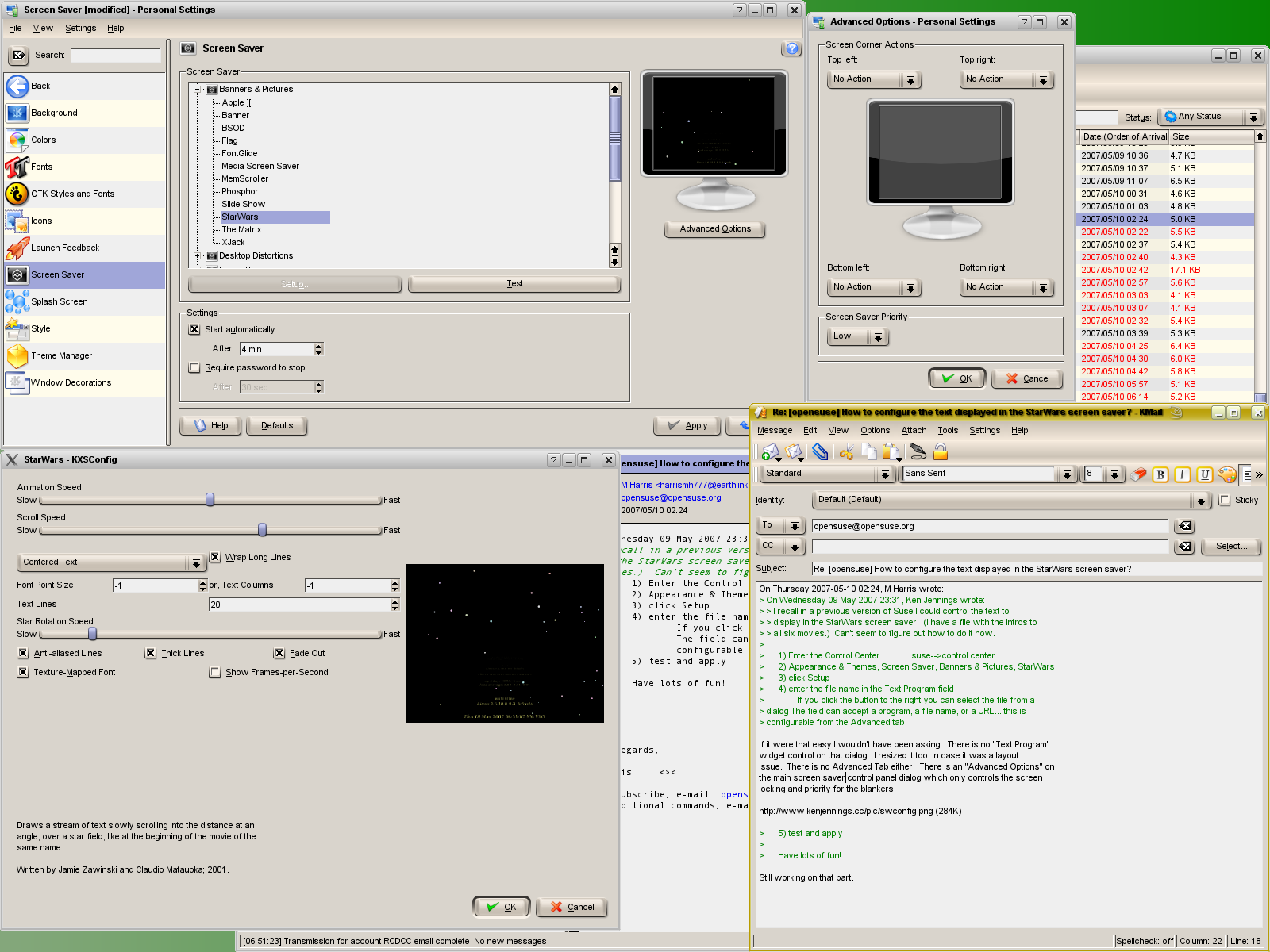
If it were that easy I wouldn't have been asking.  There is no "Text Program"
widget control on that dialog.  I resized it too, in case it was a layout
issue.  There is no Advanced Tab either.  There is an "Advanced Options" on
the main screen saver control panel dialog which only controls the screen
locking and priority for the blankers.

http://www.kenjennings.cc/pic/swconfig.png (284K)

>       5) test and apply
>
>       Have lots of fun!

Still working on that part.
--
To unsubscribe, e-mail: [EMAIL PROTECTED]
For additional commands, e-mail: [EMAIL PROTECTED]