Hello,
We released Oxygen XML Editor 19.1 a couple of days ago and I am pleased
to inform you that the possibility to navigate in visual order is now
available.
You can find more details here:
https://www.oxygenxml.com/doc/versions/19.1/ug-editor/topics/switch-editor-tab.html?hl=switch%2Cbetween%2Ceditor.
The page from our user guide the link provided above points to, also
reveals another feature added in the new version of our product: a new
dialog allowing the users to quickly switch to a certain editor chosen
from a filtered list of opened editors.
Regards,
Teo

--
Teo Timplaru
<oXygen/> XML Editor
http://www.oxygenxml.com


On 2/24/2014 2:16 PM, Oxygen XML Editor Support wrote:
Hi Peter,

The navigation in visual order will be optional (default disabled). The
default behavior will remain as it is now, navigation in order of use.

Regards,
Adrian

Adrian Buza
oXygen XML Editor and Author Support


On 21.02.2014 17:57, Peter Boot wrote:
If you implement this, please make it optional. I'd hate to miss navigation in
order of last used.
Peter
________________________________________
Van: [email protected] [[email protected]]
namens Jakob Fix [[email protected]]
Verzonden: vrijdag 21 februari 2014 16:33
Aan: Oxygen XML Editor Support
CC: oXygen User ML
Onderwerp: Re: [oXygen-user] Multi-row tabs?

+1

cheers,
Jakob.


On Fri, Feb 21, 2014 at 4:30 PM, Oxygen XML Editor Support
<[email protected]<mailto:[email protected]>> wrote:
Hi,

We actually have a feature request for this ("ctrl+tab and ctrl+shift+tab to
navigate left and right among the tabs").
I've added your vote for this.

Regards,
Adrian


On 20.02.2014 15:01, Jostein Austvik Jacobsen wrote:
I didn't know about Ctrl+F6; that's pretty nifty. I'll probably start using
that. Thanks!

Another tab-switching option that I think would be useful is to be able to use
ctrl+tab and ctrl+shift+tab to navigate left and right among the tabs. Right
now it navigates in order of last used, instead of left-to-right.

Regards
Jostein


On 20 February 2014 10:11, Oxygen XML Editor Support
<[email protected]<mailto:[email protected]>> wrote:
Hi,

We've investigated and the status has not changed. There is no API that allows
multiple rows of tabs for the docking framework editor tabs.

Please note that there are alternative means of seeing the full list of opened
files. There is a tiny widget (circled in red in the image below) on the right
side of the tab group that when pressed, it displays the list of editors:
[cid:[email protected]]

Alternatively if you want to switch to another editor by using the keyboard,
you can press Ctrl+F6/Ctrl+Shift+F6 (Next/Previous Editor) and a similar list
will appear. The list stays visible for as long as you keep Ctrl pressed and
you can also navigate the list with the arrow keys while keeping Ctrl pressed.
When you release the Ctrl key, the selected editor from the list will be
activated.

Regards,
Adrian


On 19.02.2014 18:23, Jostein Austvik Jacobsen wrote:
Great. Thanks.


Jostein


On 19 February 2014 16:42, Oxygen XML Editor Support
<[email protected]<mailto:[email protected]>> wrote:
Hi Jostein,

Currently this is not possible.
AFAIK, the JIDE docking framework (third party component) that handles the
editor tabs does not provide the possibility to configure multiple rows of tabs.
I've logged a request to investigate if this has changed and if possible, we
will provide an option for this.

Regards,
Adrian

Adrian Buza
oXygen XML Editor and Author Support

Tel: +1-650-352-1250 ext.202<tel:%2B1-650-352-1250%20ext.202>
Fax: +40-251-461482<tel:%2B40-251-461482>
[email protected]<mailto:[email protected]>
http://www.oxygenxml.com

On 19.02.2014 15:51, Jostein Austvik Jacobsen wrote:
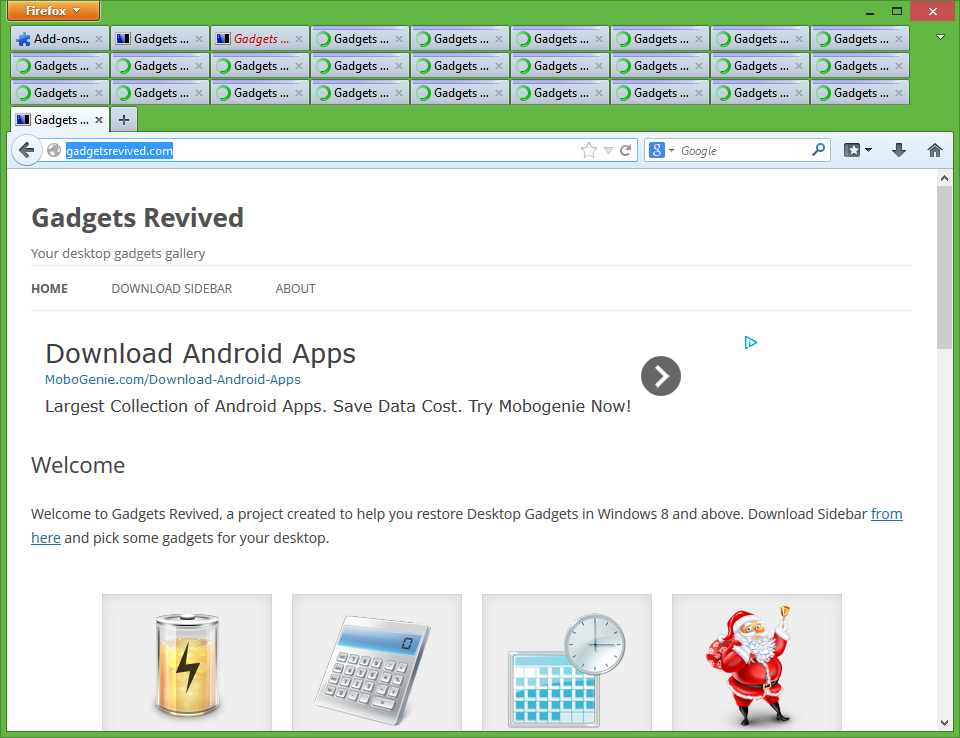
I often have a lot of XML-files open simultaneously. Is it possible to
configure multiple rows of tabs? Something similar to this:
http://winaero.com/blog/wp-content/uploads/2013/10/Firefox-with-multi-row-tabs.png

Jostein


_______________________________________________
oXygen-user mailing list
[email protected]<mailto:[email protected]>
http://www.oxygenxml.com/mailman/listinfo/oxygen-user


_______________________________________________
oXygen-user mailing list
[email protected]<mailto:[email protected]>
http://www.oxygenxml.com/mailman/listinfo/oxygen-user


--
Adrian Buza
oXygen XML Editor and Author Support

Tel: +1-650-352-1250 ext.202<tel:%2B1-650-352-1250%20ext.202>

Fax: +40-251-461482<tel:%2B40-251-461482>
[email protected]<mailto:[email protected]>
http://www.oxygenxml.com


--
Adrian Buza
oXygen XML Editor and Author Support

Tel: +1-650-352-1250 ext.202<tel:%2B1-650-352-1250%20ext.202>
Fax: +40-251-461482<tel:%2B40-251-461482>
[email protected]<mailto:[email protected]>
http://www.oxygenxml.com

_______________________________________________
oXygen-user mailing list
[email protected]<mailto:[email protected]>
http://www.oxygenxml.com/mailman/listinfo/oxygen-user
_______________________________________________
oXygen-user mailing list
[email protected]
http://www.oxygenxml.com/mailman/listinfo/oxygen-user
_______________________________________________
oXygen-user mailing list
[email protected]
https://www.oxygenxml.com/mailman/listinfo/oxygen-user