Hello,
I may have discovered a bug in Paraview's (version 3.6.1) save
screenshot feature. It seems to affect only wireframe representations.
Would someone please try to reproduce it. Here's how to do so:
1. Load any geometric object into Paraview, or create a geometric
primitive e.g. from the sources menu
2. Change the representation of the object to wireframe
3. Open the save screenshot dialog (File -> Save screenshot), and
increase the default width or height of the output image by at least one
pixel.
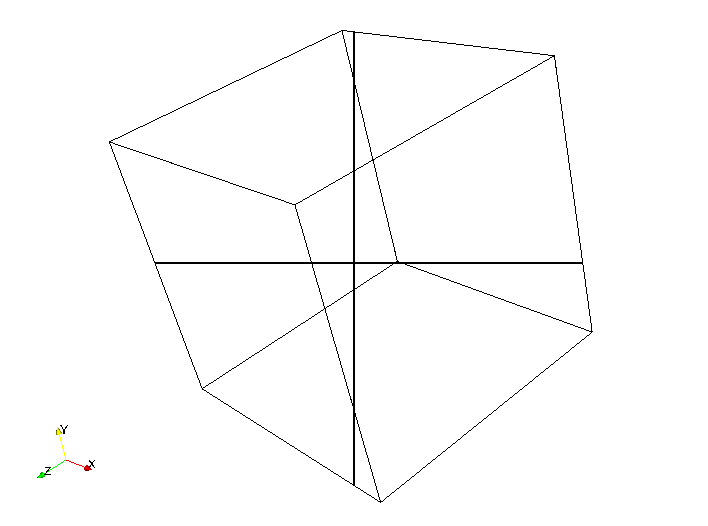
4. Complete the export and examine the output image. A cross is drawn
across the output image as shown in the url/image:
http://i17.photobucket.com/albums/b52/videohead/ParaviewScreenshot_Resolution_Bug.png
This artifact only observed when the default dimensions are increased. A
reduction in the default dimensions generates no such artifact.
Thanks,

- Olumide


_______________________________________________
Powered by www.kitware.com

Visit other Kitware open-source projects at
http://www.kitware.com/opensource/opensource.html

Please keep messages on-topic and check the ParaView Wiki at:
http://paraview.org/Wiki/ParaView

Follow this link to subscribe/unsubscribe:
http://www.paraview.org/mailman/listinfo/paraview