iPeng for iPhone runs fine on the iPad and it also should work there.
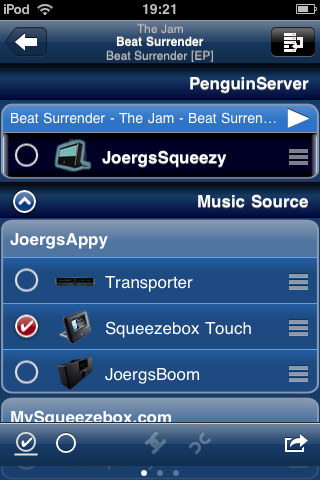
Have you tried to tap the "Music Sources" bar?
http://penguinlovesmusic.de/wp-content/gallery/ipeng-1-2/IMG_0227.PNG
Sometimes it happens that the App doesn't get a good internet
connection on startup, usually it helps to go to home and re-enter the
App but if not, try to force-quit and restart the App.

If you press "home" the App will not quit, to really quit it you need
to go back to home, doubleclick the "home" button on the iPad until the
"Task Bar" comes up, then "hold" the iPeng icon until it wobbles and
then press the red "-".

After that, please restart iPeng.


--
pippin

---
see iPeng, the Squeezebox iPhone remote and
*New: iPeng for iPad*, at penguinlovesmusic.com
------------------------------------------------------------------------
pippin's Profile: http://forums.slimdevices.com/member.php?userid=13777
View this thread: http://forums.slimdevices.com/showthread.php?t=86238

_______________________________________________
plugins mailing list
[email protected]
http://lists.slimdevices.com/mailman/listinfo/plugins