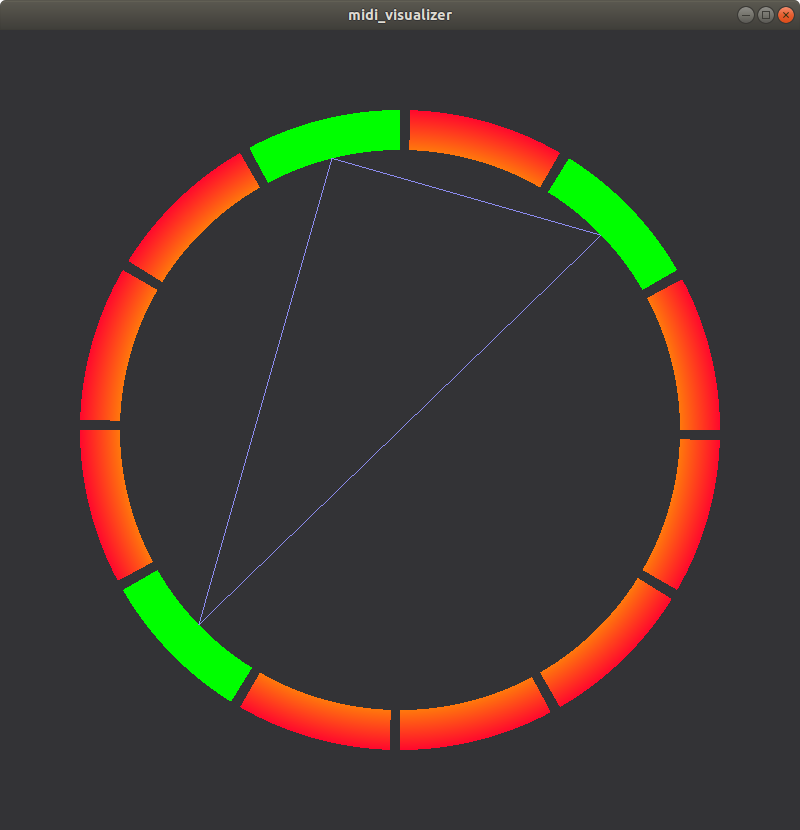
As a quick followup, I found my Midi keyboard, and tried some things.
I had good luck with the `rtmidi` module:
https://pypi.python.org/pypi/python-rtmidi
It's pretty easy to open up a midi device, and create a callback for key
presses. Instead of using the "on_key_press" events in pyglet, you can use
the rtmidi callback to set the characters. You will need to determine what
the midi data actually means, and create some kind of mapping. A dictionary
will work well for that.

import time
import rtmidi


midi_in = rtmidi.MidiIn()

available_ports = midi_in.get_ports()
print(available_ports)

# I have a USB midi keyboard, and device #2 is the input:
port = midi_in.open_port(2)


def printer(message, data):
    # Actually update something here
    print(message, data)


port.set_callback(printer, data=None)

while True:
    # Dumb event loop
    time.sleep(1)


On Wednesday, March 7, 2018 at 2:34:34 PM UTC+9, Benjamin Moran wrote:
>
> Hi Eelke,
>
> Sorry, I've been very busy the last week.  It seems like you're making
> good progress! Not bad for your first project.
>
> *In answer to your previous questions:*
> In simple terms, the on_draw method is called whenever you press a key or
> resize the window.  This is an "event driven" programming style, and it
> works well for GUI applications. After all, the screen does not need to be
> updated if nothing changes.
> For more graphical applications, such as games, you want a steady update
> (such as 60fps). To do that, just use the `pyglet.clock.schedule_interval`
> function. This will cause the window to be redrawn as necessary.
>
> For graphical effects, you could do it with Sprites. You could also do it
> with OpenGL shaders, but it will require some knowledge of shader
> programming. I would recommend you skip this step for now, and come back to
> it after the functionality is more complete.
>
> For reading your physical Midi device, it seems that `mido` is popular
> these days. Mido uses the rtmidi or portmidi backends. It will require you
> to install that library as well.
> As a first step, I would try to create a small program that will read your
> keyboard, and print your key presses out to the console. After you have
> that working, it should be pretty easy to implement it into your pyglet
> project.
>
> I think I have an old Midi keyboard laying around. I might give it a try
> as well.
>
>
> On Monday, March 5, 2018 at 2:42:48 PM UTC+9, Eelke Johnson wrote:
>>
>>
>> <https://lh3.googleusercontent.com/-kR9Uo8Pi07Y/WpzWz1wsGnI/AAAAAAAAAFk/K0yyJZsCiOg5o0-OyI2RUFxSHYoWMoQXwCLcBGAs/s1600/capture.png>
>> Hi community,
>>
>> I updated my small project. I reviewed how my code works and I
>> implemented chord lines between notes.
>>
>> Now, I need your suggestions :)
>> I want to improve the visual part with a glow effect when a note is
>> played like in the software synthétisa. have you any idea how to implement
>> it?  I listen to your commentaries and if you have another good idea I take
>> it!
>>
>> My second challenge is to implement it with my midi keyboard. There isn't
>> many documentation available online. Do you have any ressources for a
>> pyglet program who use midi input?
>>
>> Thank you for your support :D I'm proud of the result and I hope I can
>> keep it moving straight forward !
>>
>> Eelke (way2key)
>>
>

--
You received this message because you are subscribed to the Google Groups
"pyglet-users" group.
To unsubscribe from this group and stop receiving emails from it, send an email
to [email protected].
To post to this group, send email to [email protected].
Visit this group at https://groups.google.com/group/pyglet-users.
For more options, visit https://groups.google.com/d/optout.