I had many problems these days compiling qgis in qtcreator... solved
removing the build directory and the generated
CMakeLists.txt.user
then run cmake again and compile from scratch... this solved in my case
(was compiled without python and other strange stuffs)... no idea if this
can help

Luigi Pirelli

**************************************************************************************************
* LinkedIn: https://www.linkedin.com/in/luigipirelli
* Stackexchange: http://gis.stackexchange.com/users/19667/luigi-pirelli
* GitHub: https://github.com/luipir
* Book: Mastering QGIS3 - 3rd Edition
<https://www.packtpub.com/eu/application-development/mastering-geospatial-development-qgis-3x-third-edition>
* Hire a team: http://www.qcooperative.net
**************************************************************************************************


On Thu, 12 Nov 2020 at 15:45, Richard Duivenvoorde <[email protected]>
wrote:

> Still having troubles starting QGIS in debug in QtCreator in my setup
> today.
>
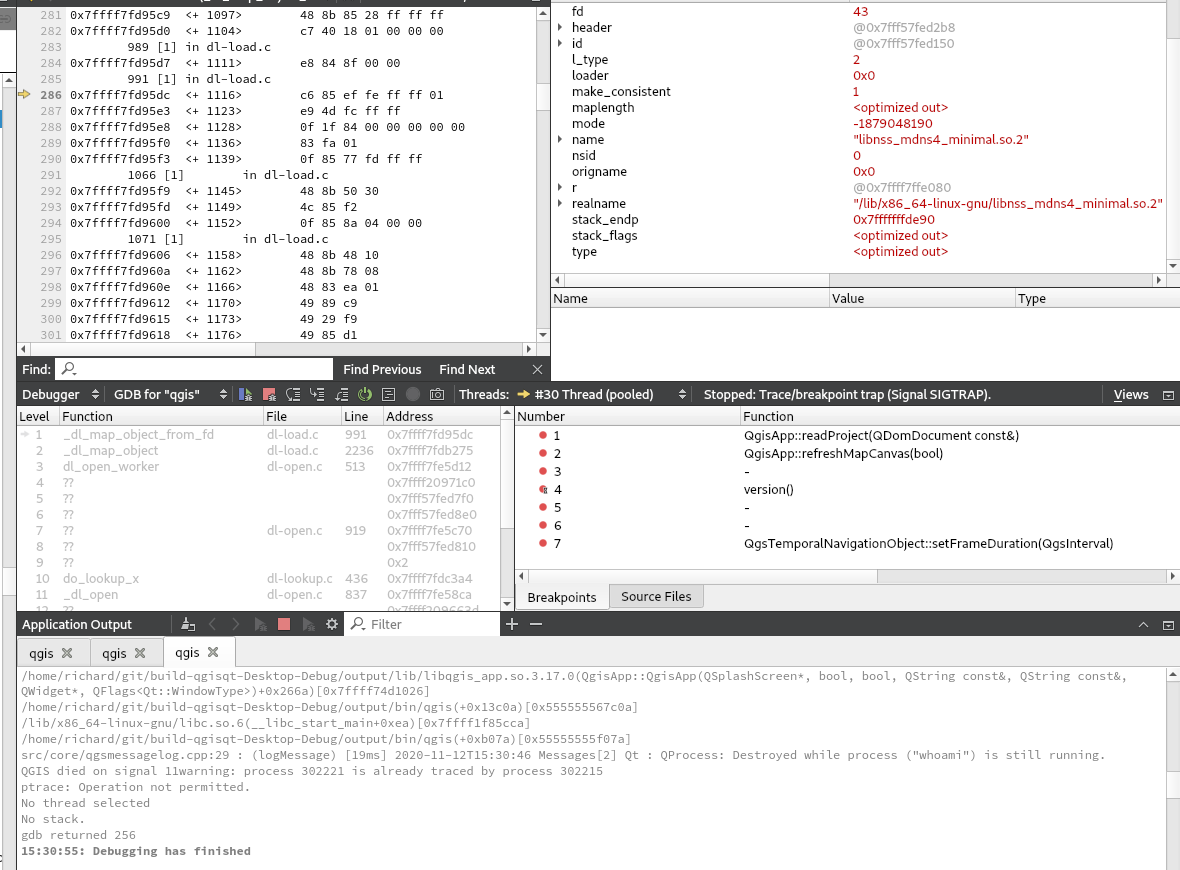
> See https://duif.net/qc.png
>
> So QGIS (in QtCreator) starts, and during startup it stops and shows me
> the dissassembler(?) view. Sometimes I can see something (like in this
> screendump: something with libnss ?) sometimes all is white/empty.
>
> Last this I in the log is: "Destroyed while process ("whoami"), which
> according to git is recently changed but... does not seem related to me:
>
> https://github.com/qgis/QGIS/commit/7a38388a8762503b0bdba55065fffea2ff24137a
>
> Regards,
>
> Richard
>
>
>
> On 11/11/20 9:16 AM, Richard Duivenvoorde wrote:
> > Hi,
> >
> > Currently in my Qt build I cannot debug QGIS in qtcreator because it
> hangs/stops when showing the splash.
> > After some time the Application Output shows:
> >
> > ../../src/core/qgsmessagelog.cpp:29 : (logMessage) [60891ms]
> [thread:0x5555560d9d00] 2020-11-11T08:58:15 [1] HTTP fetch
> https://feed.qgis.org/?after=1605081272&lang=en failed with error
> Operation canceled
> > ../../src/core/qgsmessagelog.cpp:29 : (logMessage) [0ms]
> [thread:0x5555560d9d00] 2020-11-11T08:58:15 Network[1] Network request
> https://feed.qgis.org/?after=1605081272&lang=en timed out
> >
> > I am connected, and https://feed.qgis.org/?after=1605081272&lang=en is
> available from my browser.
> >
> > Disabling: 'Show QGIS news feed on welcome page' and 'Check QGIS version
> at startup' fix this.
> >
> > Others have this issue currently?
> >
> > (I hit my head also with this sometimes when in mixed/http proxied
> environments
> > I still think we should use 'opt in' for these 'QGIS phoning home stuff'
> instead of 'opt out')
> >
> > Regards,
> >
> > Richard Duivenvoorde
> >
> > _______________________________________________
> > QGIS-Developer mailing list
> > [email protected]
> > List info: https://lists.osgeo.org/mailman/listinfo/qgis-developer
> > Unsubscribe: https://lists.osgeo.org/mailman/listinfo/qgis-developer
> >
>
> _______________________________________________
> QGIS-Developer mailing list
> [email protected]
> List info: https://lists.osgeo.org/mailman/listinfo/qgis-developer
> Unsubscribe: https://lists.osgeo.org/mailman/listinfo/qgis-developer
_______________________________________________
QGIS-Developer mailing list
[email protected]
List info: https://lists.osgeo.org/mailman/listinfo/qgis-developer
Unsubscribe: https://lists.osgeo.org/mailman/listinfo/qgis-developer