Hi All,

New to Qubes so hopefully I just missed some thing obvious.  When
resuming from suspend on Lenovo X1 Carbon (gen3) with fresh Qubes 4.0
install I'm loosing access to the physical disk on resume.
This looked very similar to
https://github.com/QubesOS/qubes-issues/issues/3049 and is first
noticeable as  I/O errors in App VMs and Dom0, but that but was closed
a long time ago so presumably a new install followed bu dom0-update
should get me caught up with that?

To cut out various other hardware resume issues I replicated this with
all network and usb VMs down just Dom0 and a "vault" style no-network
AppVM running.

Repeating with closing the lid in text  console (rather than Xwindows)
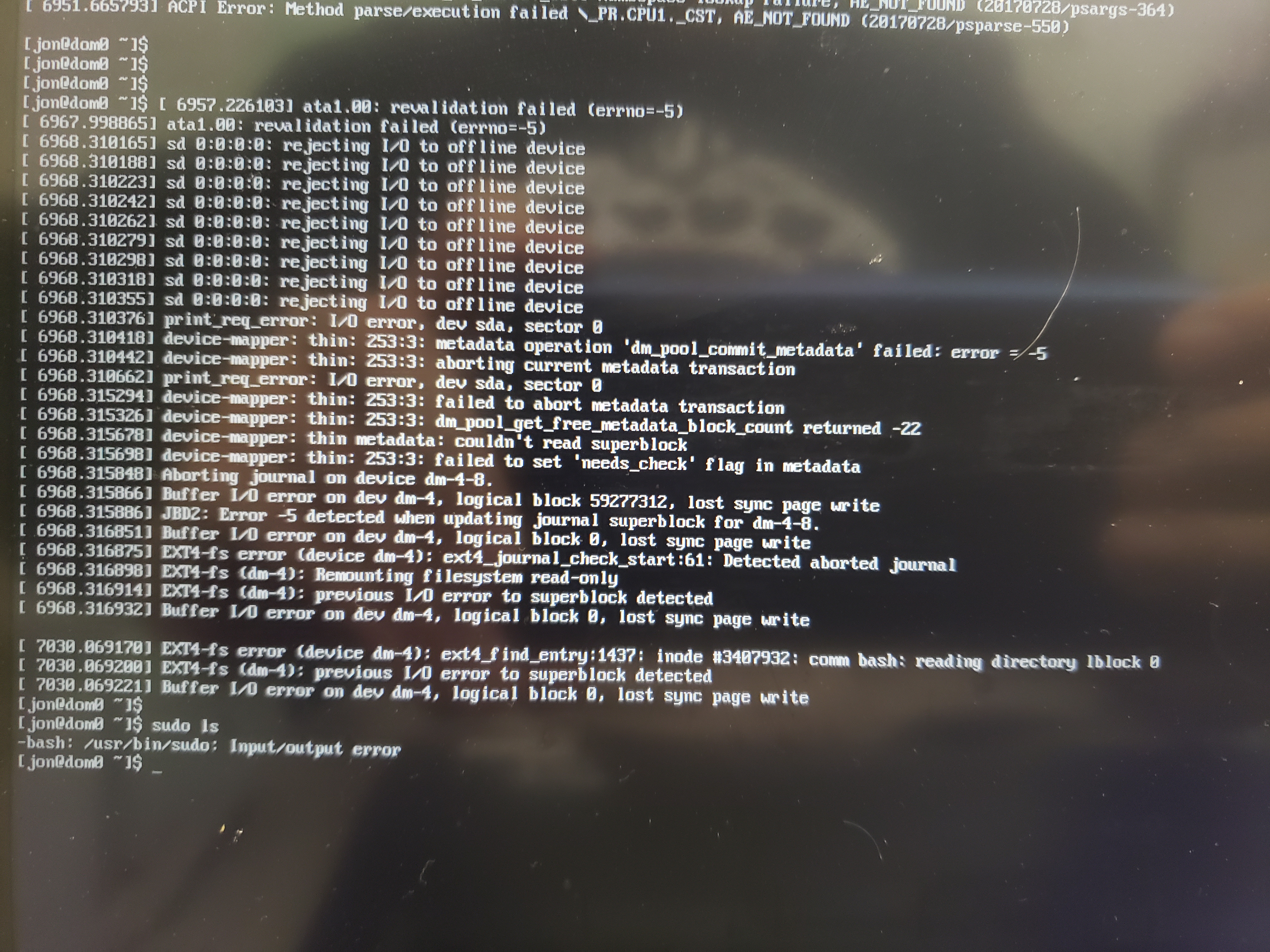
I can see (but not effectively copy) error messages.

ACPI Error: [\_PR_.CPU0._CST] Namespace lookup failure, AE_NOT_FOUND
(20170728/psparse-364)
ACPI Error: Method parse/execution failed \_PR.CPU1._CST, AE_NOT_FOUND
(20170728/psparse-550)

ata1.00: revalidation failed (errno=-5)
ata1.00: revalidation failed (errno=-5)
sd 0:0:0:0: rejecting I/O to off lien device

then a bunch of device-mapper and EXT4 errors that likely result from
that initial failure. from time stamps the ACPI errors appear to be
when going to sleep though not 100% sure the disc errors are
definitely on resume.  screenshot here:
https://people.csail.mit.edu/jon/qubes_disk_error.jpg

I was previously running Debian Testing and a few older Ubuntu
releases and they had been OK with resume from sleep on this hardware.
Maybe there's something extra I need to poke in Fedora land? I found
some notes about blacklisting wireless modules in net domain but
nothing Dom0 related.

Any clues?

Thanks,
-Jon

--
You received this message because you are subscribed to the Google Groups
"qubes-users" group.
To unsubscribe from this group and stop receiving emails from it, send an email
to [email protected].
To post to this group, send email to [email protected].
To view this discussion on the web visit
https://groups.google.com/d/msgid/qubes-users/CABZB-shNn5uMjj424RR2zNohH8SBcOfPyj6n7kghafbmBqeQNw%40mail.gmail.com.
For more options, visit https://groups.google.com/d/optout.