[email protected]:
Qubes OS version:
R4.0
Affected component(s):

Intel Wireless N 1000
Steps to reproduce the behavior:

I installed QubesOS R4.0 and made it to the installation configuration page
(where the system finishes installing, reboots, and then you are prompted with
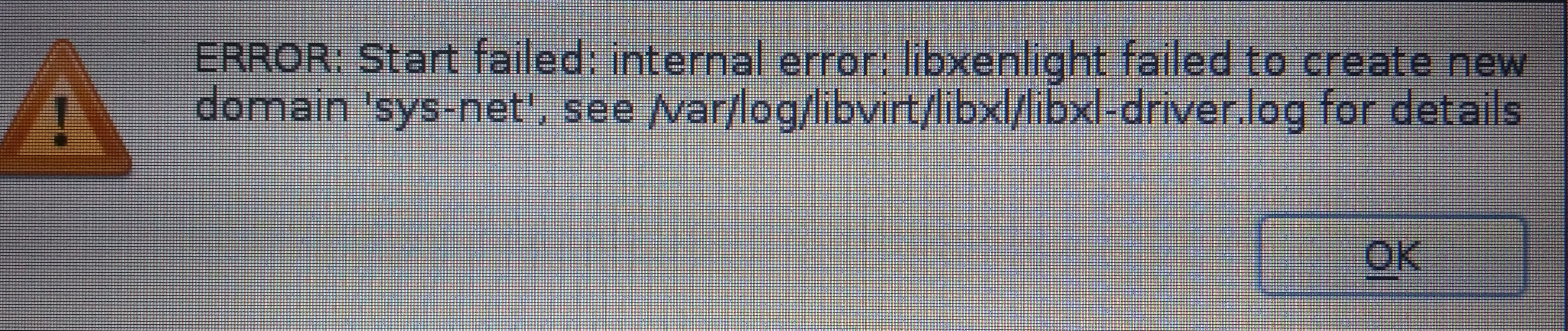
the config finishing installer) and I received this error

https://user-images.githubusercontent.com/39247961/50731397-6d84cc00-1131-11e9-94f2-d9bf852283de.jpg

I also get this error message when I log into my QubesOS user and try to start
sys-net as my WiFi does not work and the little Network applet on the panel is
nowhere to be found.

This is what comes up when I check the log,

https://user-images.githubusercontent.com/39247961/50731447-a07b8f80-1132-11e9-9d4d-d6c061e0497d.jpg

And I have tried to run the command to force attach the wireless card but I get
this

https://user-images.githubusercontent.com/39247961/50731449-ab362480-1132-11e9-9694-d3f6e34bd3b4.jpg

So I try the commands

"sudo qvm-prefs sys-net virt_mode hvm"

But I still get the same error as above.

Any ideas? I installed qubesOS on this machine back in 2017 and simply kept
updating it up to R3.2 (I think) and it always worked wonderfully. However R4.0
has this issue so I tried installing R3.2 and my WiFi card also did not work,
R3.0 as well, but if I try Xubuntu 18.04/18.04 or any other distro my WiFi
works fine. So idk what it is.
Are the virtualization option(s) enabled in your BIOS settings? Does
your laptop support hardware virtualization?
https://www.qubes-os.org/faq/#can-i-install-qubes-4x-on-a-system-without-vt-x-or-vt-d
--
You received this message because you are subscribed to the Google Groups
"qubes-users" group.
To unsubscribe from this group and stop receiving emails from it, send an email
to [email protected].
To post to this group, send email to [email protected].
To view this discussion on the web visit
https://groups.google.com/d/msgid/qubes-users/0082274c-dce2-e1d5-47d9-9f2fdd92849c%40danwin1210.me.
For more options, visit https://groups.google.com/d/optout.