On Sat, 21 Jun 2025, heasley wrote:
Wed, Jun 18, 2025 at 11:22:23PM +0000, Dan Mahoney (Gushi):
Hey there all,
Something's driving me batty.

My ASR-1001-X is only able to be connected to intermittently.  Rancid (run
as the rancid user) always works from the command line, but rancid-run fails
for some reason.

When I watch rancid-run, I see several ssh processes start up, trying to
shell to the router in question, but of course, the output of those aren't
logged anywhwere?  Clogin works.  Running all the commands in rancid -d work
(though of course there are many extra commands in there).
There should only be 1 ssh process per device, though it will try
rancid.conf:MAX_ROUNDS times.

Much of the output is filtered, but effort is made to log relevant
errors to rancid.conf:${LOGDIR}/<group>.<datestamp>

It is possible that the device is simply slow executing some commands.
This is not unusual for older devices or because of bugs such as
memory leaks.  Increasing the timeout can test this theory, either
increase the timeout for all devices of type cisco,
rancid.types.base: cisco;timeout;120
Interesting, this line wasn't in my existing rancid.types.base for type
cisco. I've added it at 300 in both the conf file and cloginrc.
But it seems not to be honored. For example, at the time of one of the
failures, I get:
$ time rancid-run
       57.43 real         3.20 user         0.40 sys

And also, ps seems to report it's being hard-set at 90:
rancid 87909 2.1 0.1 18324 6952 0 S+ 17:40 0:00.06
/usr/local/bin/expect -- /usr/local/libexec/rancid/clogin -t 90 -c show
version;show redundancy secondary;show idprom backplane;show install
active;show env all;show rsp chassis-info;show gsr chassis;show diag
chassis-info;show boot;show bootvar;show variables boot;show license
udi;show license feature;show license;show license summary;show
activation-key (...)
Weirdly, sitting on the router and stalking "who" I see the rancid login
happen multiple times.
Adding a couple of quotes and running the full clogin command line always
runs quickly.
or specific devices,
~rancid/.cloginrc: add timeout <name glob> {<seconds>}
But every time I call rancid-run groupname, I get the "routers have not been
contacted in over 24 hours" email.  And only intermittently.  (It's been a
little over 24 hours with no changes now).
Another thing to check, which would also be revealed in the
aforemention logs, is that the repository is not buggered in
some manner that control_rancid can not resolve.
su - rancid
cd <group>
<SCM> update or <SCM> status
and look for errors.

Those are the things that I would investigate or try first.
cvs up/cvs status run clean.

I even deleted and re-added the file from cvs.

When it works, it works.  This is what's confusing me.

===

(a few hours later)
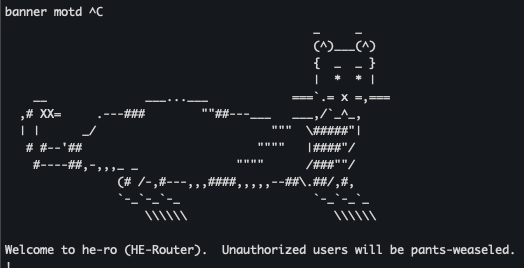
I think I have one (silly) theory about what's going wrong. I have a bit
of ASCII art in the motd, and when I removed it, things started running
more fluidly. (It has # signs, carets, and slashes in it).
https://www.gushi.org/routerferret.png  Too many weasels in the router.

I still don't know why this would only break things half the time, though.
I still don't know why things always work fluidly when I just paste
commands in -- perhaps the clogin goes fine, but what happens after is
breaking.
I also still don't know why -t 90 is being reported if I've set an
explicit timeout of longer.
I'm also not sure why rancid does something like:
more system:running-config;show running-config view full;show
running-config;write term -- if multiple of these commands work, are they
post-processed/deduplicated down to a single config before they're
committed to CVS?
Does it make sense to pare these down to a single command-set that works
only on my version of IOS-XE, and define my own device type for it?
Rancid seems to have a very "throw all the commands at the wall and see
what sticks" point of view.
-Dan

--

--------Dan Mahoney--------
Techie,  Sysadmin,  WebGeek
Gushi on efnet/undernet IRC
FB:  fb.com/DanielMahoneyIV
LI:   linkedin.com/in/gushi
Site:  http://www.gushi.org
---------------------------

_______________________________________________
Rancid-discuss mailing list
[email protected]
https://www.shrubbery.net/mailman/listinfo/rancid-discuss