Hi Gerlos,

The version of the program you have, 0.9.0a4, is alpha quality software.
Not all its features have been written—while pretty much everything under
the hood has been written, some elements of the user interface that
configure them have not been. The missing features are the components of
the graphical user interface that are used to configure file renaming,
backups, and miscellaneous other program preferences.
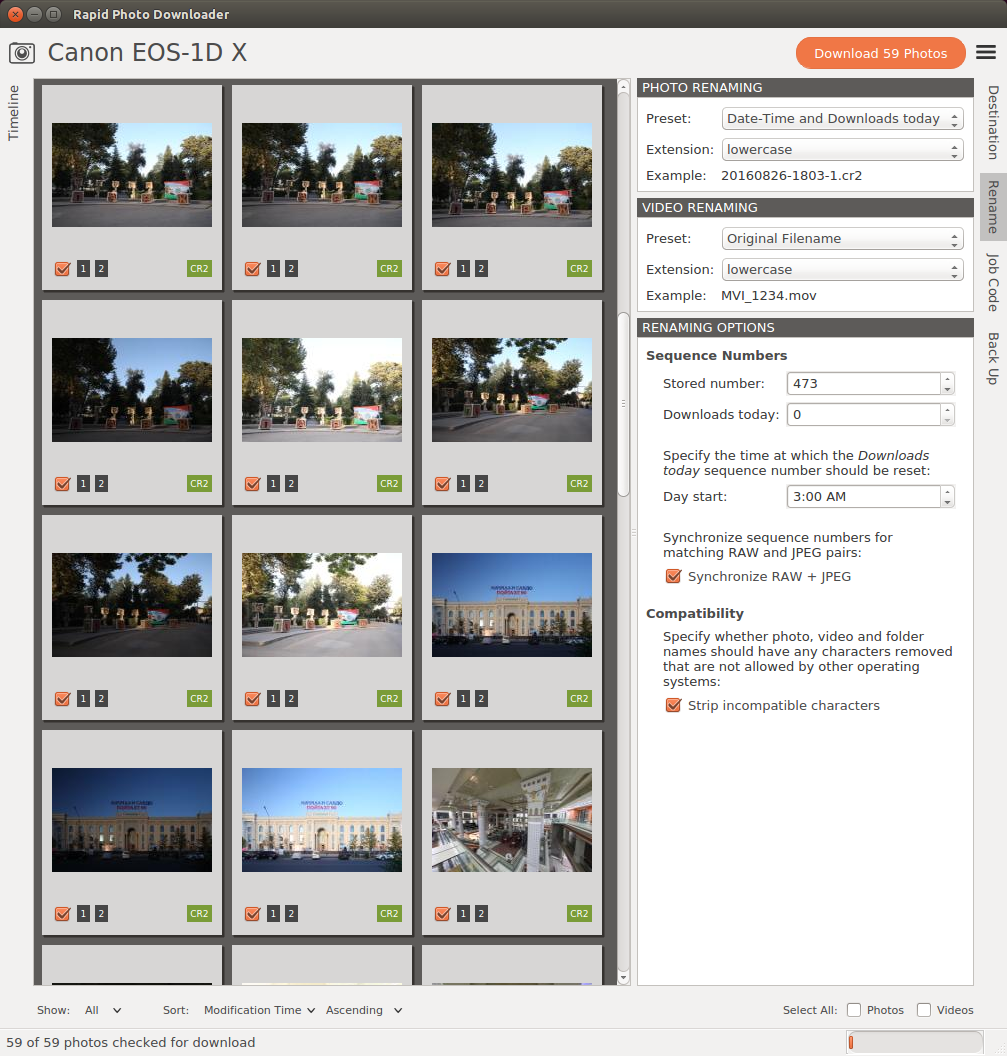
Version 0.9.0a5 is under development. The file renaming code is almost done:

http://damonlynch.net/rapid/screenshots/beta/090a5photo-renaming.png

What's holding things back at the moment is the fact that generating sample
file names using files found on cameras is more tricky than might first
appear. It requires first downloading a portion of the file (photo or
video) so its metadata can be read. How much of the file to download
depends very much on the file type e.g. CR2 vs ARW, AVI vs. MOV etc.

Furthermore I need to make it compatible with PyQt 5.7, particularly
because that is what Ubuntu 16.10 ships with.

Best,
Damon

On Fri, Oct 7, 2016 at 5:16 AM, gerlos <[email protected]> wrote:

> Hello everyone,
> I just discovered Rapid Photo Downloader, and I'm trying to fit in my
> photographic workflow, possibly replacing my cli scripts!
>
> I've installed version 0.8.0a4 on Ubuntu 16.04 following instructions
> found here: http://www.damonlynch.net/rapid/download.html
>
> Here's what I'd like to do:
> - Import photos from a path, say /foo/bar/, to a subdir of my collection
> located at ~/Pictures/Library/, say 2016-10-07 (I'd like to use the import
> date)
> - Each imported photo should be renamed like this: 2016-10-07 16:30 Camera
> Maker_ Camera Model.jpg (here I'd like to use capture date and time)
>
> I got the first step right, but can't find a way to tell the software
> about my custom file name.
> When I click on "Rename" on the right side bar, nothing happens (the side
> bar tab only change its appearance). I got the same behaviour when I click
> on the other sidebar buttons. Only the "Destination" one seems to work,
> toggling the destination path tree.
>
> Am I missing something? How do I tell the app to rename my files following
> my pattern?
>
> I've looked also at rapid-photo-downloader --help, but couldn't find
> helpful hints to setup renaming patterns.
>
> thanks in advance,
> gerlos
>
>
>
> _______________________________________________
> Mailing list: https://launchpad.net/~rapid-users
> Post to     : [email protected]
> Unsubscribe : https://launchpad.net/~rapid-users
> More help   : https://help.launchpad.net/ListHelp
>
>


--
http://www.damonlynch.net
_______________________________________________
Mailing list: https://launchpad.net/~rapid-users
Post to     : [email protected]
Unsubscribe : https://launchpad.net/~rapid-users
More help   : https://help.launchpad.net/ListHelp