THAT is way cool, Razzak!

Bruce Chitiea
SafeSectors, Inc.
909.238.9012 Mobile
------ Original Message ------
Sent: 12/28/2016 9:36:04 AM
Subject: [RBASE-L] - Tip of the Day: Displaying Thumbnail Images With
the File List Box
From: "A. Razzak Memon" <[email protected]>
To: [email protected]
Cc:

Wednesday, December 28, 2016

Tip of the Day: Displaying Thumbnail Images With the File List Box
Product.......: R:BASE X/X Enterprise (Version 10)
Build.........: 10.0.2.11227 or higher
Section.......: Forms
Keywords......: File List Box, Images, Thumbnails
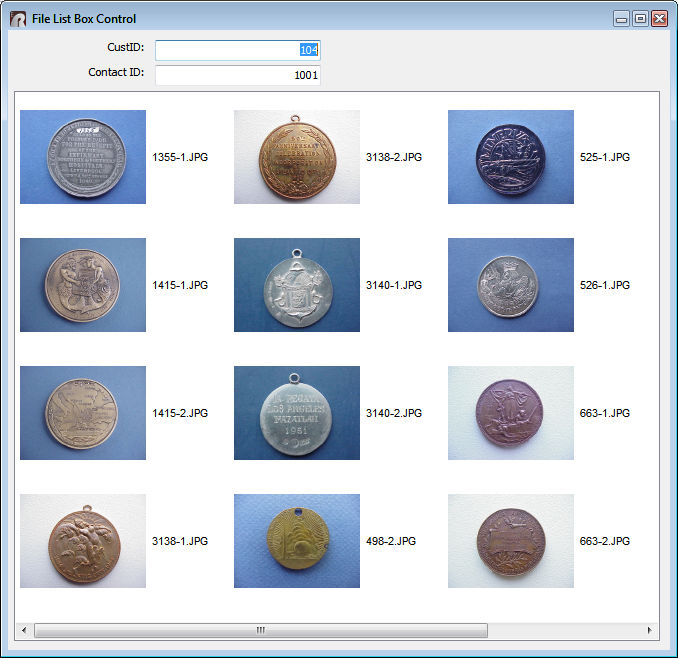
Did you know that you can display file thumbnails within the File List
Box control?
A new "Extract Thumbnail Cache" setting allows for the control to
display images for files
within a folder. The setting gets the file's thumbnail, which is not
limited to image files.
It can also extract thumbnails of other files, just like Windows
Explorer.
To increase the size of the thumbnail, adjust the "Item Height" setting,
to perhaps 128.
The following is an example of what the File List Box can display:
http://www.razzak.com/tips/FileListbox_ImageSample.jpg

Very Best R:egards,

Razzak.

www.rbase.com
www.facebook.com/rbase
-- 33 years of continuous innovation!
18 Years of R:BASE Technologies, Inc. making R:BASE what it is today!
--
-- You received this message because you are subscribed to the Google
Groups "RBASE-L" group.
To unsubscribe from this group and stop receiving emails from it, send
an email to [email protected].
For more options, visit https://groups.google.com/d/optout.

--
You received this message because you are subscribed to the Google Groups
"RBASE-L" group.
To unsubscribe from this group and stop receiving emails from it, send an email
to [email protected].
For more options, visit https://groups.google.com/d/optout.