Thx Karen but I do declare the variable in the eep.

SET VAR veinv1 TEXT
Here is my form. Not as pretty as Razzaks…

The part# and location are scanned from barcodes. The numbers are only for the
Count field.

[cid:[email protected]]

Dan Goldberg


From: karentellef via RBASE-L [mailto:[email protected]]
Sent: Tuesday, January 3, 2017 8:31 AM
To: [email protected]
Subject: Re: [RBASE-L] - Designing and Deploying R:BASE XE Mobile Apps for
Field/Shop Workers

Just a wild guess.  Are you sure the veinv1 variable is a text after it does
the getproperty?  If it's a number, the addition of the period would fail.

Karen


-----Original Message-----
From: Dan Goldberg <[email protected]<mailto:[email protected]>>
To: rbase-l <[email protected]<mailto:[email protected]>>
Sent: Tue, Jan 3, 2017 10:18 am
Subject: RE: [RBASE-L] - Designing and Deploying R:BASE XE Mobile Apps for
Field/Shop Workers

That is cool. I have one similar for my cycle counters.

The only problem I have is inserting the period.

Here is my eep when they hit the period button.

GETPROPERTY cinv1 TEXTVALUE 'veinv1'
SET VAR veinv1 = (.veinv1 + '.')
PROPERTY cinv1 TEXTVALUE .veinv1

The numbers work fine but I cannot get the period to add at the end.

How do you get the period to add in the field?

Dan Goldberg


-----Original Message-----
From: [email protected]<mailto:[email protected]>
[mailto:[email protected]<mailto:[email protected]?>] On Behalf
Of A. Razzak Memon
Sent: Friday, December 30, 2016 11:41 AM
To: [email protected]<mailto:[email protected]>
Subject: [RBASE-L] - Designing and Deploying R:BASE XE Mobile Apps for
Field/Shop Workers

Friday, December 30, 2016

Topic..: Designing and Deploying R:BASE XE Mobile Apps for Field/Shop Workers
Version: R:BASE X Enterprise (Version 10)

When designing and deploying R:BASE X Enterprise mobile applications for
field/shop workers, it is very important to keep their keyboard input as
automated as possible.

You also need to consider screen resolution of all mobile devices involved in
using your R:BASE XE application on Wireless LAN and MS Server 2012 R2 Cloud
environments.

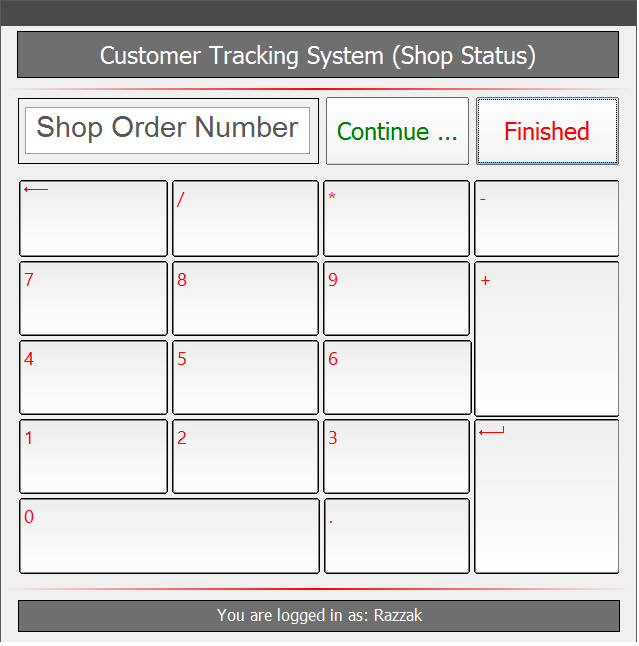
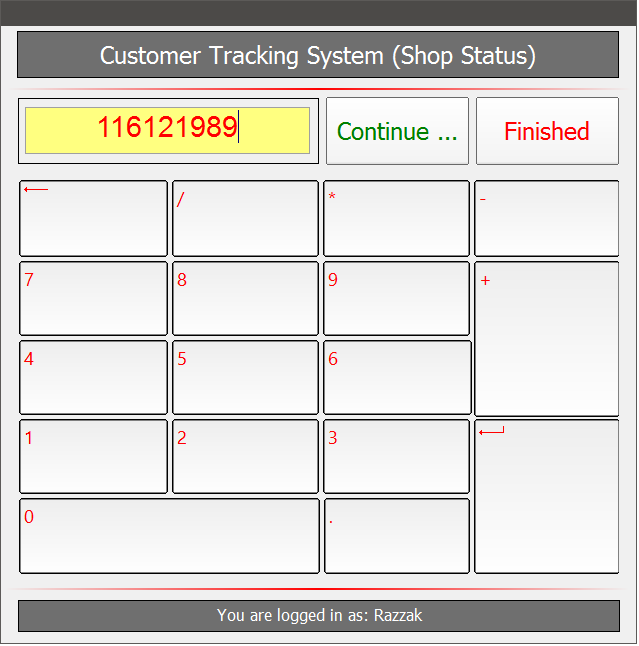
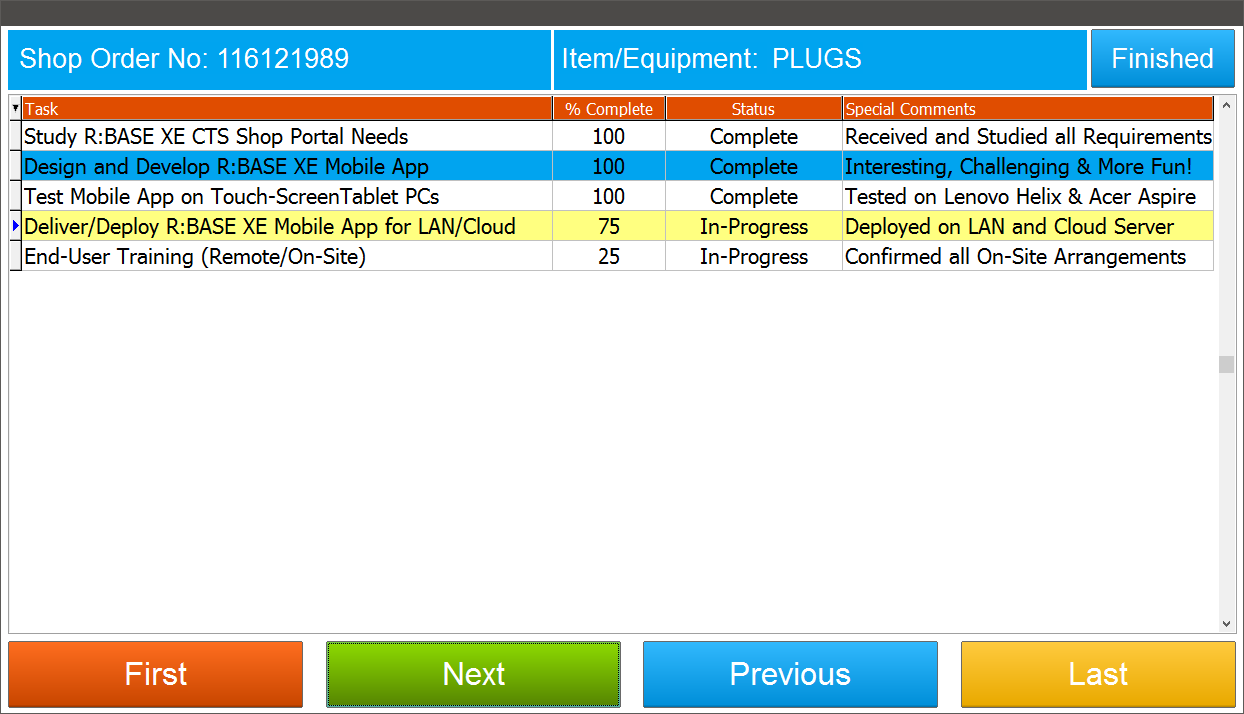
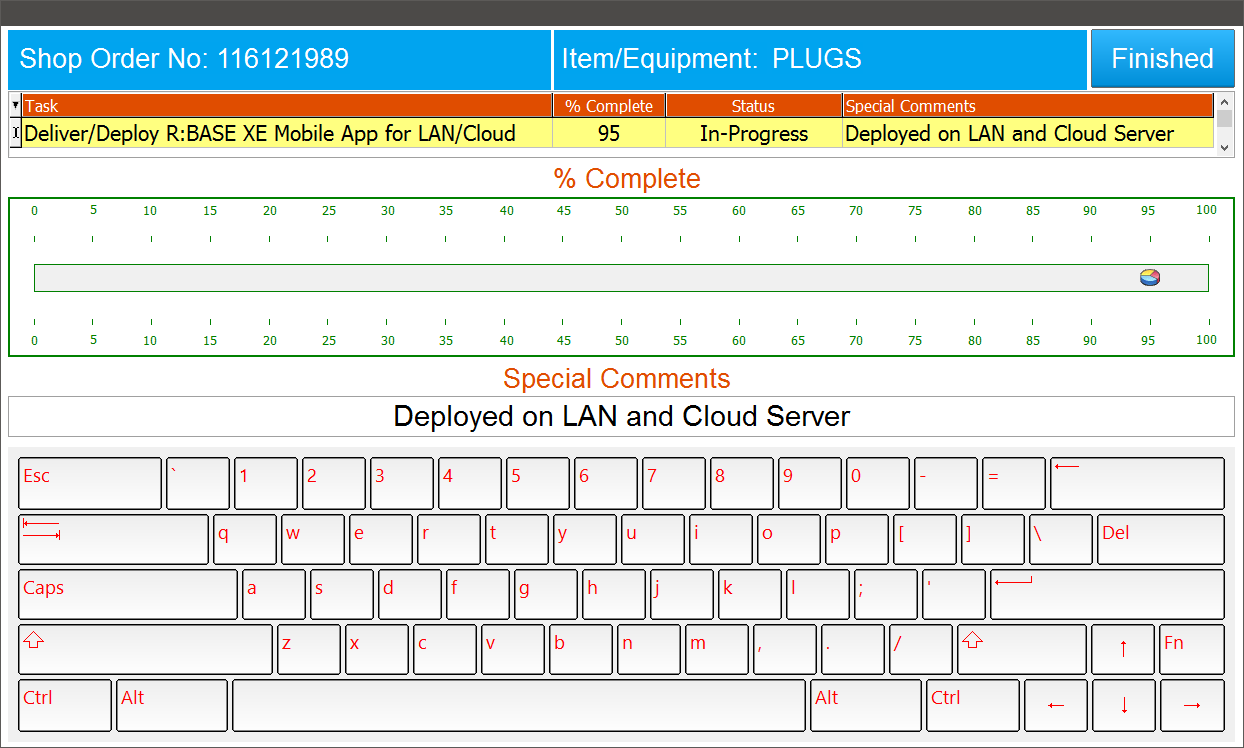
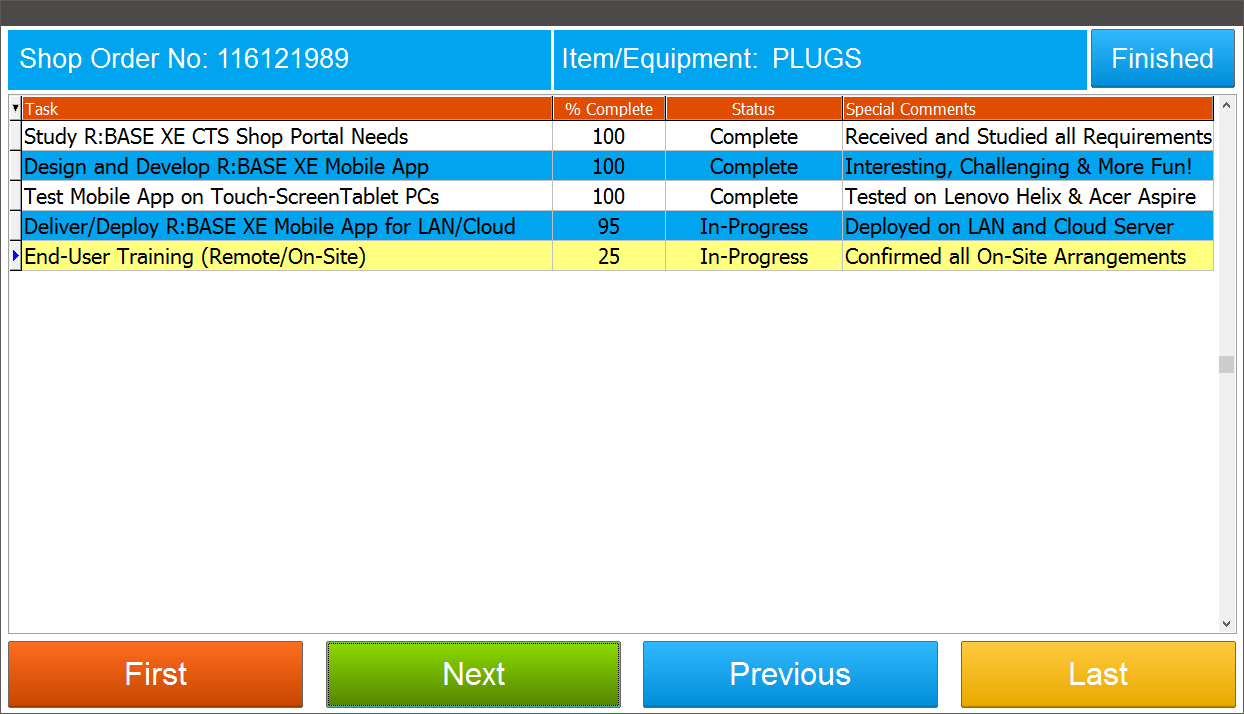
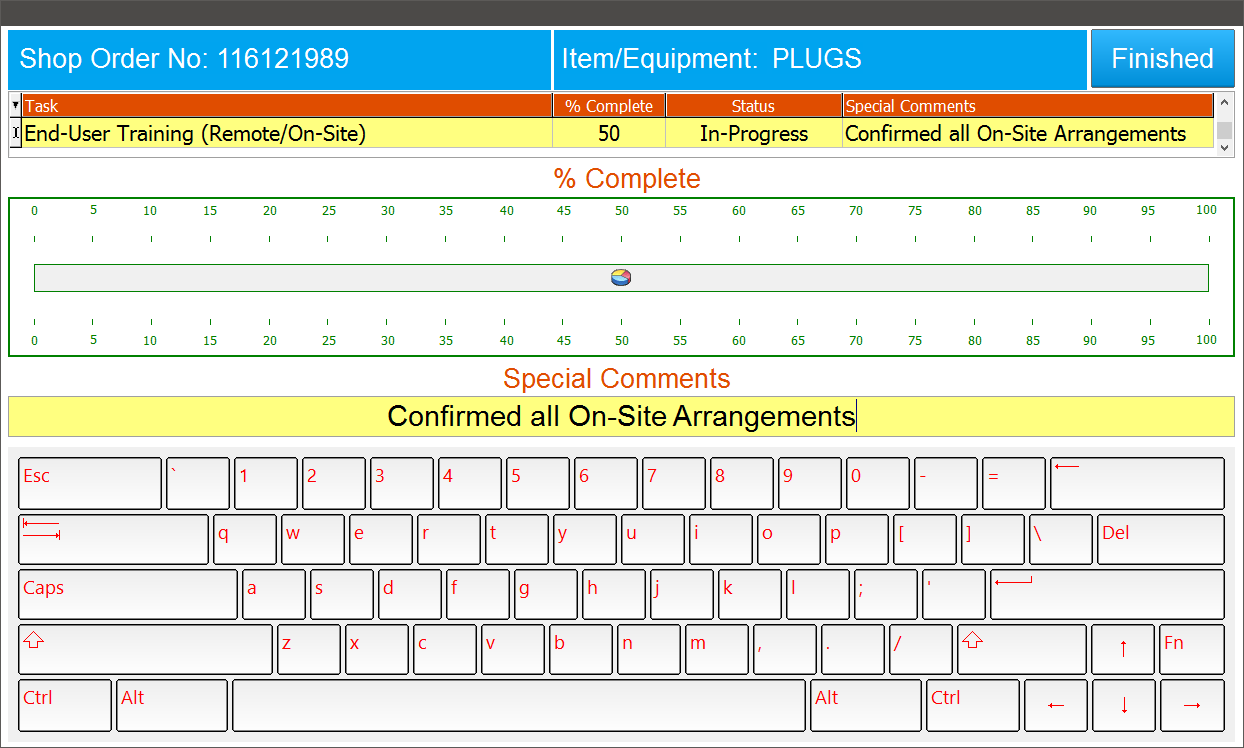
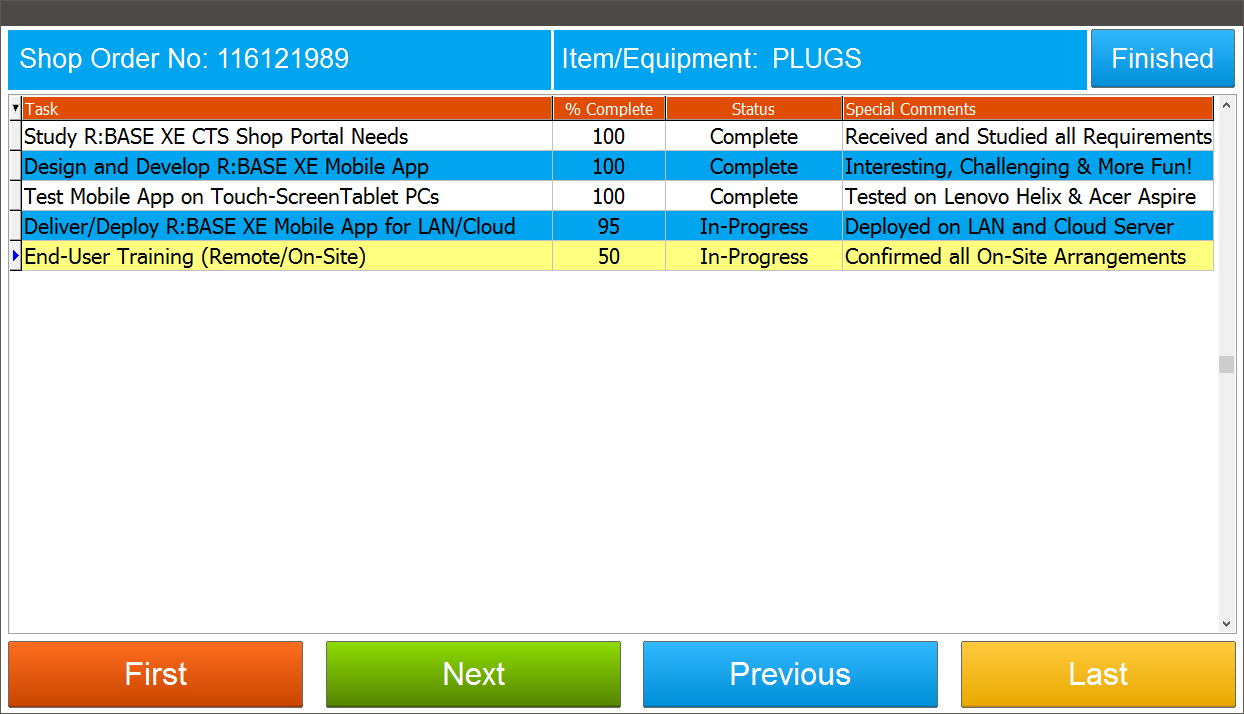
Here's how you can design input screens using the enhanced features of R:BASE X
Enterprise On-Screen Keyboard (ROSK), Enhanced DB Grid, and DB Slider controls.

For your viewing pleasure ...

http://www.razzak.com/tips/RBGXE_MobileApp_01.png
http://www.razzak.com/tips/RBGXE_MobileApp_02.png
http://www.razzak.com/tips/RBGXE_MobileApp_03.png
http://www.razzak.com/tips/RBGXE_MobileApp_04.png
http://www.razzak.com/tips/RBGXE_MobileApp_05.png
http://www.razzak.com/tips/RBGXE_MobileApp_06.png
http://www.razzak.com/tips/RBGXE_MobileApp_07.png

Buckle up and brace yourself for a happy, healthy, and prosperous 2017!

Very Best R:egards,

Razzak

--
You received this message because you are subscribed to the Google Groups
"RBASE-L" group.
To unsubscribe from this group and stop receiving emails from it, send an email
to [email protected]<mailto:[email protected]>.
For more options, visit https://groups.google.com/d/optout.

--
You received this message because you are subscribed to the Google Groups
"RBASE-L" group.
To unsubscribe from this group and stop receiving emails from it, send an email
to [email protected]<mailto:[email protected]>.
For more options, visit https://groups.google.com/d/optout.
--
You received this message because you are subscribed to the Google Groups
"RBASE-L" group.
To unsubscribe from this group and stop receiving emails from it, send an email
to
[email protected]<mailto:[email protected]>.
For more options, visit https://groups.google.com/d/optout.

--
You received this message because you are subscribed to the Google Groups
"RBASE-L" group.
To unsubscribe from this group and stop receiving emails from it, send an email
to [email protected].
For more options, visit https://groups.google.com/d/optout.