Friday, April 22, 2011
Tip of the Day: Using MDI Option for Database Explorer Modules

Product: R:BASE eXtreme 9.1 (32/64)

Update.: 3

Build..: 9.1.3.10414 or higher http://www.rupdates.com
[http://www.rupdates.com/]Section: Database Explorer and MDI Options


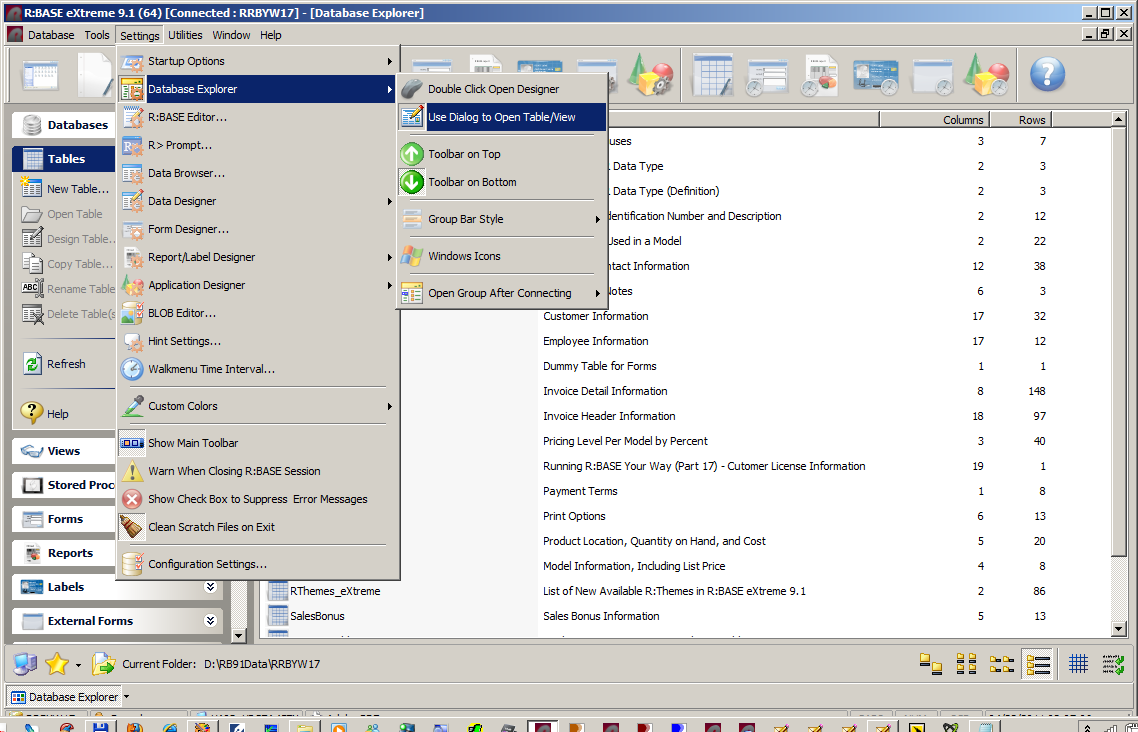
When customizing the settings for Database Explorer, in addition to

change the appearance of the Database Explorer window, you may also

select the option to "Use Dialog to Open Table/View".


Database Explorer | Main Menu | Settings | Database Explorer


http://www.razzak.com/tips/DBExplorer_Settings.png
[http://www.razzak.com/tips/DBExplorer_Settings.png]


Selecting this option toggles the ability to launch a dialog to add

a WHERE Clause, change the browse mode, and use an MDI window when

opening a table or view.


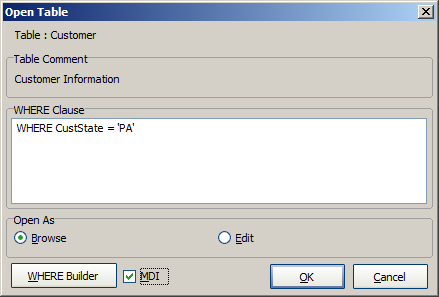
When you double click on a table or view, "Open Table" or "Open View"

dialog box is launched and next to the WHERE Builder button an "MDI"

check box is available. When MDI option is checked, the Data Browser

will be displayed as an MDI windows. You may open as many tables or

views at the same time using the MDI option.


http://www.razzak.com/tips/DBExplorer_Tables_01.png
[http://www.razzak.com/tips/DBExplorer_Tables_01.png]


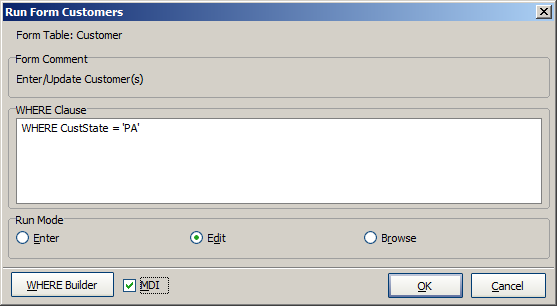
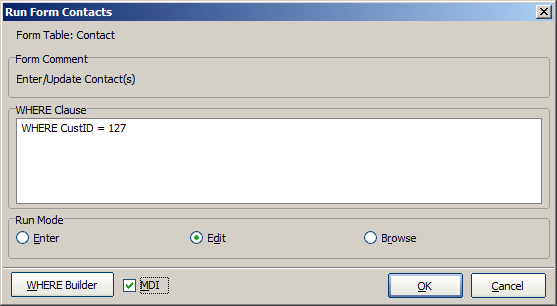
Did you know that you can use the MDI option when double-clicking

on Forms, Reports, Labels, or External Forms to run?


Notice the [ ] MDI option next to the [WHERE Builder] button.


http://www.razzak.com/tips/DBExplorer_Forms_01.png
[http://www.razzak.com/tips/DBExplorer_Forms_01.png]

http://www.razzak.com/tips/DBExplorer_Forms_02.png
[http://www.razzak.com/tips/DBExplorer_Forms_02.png]


You may also use the same option for Reports, Labels, and External

Forms. There is no limit.


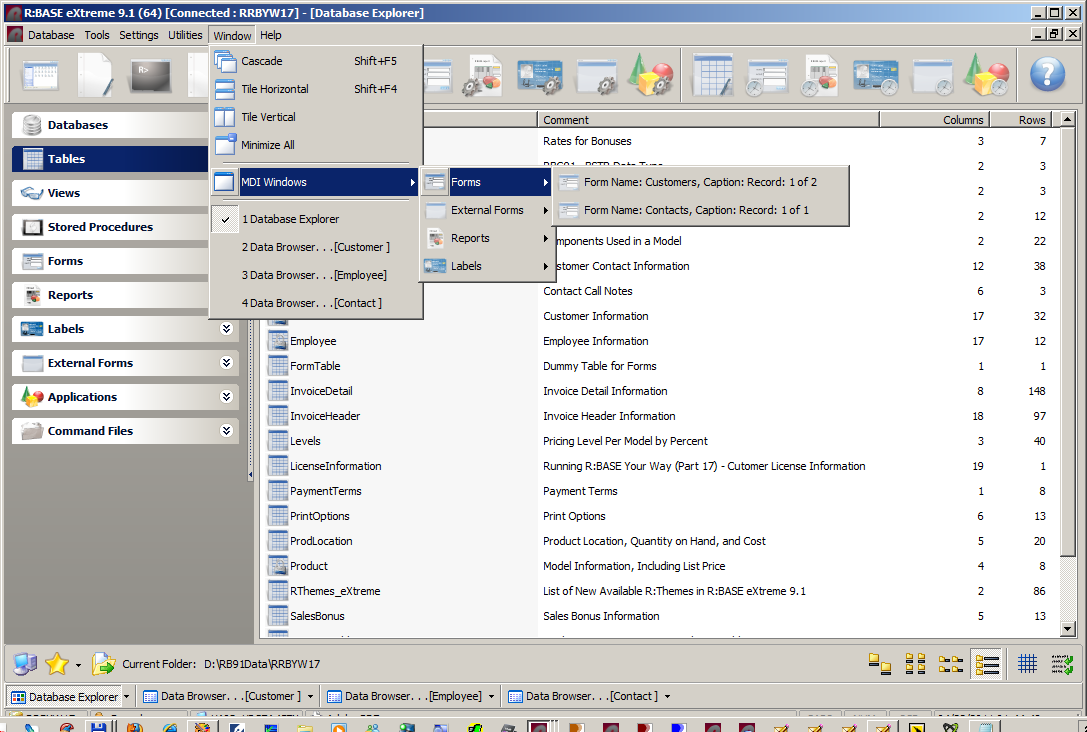
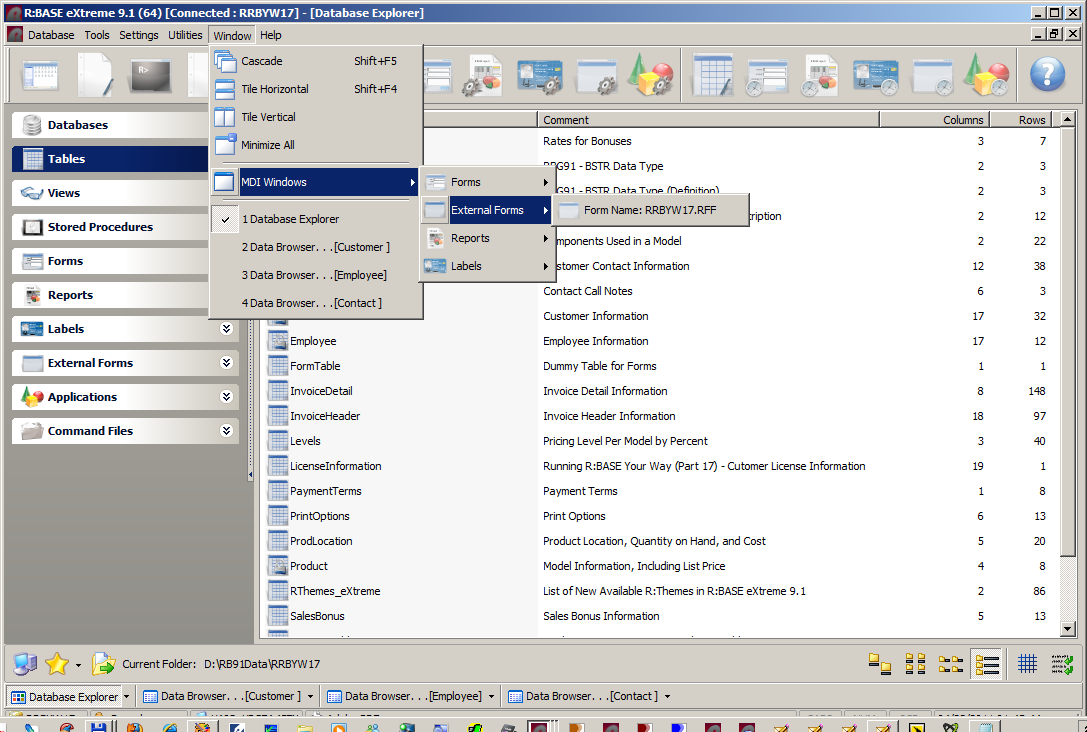
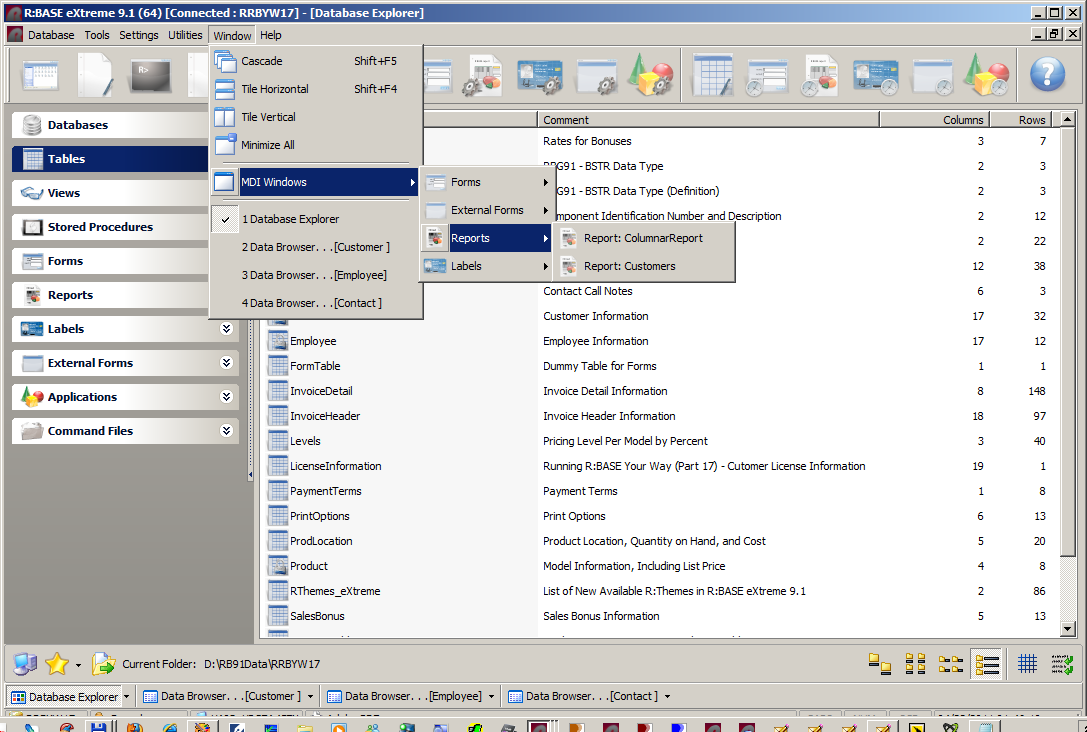
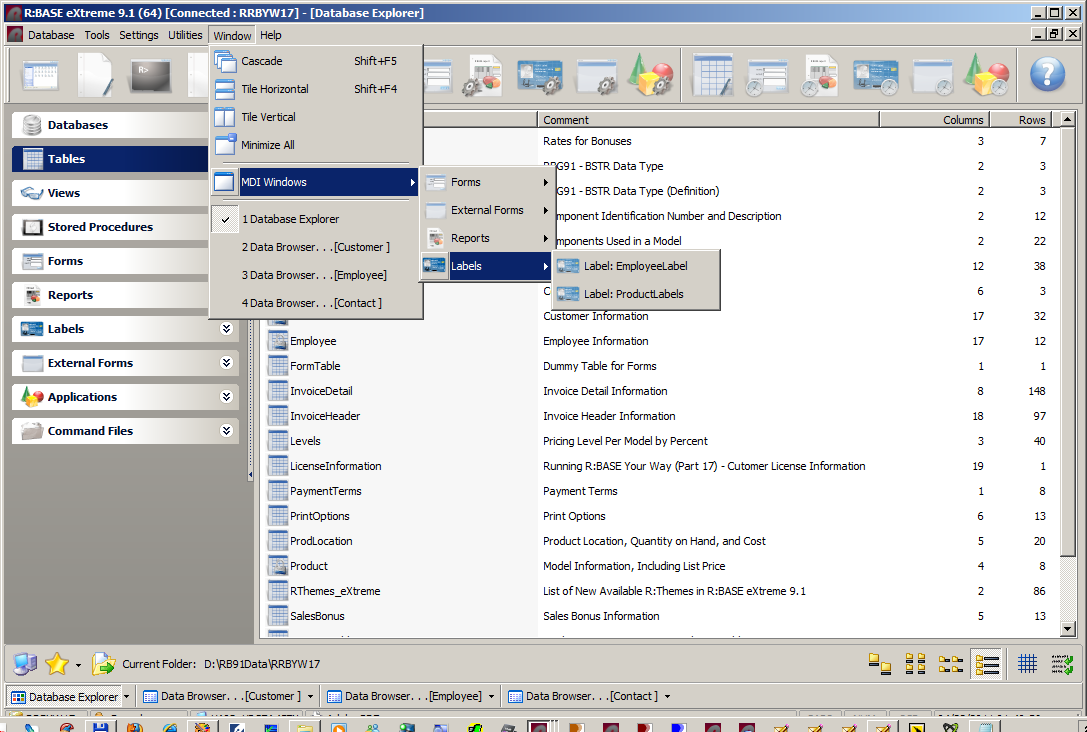
However, if you wish to retrieve, switch back to previously opened

MDI Browser, Form, Report, Label, External Form , or would like to

see a list of all opened MDI windows, you may use the Window option

of the Database Explorer.


Database Explorer | Main Menu | Window


There is where you will see a list of all opened MDI Windows.


http://www.razzak.com/tips/DBExplorer_MDI_Windows_01.png
[http://www.razzak.com/tips/DBExplorer_MDI_Windows_01.png]

http://www.razzak.com/tips/DBExplorer_MDI_Windows_02.png
[http://www.razzak.com/tips/DBExplorer_MDI_Windows_02.png]

http://www.razzak.com/tips/DBExplorer_MDI_Windows_03.png
[http://www.razzak.com/tips/DBExplorer_MDI_Windows_03.png]

http://www.razzak.com/tips/DBExplorer_MDI_Windows_04.png
[http://www.razzak.com/tips/DBExplorer_MDI_Windows_04.png]


This is the R:BASE you have always wanted!


Very Best R:egards,


Razzak.