Saturday, October 29, 2011

Tip of the Day: Searching for Text in Expressions
Product: R:BASE eXtreme 9.1/9.5 (32/64)
Build..: 9.1.5.11111 or higher http://www.rupdates.com
Section: Database Explorer
Did you know that you can search for specific text that may
be defined in Form, Report, and Label expressions?

The "Find in Expressions" feature opens a search utility to
locate specific text defined within the form, report, and
label expressions for the connected database. The functionality
to search for text within expressions allows users to locate
specific columns, tables, functions, variables, and any part
of a WHERE Clause.

Any text defined within an expression will be used in the search!

Here's how:

When searching for text within expressions, text strings can be
located within the following modules:

 . Forms
 . Reports
 . Labels

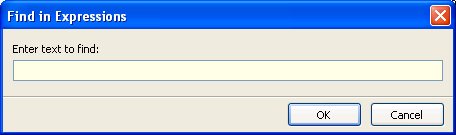
To begin searching, press the [Ctrl]+[Shift]+[F] key combination
to display the "Find in Expressions" dialog.

http://www.razzak.com/tips/FindInExpressions.jpg

Searching for text can include all listed items displayed at the
Database Explorer, or just a selected few. For example, selecting
fifteen out of fifty reports, and then pressing [Ctrl]+[Shift]+[F]
will search for the text for all expressions within the fifteen
selected reports.

Note: The "Find in Expressions" dialog can only be launched from
      the Database Explorer.

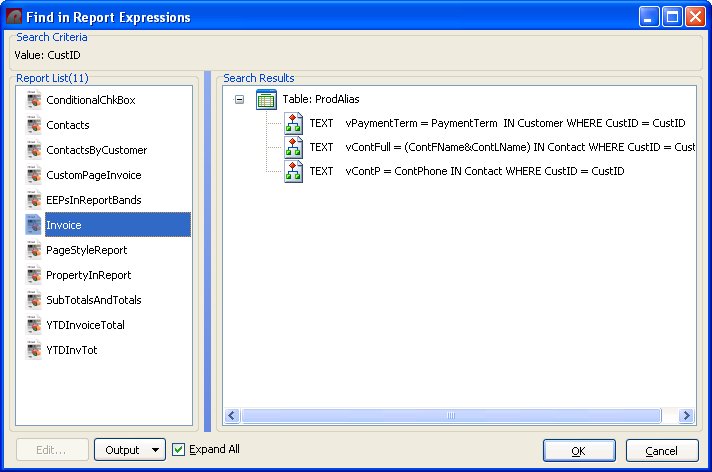
After the search is complete, a list of reports and defined variable
expressions that match the search will be displayed.

http://www.razzak.com/tips/FindInReportExpressions.jpg

The search results will contain the tables(s) and expressions that
match the search criteria. The variable expression can be launched
within a dialog window for editing by double clicking on it, or by
selecting the "Edit..." button. The search results can be saved to
several output formats. The "Expand All" check box allows the list
of expressions in the search results to expand for full viewing.

Have fun!

Very Best R:egards,

Razzak.