Razzak,

The update site still has update 4, not the one you are referring to.
Looking forward to this feature big time!
Thanks!
Dennis McGrath
[email protected]
[email protected]


On Sat, Oct 29, 2011 at 8:30 AM, A. Razzak Memon <[email protected]> wrote:

> Saturday, October 29, 2011
>
> Tip of the Day: Searching for Text in Expressions
> Product: R:BASE eXtreme 9.1/9.5 (32/64)
> Build..: 9.1.5.11111 or higher http://www.rupdates.com
> Section: Database Explorer
>
> Did you know that you can search for specific text that may
> be defined in Form, Report, and Label expressions?
>
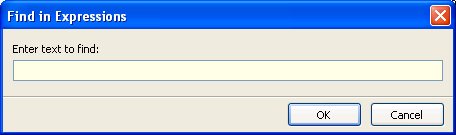
> The "Find in Expressions" feature opens a search utility to
> locate specific text defined within the form, report, and
> label expressions for the connected database. The functionality
> to search for text within expressions allows users to locate
> specific columns, tables, functions, variables, and any part
> of a WHERE Clause.
>
> Any text defined within an expression will be used in the search!
>
> Here's how:
>
> When searching for text within expressions, text strings can be
> located within the following modules:
>
>  . Forms
>  . Reports
>  . Labels
>
> To begin searching, press the [Ctrl]+[Shift]+[F] key combination
> to display the "Find in Expressions" dialog.
>
> http://www.razzak.com/tips/**FindInExpressions.jpg<http://www.razzak.com/tips/FindInExpressions.jpg>
>
> Searching for text can include all listed items displayed at the
> Database Explorer, or just a selected few. For example, selecting
> fifteen out of fifty reports, and then pressing [Ctrl]+[Shift]+[F]
> will search for the text for all expressions within the fifteen
> selected reports.
>
> Note: The "Find in Expressions" dialog can only be launched from
>      the Database Explorer.
>
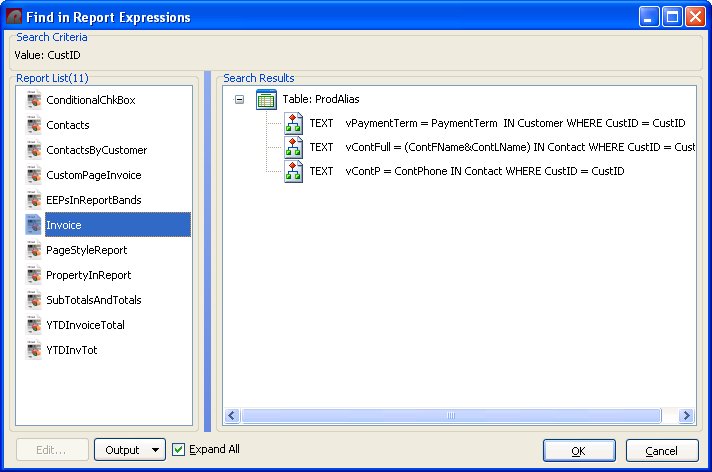
> After the search is complete, a list of reports and defined variable
> expressions that match the search will be displayed.
>
> http://www.razzak.com/tips/**FindInReportExpressions.jpg<http://www.razzak.com/tips/FindInReportExpressions.jpg>
>
> The search results will contain the tables(s) and expressions that
> match the search criteria. The variable expression can be launched
> within a dialog window for editing by double clicking on it, or by
> selecting the "Edit..." button. The search results can be saved to
> several output formats. The "Expand All" check box allows the list
> of expressions in the search results to expand for full viewing.
>
> Have fun!
>
> Very Best R:egards,
>
> Razzak.
>
>
>