Sunday, October 30, 2011

Tip of the Day: Using Expanded Color Template
Product: R:BASE eXtreme 9.1/9.5 (32/64)
Build..: 9.1.5.11111 or higher http://www.rupdates.com
Section: Expanded Color Template
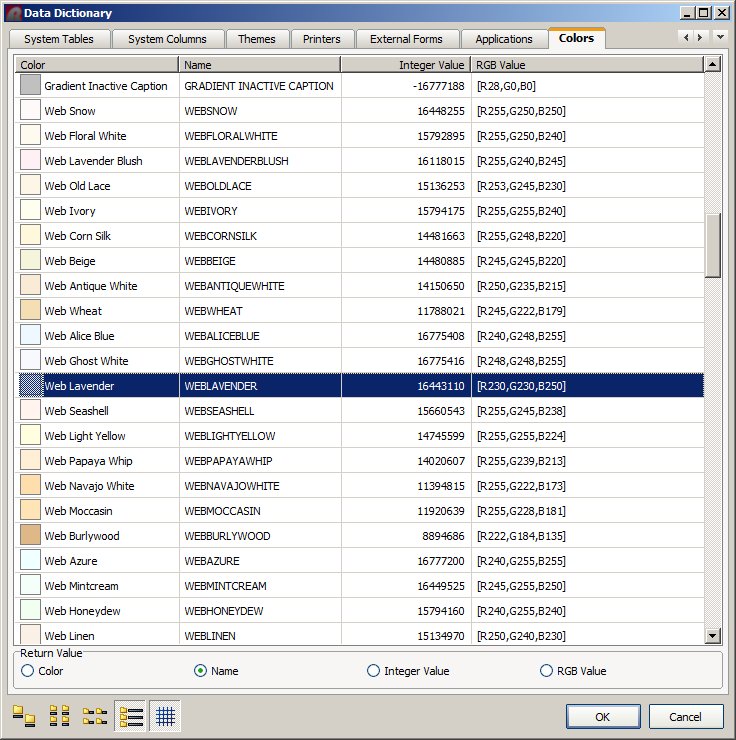
Data Dictionary [F3] Key in R:BASE eXtreme 9.1/9.5 (32/64) provides
the option to choose a color from the list of expanded colors.

While programming and customizing applications, if you wish to use
custom font color, background color, for CHOOSE, DIALOG, or PAUSE
commands you can press the [F3] key, select the color you like and
then either double-click for single item or [OK] button for multi-
select items. Using this approach, you can capture the name of the
color listed in the first column.

The Data Dictionary | Color tab includes a list of 188 colors.

[F3] Data Dictionary | Colors

http://www.razzak.com/tips/DataDictionary_SelectingColorValue.jpg

You have four (4) options to pick from.

[ ] Color [ ] Name [ ] Integer Value [ ] RGB Value

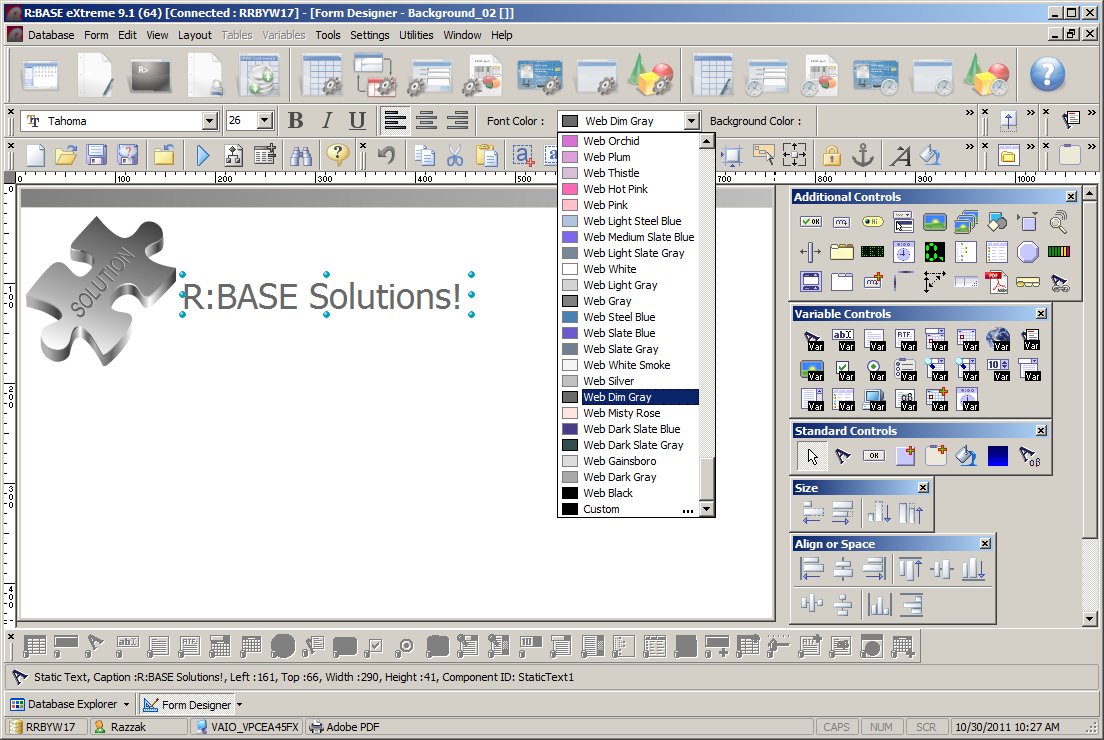
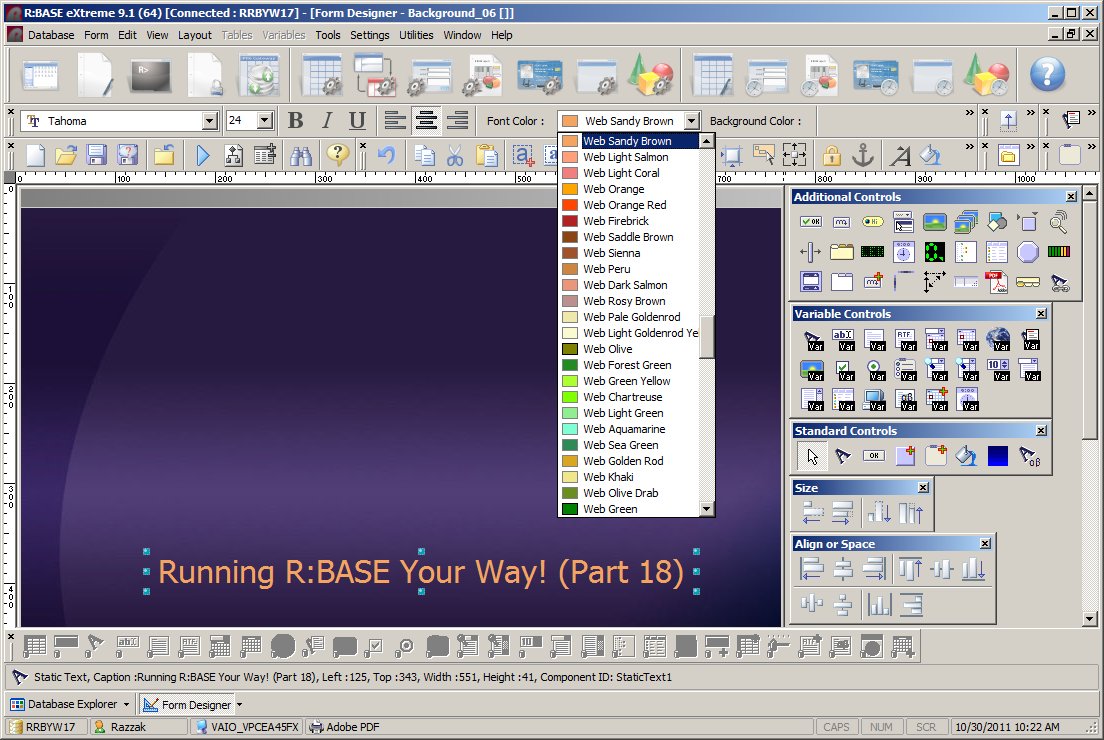
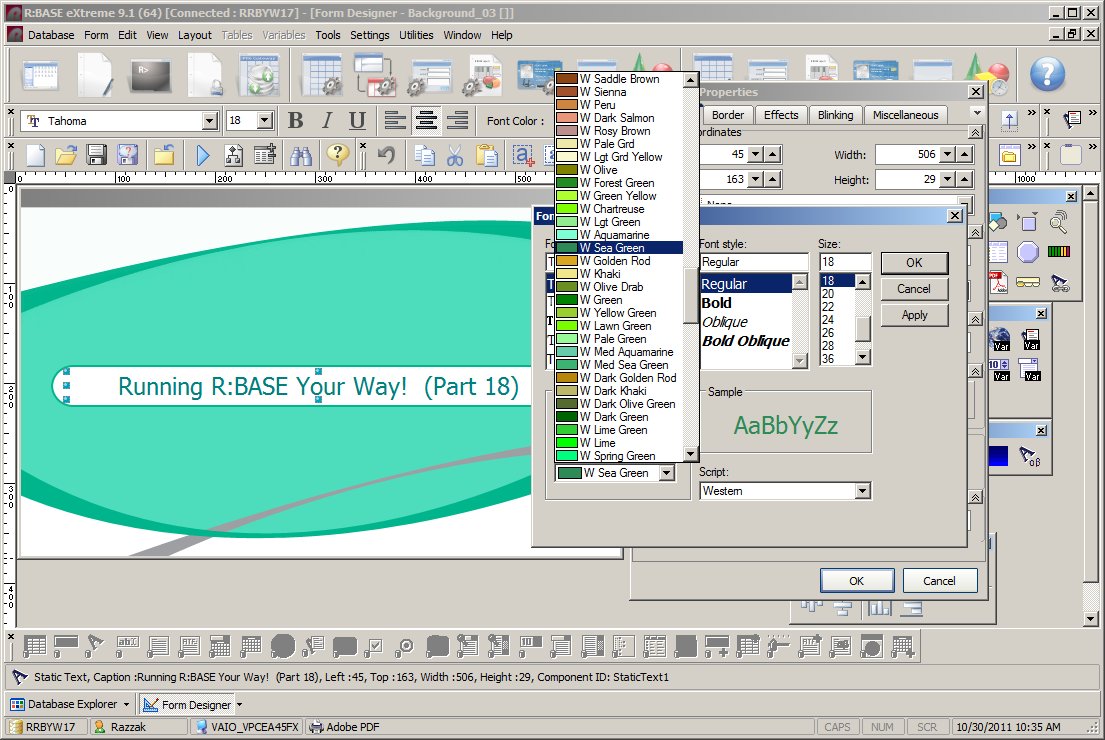
Did you know that now you can select these colors from the Font
Control Panel while in Form, Label, or Report Designer?

Here's how:

http://www.razzak.com/tips/Selecting_Font_Color_01.jpg
http://www.razzak.com/tips/Selecting_Font_Color_02.jpg
http://www.razzak.com/tips/Selecting_Font_Color_03.jpg

Have fun!

Very Best R:egards,

Razzak.

--- RBASE-L
================================================
TO POST A MESSAGE TO ALL MEMBERS:
Send a plain text email to [email protected]

(Don't use any of these words as your Subject:
INTRO, SUBSCRIBE, UNSUBSCRIBE, SEARCH,
REMOVE, SUSPEND, RESUME, DIGEST, RESEND, HELP)
================================================
TO SEE MESSAGE POSTING GUIDELINES:
Send a plain text email to [email protected]
In the message SUBJECT, put just one word: INTRO
================================================
TO UNSUBSCRIBE:
Send a plain text email to [email protected]
In the message SUBJECT, put just one word: UNSUBSCRIBE
================================================
TO SEARCH ARCHIVES:
Send a plain text email to [email protected]
In the message SUBJECT, put just one word: SEARCH-n
(where n is the number of days). In the message body,
place any
text to search for.
================================================