Razzak,

That is exactly what I thought I did, but I used a quoted variable name instead
of a dotted variable name for my index value.
A big DOH! for me.

Thanks and Very Best R:egards,

Dennis McGrath
Software Developer
QMI Security Solutions
1661 Glenlake Ave
Itasca IL 60143
630-980-8461
[email protected]
-----Original Message-----
From: [email protected] [mailto:[email protected]] On Behalf Of A. Razzak Memon
Sent: Tuesday, November 15, 2011 4:01 PM
To: RBASE-L Mailing List
Subject: [RBASE-L] - Re: Tab Set

At 04:04 PM 11/15/2011, Dennis McGrath wrote:

>I want to programmatically change the selected tab on the Tab Set control.

Remember, the first Tab TABINDEX = 0, second Tab TABINDEX = 1, and so on.

So, if you need to programmatically change the second tab, you will need
to use the following syntax:

PROPERTY CTabSet TABINDEX 1
RETURN

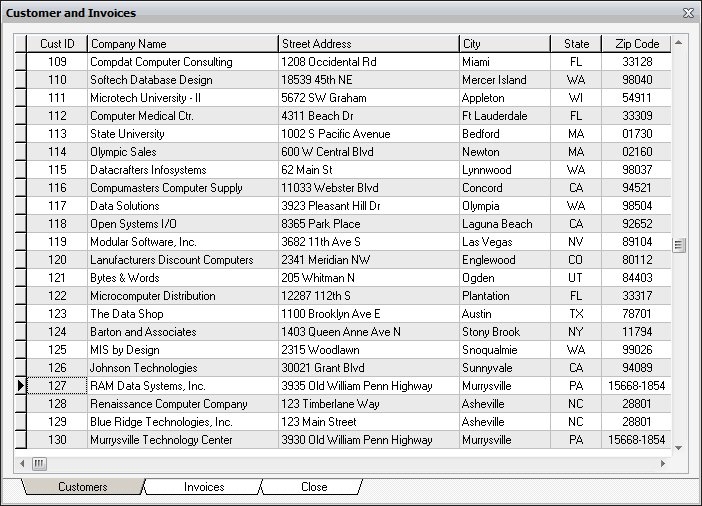
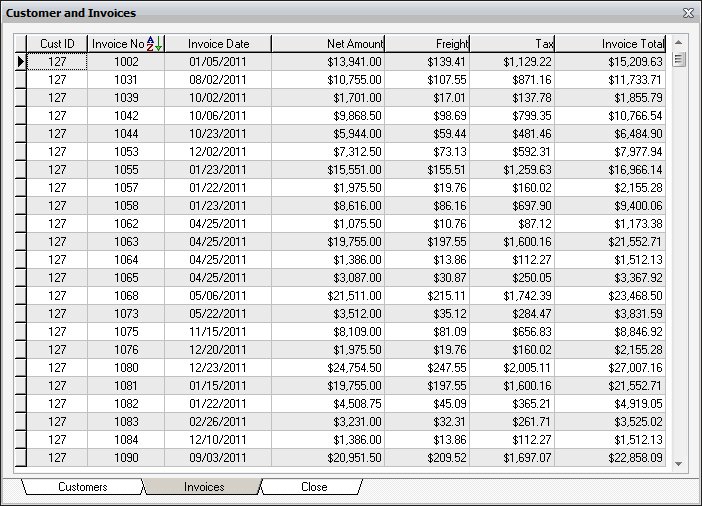
2011 RBG91 Super Advanced Training (SAT) Sample Applications includes an
application to demonstrate the use of Tab Set Control.

Application: Designing Applications using Tab Set Control
Folder: \DesigningApplicationsUsingTabSetControl
Database: TabSet
Application Startup File: DesigningApplicationsUsingTabSetControl.DAT

http://www.razzak.com/tips/TabSet_Control_01.jpg
http://www.razzak.com/tips/TabSet_Control_02.jpg

Have fun!

Very Best R:egards,

Razzak.