Wednesday, May 1, 2013

Tip of the Day: Enabling Consolidated Control Palette in Report/Label Designer
Product: R:BASE eXtreme 9.5 (32/64)
Build..: 9.5.2.20430 or higher www.rupdates.com
Section: Default Settings, Report/Label Designer
Did you know that you can consolidate all individual Report/Label Designer
Controls, namely Standard Controls, Database Controls, Advanced Controls,
Variable Controls, and PDF Form Controls as one consolidated "Control Palette"?

The recently released update of R:BASE eXtreme 9.5 (32/64) now includes an
optional setting to use Consolidated Control Palette for Report/Label Designer.
While in Report/Label designer, if you wish to use consolidated
Control Palette,
follow the steps below:

01. Start R:BASE eXtreme 9.5 (32/64) and CONNect to database, such as RRBYW18

02. Database Explorer | Main Menu | Settings ...

03. Select Report/Label Designer and click on Default Settings ...

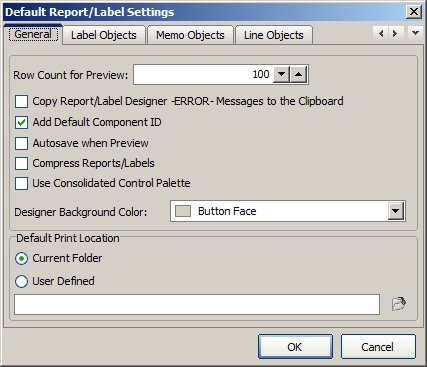
    Under [General Tab] notice the new option:

    [ ] Use Consolidated Control Palette

    http://www.Razzak.com//Tips/ReportDesigner_01.jpg

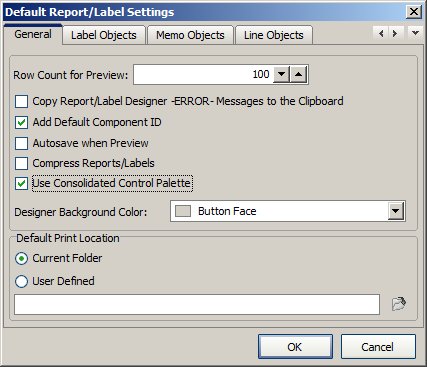
04. Check the option for [x] Use Consolidated Control Palette

    http://www.Razzak.com//Tips/ReportDesigner_02.jpg

05. Click on [OK] button to save Default Report/Label Settings

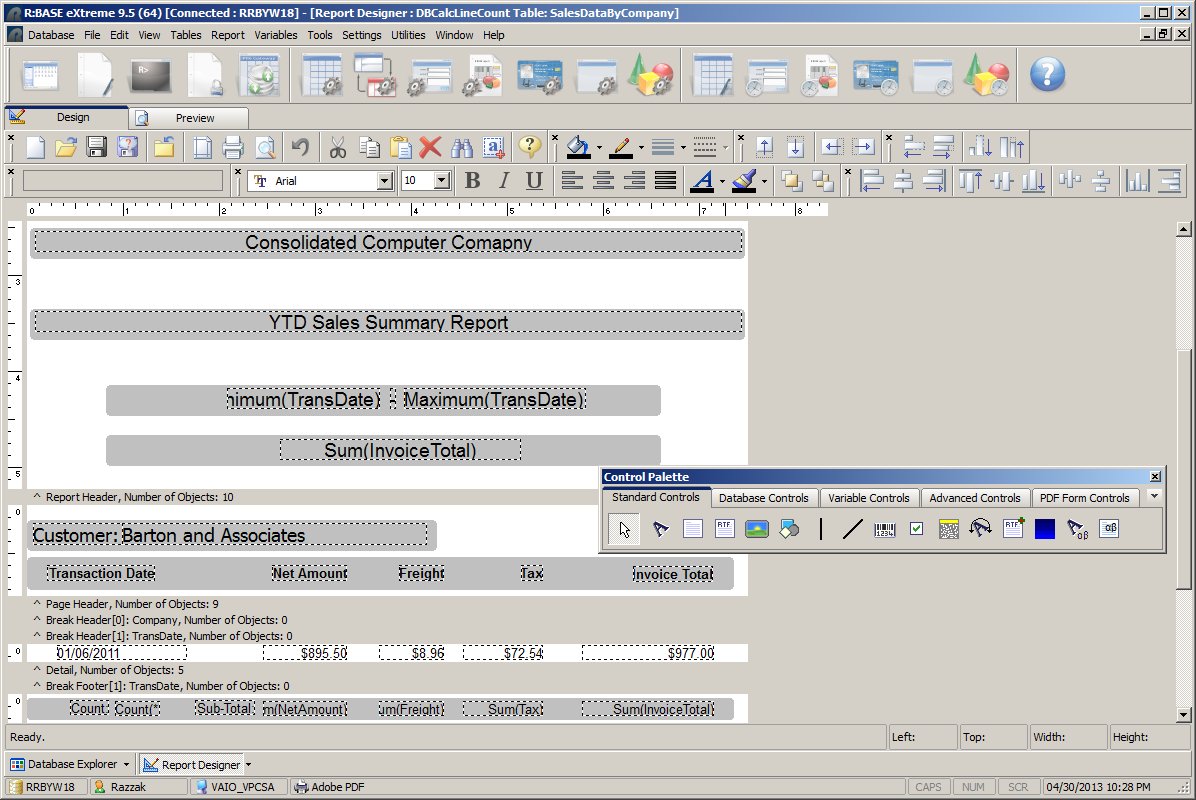
06. Now open any report in Report Designer and notice the newly appeared
    consolidated Control Palette

    http://www.Razzak.com//Tips/ReportDesigner_03.jpg
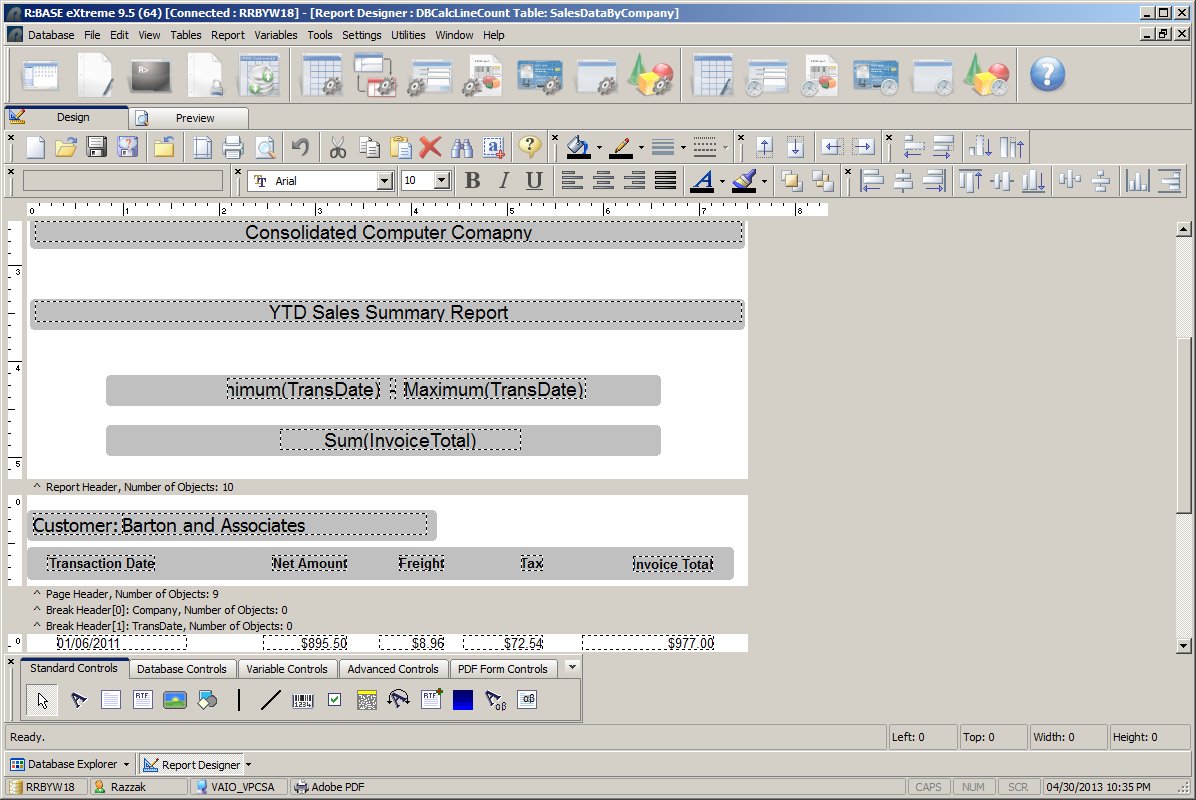
You may grab and dock newly appeared consolidated Control
Palette anywhere
    you wish.

    http://www.Razzak.com//Tips/ReportDesigner_04.jpg

Stay productive, my friends!

Very Best R:egards,

Razzak.

www.rbase.com
www.facebook.com/rbase
www.RazzakMemon.com

--- RBASE-L
================================================
TO POST A MESSAGE TO ALL MEMBERS:
Send a plain text email to [email protected]

(Don't use any of these words as your Subject:
INTRO, SUBSCRIBE, UNSUBSCRIBE, SEARCH,
REMOVE, SUSPEND, RESUME, DIGEST, RESEND, HELP)
================================================
TO SEE MESSAGE POSTING GUIDELINES:
Send a plain text email to [email protected]
In the message SUBJECT, put just one word: INTRO
================================================
TO UNSUBSCRIBE:
Send a plain text email to [email protected]
In the message SUBJECT, put just one word: UNSUBSCRIBE
================================================
TO SEARCH ARCHIVES:
Send a plain text email to [email protected]
In the message SUBJECT, put just one word: SEARCH-n
(where n is the number of days). In the message body,
place any
text to search for.
================================================