At 11:19 AM 12/18/2013, Bill Downall wrote:
I'm needing a strategy that I'll bet some of you have solved.
I want to do some date checking whenever a user makes a change to a date.

Unlike text-based controls, a DateTimePicker does not have an "on Exit"
eep. Mousy users might not move to the "next" field on the form, but could
jump anywhere. They could even close the form while the cursor is still on
the date field.

The on-click/ and on-double-click eeps trigger before they make the change
I care about.

Table eeps: on leave section, on row exit, are too late to check and pop-up
necessary dialogs for users.

What would you do? Thanks.
Bill,

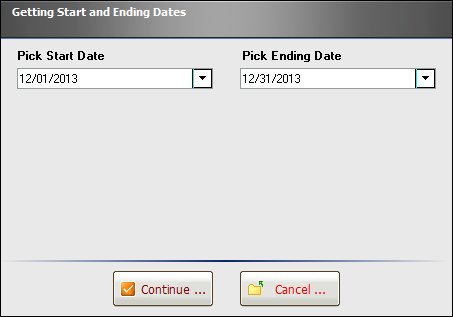
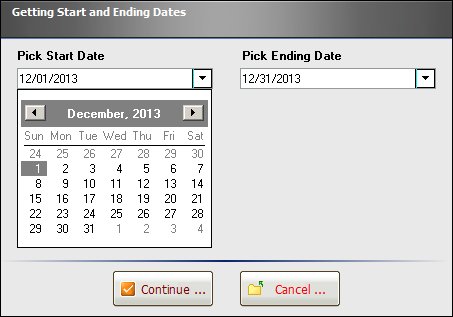
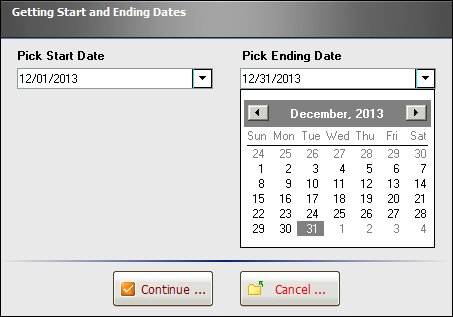
To validate a single date or date range (Start - End Dates), I have developed
a stand-alone mini-form based on Variable Date/Time Controls that can be used
when required to retrieve and validate dates. Then, you can post those dates
using the PROPERTY <DBCompID> TEXTVALUE value command to accomplish the task.

Let me send you that form to illustrate such feature. Please feel free to
modify and/or customize, if deemed necessary.

For your viewing pleasure ...

http://www.razzak.com/sampleapplications/files/GetStartAndEndingDates_01.jpg
http://www.razzak.com/sampleapplications/files/GetStartAndEndingDates_02.jpg
http://www.razzak.com/sampleapplications/files/GetStartAndEndingDates_03.jpg

Hope that helps!

Very Best R:egards,

Razzak.

www.rbase.com
www.facebook.com/rbase
--
30+ years of continuous innovation!
15 Years of R:BASE Technologies, Inc. making R:BASE what it is today!
--