Nice, just what I need. Looks like a brand new upgrade (4/15). Unfortunately
I do not have the Corporate version and my version is about 4 months old :(
Javier,

Javier Valencia, PE
O: 913-829-0888
H: 913-397-9605
C: 913-915-3137


-----Original Message-----
From: [email protected] [mailto:[email protected]] On Behalf Of A. Razzak
Memon
Sent: Tuesday, April 15, 2014 1:22 AM
To: RBASE-L Mailing List
Subject: [RBASE-L] - Re: Forms passwords

At 11:44 PM 4/13/2014, Javier Valencia wrote:

>I am trying to add design passwords to all the forms in a database. One
>form at the time the procedure is fairly straight forward, but since I
>want to add a design password to all the forms in a database(over 200),
>is there a procedure to add the same password to all the form in that
>database with just one command?

Javier,

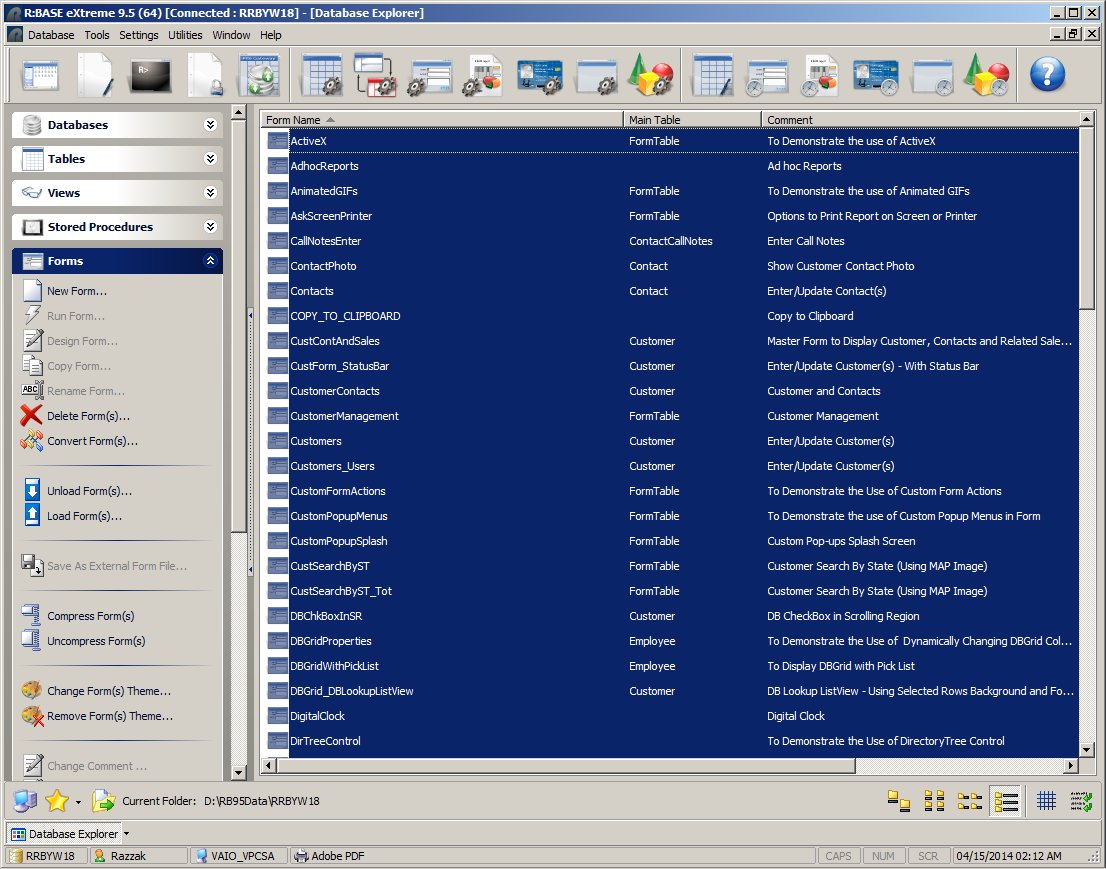
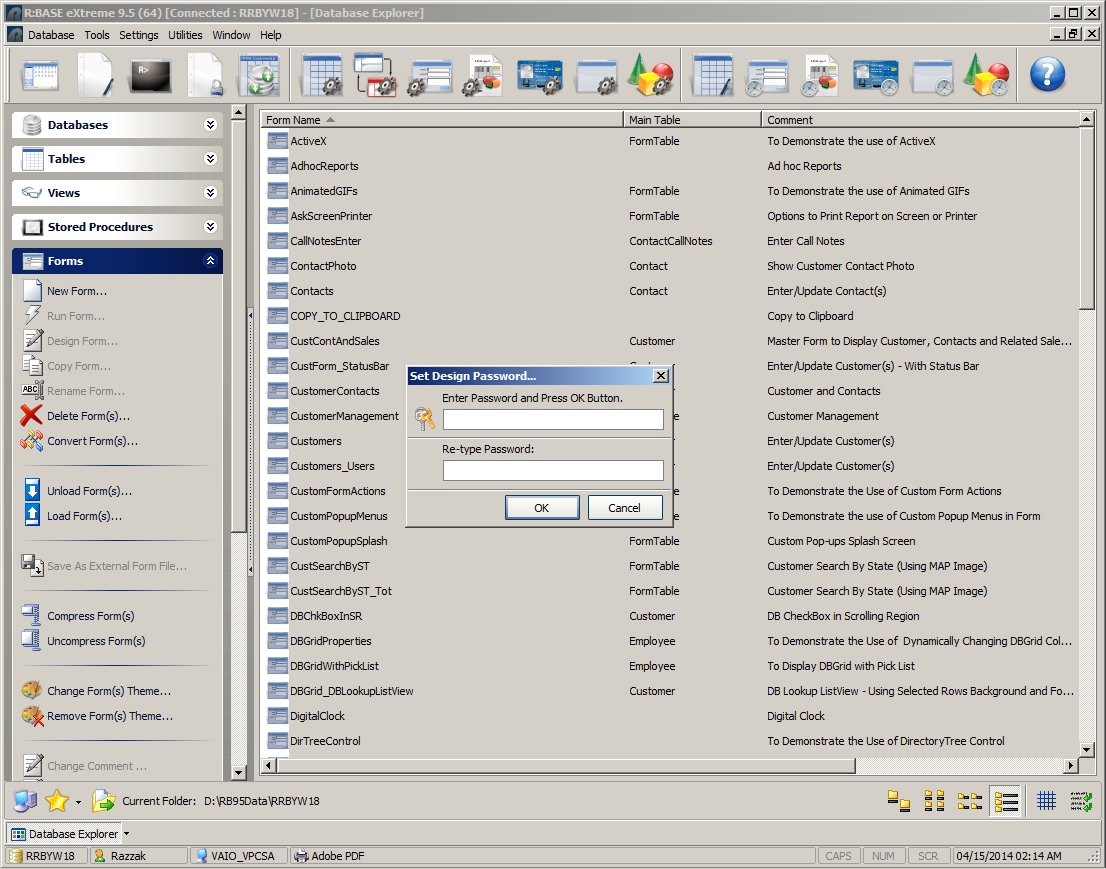
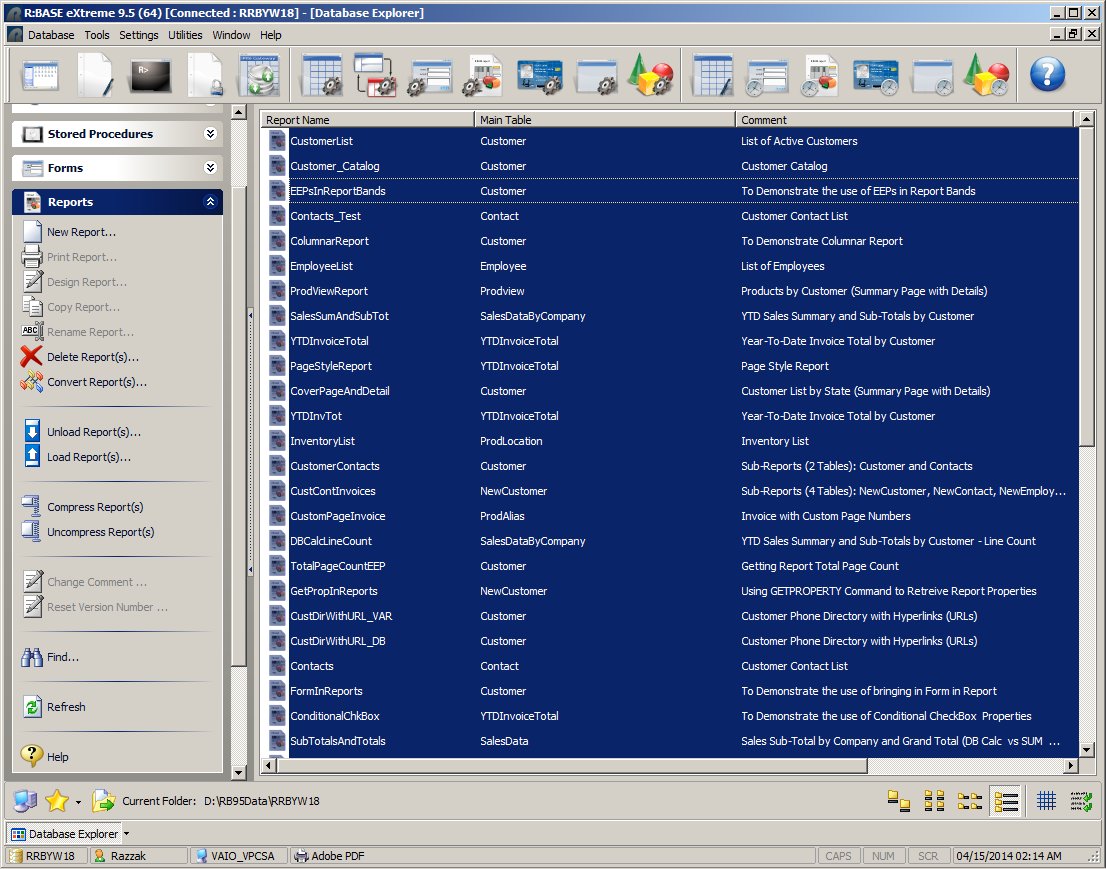
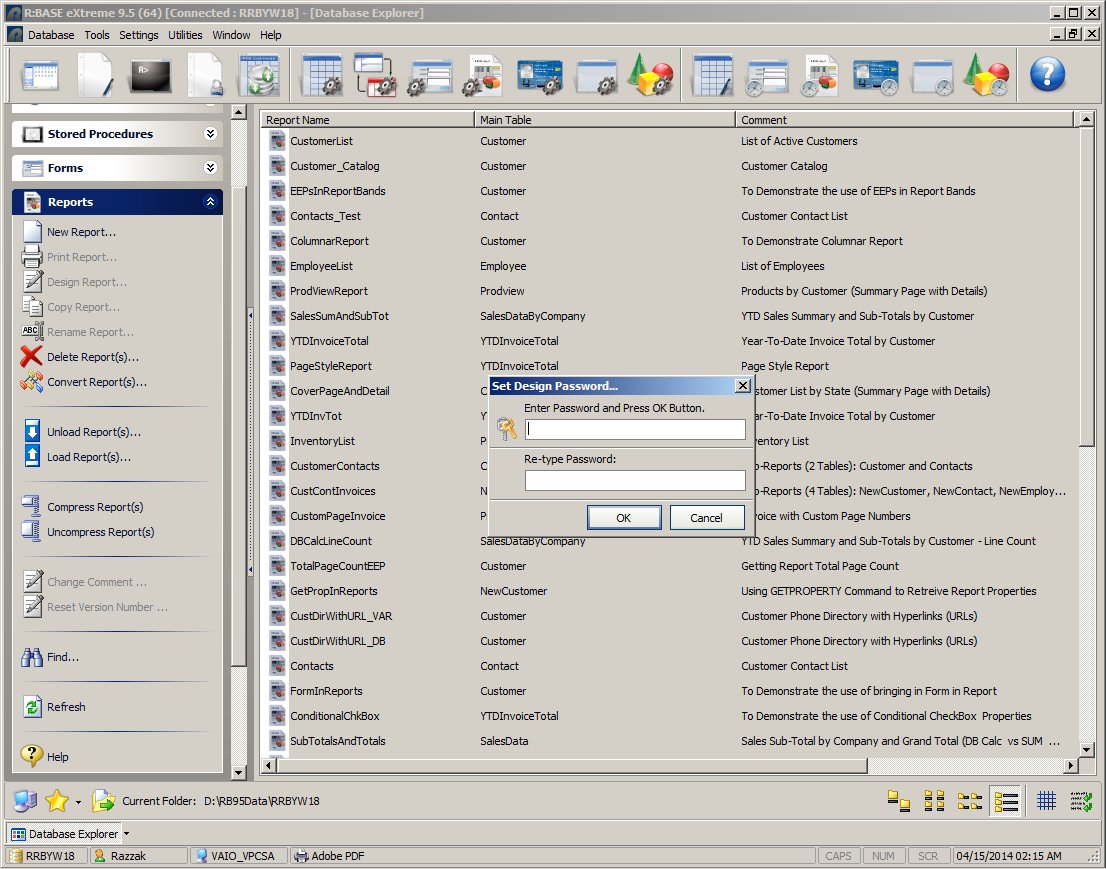
Actually, it depends on the version and update of R:BASE eXtreme 9.5 you are
using. The Corporate Versions of R:BASE eXtreme 9.5 (32/64) include a few
"Un-Documented Hot Keys" to accomplish such task, and more.

http://www.razzak.com/tips/Set_Design_Password_All_At_Once_Forms_01.jpg
http://www.razzak.com/tips/Set_Design_Password_All_At_Once_Forms_02.jpg
http://www.razzak.com/tips/Set_Design_Password_All_At_Once_Reports_01.jpg
http://www.razzak.com/tips/Set_Design_Password_All_At_Once_Reports_02.jpg


>Also, TTBOMK, there is no design passwords for the reports, is this
correct?

Are you sure?

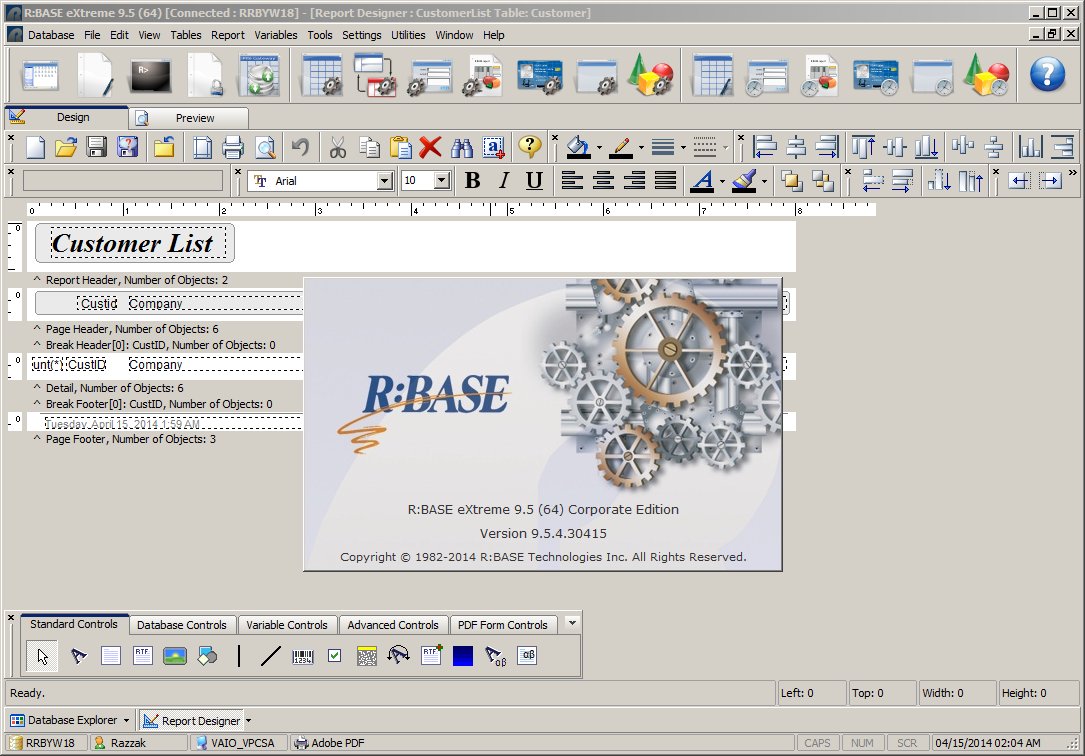
What Update and Build of R:BASE eXtreme 9.5 (32/64) are you using?

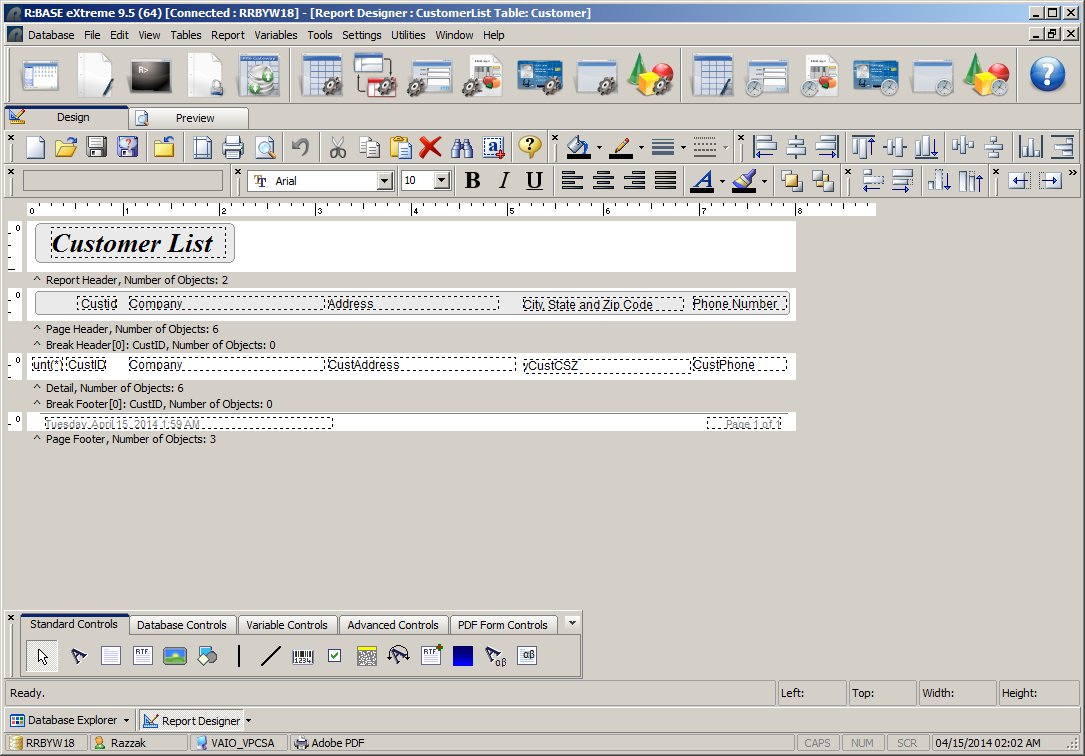
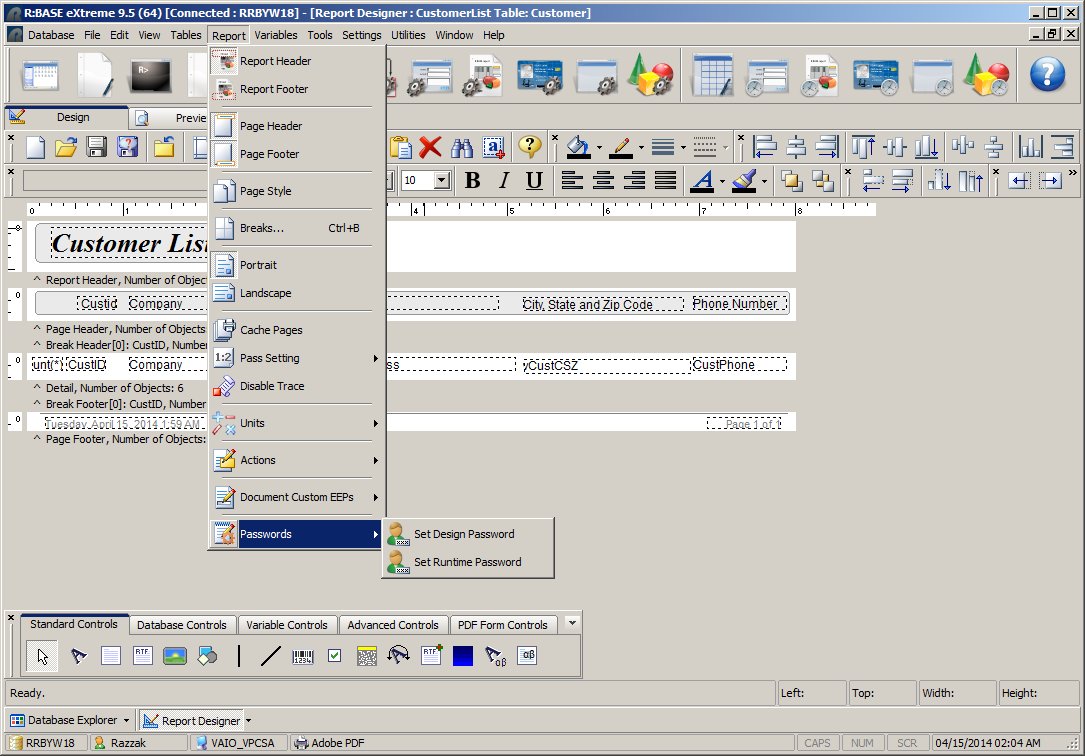
For your viewing pleasure, here's a screenshot of Report Designer with
Password option in Report Designer ...

http://www.razzak.com/tips/reportdesigner_password_01.jpg
http://www.razzak.com/tips/reportdesigner_password_02.jpg
http://www.razzak.com/tips/reportdesigner_password_03.jpg

Report Designer | Main Menu | Report | Password

. Set Design Password
. Set Runtime Password

Amazing, isn't it?

Very Best R:egards,

Razzak.

--- RBASE-L
================================================
TO POST A MESSAGE TO ALL MEMBERS:
Send a plain text email to [email protected]

(Don't use any of these words as your Subject:
INTRO, SUBSCRIBE, UNSUBSCRIBE, SEARCH,
REMOVE, SUSPEND, RESUME, DIGEST, RESEND, HELP)
================================================
TO SEE MESSAGE POSTING GUIDELINES:
Send a plain text email to [email protected] In the message SUBJECT, put
just one word: INTRO ================================================
TO UNSUBSCRIBE:
Send a plain text email to [email protected] In the message SUBJECT, put
just one word: UNSUBSCRIBE ================================================
TO SEARCH ARCHIVES:
Send a plain text email to [email protected] In the message SUBJECT, put
just one word: SEARCH-n (where n is the number of days). In the message
body, place any text to search for.
================================================