On Dec 10, 2007 1:54 AM, Karsten Schmiedecke <[EMAIL PROTECTED]>
wrote:
>
> How about having a simple arrow button next to the search field that, when
> clicked, slides out the current-style filter buttons and remembers the
> state?
> that way, the people that love the buttons will have them and those that
> consider them UI clutter can get rid of them.


That sounds interesting, but I think it might be better to go with one way
or the other.


I like the idea of having a readibly available history, but i do agree that
> the UI for it seems unintuitive. the downpointing arrows are cluttery, and
> click-and-hold (the way the history buttons work in opera) would conflict
> with the combined skip/search functionality, which seems to make sense,
> too.
>

I agree about the down-pointing arrows.  I especially don't like that the
popup menu on the "Prev" button is in between Prev and Play/Pause...  But
that's convention.  I wanted to have it on the far left:

[Previously Played] [<<] [Play/Pause] [>>] [Coming Up/Queued]
[--------===------------------------------------]

With the History/Future buttons as simple dots or something, and relatively
small.

OR, it could simply be bound to right-click of << and >> like in Firefox,
but I'm not sure how discoverable that is.


I do have a 'recently played tracks' automatic playlist, which does the work
> in most cases for going back
>

Is it sorted by the order in which they were played?  :)


and if you really want to skip ahead, the
> probably easiest (and most thorough) way is to open the currently playing
> source (jump to current song) and double-click where you want to go.


What about when playback is on Shuffle?


As for
> graying out, how about setting a threshhold (defaulting to 12hrs or
> something) for graying out (slightly) all tracks in all sources that have
> a
> last-played time within that threshhold
>

I don't think this really works for RB (often viewing *many* tracks).


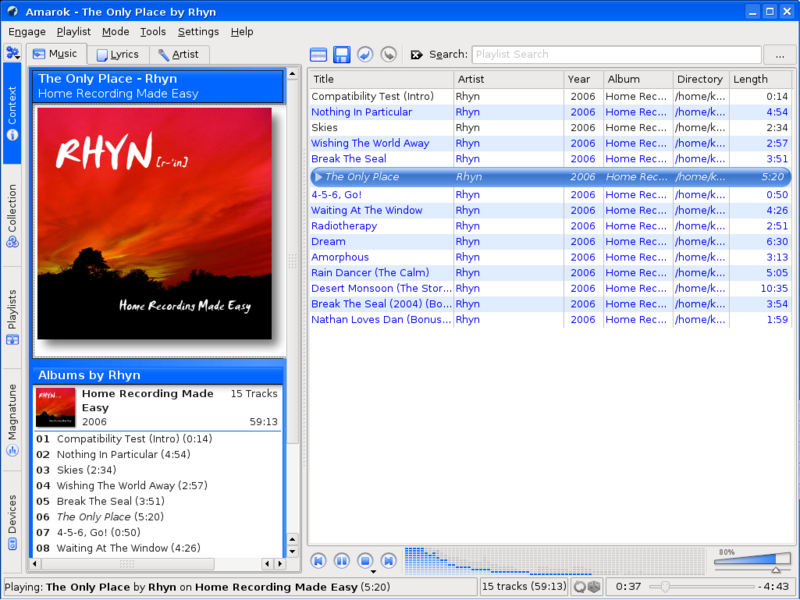
> In most players the controls button have moved to the center (WMP, iTunes,
> > Amarok2), which is a great improvement. Maybe RB could do the same?
> > And I dont really like separate buttons for Play/Pause. It could change
> to
> > Pause when Playing to become clearer. But one of the best things in RB
> is
> > the Play button.
>
>
> Moving the buttons to the center would reduce the space available for
> track
> info display, at least if you want to split up title, artist and album to
> a
> multiline layout, which I like, by the way. I especially like the idea of
> moving the album artwork into the 'now playing' area, maybe with a
> hover-popup containing a larger version of the artwork. I find artwork
> intuitive and like to display it, but it greatly reduces the number of
> entries visible in the source list on my widescreen monitor.


I see in WMP:
http://www.microsoft.com/windows/products/winfamily/mediaplayer/design.mspx
but not Amarok: http://amarok.kde.org/files/amarok14/shot7.png
nor iTunes: http://en.wikipedia.org/wiki/Image:ITunes_7.5.png

It looks quite nice in WMP, I think.  But doing that in RB would require
many more changes.  I think it's more suited to a "general" media player,
with less focus on browsing and managing.

Hover popup sounds good.  Click to toggle a larger version might work too.
Both?  I dunno...

Anyway, I thought I'd add my two cents.


Thanks for doing that.  :)

Steve
_______________________________________________
rhythmbox-devel mailing list
[email protected]
http://mail.gnome.org/mailman/listinfo/rhythmbox-devel