This is also working for JMX through firewall:

http://simplygenius.com/2010/08/jconsole-via-socks-ssh-tunnel.html
Bye,
Norman


2011/1/11 Daniel Stefaniuk <[email protected]>:
> Thanks guys, I've been able to successfully connect to the server using
> cmdline-jmxclient and I'll try jmanage later on.
>
> Regards
>
> Daniel Stefaniuk
>
> On 11 January 2011 17:06, Stefano Bagnara <[email protected]> wrote:
>
>> 2011/1/11 Eric Charles <[email protected]>:
>> > If found jmx console clients not so easy to use, this is why we went to a
>> > new cli module (Norman is busy with it).
>>
>> I completely agree and happy that norman is working on it! I provided
>> the jmx console tools link as an alternative solution.
>>
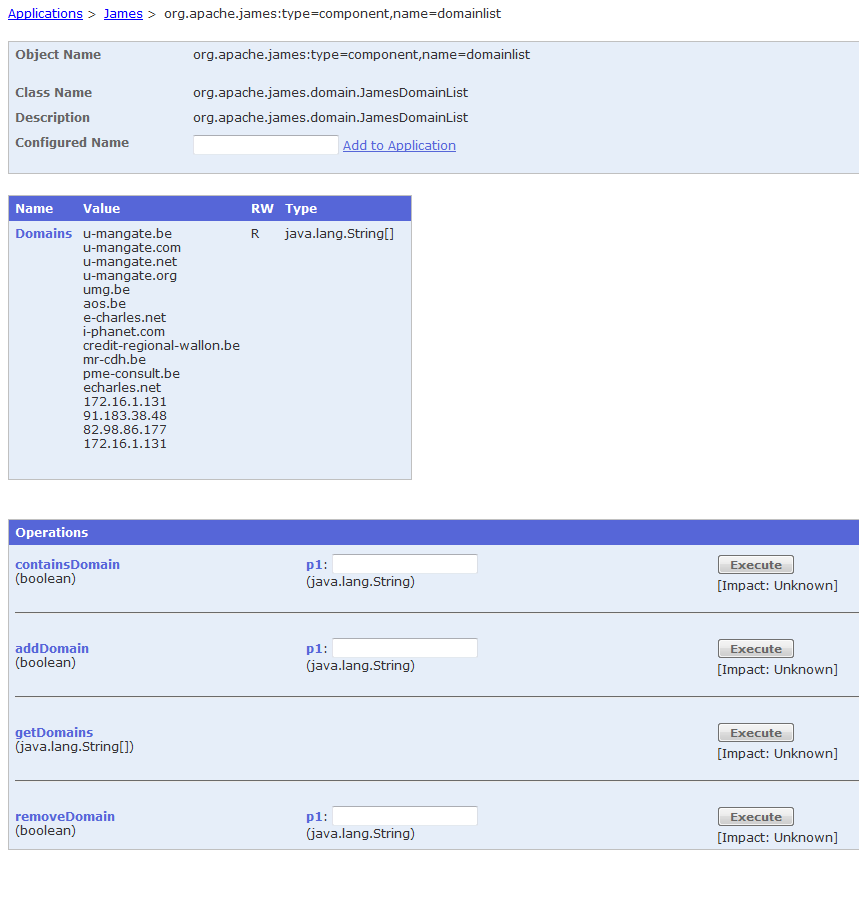
>> > For the management of remote servers behind a firewall, I use web-based
>> > jmanage (there are other ones I think) - it gives me screens such as
>> >
>> http://james.apache.org/server/3/images/jmx-management/jmx-domainlist.png
>> > and has some applets to display the evolution of attributes in graphs.
>>
>> You're right, jmanage is great when you can't use visualvm/jconsole.
>> jmxclient is almost "a must" when you have to make some easy scripting
>> of what you have in jmx, or to monitor some of your jmx counter using
>> munin, as I do (i definitely patched jmxclient to provide munin
>> friendly output so to avoid time loosing awk/sed replacements).
>>
>> Stefano
>>
>> ---------------------------------------------------------------------
>> To unsubscribe, e-mail: [email protected]
>> For additional commands, e-mail: [email protected]
>>
>>
>

---------------------------------------------------------------------
To unsubscribe, e-mail: [email protected]
For additional commands, e-mail: [email protected]