On 6/21/18 8:39 AM, Bill Spikowski wrote:
Longtime SM user, but using SM in Windows 10 for the first time --
version 2.49.3
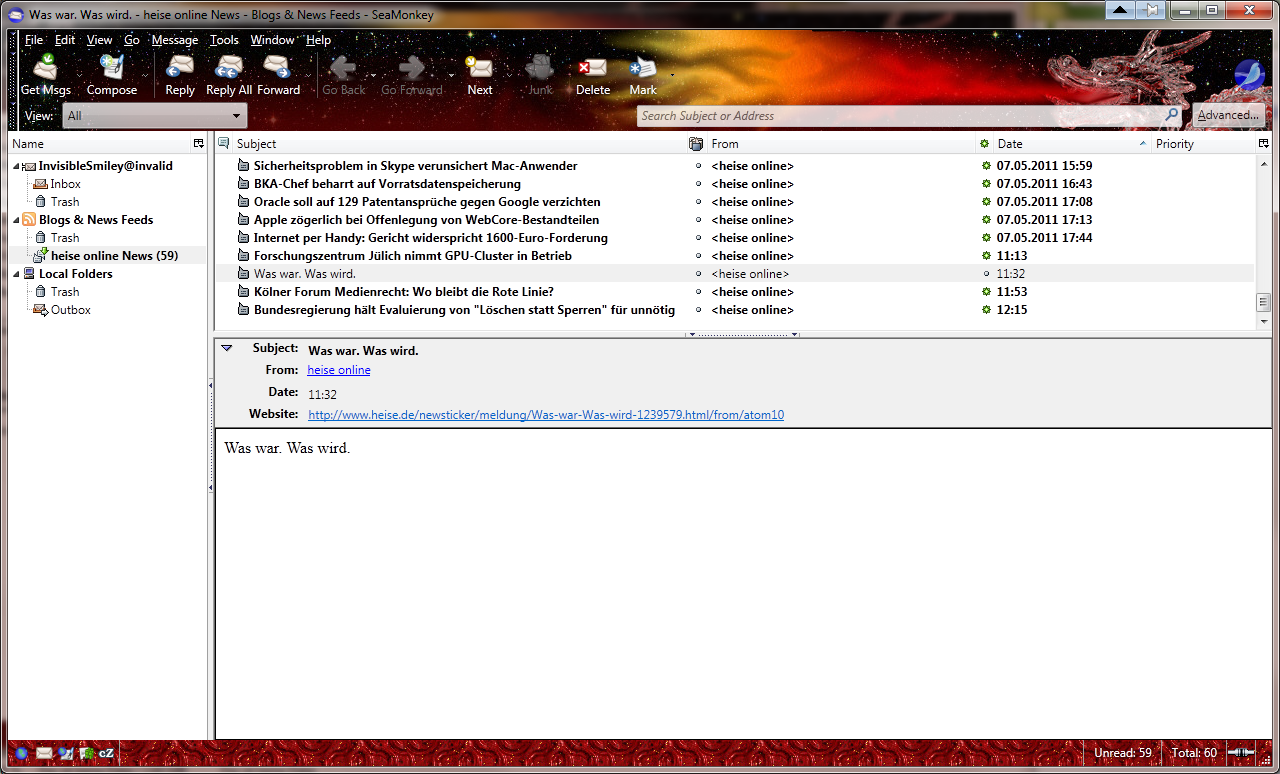
I don't have a "Delete" button on the toolbar at the top of the browser
window. The "Customize Toolbar" window doesn't have a "Delete" button
that I can add to the toolbar; how can I put one there?
(I used to use Prefbar also, which I'm more familiar with -- but I don't
have it working yet.)
What do you plan to Delete from the browser window?

The Delete button is for messages in the Mail & Newsgroups window.
It is located between the Junk and the Mark buttons in the Mail Toolbar
in my SM on Win10.
Just like here:

<https://www.seamonkey-project.org/doc/img-screen/win7/messenger.png>

--
CPU: 3.2 Ghz AMD Athlon(tm) II X3 455 Processor
RAM: 8 GiB
Graphics: GeForce GT 630/PCIe/SSE2
OS: Ubuntu Linux 16.04LTS - Unity Desktop
_______________________________________________
support-seamonkey mailing list
[email protected]
https://lists.mozilla.org/listinfo/support-seamonkey