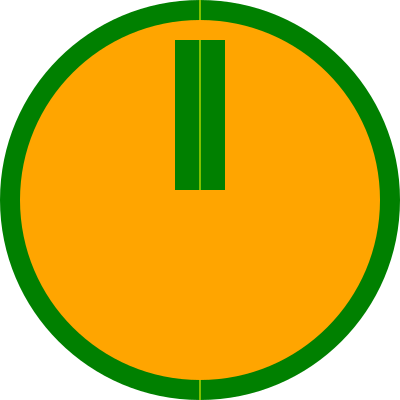
>> I've found my code behaves differently in major browsers. The SVG
>> variant of the cursor is ignored at all. Only Chrome prefers the
>> raster PNG variant, but the rest uses the last available fallback -
>> the defined standard cursor.
> See http://longsonr.wordpress.com/2010/12/16/svg-cursors/ for how to
> do SVG cursors in Firefox 4. In short, you need to use CSS directly
> and avoid the SVG cursor element.

Conclusion of my research:
1) I'll use CSS instead of the cursor element
2) I'll use .cur file with the defined hotspot in it
This is supported in MSIE, FF, Chrome but not in Opera.
When .png with the defined hotspot is supported in MSIE, I'll prefer it to
the .cur format.

3) that locking and changing the cursor to unavailable (a circle with the
slash) during dragging in FF is the known bug [1]. But workaround is
available - to set the following style to the root svg element
"-moz-user-select: none;"

4) I've found that MSIE 9 has the same issue like FF in the previous point
(3).
I've already tried applying CSS3 property "user-select: none", but with no
success (it also doesn't work in FF4 and that proprietary one must be used
instead there).
I've accidentally found [2] two solutions working when applied on the root
svg element:
a) MSIE property unselectable="on"
b) event ondragstart="return false;" - this one I'll prefer

So, finally, I don't need to abandon my original idea to use SVG for my
project. I only regret that Opera will not be supported officialy by my site
- although it is 'just' because of that custom cursor behaviour...

Updated version can be found here:
http://skibob.dobruska.cz/other/wheel_cur.svg

Open points:
A) In MSIE and Chrome any mouse movement is necessary after mouse down (in
MSIE also on mouse up) to update the cursor. Is it a bug or am I missing
something? FF and Opera are Ok.
B) In MSIE there is an extra cursor change to the arrow between the mouse
down event and subsequent movement.

Mainly B) is annoying. If any fix is available, thanks for sharing.

Regards,

Jan

___________
[1] https://bugzilla.mozilla.org/show_bug.cgi?id=330638
[2]
http://stackoverflow.com/questions/826782/css-rule-to-disable-text-selection
-highlighting


------------------------------------

-----
To unsubscribe send a message to: [email protected]
-or-
visit http://groups.yahoo.com/group/svg-developers and click "edit my
membership"
----Yahoo! Groups Links

<*> To visit your group on the web, go to:
    http://groups.yahoo.com/group/svg-developers/

<*> Your email settings:
    Individual Email | Traditional

<*> To change settings online go to:
    http://groups.yahoo.com/group/svg-developers/join
    (Yahoo! ID required)

<*> To change settings via email:
    [email protected]
    [email protected]

<*> To unsubscribe from this group, send an email to:
    [email protected]

<*> Your use of Yahoo! Groups is subject to:
    http://docs.yahoo.com/info/terms/