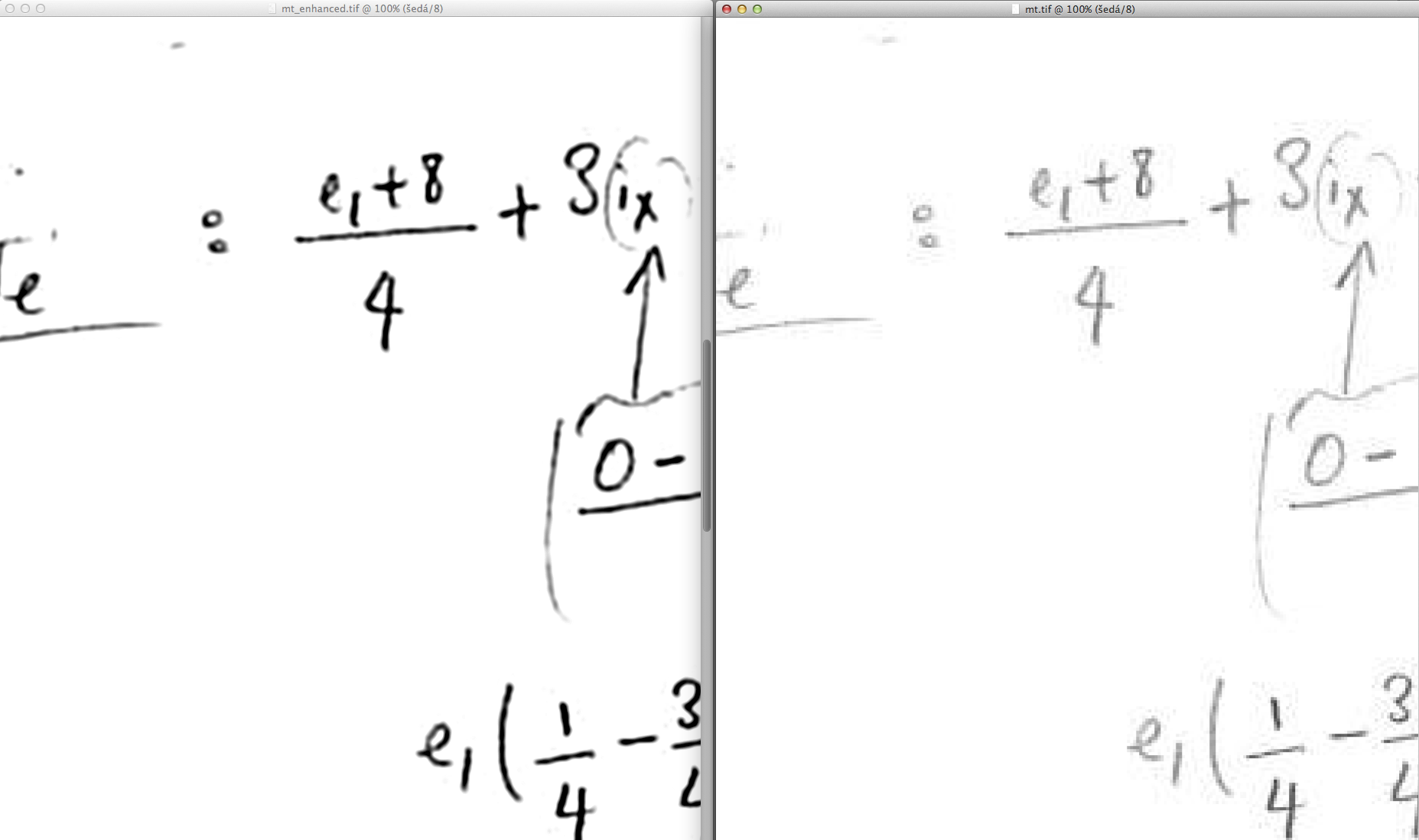
There are special workflows to clean low quality BW or greyscale images, used
originally to clean fax messages.
Principle is to use in bitmap editor combination of setup of layers and
Gaussian blur. One or two times. And as last step a sharping. It works better
if you increase resolution up to 600-1200 dpi first.

I attached sample after and original and several screenshots. I'm sorry I don't
have English Photoshop but it should be clear any way.

m.s.

Result:


-------------- next part --------------
An HTML attachment was scrubbed...
URL:
<http://mailman.speleo.sk/pipermail/therion/attachments/20150519/96fccb7f/attachment.html>
-------------- next part --------------
A non-text attachment was scrubbed...
Name: 8 Result.png
Type: image/png
Size: 234390 bytes
Desc: not available
URL:
<http://mailman.speleo.sk/pipermail/therion/attachments/20150519/96fccb7f/attachment.png>
-------------- next part --------------
A non-text attachment was scrubbed...
Name: Archiv.zip
Type: application/zip
Size: 2593646 bytes
Desc: not available
URL:
<http://mailman.speleo.sk/pipermail/therion/attachments/20150519/96fccb7f/attachment.zip>